You signed in with another tab or window. Reload to refresh your session.You signed out in another tab or window. Reload to refresh your session.You switched accounts on another tab or window. Reload to refresh your session.Dismiss alert
Change Image design:
i. Center image
ii. Change card to match just a car without background and any extra design. So, we can add the car image without background.
Design example:
Description text should match the cards example.
Add a hover effect so the user knows, he can click the image (Car gets bigger when hovered).
Let's add the back button to vehicle details:
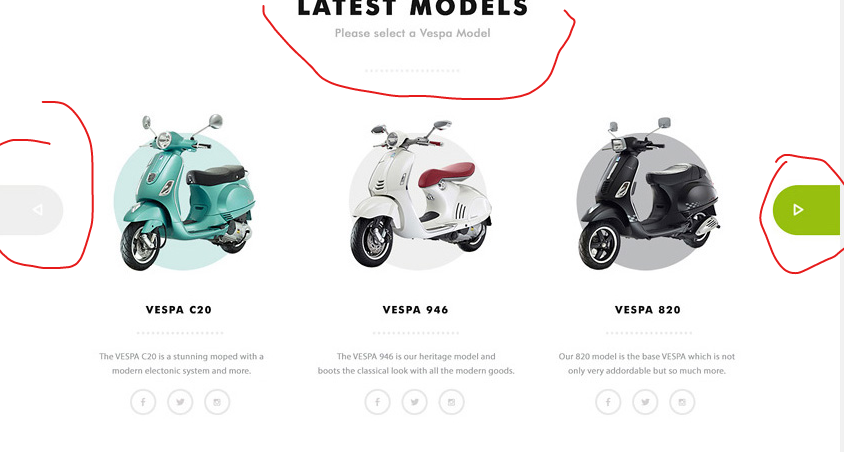
We can change the arrows icons to match design:
We can add Latest models title and subtitle to encourage selecting a car:

i. Center image
ii. Change card to match just a car without background and any extra design. So, we can add the car image without background.
Design example:
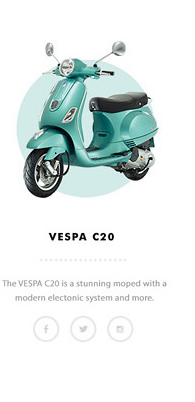
Description text should match the cards example.
Add a hover effect so the user knows, he can click the image (Car gets bigger when hovered).
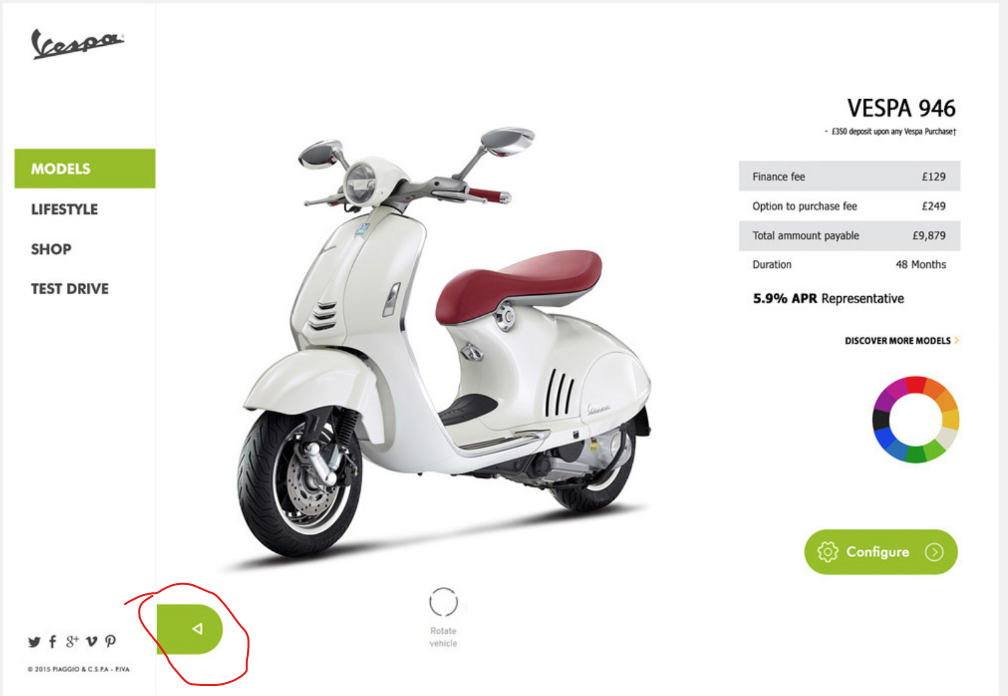
Let's add the back button to vehicle details:
We can change the arrows icons to match design:
We can add Latest models title and subtitle to encourage selecting a car: