Describe the bug
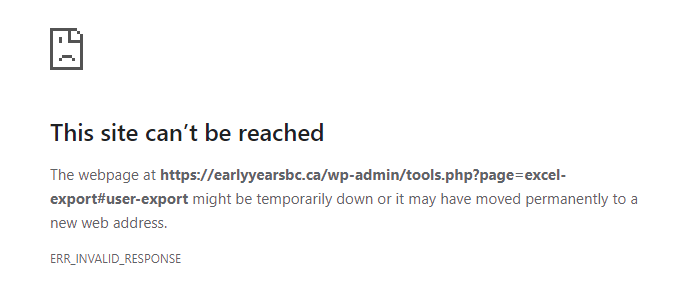
The Excel Export tool on earlyyearsbc.ca is not working. When I try to export a spreadsheet of users, I encounter an error screen (see screenshot below).
To Reproduce
Steps to reproduce the behavior:
- Log in to the earlyyearsbc.ca WP dashboard.
- Go to Tools > Excel Export.
- Check the box that says "Include personally identifiable information in export".
- Click the "Export Users" button (not the "Export" button above).
- See error screen.
Expected behavior
When I click "Export Users", I expect an Excel spreadsheet to be generated and to automatically download. Instead, I encounter the error screen below.
Screenshots
Error screen:
Desktop (please complete the following information):
- OS: Windows 10
- Browser: Chrome
- Version: 80.0.3987.122 (Official Build) (64-bit)

Describe the bug
The Excel Export tool on earlyyearsbc.ca is not working. When I try to export a spreadsheet of users, I encounter an error screen (see screenshot below).
To Reproduce
Steps to reproduce the behavior:
Expected behavior
When I click "Export Users", I expect an Excel spreadsheet to be generated and to automatically download. Instead, I encounter the error screen below.
Screenshots

Error screen:
Desktop (please complete the following information):