A fully GUI-driven auction house plugin for Minecraft Paper servers.
Browse, sell, search, and manage auctions — all from intuitive in-game menus.


Wiki
· Report a Bug
· Discussions
- Features
- Requirements
- Installation
- Commands
- Permissions
- Configuration
- Integrations
- Developer API
- Building from Source
- Support
- License
- 100% GUI-based — every interaction happens through fully configurable chest menus; no complex command trees to memorize.
- Single command entry point —
/ah(or/hdv) opens the auction house; subcommands handle selling, searching, and administration. - Multiple currency modes — pay with Vault economy, player experience points, or experience levels.
- Robust database support — SQLite out of the box, with MySQL, MariaDB, and PostgreSQL for production setups (powered by HikariCP connection pooling).
- Category filtering — browse auctions by material groups: weapons, tools, armor, blocks, food, potions, ores, shulker boxes, and more.
- Flexible sorting — sort listings by date (newest/oldest) or by price (lowest/highest).
- Search by material — quickly find auctions for a specific item type.
- Auction expiration — items automatically expire after a configurable duration and move to a collection inbox.
- Purchase confirmation — a dedicated confirmation GUI prevents accidental purchases.
- Transaction history — players can review past purchases.
- Player view — see only your own active listings at a glance.
- Price controls — enforce per-item minimum and maximum prices, including content-aware pricing for shulker boxes.
- Listing limits — cap the number of active auctions per player, configurable by rank or LuckPerms meta.
- Item blacklist — prevent specific materials from being sold.
- Anti-spam protection — built-in packet spam guard to prevent GUI abuse.
- Duplication protection — optional hashcode-based control to prevent item duplication exploits.
- Custom commands on purchase — execute server commands when an item is bought.
- Cached data — background scheduled tasks keep auction data cached for fast GUI rendering.
- Multi-language — ships with English, French, Russian, and Simplified Chinese translations; easily add your own.
- PlaceholderAPI support — expose auction stats as placeholders for scoreboards, tab lists, etc.
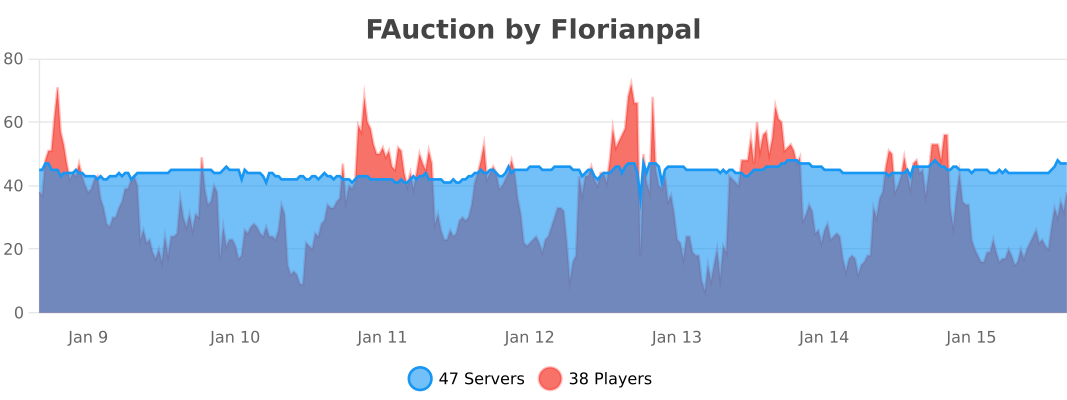
- bStats metrics — anonymous usage statistics for plugin insights.
| Requirement | Version |
|---|---|
| Minecraft | 1.13+ |
| Server | Paper (or forks) |
| Java | 21 or newer |
Optional dependencies:
| Plugin | Purpose |
|---|---|
| Vault | Economy integration (Vault currency mode) |
| PlaceholderAPI | In-game placeholders |
| LuckPerms | Per-rank auction limits via meta |
- Download the latest JAR from the Releases page.
- Place
fauction-x.x.x.jarin your server'splugins/folder. - Start (or restart) the server to generate default configuration files.
- Edit the configuration files in
plugins/FAuction/to your liking (see Configuration). - Run
/ah admin reloadin-game or restart the server to apply changes.
All commands use the /ah alias (or /hdv).
| Command | Description |
|---|---|
/ah |
Open the default auction GUI (configurable) |
/ah list |
Open the auction house browser |
/ah sell <price> |
Sell the item in your main hand at the given price |
/ah search <material> |
Search auctions by item material (e.g. DIAMOND_SWORD) |
/ah expire |
View and collect your expired items |
/ah help |
Show the command help menu |
| Command | Description |
|---|---|
/ah admin reload |
Reload all configuration files |
/ah admin purge all |
Purge all auctions, expired items, and history |
/ah admin purge auction |
Purge all active auctions |
/ah admin purge expire |
Purge all expired items |
/ah admin purge historic |
Purge all transaction history |
/ah admin transfertToPaper |
Migrate database items to Paper serialization |
/ah admin transfertToBukkit |
Migrate database items to Bukkit serialization |
/ah admin migrate <version> |
Run data migration for a specific version |
| Permission | Description | Default |
|---|---|---|
fauction.user |
Parent — grants all children | op |
fauction.list |
Open the auction GUI | — |
fauction.sell |
Sell items on the auction | — |
fauction.expire |
View expired items | — |
fauction.search |
Search auctions by material | — |
| Permission | Description |
|---|---|
fauction.admin.reload |
Reload plugin configuration |
fauction.admin.purge.all |
Purge all data |
fauction.admin.purge.auction |
Purge active auctions |
fauction.admin.purge.expire |
Purge expired items |
fauction.admin.purge.hictoric |
Purge transaction history |
fauction.admin.transfertBddToPaper |
Migrate DB serialization format |
fauction.admin.migrate |
Run version migrations |
All configuration files are generated in plugins/FAuction/ on first startup.
lang: "en"                         # Language file to use (en, fr, ru, zhcn)
currencyUse: VAULT                 # VAULT, EXPERIENCE, or LEVEL

defaultGui: AUCTION                # Default GUI: AUCTION, EXPIRE, HISTORIC, PLAYER, or MENU:<name>

feature-flipping:
  item-expiration: true            # Enable automatic auction expiration
  cache-update: true               # Enable periodic cache refresh
  money-format: false              # Format currency values with decimal pattern
  duplication-hashcode-control: false  # Extra duplication prevention

expiration:
  time: 3600                       # Expiration time in seconds (default: 1 hour)
  checkEvery: 72000                # Check interval in ticks (default: 1 hour)

limitations-use-meta-luckperms: false  # Use LuckPerms meta for auction limits
limitations:                       # Max active auctions per permission group
  default: 5

min-price-default:                 # Global minimum price per item
  enable: false
  value: 0
max-price-default:                 # Global maximum price per item
  enable: false
  value: 100000000

min-price:                         # Per-material minimum price
  COBBLESTONE: 0.5
max-price:                         # Per-material maximum price
  COBBLESTONE: 5

item-blacklist: []                 # Materials that cannot be auctioned

securityForSpammingPacket: true # Anti-spam protectionFAuction supports SQLite, MySQL, MariaDB, and PostgreSQL.
database:
  type: SQLite                     # SQLite, MySQL, MariaDB, PostgreSQL
  url: "jdbc:sqlite:plugins/FAuction/database.db"
  user: "root"
  password: ""
  maximumPoolSize: 50              # HikariCP connection pool size
MySQL example:
database:
  type: MySQL
  url: "jdbc:mysql://localhost:3306/fauction"
  user: "minecraft"
  password: "s3cret"
maximumPoolSize: 10Define material groups for the category filter in the auction GUI.
categories:
  'default':
    displayName: "All"
    materials:
      - ALL
  'weapons':
    displayName: "Weapons"
    materials:
      - WEAPONS
  'armor':
    displayName: "Armor"
    materials:
      - ARMOR
  'tools':
    displayName: "Tools"
    materials:
      - TOOLS
  'food':
    displayName: "Food & Drinks"
    materials:
      - FOOD
  'blocks':
    displayName: "Building Blocks"
    materials:
      - BLOCKS
  # ... add your own categories with individual materials
Categories support both group keywords (WEAPONS, ARMOR, TOOLS, BLOCKS, FOOD, POTIONS, MISC, CUSTOM, ALL) and individual materials (e.g. DIAMOND_SWORD, OAK_LOG).
Configure available sort options in the auction GUI.
sort:
  'DEFAULT':
    displayName: "By date (Newer to Older)"
    type: DATE_NEWER_TO_OLDER
  'DATE_OLDER_TO_NEWER':
    displayName: "By date (Older to Newer)"
    type: DATE_OLDER_TO_NEWER
  'PRICE_LOWER_TO_HIGHER':
    displayName: "By price (Lower to Higher)"
    type: PRICE_LOWER_TO_HIGHER
  'PRICE_HIGHER_TO_LOWER':
    displayName: "By price (Higher to Lower)"
type: PRICE_HIGHER_TO_LOWEREvery GUI screen is fully configurable through YAML files in plugins/FAuction/gui/:
| File | Screen |
|---|---|
auction.yml |
Main auction browser |
auctionConfirm.yml |
Purchase confirmation dialog |
expire.yml |
Expired items collection |
historic.yml |
Transaction history viewer |
playerView.yml |
Player's own active listings |
menus/main.yml |
Custom main menu (when defaultGui: MENU:main) |
Each file lets you configure:
- Layout — inventory size, slot assignments, and utility types per slot
- Materials and textures — icon materials, player head textures
- Titles and descriptions — fully customizable with color codes and placeholders
- Navigation — previous/next page buttons with replacement items when unavailable
Available placeholders in GUI descriptions:
| Placeholder | Value |
|---|---|
{ItemName} |
Item display name |
{OwnerName} |
Seller's player name |
{Price} |
Listing price |
{ExpireTime} |
Expiration date |
{RemainingTime} |
Time remaining until expiry |
{Page} / {TotalPage} |
Current and total page numbers |
{TotalSale} |
Total number of active listings |
{categoryDisplayName} |
Current category filter name |
{sortDisplayName} |
Current sort method name |
{lore} |
Original item lore |
FAuction ships with four language files:
lang_en.yml— Englishlang_fr.yml— Frenchlang_ru.yml— Russianlang_zhcn.yml— Simplified Chinese
Set the active language in config.yml with the lang key. You can create additional translation files following the same naming pattern (lang_<code>.yml).
When currencyUse is set to VAULT, FAuction uses the Vault economy API for all transactions. Any Vault-compatible economy plugin (EssentialsX Economy, CMI, etc.) will work.
When PlaceholderAPI is installed, the following placeholders become available:
| Placeholder | Returns |
|---|---|
%fauction_auction_number% |
Number of the player's active auction listings |
%fauction_expire_number% |
Number of the player's expired items |
%fauction_historic_number% |
Number of the player's transaction history entries |
Enable limitations-use-meta-luckperms: true in config.yml to control per-player auction limits through LuckPerms meta values instead of the static config-based approach.
FAuction exposes a static API instance and fires custom Bukkit events that other plugins can listen to.
FAuction api = FAuction.getApi();Listen to these events using the standard Bukkit event system:
| Event | Fired when... | Key data |
|---|---|---|
AuctionAddEvent |
A player lists a new item for sale | Player, ItemStack, price |
AuctionBuyEvent |
A player purchases an auction | Player, auction details |
AuctionCancelEvent |
A player cancels their own listing | Player, auction details |
ExpireAddEvent |
An auction expires and moves to the inbox | Expired item details |
ExpireRemoveEvent |
A player collects an expired item | Expired item details |
CacheReloadEvent |
The auction cache is refreshed | Updated auction list |
CacheHistoricReloadEvent |
The history cache is refreshed | Updated history list |
Example listener:
@EventHandler
public void onAuctionBuy(AuctionBuyEvent event) {
    Player buyer = event.getPlayer();
    getLogger().info(buyer.getName() + " purchased an item from the auction house!");
}FAuction is published via GitHub Packages:
<repository>
    <id>github</id>
    <url>https://maven.pkg.github.com/florianpal1/fauction</url>
</repository><dependency>
<groupId>fr.florianpal</groupId>
<artifactId>fauction</artifactId>
<version>1.9.9</version>
<scope>provided</scope>
</dependency>Prerequisites: Java 21+, Maven 3.8+
git clone https://github.com/Florianpal1/FAuction.git
cd FAuction
mvn clean package
The compiled JAR will be in target/fauction-x.x.x.jar.
- Wiki — detailed documentation and guides
- Discord — community support
- GitHub Discussions — questions and ideas
- SpigotMC — plugin page
- Hangar — PaperMC distribution
- Modrinth — alternative download
- bStats — usage statistics
FAuction is licensed under the GNU General Public License v3.0.