Sourced from: geeks4geeks
G(E, V) where E is set of edges connecting the set of vertices V
Below few headings will cover some basic topics about graphs that I have learnt. They are sort of like notes. Most of them are copied from geeks4geeks. I will also add any future notes I have here. There might be a few header classes defined for different kinds of graphs or maybe more functioanlities will be added in this folder and split into other files.
ugraph.h has all the functionalities of an undirected graph as of now. Slowly the whole graph folder will be expanded. Checkout main.cpp driver file to test an example undirected graph.
All classes defined in graph folder come under graph namespace.
Below is the illustration of our example graph used in main.cpp:-

//// previous definitions in main ////
graph::uGraph g(10);
// code for graph g to be initialised. Above image as reference
int start = 0;
int goal = 9;
std::cout<<"UCS traversal from node "<< node_index <<" to "<<goal<<".\n";
g.ucs(start, goal);
std::cout<<"\n";

start = 0;
goal = 4;
std::cout<<"UCS traversal from node "<< node_index <<" to "<<goal<<".\n";
g.ucs(start, goal);
std::cout<<"\n";
////// rest of code in main /////
This will give output:-
UCS Traversal from node 0 to 9.
0 4 2 6
Found goal 9 at cost 13
UCS Traversal from node 0 to 4.
0
Found goal 4 at cost 2
-
A Null Graph has no edges.
-
A Trivial Graph has only a single vertex. Smallest possible graph
-
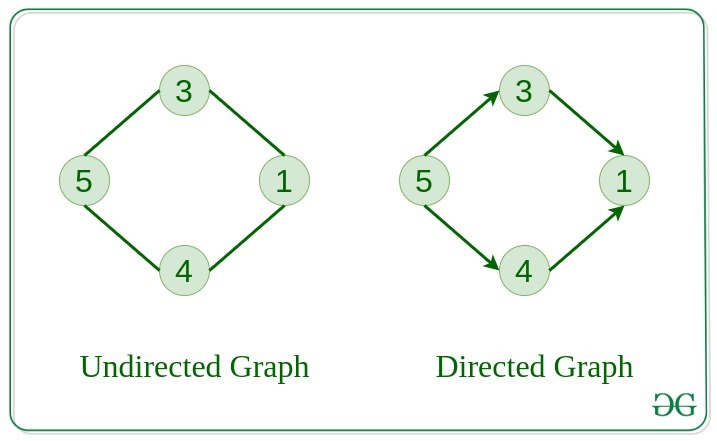
A graph in which edges do not have any direction is called Undirected Graph.
-
Directed graph has edges with direction.
-
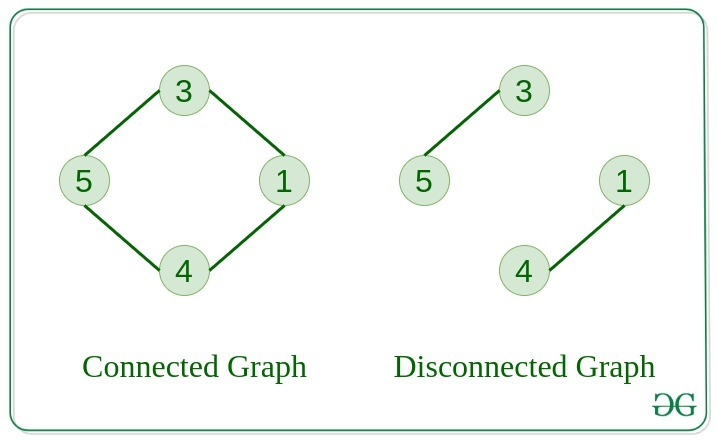
Connected Graph is one in which from one node we can visit any other node in the graph
-
Disconnected graph: Atleast one node has to be not reachable from a node
-
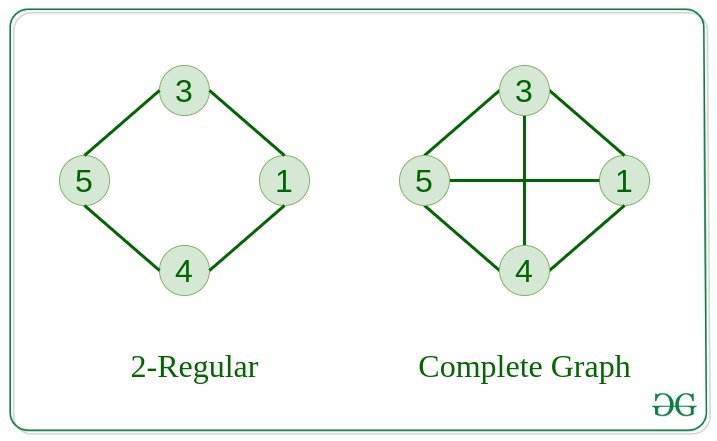
Regular Graph is one in which degree of every vertex is equal to the other vertices of graph
-
Complete Graph: from each node there is an edge to each other node
-
Cycle Graph: graph is a cycle in itself. Degree of each vertex is 2.
-
Cyclic Graph: A graph containing atleast one cycle
-
Directed Acyclic Graph: A directed graph that does not co- ntain any cycle
-
Bipartite Graph: A graph in which vertices can be divided into two sets st. in each set vertices do not contain any edge between them. W
-
Weighted Graph: A graph in which edges are already specified with suit- able weight is known as weighted graph.
weighted graphs further classified based on edge direction existence vis a vis Undirected and directed WGs.

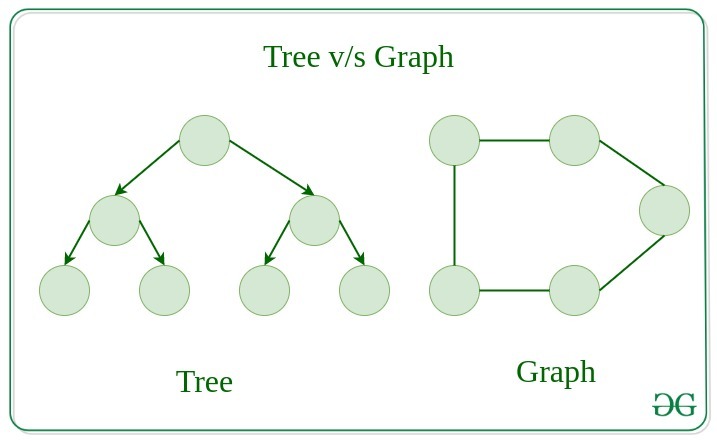
All trees are graphs. Not all graphs are trees.
Linked List, Trees and Heaps are special cases of graphs.

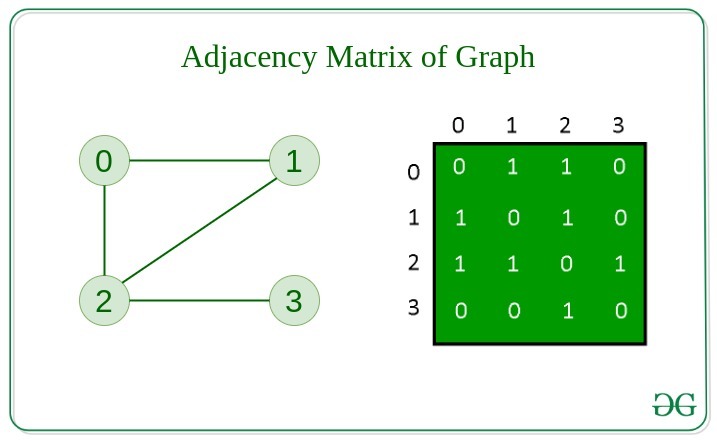
There are two ways to store a graph:-
- Adjacency Matrix
- Adjacency List
- An NxN matrix where N is number of vertices in the graph
- rows and columns are vertices
- each value represents the weight of the edge between the vertices
- In case of undirected graphs, the adjacency matrix is symmetric. (vice versa not true)
- represented as a collection of
linked lists. - array of pointer which points to the edges connected to that vertex (better understood through illustration below)
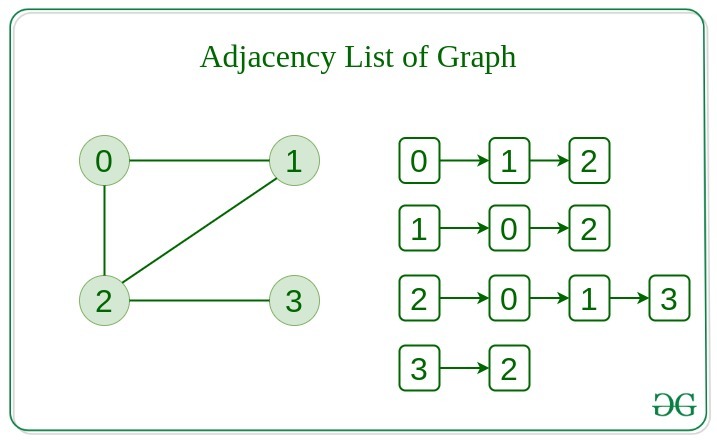
It is good to not have sparse matrix (where many values are 0). Sparse matrices consume large space. If there are lot of edges then adjacency matrix is a good use but if we are going to have less number of edges we should prefer to use adjacency list.
| Action | Adj Matrix | Adj List |
|---|---|---|
| Add Edge | O(1) | O(1) |
| Removing Edge | O(1) | O(N) |
| Initialize | O(N*N) | O(N) |
- Insertion of Nodes/Edges
- Deletion of Nodes/Edges
- Searching on Graphs
- Traversal of Graphs
- Maps can be respresented using graphs. Use search algo on them to find shortest route, etc.
- When various tasks depend on each other. This scenario can be represented using a directed acyclic graph. Topological sort helps find order in which tasks can be done.
- State Transition Diagram