The functionality of the find command differs from the user guide. Currently, it searches in both company names and application names.
However, the user guide states that it only the name is searched: 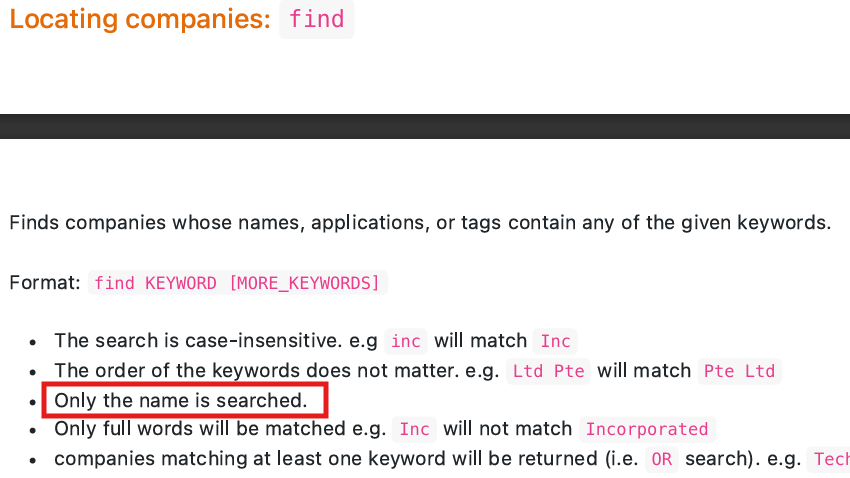
Steps to Replicate:
- Add a company (e.g.
add n/Apple e/contact@apple.com)
- Apply to the company with the
apply command (e.g. apply 1 n/Software Engineer Intern d/Requires knowledge of ReactJS and ExpressJS)
- Use the
find command with the application title as keyword instead of the company name
Expected Result: The added company should not be listed.
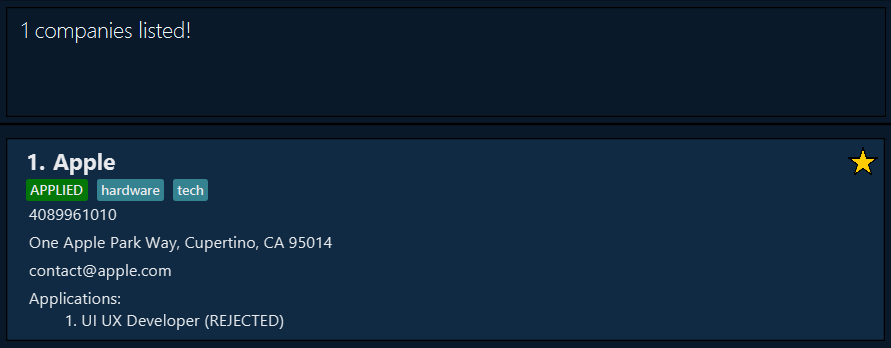
Actual Result: The added company is listed, because the application name is found.
Example result of running find Developer:

The functionality of the
findcommand differs from the user guide. Currently, it searches in both company names and application names.However, the user guide states that it only the name is searched:
Steps to Replicate:
add n/Apple e/contact@apple.com)applycommand (e.g.apply 1 n/Software Engineer Intern d/Requires knowledge of ReactJS and ExpressJS)findcommand with the application title as keyword instead of the company nameExpected Result: The added company should not be listed.
Actual Result: The added company is listed, because the application name is found.
Example result of running

find Developer: