This guide walks you through preparing your Notion environment for MCPMark and authenticating the CLI tools.
Note: Set your Notion app and workspace interface language to English. We use Playwright for browser automation and our locator logic relies on raw English text in the UI. Non-English interfaces can cause element selection to fail.
-
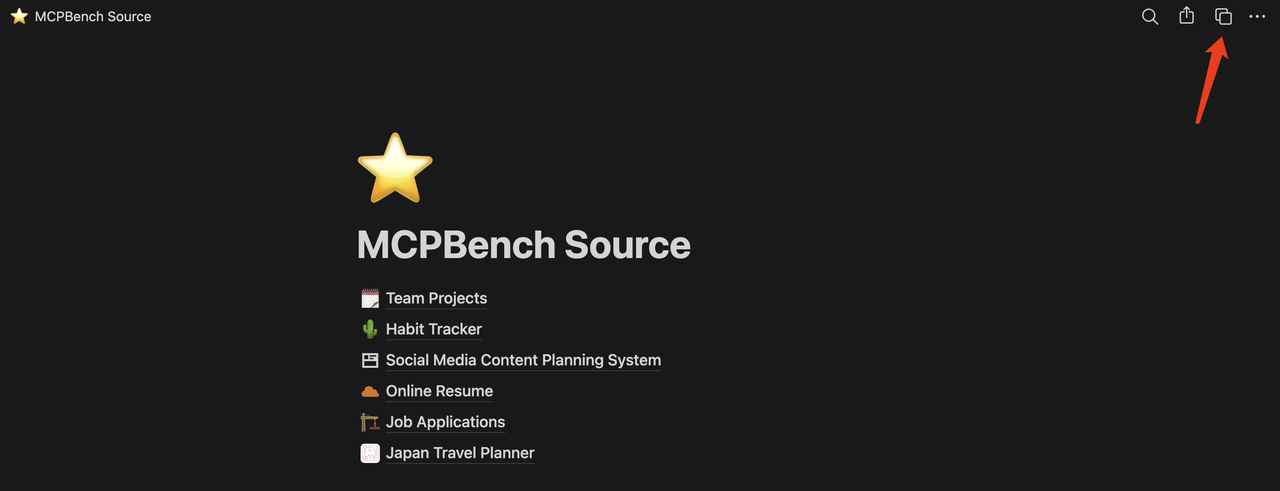
Duplicate the MCPMark Source Pages Copy the template database and pages into your workspace from the public template following this tutorial: Duplicate MCPMark Source.
-
Set up the Source and Eval Hub for Environment Isolation
- Prepare two separate Notion pages:
- Source Hub: Stores all the template databases/pages. Managed by
SOURCE_NOTION_API_KEY. - Eval Hub: Only contains the duplicated templates for the current evaluation. Managed by
EVAL_NOTION_API_KEY.
- Source Hub: Stores all the template databases/pages. Managed by
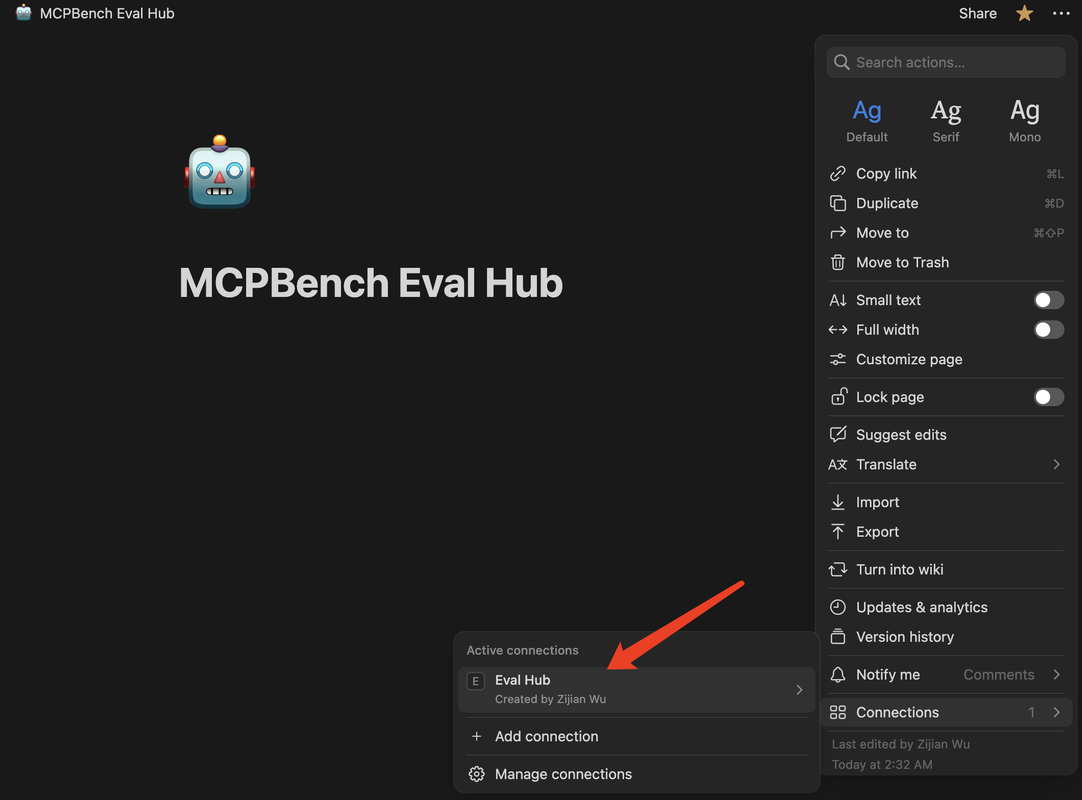
- In Notion, create an empty page in your Eval Hub. The page name must exactly match the value you set for
EVAL_PARENT_PAGE_TITLEin your environment variables (e.g.,MCPMark Eval Hub). - Name your Source Hub page to match
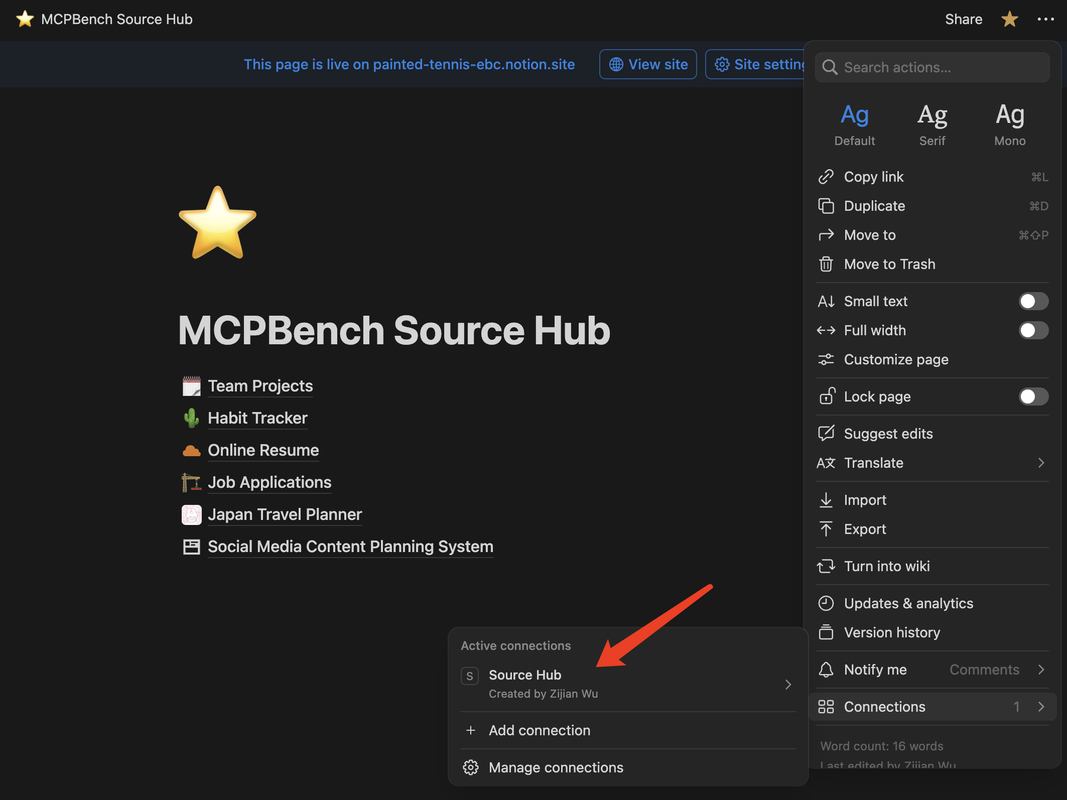
SOURCE_PARENT_PAGE_TITLE(default:MCPMark Source Hub). This is where all initial-state templates live; we enumerate this page’s first-level children by exact title. - In Notion's Connections settings:
- Bind the integration corresponding to
EVAL_NOTION_API_KEYto the Eval Hub parent page you just created. - Bind the integration corresponding to
SOURCE_NOTION_API_KEYto your Source Hub (where the templates are stored).
- Bind the integration corresponding to
- Prepare two separate Notion pages:
-
Create Notion Integrations & Grant Access
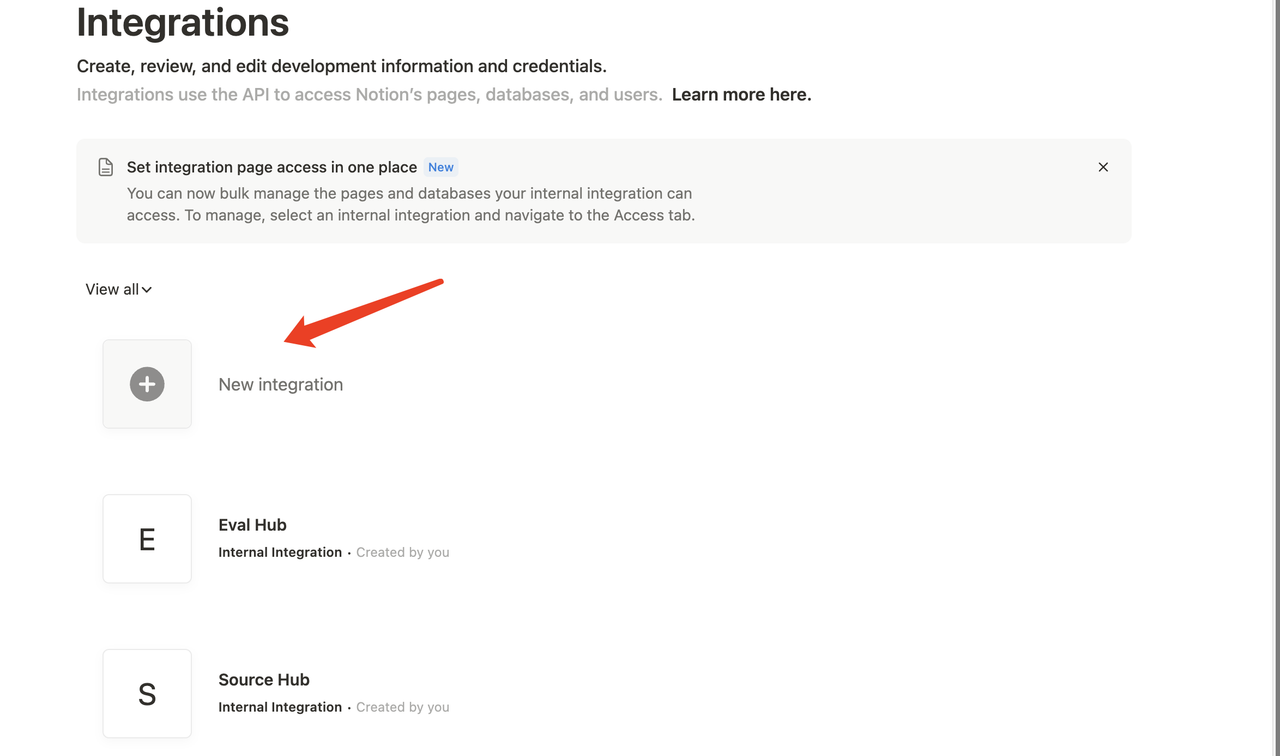
a. Visit Notion Integrations and create two internal integrations (one for Source Hub, one for Eval Hub).
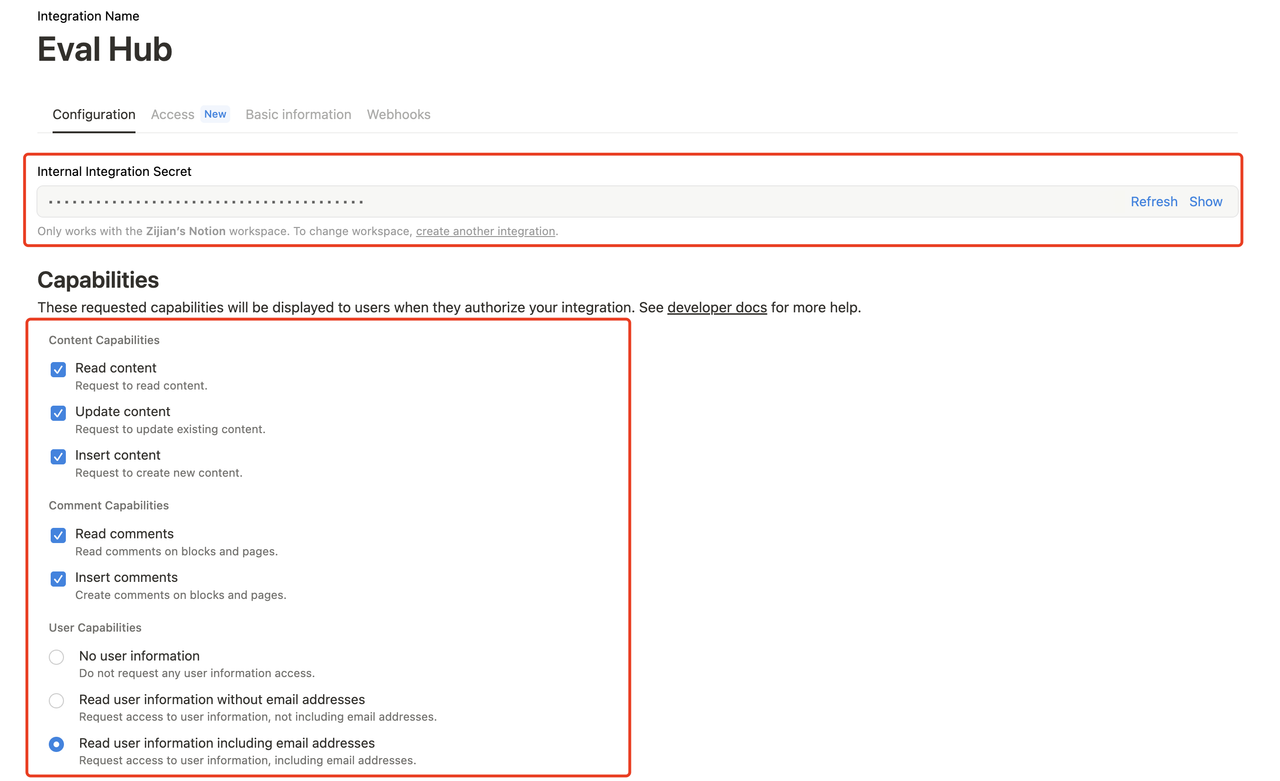
b. Copy the generated Internal Integration Tokens (these will be your
SOURCE_NOTION_API_KEYandEVAL_NOTION_API_KEY).c. Share the Source Hub with the Source integration, and the Eval Hub parent page with the Eval integration (Full Access).
# First, install Playwright and the browser binaries
playwright install
# Then, run the Notion login helper with your preferred browser
python -m src.mcp_services.notion.notion_login_helper --browser {firefox|chromium}
The verification script will tell you which browser is working properly. The pipeline defaults to using chromium. Our pipeline has been fully tested on macOS and Linux.
- Configure environment variables: make sure the following service credentials are added in
.mcp_env.
## Notion
SOURCE_NOTION_API_KEY="your-source-notion-api-key"   # For Source Hub (templates)
EVAL_NOTION_API_KEY="your-eval-notion-api-key"       # For Eval Hub (active evaluation)
SOURCE_PARENT_PAGE_TITLE="MCPMark Source Hub"        # Source hub page name (exact match)
EVAL_PARENT_PAGE_TITLE="MCPMark Eval Hub"           # Must match the name of the empty page you created in Eval Hub
PLAYWRIGHT_BROWSER="chromium" # default to chromium, you can also choose firefox
PLAYWRIGHT_HEADLESS="True"- For single task or task group, run
python -m pipeline --exp-name EXPNAME --mcp notion --tasks NOTIONTASK --models MODEL --k KHere EXPNAME refers to customized experiment name, NOTIONTASK refers to the notion task or task group selected (see Task Page for specific task information), MODEL refers to the selected model (see Introduction Page for model supported), K refers to the time of independent experiments.