
Replies: 2 comments

|
You can use console markup in the text or TextColumns e.g. to change the description: Here you are setting the style "bright_yellow", but it is being overriden by "[progress.percentage]" which sets a theme style called |
0 replies

Thanks for the explanation, but how do we set a custom color in such case? I tried to change style like this:
Funny, it is changed to italic, but no to red or any other color... UPDATE: ok, i got it, you just use the
Then color is changed. |
0 replies
Sign up for free
to join this conversation on GitHub.
Already have an account?
Sign in to comment


Uh oh!
There was an error while loading. Please reload this page.
I am writing a top monitor under windows 10 platform,
and for now,
I am doing somthing for customrize theme of monitor,
but I tried some methods to change progress bar text color,
mainly 2 places text color, 1st is task description, 2nd is percentage text,
as u know, it doesn't work,
so I hope to get some help here;
here is code about progress:
here is the top monitor probably looks like (the orange square positions are target text that I wanna change color)
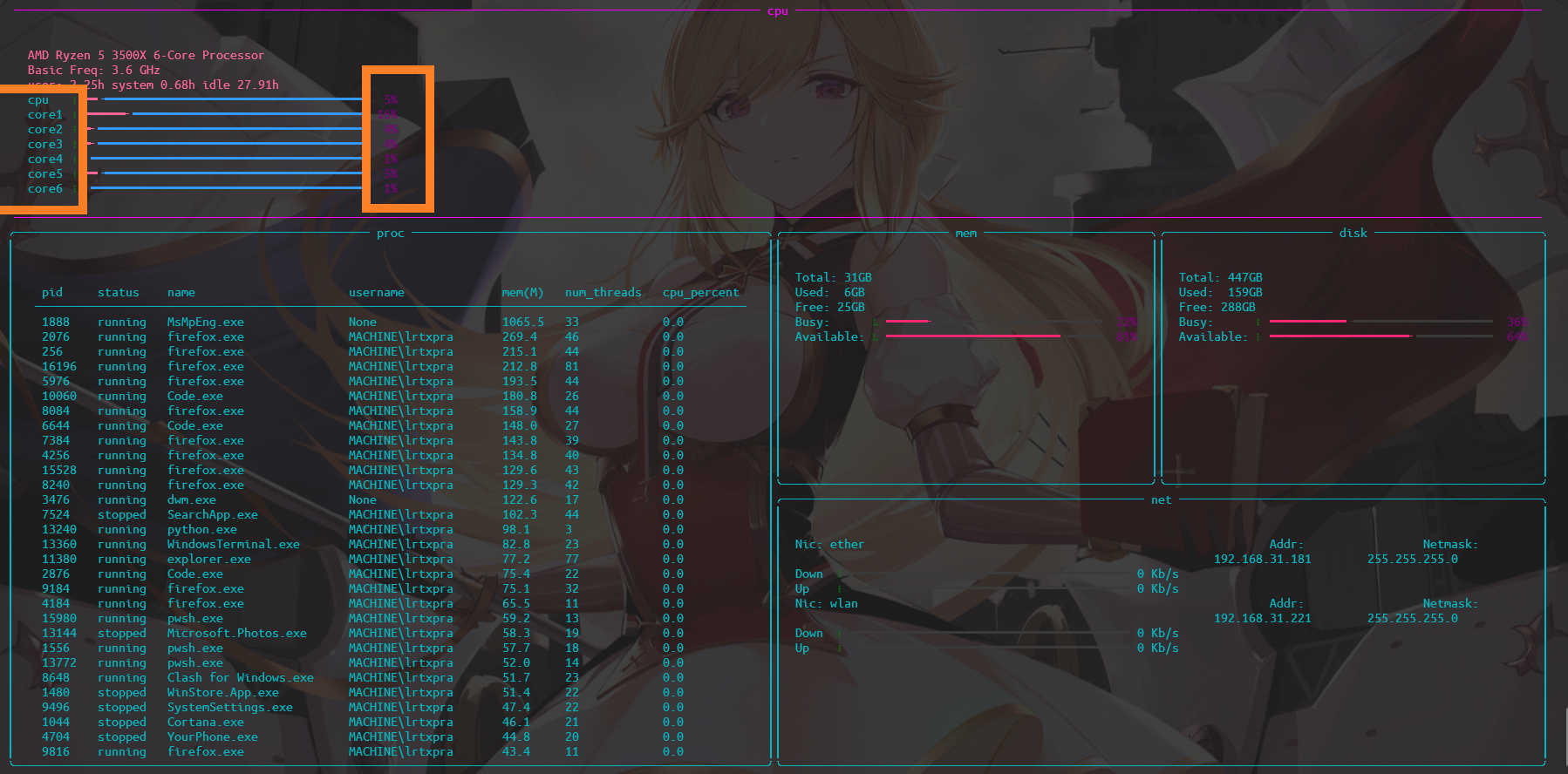
(of course, there are still many features left)
All reactions