ISSUE TYPE
COMPONENT NAME
CLOUDSTACK VERSION
CONFIGURATION
Advanced networking, VPC with multiple tier networks
OS / ENVIRONMENT
N/A
SUMMARY
When trying to enable static NAT on VM with NICs on multiple VPC tier networks on the 'Public IP addresses' router section, it fails with error: VM ip <IP> address not belongs to the vm where is the IP of the NIC tried to map for static NAT.
Note: The same process works under the tier network static NATs section, acquiring a new IP, but not from the VPC router section.
STEPS TO REPRODUCE
- Create VPC
- Add at least 2 tier networks
- Deploy VM on at least 2 of the VPC tier networks
- Network -> VPC -> Router -> Public IP addresses [1]
- Acquire new IP
- Enable static NAT: [2]
   - Select one of the tier networks
   - Select VM
   - Apply
[1] 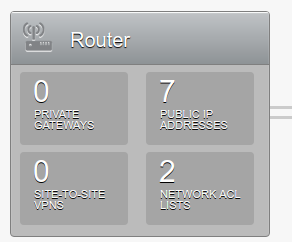
[2]
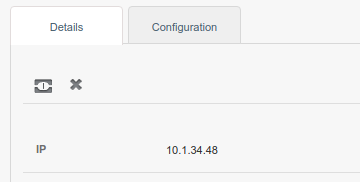
EXPECTED RESULTS
Static NAT mapped correctly
ACTUAL RESULTS
VM ip <IP> address not belongs to the vm

ISSUE TYPE
COMPONENT NAME
CLOUDSTACK VERSION
CONFIGURATION
Advanced networking, VPC with multiple tier networks
OS / ENVIRONMENT
N/A
SUMMARY
When trying to enable static NAT on VM with NICs on multiple VPC tier networks on the 'Public IP addresses' router section, it fails with error:
VM ip <IP> address not belongs to the vmwhere is the IP of the NIC tried to map for static NAT.Note: The same process works under the tier network static NATs section, acquiring a new IP, but not from the VPC router section.
STEPS TO REPRODUCE
[1]
[2]

EXPECTED RESULTS
ACTUAL RESULTS