github tutorial Youtube
Youtube Video:
https://www.youtube.com/watch?v=RGOj5yH7evk
git / version control = way to track code changes
repo = folder where the project is kept
git = tool that tracks the changes over time
githib = website where we keep all our repo
- clone -> bring a repo hosted somewhere (for instance on github) into a folder on your local machine
- add -> track your files and changes in git
- commit -> save your files in git
- push -> upload git to a remote repo (like github)
- pull -> download changes from remote repo to local machine
repo = project that contains all my files for a specific project
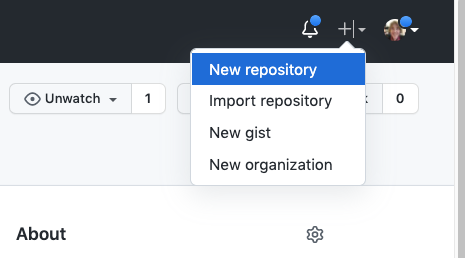
To create new repo:
Select: README, LICENSE, and .gitignore
(It is recommended that every repository include a README, LICENSE, and .gitignore)
This is a file that describe what the project is about.
You can create the README.md file directly on github or you can create it locally.
create a new repository on the command line
echo "# demo-repo2" >> README.md
git init
git add README.md
git commit -m "first commit"
git branch -M main
git remote add origin https://github.com/cecilehannay/demo-repo2.git
git push -u origin main
push an existing repository from the command line
git remote add origin https://github.com/cecilehannay/demo-repo2.git
git branch -M main
git push -u origin main
To clone locally:
git clone git@github.com:cecilehannay/github-tutorial.git
cd github-tutorial
The directory github-tutorial contains a file .git that contains all the changes recorded in the history of the repo.
Edit README.md
git status shows the files that haven't been saved yet in the local repo (it can be files that have been modified
modified:
or files that haven't been saved in the repo)
Untracked files:
git add .
stage the files with git and they are ready to be committed.
git commit -m "Modified the README.md on local repo" -m "Description of the change "
Now the changes is on the local repo
To push on the remote repo (github)
git push
Generate a key locally
ssh-keygen -t rsa -b 4096 -C "hannay@ucar.edu"
+> this generates 2 keys private and public