-
Notifications
You must be signed in to change notification settings - Fork 0
Expand file tree
/
Copy pathatom.xml
More file actions
239 lines (128 loc) · 42.1 KB
/
atom.xml
File metadata and controls
239 lines (128 loc) · 42.1 KB
1
2
3
4
5
6
7
8
9
10
11
12
13
14
15
16
17
18
19
20
21
22
23
24
25
26
27
28
29
30
31
32
33
34
35
36
37
38
39
40
41
42
43
44
45
46
47
48
49
50
51
52
53
54
55
56
57
58
59
60
61
62
63
64
65
66
67
68
69
70
71
72
73
74
75
76
77
78
79
80
81
82
83
84
85
86
87
88
89
90
91
92
93
94
95
96
97
98
99
100
101
102
103
104
105
106
107
108
109
110
111
112
113
114
115
116
117
118
119
120
121
122
123
124
125
126
127
128
129
130
131
132
133
134
135
136
137
138
139
140
141
142
143
144
145
146
147
148
149
150
151
152
153
154
155
156
157
158
159
160
161
162
163
164
165
166
167
168
169
170
171
172
173
174
175
176
177
178
179
180
181
182
183
184
185
186
187
188
189
190
191
192
193
194
195
196
197
198
199
200
201
202
203
204
205
206
207
208
209
210
211
212
213
214
215
216
217
218
219
220
221
222
223
224
225
226
227
228
229
230
231
232
233
234
235
236
237
238
239
<?xml version="1.0" encoding="utf-8"?>
<feed xmlns="http://www.w3.org/2005/Atom">
<title>corndreams</title>
<link href="https://corndreams.github.io/atom.xml" rel="self"/>
<link href="https://corndreams.github.io/"/>
<updated>2026-02-28T15:15:45.757Z</updated>
<id>https://corndreams.github.io/</id>
<author>
<name>corndreams</name>
</author>
<generator uri="https://hexo.io/">Hexo</generator>
<entry>
<title>游戏推荐</title>
<link href="https://corndreams.github.io/2026/02/28/%E6%B8%B8%E6%88%8F%E6%8E%A8%E8%8D%90/"/>
<id>https://corndreams.github.io/2026/02/28/%E6%B8%B8%E6%88%8F%E6%8E%A8%E8%8D%90/</id>
<published>2026-02-28T12:00:00.000Z</published>
<updated>2026-02-28T15:15:45.757Z</updated>
<content type="html"><![CDATA[<p>游戏推荐,mud游戏:奇谭客栈</p><span id="more"></span><h2 id="start"><a href="#start" class="headerlink" title="start"></a>start</h2><p>本期分享一个个人一直喜欢的一个mud游戏,奇谭客栈。一款高自由度武侠文字MUD,主打社群互动与沉浸式江湖体验,适合喜欢文字、偏爱慢节奏、看重社交的玩家。(游戏Q群1:704079514,群2:599823307。备注楚星河有额外福利。)</p><h2 id="副本刷怪"><a href="#副本刷怪" class="headerlink" title="副本刷怪"></a>副本刷怪</h2><p>这里不仅有古帝洞府、斜月三星,还有荒域超脱、妖域证道,更有龙域寻宝、天外陨坑、诗仙秘境等。<br><img src="/images/background/副本.jpg"><br><img src="/images/background/龙域.jpg"></p><h2 id="装备道具"><a href="#装备道具" class="headerlink" title="装备道具"></a>装备道具</h2><p>自制装备、词条打造、特效丹药、灭敌符箓<br><img src="/images/background/武器.jpg"><br><img src="/images/background/道具1.jpg"><br><img src="/images/background/道具.jpg"></p><h2 id="武学"><a href="#武学" class="headerlink" title="武学"></a>武学</h2><p>纯阳、龙力、荒力、诗魂等多套不同体系武学功法<br><img src="/images/background/纯.jpg"><br><img src="/images/background/龙.jpg"><br><img src="/images/background/荒.jpg"><br><img src="/images/background/诗.jpg"></p><h2 id="感受"><a href="#感受" class="headerlink" title="感受"></a>感受</h2><p>纯粹的文字沉浸感和浓厚的社群氛围,大佬热情带新、攻略共享,没有冷漠感,像一个线上江湖大家庭,留住我的倒不是游戏本身的内容,游戏玩久了也会厌倦,真正留住我的是我对这里的感情。</p><h2 id="end"><a href="#end" class="headerlink" title="end"></a>end</h2><p>游戏Q群1:704079514,群2:599823307。备注楚星河有额外福利。</p>]]></content>
<summary type="html"><p>游戏推荐,mud游戏:奇谭客栈</p></summary>
<category term="游戏" scheme="https://corndreams.github.io/tags/%E6%B8%B8%E6%88%8F/"/>
</entry>
<entry>
<title>一键生成你的github年度报告视频</title>
<link href="https://corndreams.github.io/2025/01/06/%E4%B8%80%E9%94%AE%E7%94%9F%E6%88%90%E4%BD%A0%E7%9A%84github%E5%B9%B4%E5%BA%A6%E6%8A%A5%E5%91%8A%E8%A7%86%E9%A2%91/"/>
<id>https://corndreams.github.io/2025/01/06/%E4%B8%80%E9%94%AE%E7%94%9F%E6%88%90%E4%BD%A0%E7%9A%84github%E5%B9%B4%E5%BA%A6%E6%8A%A5%E5%91%8A%E8%A7%86%E9%A2%91/</id>
<published>2025-01-06T11:32:20.000Z</published>
<updated>2025-01-06T14:47:29.433Z</updated>
<content type="html"><![CDATA[<p>一键生成你的github年度报告视频</p><span id="more"></span><h2 id="一键生成"><a href="#一键生成" class="headerlink" title="一键生成"></a>一键生成</h2><p>打开这个项目。你什么都不用干,只要输入自己的 GitHub 用户名,就能一键生成属于你的 GitHub 年度总结视频!</p><p>指路:<a><a href="https://githubunwrapped.com/">https://githubunwrapped.com/</a></a></p><h2 id="具体效果"><a href="#具体效果" class="headerlink" title="具体效果"></a>具体效果</h2><ul><li>使用最多的编程语言</li><li>开启的 issues 数量</li><li>今年关注的 GitHub 仓库数</li><li>一周内和一天内工作最高效的时间</li><li>合并的代码提交数</li><li>今年总贡献代码的次数<br>下面是我的第一年github年度报告视频:<br><iframe src="//player.bilibili.com/player.html?bvid=BV11VrjYYEn3" scrolling="no" border="0" frameborder="no" framespacing="0" allowfullscreen="true" style="width:700px;height:400px"></iframe></li></ul>]]></content>
<summary type="html"><p>一键生成你的github年度报告视频</p></summary>
</entry>
<entry>
<title>hexo博客如何添加RSS订阅</title>
<link href="https://corndreams.github.io/2024/12/08/hexo%E5%8D%9A%E5%AE%A2%E5%A6%82%E4%BD%95%E6%B7%BB%E5%8A%A0RSS%E8%AE%A2%E9%98%85/"/>
<id>https://corndreams.github.io/2024/12/08/hexo%E5%8D%9A%E5%AE%A2%E5%A6%82%E4%BD%95%E6%B7%BB%E5%8A%A0RSS%E8%AE%A2%E9%98%85/</id>
<published>2024-12-08T11:02:50.000Z</published>
<updated>2024-12-08T11:25:05.893Z</updated>
<content type="html"><![CDATA[<p>hexo博客如何添加RSS订阅。前几天写了一篇关于follow的博客,今天给我的博客添加一下RSS订阅</p><span id="more"></span><h2 id="下载hexo-generator-feed插件"><a href="#下载hexo-generator-feed插件" class="headerlink" title="下载hexo-generator-feed插件"></a>下载hexo-generator-feed插件</h2><pre><code>npm install hexo-generator-feed --save</code></pre><h2 id="在-config-yml-文件中添加配置"><a href="#在-config-yml-文件中添加配置" class="headerlink" title="在_config.yml 文件中添加配置"></a>在_config.yml 文件中添加配置</h2><pre><code>feed: type: atom path: atom.xml limit: 20 hub: content: content_limit: content_limit_delim: ' '</code></pre><ul><li><strong>type</strong>: RSS的类型(atom/rss2)</li><li><strong>path</strong>: 文件路径,默认是atom.xml/rss2.xml</li><li><strong>limit</strong>: 展示文章的数量,使用0或则false代表展示全部hub</li><li><strong>content</strong>: 在RSS文件中是否包含内容 ,有3个值 true/false默认不填为false</li><li><strong>content_limit</strong>: 指定内容的长度作为摘要,仅仅在上面content设置为false和没有自定义的描述出现</li><li><strong>content_limit_delim</strong>: 上面截取描述的分隔符,截取内容是以指定的这个分隔符作为截取结束的标志.在达到规定的内容长度之前最后出现的这个分隔符之前的内容,防止从中间截断</li></ul><h2 id="运行hexo"><a href="#运行hexo" class="headerlink" title="运行hexo"></a>运行hexo</h2><p>输入指令hexo g以及hexo s查看博客网站在本地运行效果,会生成atom.xml文件到public目录下,以我的博客为例部署后的RSS订阅地址为<a href="https://blog.corndreams.ink/atom.xml">https://blog.corndreams.ink/atom.xml</a></p>]]></content>
<summary type="html"><p>hexo博客如何添加RSS订阅。前几天写了一篇关于follow的博客,今天给我的博客添加一下RSS订阅</p></summary>
<category term="工具分享" scheme="https://corndreams.github.io/tags/%E5%B7%A5%E5%85%B7%E5%88%86%E4%BA%AB/"/>
</entry>
<entry>
<title>使用clash科学上网</title>
<link href="https://corndreams.github.io/2024/12/04/%E4%BD%BF%E7%94%A8clash%E7%A7%91%E5%AD%A6%E4%B8%8A%E7%BD%91/"/>
<id>https://corndreams.github.io/2024/12/04/%E4%BD%BF%E7%94%A8clash%E7%A7%91%E5%AD%A6%E4%B8%8A%E7%BD%91/</id>
<published>2024-12-04T04:03:35.000Z</published>
<updated>2025-12-08T02:11:44.123Z</updated>
<content type="html"><![CDATA[<p>使用clash科学上网</p><span id="more"></span><h2 id="软件下载"><a href="#软件下载" class="headerlink" title="软件下载"></a>软件下载</h2><ul><li><a href="https://hollywood.lanzoup.com/iQ6xD2aq8smh">Clash for Windows</a></li><li><a href="https://app.chongjin.icu/Windows/Clash_Verge_REV/Webview2/Clash.Verge_win7_x64_fixed_webview2-setup.exe">Clash Verge -rev</a></li><li><a href="https://hollywood.lanzoub.com/b0xve63eh">Clashmeta For Android</a></li></ul><h2 id="购买节点"><a href="#购买节点" class="headerlink" title="购买节点"></a>购买节点</h2><p>clash是付费软件需要购买节点后才能配合软件开启代理</p><p>购买网址<a><a href="https://hkm.cdn-source.com/register?aff=Dz0kILt1">https://hkm.cdn-source.com/register?aff=Dz0kILt1</a></a>(邀请码:Dz0kILt1)<br>或者<a><a href="https://mojie.app/register?aff=Dz0kILt1">https://mojie.app/register?aff=Dz0kILt1</a></a>(邀请码:Dz0kILt1)</p><img src="/images/background/mojie1.png"><h2 id="clash使用"><a href="#clash使用" class="headerlink" title="clash使用"></a>clash使用</h2><p>以Clash for Windows为例(其他操作基本一样):购买后复制订阅地址,链接粘贴到 clash for windows左侧 <配置> 上方的下载框 点击<下载>,下载成功后 clash for windows左侧 <主页> 勾上 <系统代理> 即可使用</p><img src="/images/background/clash3.png"><img src="/images/background/clash1.png"><img src="/images/background/clash2.png">]]></content>
<summary type="html"><p>使用clash科学上网</p></summary>
<category term="工具分享" scheme="https://corndreams.github.io/tags/%E5%B7%A5%E5%85%B7%E5%88%86%E4%BA%AB/"/>
</entry>
<entry>
<title>Follow 新一代互联网订阅利器</title>
<link href="https://corndreams.github.io/2024/12/03/Follow-%E6%96%B0%E4%B8%80%E4%BB%A3%E4%BA%92%E8%81%94%E7%BD%91%E8%AE%A2%E9%98%85%E5%88%A9%E5%99%A8/"/>
<id>https://corndreams.github.io/2024/12/03/Follow-%E6%96%B0%E4%B8%80%E4%BB%A3%E4%BA%92%E8%81%94%E7%BD%91%E8%AE%A2%E9%98%85%E5%88%A9%E5%99%A8/</id>
<published>2024-12-03T02:07:17.000Z</published>
<updated>2024-12-03T03:25:40.165Z</updated>
<content type="html"><![CDATA[<p>Follow 新一代互联网订阅利器</p><span id="more"></span><h2 id="Follow是什么"><a href="#Follow是什么" class="headerlink" title="Follow是什么"></a>Follow是什么</h2><p>Follow 是一款“以万物皆可订阅”为目标而生的新一代 RSS 阅读器,开源免费,这款应用不仅能订阅传统的网站 RSS 地址源,还能关注订阅各大社交网络账号 (比如 X 推特 / 小红书 / 微博)、视频平台 UP 主 (Youtube / 哔哩哔哩)、播客、图片等内容更新,并且跨平台支持 Windows、macOS、Linux 等主流操作系统。对比传统的 RSS 订阅工具,这款「Follow」主要提供了文本、图片、视频、社媒、通知订阅模式。</p><p>也就是你可以用来订阅网站、微博、B 站、小红书,甚至可以关注一些电商平台的物品价格变动等等,如什么值得买平台。</p><p>由于一些网站没有提供 RSS 功能,所以还有 RSSHub 路由订阅功能,简单说就是由 RSS 社区网友针对某个网站自己部署分享出来的订阅方式,并且针对不同的网站提供了多种订阅方式。</p><p>官网<a><a href="https://follow.is/">https://follow.is</a></a><br><img src="/images/background/follow1.png"></p><h2 id="Follow的特色"><a href="#Follow的特色" class="headerlink" title="Follow的特色"></a>Follow的特色</h2><h3 id="订阅多种类型源"><a href="#订阅多种类型源" class="headerlink" title="订阅多种类型源"></a>订阅多种类型源</h3><ul><li>多类型订阅:可以订阅网页 (文本)、图片、视频、社媒、通知等,包括影片、音频、文章、图片等,还能订阅电商平台物品价格变动,以及网站、微博、B 站、小红书等,甚至可以订阅 YouTube 或哔哩哔哩上的 UP 主的更新。</li><li>多种订阅模式:除支持传统的网页 RSS 订阅外,还提供文本、图片、视频、社媒、通知订阅模式,支持关键词订阅、订阅某个博主、订阅某个分类等,还有 RSSHub 路由订阅功能,由 RSSHub 社区的发展,可实现 “万物皆可 RSS”。</li><li>用户分享订阅列表:用户可以订阅其他 Follow 用户的订阅源,通过搜索需要的内容来添加订阅。并且,软件支持用户分享自己整理的订阅列表,方便他人一键订阅,分享者也能从中获得打赏。</li></ul><h3 id="自动化与-AI-功能"><a href="#自动化与-AI-功能" class="headerlink" title="自动化与 AI 功能"></a>自动化与 AI 功能</h3><ul><li>AI 摘要生成:可以为订阅的内容自动生成 AI 摘要,节省阅读长篇文章的时间,当打开订阅的文章就会有个 AI 总结。</li><li>AI 热点总结功能:每天 8:00 和 20:00 定时更新根据时间线提取的重点信息。</li><li>自动翻译:支持自动翻译</li><li>新条目通知:支持新条目通知功能。</li><li>指定条件触发和规则自定义:支持指定条件触发,和规则自定义,如开启自动生成 AI 摘要功能后,当打开订阅的文章就会有个 AI 总结。</li></ul><h3 id="阅读模式"><a href="#阅读模式" class="headerlink" title="阅读模式"></a>阅读模式</h3><ul><li>自动排版:文章阅读方面支持切换阅读模式,会根据文章自动排版,但不支持自定义样式。</li><li>语音朗读播报:支持将文本转换语言播报,语音使用微软语音库,还支持选择自己喜欢的音色,语音朗读时还支持下载到本地和倍速。</li><li>纯净模式:有阅读模式可以帮忙纯净一下原界面。</li><li>视频播放:在视频板块,不用跳转到原网站,就能直接观看视频,如订阅 B 站 Up 主后可直接在 Follow 中观看视频,登录账号后还支持弹幕。</li></ul><h3 id="Follow-客户端"><a href="#Follow-客户端" class="headerlink" title="Follow 客户端"></a>Follow 客户端</h3><ul><li>高颜值界面:简洁而现代的界面,顶部按钮设计直观,不同信息类别切换顺滑,有亮色和深色模式。</li><li>分类呈现:把所有内容分为六类:文章、社交媒体、图片、视频、音频和通知,不同类别的内容展现形式不同,社交媒体信息流以时间为节点,图片是以壁纸土啬的形式,视频- 资源采用画廊视图,文章界面还支持文本转语音,视频播放支持登录账号后弹幕。</li><li>支持快捷键:大部分操作都支持快捷键,提升阅读效率。</li></ul><h3 id="创作者与分享者的福音"><a href="#创作者与分享者的福音" class="headerlink" title="创作者与分享者的福音"></a>创作者与分享者的福音</h3><ul><li>代币机制:软件通过区块链技术构建了 Power Token 代币的独特生态系统,创作者可在 Follow 上认领自己的内容源,活跃分享用户也可获得代币奖励。代币可以解锁更多高级功能,读者可以打赏 $Power 币,优质的内容创作者能因此获得经济回报,激励持续创作。</li><li>获取邀请码方法:目前邀请码可以解锁高级功能,获取激活码的方法是通过已经注册用户 (通过消耗代币兑换) 的邀请获得。</li><li></li></ul><h3 id="其他特色"><a href="#其他特色" class="headerlink" title="其他特色"></a>其他特色</h3><ul><li>RSS 搜索功能:作为 RSS 阅读器,提供搜索功能,可根据关键词搜索订阅感兴趣的方向的信息源,还可以直接输入 RSS 订阅地址预览订阅,与 RSS3 组成生态,支持收件箱接收邮件,还有 RSS 阅读器的导入功能。</li><li>谁在阅读功能:阅读器可以把相同订阅并阅读过这篇文章的网友罗列在文章左上方,点击头像会把订阅者自己公开的订阅罗列出来。</li><li>订阅热点 AI:每天早晚 8 点 AI 基于订阅的源的阅读量来提取 Summary 列表供订阅者阅读。</li><li>打赏系统:集成区块链技术,用户每日会获得代币,可以用来打赏喜欢的内容,购买订阅列表。</li><li>列表功能:用户可以将一个或多个订阅源创建为一个列表,供其他用户一次性订阅。</li><li>WebHooks 整合:支持双向 WebHooks,即可以向 Follow 发送 WebHook 请求,或邮件,让其更新收件箱,或者在订阅源更新之后,向外发送 WebHook 请求。</li></ul><h2 id="总结"><a href="#总结" class="headerlink" title="总结"></a>总结</h2><p>目前 Follow 处于公测阶段,直接下载后即可使用!不需邀请码也能使用基础功能 (高级功能需要邀请码解锁),基础版对大多数轻量阅读和订阅更新的同学来说可以先行体验了。</p><p>很多网站没有提供 RSS 功能,所以无法订阅。</p><p>另外,重要的一点是,由于 RSSHub 官方服务器本身和一些海外的订阅源可能都无法直接在国内稳定访问,因此如果你想流畅使用 Follow 订阅,还是需要有国外 IP 地址的门槛的。Follow 目前仅有桌面客户端,iOS 和 Android 客户端还没上架。</p>]]></content>
<summary type="html"><p>Follow 新一代互联网订阅利器</p></summary>
<category term="工具分享" scheme="https://corndreams.github.io/tags/%E5%B7%A5%E5%85%B7%E5%88%86%E4%BA%AB/"/>
</entry>
<entry>
<title>github个人主页美化教程</title>
<link href="https://corndreams.github.io/2024/11/30/github%E4%B8%AA%E4%BA%BA%E4%B8%BB%E9%A1%B5%E7%BE%8E%E5%8C%96%E6%95%99%E7%A8%8B/"/>
<id>https://corndreams.github.io/2024/11/30/github%E4%B8%AA%E4%BA%BA%E4%B8%BB%E9%A1%B5%E7%BE%8E%E5%8C%96%E6%95%99%E7%A8%8B/</id>
<published>2024-11-30T12:55:41.000Z</published>
<updated>2024-12-04T04:14:45.391Z</updated>
<content type="html"><</code></pre><h3 id="GitHub-使用语言统计"><a href="#GitHub-使用语言统计" class="headerlink" title="GitHub 使用语言统计"></a>GitHub 使用语言统计</h3><p>官网:<a><a href="https://github.com/anuraghazra/github-readme-stats">https://github.com/anuraghazra/github-readme-stats</a></a><br><img src="/images/background/github5.png"></p><pre><code></code></pre><h3 id="GitHub-活动统计图"><a href="#GitHub-活动统计图" class="headerlink" title="GitHub 活动统计图"></a>GitHub 活动统计图</h3><p>动态生成的活动图,用于显示您过去 31 天的 GitHub 活动。<br>官网:<a><a href="https://github.com/Ashutosh00710/github-readme-activity-graph">https://github.com/Ashutosh00710/github-readme-activity-graph</a></a><br><img src="/images/background/github6.png"><br>使用方法同上,复制如下代码,更改 ?username= 的值:</p><pre><code></code></pre><h3 id="打字特效"><a href="#打字特效" class="headerlink" title="打字特效"></a>打字特效</h3><p>让内容通过打字的特效来展示,炫酷。<br>官网:<a><a href="https://github.com/DenverCoder1/readme-typing-svg">https://github.com/DenverCoder1/readme-typing-svg</a></a><br><img src="/images/background/github7.png"><br>使用方法:复制代码到 Markdown 并替换 ?lines= 的值为你想要的内容,句与句之间用分号隔开:</p><pre><code></code></pre><h3 id="修仙系列统计卡片"><a href="#修仙系列统计卡片" class="headerlink" title="修仙系列统计卡片"></a>修仙系列统计卡片</h3><p>一个以凡人修仙传境界为基础的 Github 统计卡片。等级分为:[‘道祖’, ‘大罗’, ‘太乙’, ‘金仙’, ‘真仙’, ‘大乘’, ‘合体’, ‘炼虚’, ‘化神’, ‘元婴’, ‘金丹’, ‘筑基’, ‘练气’],对应区间:[1, 5, 10, 15, 20, 30,40,50,60, 70, 80, 90, 100]。<br>官网:<a><a href="https://iceend/github-immortality">https://IceEnd/github-immortality</a></a><br><img src="/images/background/github8.png"><br>方法:复制如下代码,更改 ?username= 的值:</p><pre><code>[](https://github.com/IceEnd)</code></pre><h3 id="社交统计"><a href="#社交统计" class="headerlink" title="社交统计"></a>社交统计</h3><p>在 README 中展示你在一些流行的网站的数据,例如知乎,GitHub,B 站,LeetCode,掘金,CSDN,牛客。<br>官网:<a><a href="https://github.com/songquanpeng/stats-cards">https://github.com/songquanpeng/stats-cards</a></a><br><img src="/images/background/github9.png"><br>使用方法:复制代码到 Markdown 并替换 username 的值为那个网站的用户名,默认语言为英文,如果想要更改为中文显示,在 url 后加入 &lang=zh-CN 即可</p><pre><code>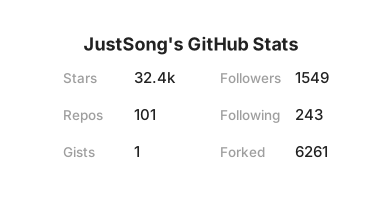</code></pre><h2 id="优秀案例"><a href="#优秀案例" class="headerlink" title="优秀案例"></a>优秀案例</h2><ul><li><a href="https://github.com/abhisheknaiidu/awesome-github-profile-readme">awesome-github-profile-readme</a></li><li><a href="https://github.com/EddieHubCommunity/awesome-github-profiles">awesome-github-profiles</a></li><li><a href="https://github.com/rzashakeri/beautify-github-profile">beautify-github-profile</a></li></ul>]]></content>
<summary type="html"><p>github个人主页美化教程</p></summary>
<category term="其他" scheme="https://corndreams.github.io/tags/%E5%85%B6%E4%BB%96/"/>
</entry>
<entry>
<title>vueconf24</title>
<link href="https://corndreams.github.io/2024/07/08/vueconf24/"/>
<id>https://corndreams.github.io/2024/07/08/vueconf24/</id>
<published>2024-07-07T16:49:47.000Z</published>
<updated>2024-12-03T03:10:50.872Z</updated>
<content type="html"><![CDATA[<p>vueconf24分享,1.0版本,我还会再改改。</p><span id="more"></span><h2 id="start"><a href="#start" class="headerlink" title="start"></a>start</h2><p>在2024.7.6我前往深圳参加了vueconf24,在此我将分享我参加此次会议的感受 (很水的感受…)。<br><img src="/images/background/he.jpg"></p><h2 id="大佬们的演讲"><a href="#大佬们的演讲" class="headerlink" title="大佬们的演讲"></a>大佬们的演讲</h2><h3 id="勾三股四"><a href="#勾三股四" class="headerlink" title="勾三股四"></a>勾三股四</h3><p>勾股老师通过许多小故事分享了自己加入vue10年来的心路历程。(他的vue第一个pr也只是改了个空格)<br><img src="/images/background/jiang.jpg"></p><h3 id="Eduardo"><a href="#Eduardo" class="headerlink" title="Eduardo"></a>Eduardo</h3><p>歪果仁,是vue路由和菠萝的作者,讲述了router新的数据加载器API。讲的很好,但如果能说中文就更好了。<br><img src="/images/background/r.jpg"></p><h3 id="Arlo"><a href="#Arlo" class="headerlink" title="Arlo"></a>Arlo</h3><p>Arlo分享了DevTools的下一个迭代。DevTools是一个用于调试Vue应用的开发工具,但我还没用过。(这哥们有点紧张)<br><img src="/images/background/arlo.jpg"></p><h3 id="沈青川"><a href="#沈青川" class="headerlink" title="沈青川"></a>沈青川</h3><p>分享了Vue Vine全新的Vue组件书写方式,就是一个文件里写多个组件。(这个实现感觉就是js生成元素然后再操作元素)<br><img src="/images/background/shen.jpg"></p><h3 id="三咲智子"><a href="#三咲智子" class="headerlink" title="三咲智子"></a>三咲智子</h3><p>分享了Vue Vapor(没用过,不知道)重新发明2,抛弃了传统的虚拟DOM技术重新实现了Vue的底层渲染。(这哥们现在也才刚上完大四)<br><img src="/images/background/zhi.jpg"></p><h3 id="杨明山"><a href="#杨明山" class="headerlink" title="杨明山"></a>杨明山</h3><p>分享了Vue Mini(开发小程序的工具),Vue Mini1.0版本已经上线了,它有着更小的体积,更快的响应,但现在只支持微信小程序,而且功能不全,现阶段还是用uni-app吧。<br><img src="/images/background/yang.jpg"></p><h3 id="辛宝-Otto"><a href="#辛宝-Otto" class="headerlink" title="辛宝 Otto"></a>辛宝 Otto</h3><p>本次分享分析业内主流 App 跨端框架实现原理,然后介绍uni-appx。<br><img src="/images/background/otto.jpg"></p><h3 id="Anthony-Fu"><a href="#Anthony-Fu" class="headerlink" title="Anthony Fu"></a>Anthony Fu</h3><p>Anthony分享了自己的开源发展的心路历程。<br><img src="/images/background/tony.jpg"><br>时间管理大师?他到底做了多少开源项目?<br><img src="/images/background/fu.jpg"></p><h3 id="尤雨溪"><a href="#尤雨溪" class="headerlink" title="尤雨溪"></a>尤雨溪</h3><p>这个不懂vue的尤雨溪讲了啥来着?<br><img src="/images/background/you.jpg"></p><h2 id="茶歇"><a href="#茶歇" class="headerlink" title="茶歇"></a>茶歇</h2><p>有蛋糕、点心吃<br><img src="/images/background/cake.jpg"><br><img src="/images/background/eat.jpg"></p><h2 id="礼品"><a href="#礼品" class="headerlink" title="礼品"></a>礼品</h2><img src="/images/background/li.jpg">提问还送书,不过我这么菜,就不提问了,哈哈<h2 id="感受"><a href="#感受" class="headerlink" title="感受"></a>感受</h2><p>充实又开心的一天,虽然有好多都(例如sfc、rolldown、rust、oxc、wxt…)听不懂,但还是感觉很有收获。来参加的人好像大多数都是在工作了的,也有一些在华为、腾讯等大厂的员工,都是大佬,他们聊的我都听不懂。更重要的是交友圈,能认识好多大佬很开心。也是拿到了和Eduardo、Anthony Fu和尤大的合照了,不过门票费感觉还是有一点点贵了(怎么不弄个学生票哈哈)。<br><img src="/images/background/me.jpg"></p>]]></content>
<summary type="html"><p>vueconf24分享,1.0版本,我还会再改改。</p></summary>
<category term="生活分享" scheme="https://corndreams.github.io/tags/%E7%94%9F%E6%B4%BB%E5%88%86%E4%BA%AB/"/>
</entry>
<entry>
<title>json-server全攻略</title>
<link href="https://corndreams.github.io/2024/05/22/json-server%E5%85%A8%E6%94%BB%E7%95%A5/"/>
<id>https://corndreams.github.io/2024/05/22/json-server%E5%85%A8%E6%94%BB%E7%95%A5/</id>
<published>2024-05-22T11:23:13.000Z</published>
<updated>2024-12-03T03:14:06.249Z</updated>
<content type="html"><![CDATA[<p>json-server全攻略</p><span id="more"></span><p>改天再写</p>]]></content>
<summary type="html"><p>json-server全攻略</p></summary>
</entry>
<entry>
<title>async/await 的理解和用法</title>
<link href="https://corndreams.github.io/2024/05/21/async-await-%E7%9A%84%E7%90%86%E8%A7%A3%E5%92%8C%E7%94%A8%E6%B3%95/"/>
<id>https://corndreams.github.io/2024/05/21/async-await-%E7%9A%84%E7%90%86%E8%A7%A3%E5%92%8C%E7%94%A8%E6%B3%95/</id>
<published>2024-05-21T11:12:19.000Z</published>
<updated>2024-12-03T03:14:39.653Z</updated>
<content type="html"><![CDATA[<p>async/await 的理解和用法</p><span id="more"></span><h3 id="async-await是什么"><a href="#async-await是什么" class="headerlink" title="async/await是什么"></a>async/await是什么</h3><p>async/await 是ES2017(ES8)提出的基于Promise的解决异步的最终方案。</p><h2 id="async"><a href="#async" class="headerlink" title="async"></a>async</h2><p>async是一个加在函数前的修饰符,被async定义的函数会默认返回一个Promise对象resolve的值。因此对async函数可以直接then,返回值就是then方法传入的函数。</p><pre><code>// async基础语法async function fun0(){ console.log(1); return 1;}fun0().then(val=>{ console.log(val) // 1,1})async function fun1(){ console.log('Promise'); return new Promise(function(resolve,reject){ resolve('Promise') })}fun1().then(val => { console.log(val); // Promise Promise})</code></pre><h2 id="await"><a href="#await" class="headerlink" title="await"></a>await</h2><p>await 也是一个修饰符,只能放在async定义的函数内。可以理解为等待。<br>await 修饰的如果是Promise对象:可以获取Promise中返回的内容(resolve或reject的参数),且取到值后语句才会往下执行;<br>如果不是Promise对象:把这个非promise的东西当做await表达式的结果。</p><pre><code>async function fun(){ let a = await 1; let b = await new Promise((resolve,reject)=>{ setTimeout(function(){ resolve('setTimeout') },3000) }) let c = await function(){ return 'function' }() console.log(a,b,c)}fun(); // 3秒后输出: 1 "setTimeout" "function"</code></pre><pre><code>function log(time){ setTimeout(function(){ console.log(time); return 1; },time)}async function fun(){ let a = await log(1000); let b = await log(3000); let c = log(2000); console.log(a); console.log(1)}fun(); // 立即输出 undefined 1// 1秒后输出 1000// 2秒后输出 2000// 3秒后输出 3000</code></pre><h2 id="async-await-的正确用法"><a href="#async-await-的正确用法" class="headerlink" title="async/await 的正确用法"></a>async/await 的正确用法</h2><pre><code>// 使用async/await获取成功的结果// 定义一个异步函数,3秒后才能获取到值(类似操作数据库)function getSomeThing(){ return new Promise((resolve,reject)=>{ setTimeout(()=>{ resolve('获取成功') },3000) })}async function test(){ let a = await getSomeThing(); console.log(a)}test(); // 3秒后输出:获取成功</code></pre>]]></content>
<summary type="html"><p>async&#x2F;await 的理解和用法</p></summary>
<category term="javascript" scheme="https://corndreams.github.io/tags/javascript/"/>
</entry>
<entry>
<title>Vue的生命周期与钩子函数</title>
<link href="https://corndreams.github.io/2024/05/20/Vue%E7%9A%84%E7%94%9F%E5%91%BD%E5%91%A8%E6%9C%9F/"/>
<id>https://corndreams.github.io/2024/05/20/Vue%E7%9A%84%E7%94%9F%E5%91%BD%E5%91%A8%E6%9C%9F/</id>
<published>2024-05-20T07:35:43.000Z</published>
<updated>2024-12-04T04:32:26.457Z</updated>
<content type="html"><![CDATA[<p>Vue的生命周期</p><span id="more"></span><h3 id="生命周期的理解"><a href="#生命周期的理解" class="headerlink" title="生命周期的理解"></a>生命周期的理解</h3><p>什么是生命周期呢,就好像是人有生老病死一样,vue组件也有从创建到消亡的一系列过程。这个过程就叫做vue的生命周期<br>vue的生命周期可分为三大阶段,每个阶段都有对应的函数,叫做钩子,又被成为钩子函数:<br>挂载(初始化相关属性)<br><img src="https://img-blog.csdnimg.cn/20200606174903998.png?x-oss-process=image/watermark,type_ZmFuZ3poZW5naGVpdGk,shadow_10,text_aHR0cHM6Ly9ibG9nLmNzZG4ubmV0L2Ffa2lsbGVyXw==,size_16,color_FFFFFF,t_70"></p><h3 id="钩子函数"><a href="#钩子函数" class="headerlink" title="钩子函数"></a>钩子函数</h3><pre><code><div id="app"> <p> {{msg}} </p> <button @click="update">更新</button> <button @click="destroy">销毁</button></div></code></pre><pre><code>var myVue=new Vue({ el:"#app", data:{ msg:"aaa", }, methods:{ update(){ this.data = 'bbb' }, destroy(){ this.$destroy(); } }, beforeCreate:function(){ /* 在调用beforeCreate的时候, 仅仅表示Vue实例刚刚被创建出来 此时此刻还没有初始化好Vue实例中的数据和方法, 所以此时此刻还不能访问Vue实例中保存的数据和方法 * */ console.log(this.msg); console.log(this.update); }, created:function(){ /* 在调用created的时候, 是我们最早能够访问Vue实例中保存的数据和方法的地方 * */ console.log(this.msg); console.log(this.update); }, beforeMount:function(){ /* 在调用beforeMount的时候, 表示Vue已经编译好了最终模板, 但是还没有将最终的模板渲染到界面上 * */ console.log(document.querySelector("p").innerHTML); console.log(document.querySelector("p").innerText); }, mounted:function(){ /* 在调用mounted的时候, 表示Vue已经完成了模板的渲染, 表示我们已经可以拿到界面上渲染之后的内容了 * */ console.log(document.querySelector("p").innerHTML); }, beforeUpdate:function(){ /* 在调用beforeUpdate的时候, 表示Vue实例中保存的数据被修改了 注意点: 在调用beforeUpdate的时候, 数据已经更新了, 但是界面还没有更新 * */ console.log("beforeUpdate"); console.log(this.msg); console.log(document.querySelector("p").innerHTML); }, updated:function(){ /*在调用updated的时候, 表示Vue实例中保存的数据被修改了, 并且界面也同步了修改的数据了* */ console.log(this.msg); console.log(document.querySelector("p").innerHTML); }, beforeDestroy: function(){ /* 在调用beforeDestroy的时候, 表示当前组件即将被销毁了 beforeDestroy函数是我们最后能够访问到组件数据和方法的钩子函数 * */ console.log("beforeDestroy"); console.log(this.msg); console.log(this.say); }, destroyed: function(){ /* 在调用destroyed的时候, 表示当前组件已经被销毁了,不要在这个生命周期方法中再去操作组件中数据和方法 * */ console.log("destroyed"); }})</code></pre><h3 id="created和mounted在什么情况下使用"><a href="#created和mounted在什么情况下使用" class="headerlink" title="created和mounted在什么情况下使用"></a>created和mounted在什么情况下使用</h3><p>create方法,在页面还未渲染成html前,调用函数,从后端获取数据,在实现对页面的数据进行显示<br>mounted通常是在一些插件的使用或者组件的使用中进行操作 也就是页面渲染之后执行 通常情况下我们会在没有相应的点击事件,但需要在页面展示过程中去不断调用某一函数情况下使用。</p><h3 id="存储的三者之间的区别"><a href="#存储的三者之间的区别" class="headerlink" title="存储的三者之间的区别"></a>存储的三者之间的区别</h3><p>cookie:数据存储,跨页面通讯;<br>数据每次都会发送给服务端;<br>前后端都可以操作;<br>cookie的默认是会话级别的有效期,即页面打开到页面关闭;但可以手动设置过期时间;<br>只要cookie里面有数据,请求的时候都会自动携带;<br>存储大小:4KB左右<br>localStorage:存储数据,跨页面通讯;<br>不会与服务器端通讯,相对与cookie较安全,不用担心数据被截获;<br>只能有前端操作,后端操作不了;<br>存储的时效性是永久的,但是可以手动删除;<br>请求的时候都不会自动携带;<br>存储大小:5M左右<br>sessionStorage:存储数据;<br>不会与服务器端通讯,相对与cookie较安全,不用担心数据被截获;<br>只能有前端操作,后端操作不了;<br>仅在当前会话下有效。只要这个浏览器窗口关闭后就会被销毁;<br>只能有前端操作,后端操作不了;<br>存储大小:5M左右;<br>也就是说,sessionStorage与localStorage唯一的不同就是前者的有效期是会话级别的,后者是永久的</p>]]></content>
<summary type="html"><p>Vue的生命周期</p></summary>
<category term="vue" scheme="https://corndreams.github.io/tags/vue/"/>
</entry>
<entry>
<title>hexo搭建</title>
<link href="https://corndreams.github.io/2024/03/18/hexo/"/>
<id>https://corndreams.github.io/2024/03/18/hexo/</id>
<published>2024-03-18T02:18:57.000Z</published>
<updated>2024-12-03T03:14:32.180Z</updated>
<content type="html"><![CDATA[<p>hexo搭建</p><span id="more"></span><h2 id="Quick-Start"><a href="#Quick-Start" class="headerlink" title="Quick Start"></a>Quick Start</h2><p>首先我们需要安装node.js</p><h3 id="安装hexo"><a href="#安装hexo" class="headerlink" title="安装hexo"></a>安装hexo</h3><p>安装hexo</p><pre><code class="bash">$ npm install hexo-cli -g</code></pre><p>hexo常用命令:</p><p>hexo clean:清除缓存文件 (db.json) 和已生成的静态文件 (public)。在某些情况(尤其是更换主题后),如果发现您对站点的更改无论如何也不生效,您可能需要运行该命令<br>hexo g:静态生成本地网页,g就是generate的缩写;<br>hexo s:本地部署网站,即可以在<a href="http://localhost:4000/%E4%B8%AD%E6%9F%A5%E7%9C%8B%E6%9C%AC%E5%9C%B0%E7%94%9F%E6%88%90%E7%9A%84%E5%8D%9A%E5%AE%A2%E7%BD%91%E7%AB%99%EF%BC%8Cs%E5%B0%B1%E6%98%AFserver%E7%9A%84%E6%84%8F%E6%80%9D%EF%BC%9B">http://localhost:4000/中查看本地生成的博客网站,s就是server的意思;</a><br>hexo d:将本地仓库文件上传到网上(需先配置自己的远程仓库地址,见2.3.3节),d即deployee;<br>hexo g -d :Hexo 相当于hexo g && hexo d,生成网页并部署到网上<br>hexo –draft:显示草稿</p><h3 id="搭建本地博客"><a href="#搭建本地博客" class="headerlink" title="搭建本地博客"></a>搭建本地博客</h3><pre><code class="bash">$ hexo init blog$ cd blog$ npm install$ hexo server</code></pre><p>hexo init blog 为hexo的初始化,其中blog为当前目录下新建文件夹名称<br>cd blog 进入blog文件夹<br>npm install 还原和下载相关模块<br>hexo server 启动本地博客</p>]]></content>
<summary type="html"><p>hexo搭建</p></summary>
</entry>
<entry>
<title>Hello World</title>
<link href="https://corndreams.github.io/2024/03/16/hello-world/"/>
<id>https://corndreams.github.io/2024/03/16/hello-world/</id>
<published>2024-03-15T17:18:57.000Z</published>
<updated>2024-03-23T08:13:37.955Z</updated>
<content type="html"><![CDATA[<p>Welcome to <a href="https://hexo.io/">Hexo</a>! This is your very first post. Check <a href="https://hexo.io/docs/">documentation</a> for more info. If you get any problems when using Hexo, you can find the answer in <a href="https://hexo.io/docs/troubleshooting.html">troubleshooting</a> or you can ask me on <a href="https://github.com/hexojs/hexo/issues">GitHub</a>.</p><span id="more"></span><h2 id="Quick-Start"><a href="#Quick-Start" class="headerlink" title="Quick Start"></a>Quick Start</h2><h3 id="Create-a-new-post"><a href="#Create-a-new-post" class="headerlink" title="Create a new post"></a>Create a new post</h3><pre><code class="bash">$ hexo new "My New Post"</code></pre><p>More info: <a href="https://hexo.io/docs/writing.html">Writing</a></p><h3 id="Run-server"><a href="#Run-server" class="headerlink" title="Run server"></a>Run server</h3><pre><code class="bash">$ hexo server</code></pre><p>More info: <a href="https://hexo.io/docs/server.html">Server</a></p><h3 id="Generate-static-files"><a href="#Generate-static-files" class="headerlink" title="Generate static files"></a>Generate static files</h3><pre><code class="bash">$ hexo generate</code></pre><p>More info: <a href="https://hexo.io/docs/generating.html">Generating</a></p><h3 id="Deploy-to-remote-sites"><a href="#Deploy-to-remote-sites" class="headerlink" title="Deploy to remote sites"></a>Deploy to remote sites</h3><pre><code class="bash">$ hexo deploy</code></pre><p>More info: <a href="https://hexo.io/docs/one-command-deployment.html">Deployment</a></p>]]></content>
<summary type="html"><p>Welcome to <a href="https://hexo.io/">Hexo</a>! This is your very first post. Check <a href="https://hexo.io/docs/">documentation</a> for more info. If you get any problems when using Hexo, you can find the answer in <a href="https://hexo.io/docs/troubleshooting.html">troubleshooting</a> or you can ask me on <a href="https://github.com/hexojs/hexo/issues">GitHub</a>.</p></summary>
</entry>
</feed>