The instruction is currently:
- Go to Chrome Dev Tools -> Network; and check if the status code is
200 and if the content type is text/html
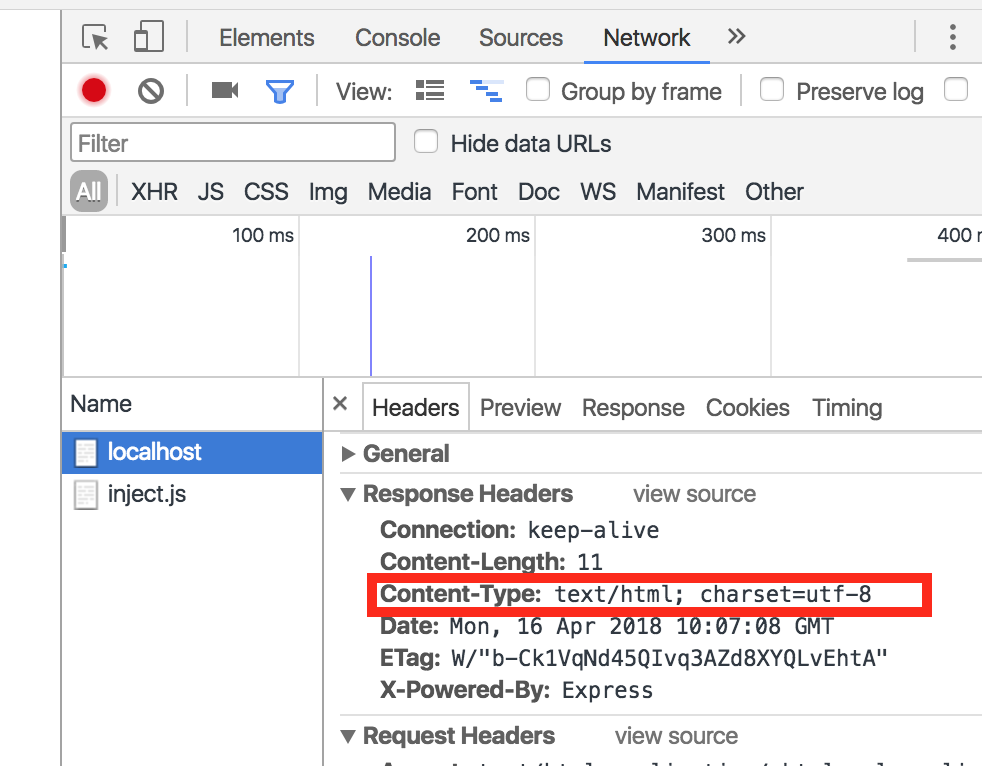
There is one step missing in this process which needs to be added, ie: checking the header of the response. So it should be:
- Go to Chrome Dev Tools -> Network -> Click on
localhost -> Headers; and check if the status code is 200 (in General tab) and if the content type is text/html (in Response Headers)

The instruction is currently:
200and if the content type istext/htmlThere is one step missing in this process which needs to be added, ie: checking the header of the response. So it should be:
localhost-> Headers; and check if the status code is200(in General tab) and if the content type istext/html(in Response Headers)