-
Download the given .ova file (https://coursefiles.cs.ucr.edu/cs167-S22.ova) Note: The download is 4.96 GB.
-
Download and install VirtualBox. There are versions for (https://www.virtualbox.org/wiki/Downloads) Warning: If you have VirtualBox installed already, please make sure you uninstall it and install version 6.1.18. Older versions of VirtualBox have known errors that can cause issues.
-
Create a Virtual Machine by importing the given .ova file:
(a) Click on "File", then "Import Appliance...", and select the cs167.ova file. Import it, accepting all defaults.
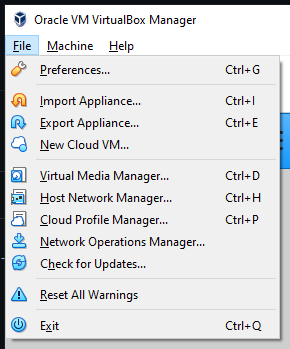
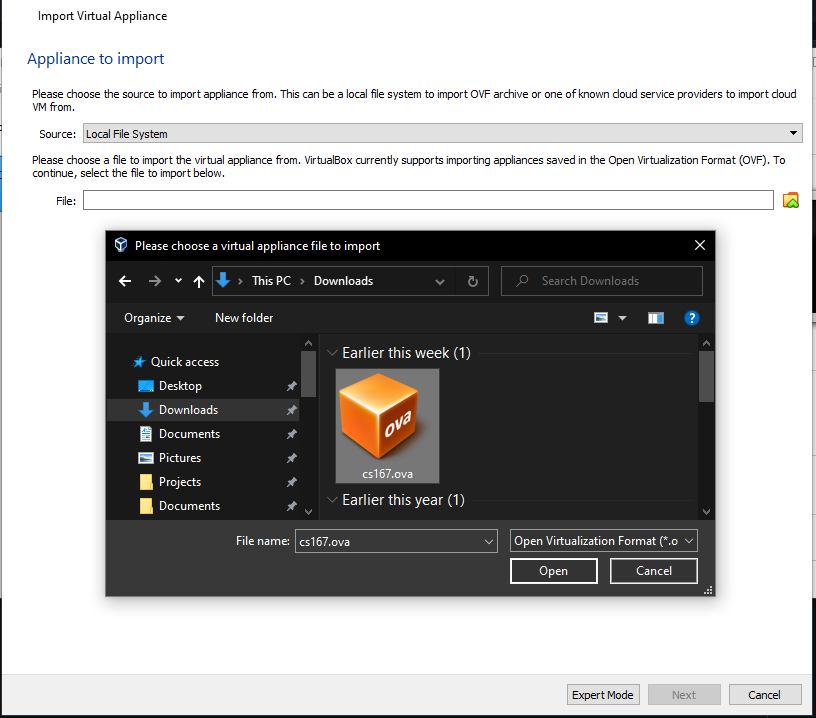
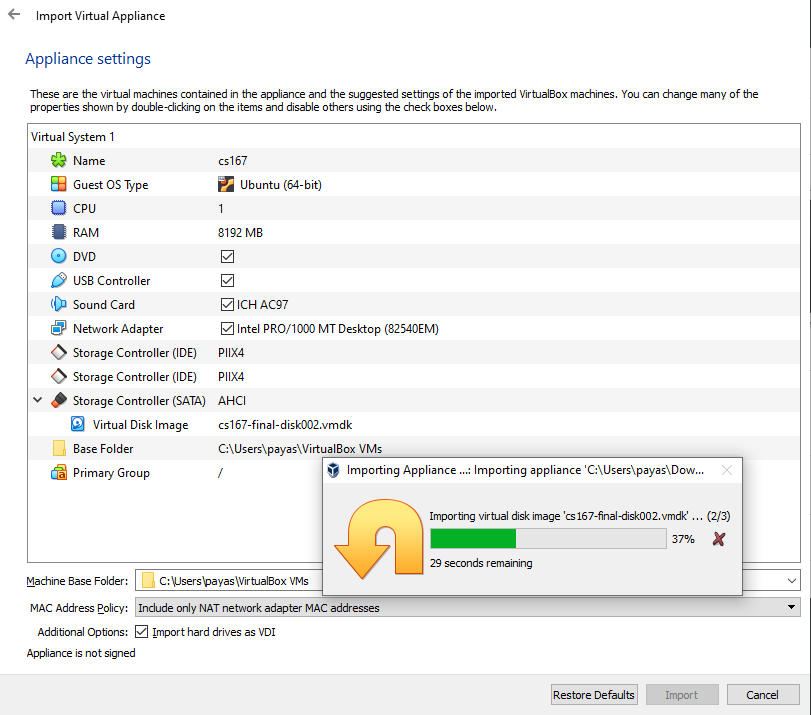
(b) After the appliance is imported, the new VM will show up. Select it, then press the large green arrow in the interface that says "Start". The virtual machine will boot up.
(c) Once it is booted up, log in to it with the username cs167 and password ChangeThisPassword!. A terminal can be opened by clicking on the "LXTerminal" icon on the desktop.
- Copy the following script in the
setup.shin home directory
#! /bin/bash

# Change to the home dir and setup the required vars
BIG_DATA_DIR=$HOME/BigData

JAVA_HOME=$BIG_DATA_DIR/jdk1.8.0_291
MAVEN_HOME=$BIG_DATA_DIR/apache-maven-3.8.5
HADOOP_HOME=$BIG_DATA_DIR/hadoop-3.2.3
INTELLIJ_HOME=$BIG_DATA_DIR/idea-IC-213.7172.25

# Download the required dependencies
download_dependencies() {
	mkdir $BIG_DATA_DIR
	cd $BIG_DATA_DIR

	echo "Downloading Hadoop..."
	wget "https://dlcdn.apache.org/hadoop/common/hadoop-3.2.3/hadoop-3.2.3.tar.gz"

	echo "Downloading Maven..."
	wget "https://dlcdn.apache.org/maven/maven-3/3.8.5/binaries/apache-maven-3.8.5-bin.tar.gz"


	echo "Downloading IntelliJ IDEA..."
	wget "https://download.jetbrains.com/idea/ideaIC-2021.3.3.tar.gz"

  	cd $HOME
}

# Move a given file to the bigdata directory
move_to_big_data_dir() {
	cp $1 $BIG_DATA_DIR
}

# Extract the given .tar.gz files
extract_archives() {
	JDK_ARCHIVE_PATH=$1

	cd $BIG_DATA_DIR
	echo "Extracting JDK..."
	tar -xzf `basename $JDK_ARCHIVE_PATH`
	echo "Extracted JDK."

	echo "Extracting Maven..."
	tar -xzf apache-maven-*-bin.tar.gz
	echo "Extracted Maven."

	echo "Extracting Hadoop..."
	tar -xzf hadoop*.tar.gz
	echo "Extracted Hadoop."

	echo "Extracting IntelliJ IDEA..."
	tar -xzf $BIG_DATA_DIR/ideaIC-*.tar.gz
	echo "Extracted IntelliJ IDEA."
}

# Set up the ~/.bash_profile
setup_paths() {
	touch ~/.bash_profile
	echo "export JAVA_HOME=$JAVA_HOME" >> ~/.bash_profile
	echo "export MAVEN_HOME=$MAVEN_HOME" >> ~/.bash_profile
	echo "export HADOOP_HOME=$HADOOP_HOME" >> ~/.bash_profile

	echo "export PATH=\$PATH:$JAVA_HOME/bin" >> ~/.bash_profile
	echo "export PATH=\$PATH:$MAVEN_HOME/bin" >> ~/.bash_profile
	echo "export PATH=\$PATH:$HADOOP_HOME/bin" >> ~/.bash_profile
	echo "export PATH=\$PATH:$INTELLIJ_HOME/bin" >> ~/.bash_profile

	source ~/.bash_profile
}

# Run the final setup
setup() {
	# Get and check the full path of the JDK tar.gz archive
	JDK_ARCHIVE_PATH=`pwd`/$1
	if [ -z $JDK_ARCHIVE_PATH ]; then
		echo "Usage: setup.sh <JDK Path>"
		echo "Please input a valid JDK path."
		exit 1
	fi

	echo "Downloading required dependencies..."
	download_dependencies

	echo "Moving everything to the right place..."
	move_to_big_data_dir $JDK_ARCHIVE_PATH

	echo "Extracting archives... could take a few minutes"
	extract_archives $JDK_ARCHIVE_PATH

	echo "Setting up paths"
	setup_paths

	echo "Done."
}

# Handle the command line args
case $1 in
help)
	echo "Usage: setup.sh <JDK Path>"
	;;
clean)
	rm -rf $JAVA_HOME
	rm -rf $MAVEN_HOME
	rm -rf $HADOOP_HOME
	rm -rf $INTELLIJ_HOME
	;;
*)
	setup $1   # Pass the JDK archive path to setup()
esac- Create an Oracle account and download JDK 1.8 (https://www.oracle.com/java/technologies/javase-jdk8-downloads.html)

- Run
cd ~
chmod +x setup.sh
./setup.sh Downloads/<JDK_Path>
source .bash_profile
-
Test your setup. Run
java,javac,mvnandhadoop. -
To run IntelliJ IDEA, open LXTerminal and run
idea.sh.
- Virtualization not enabled in BIOS
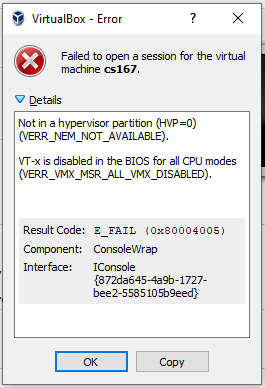
Solution Follow the instructions for your computer manufacturer: https://2nwiki.2n.cz/pages/viewpage.action?pageId=75202968
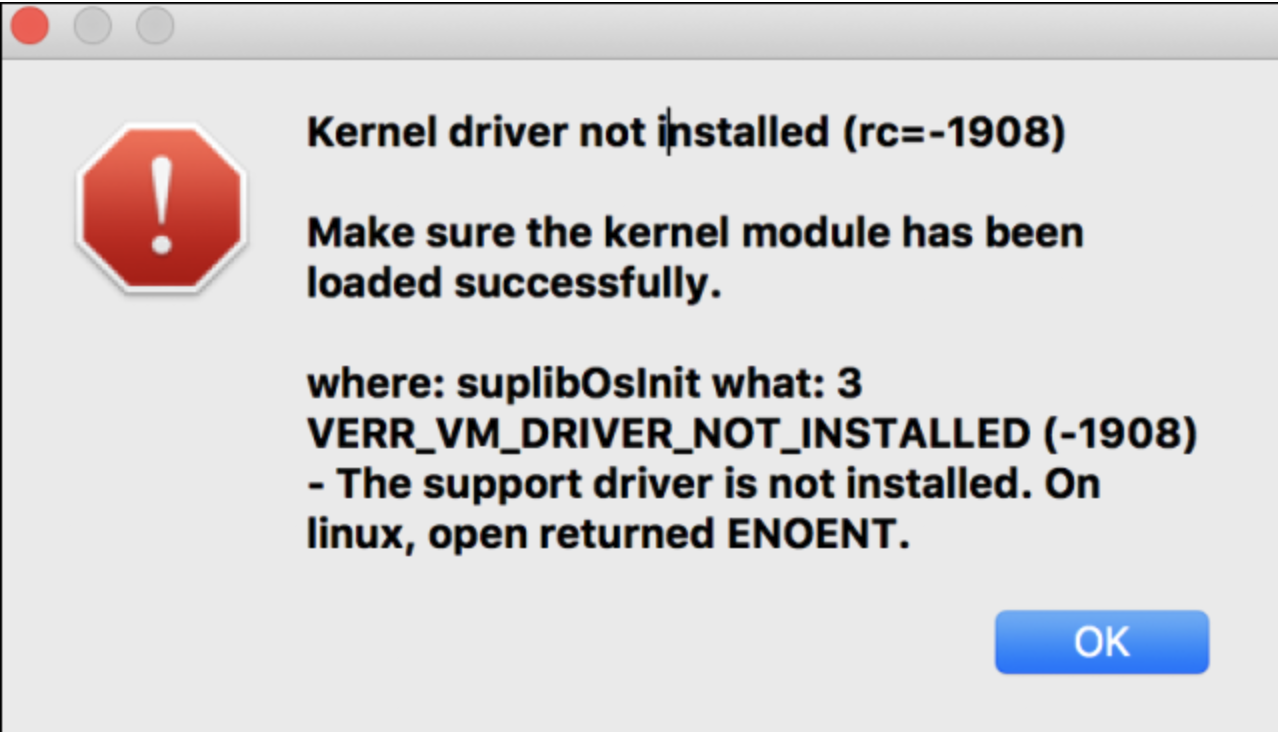
- Kernel Driver not found (MacOS)