Describe the bug
When I click on Withdraw button in my Wallet page, I cannot reach the "Withdraw" button on the bottom right of the popup window. Also if I try to scroll, nothing happens. Seems like it's scrolling the page behind the popup instead of the popup itself.
To Reproduce
Steps to reproduce the behavior:
- Go to Wallet
- Click on Withdraw
- Select "STEEM" as token to withdraw
- Try to reach the "Withdraw" button on bottom right
Expected behavior
Make it possible to scroll in popup.
Screenshots
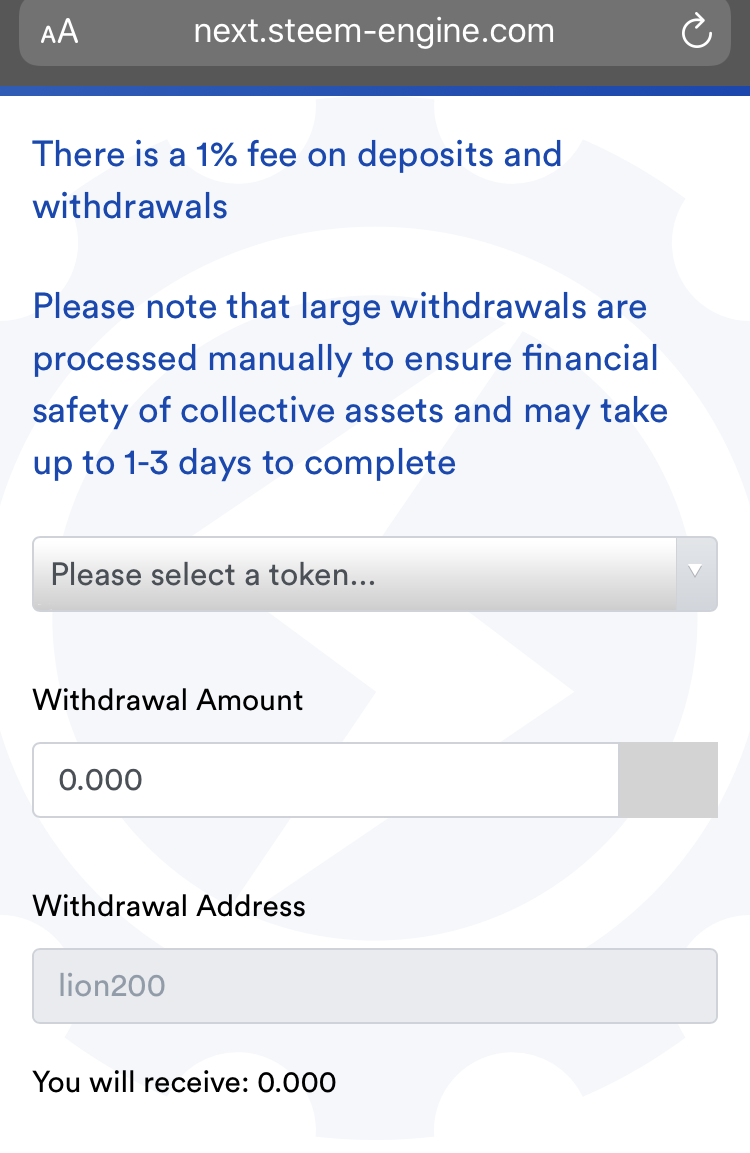
Smartphone (please complete the following information):
- Device: iPhone 8
- OS: iOS 13.3
- Browser Safari

Describe the bug
When I click on Withdraw button in my Wallet page, I cannot reach the "Withdraw" button on the bottom right of the popup window. Also if I try to scroll, nothing happens. Seems like it's scrolling the page behind the popup instead of the popup itself.
To Reproduce
Steps to reproduce the behavior:
Expected behavior
Make it possible to scroll in popup.
Screenshots

Smartphone (please complete the following information):