GitHub Contribution Gravity Lens
ActionsTags
(1)


日本語 | English
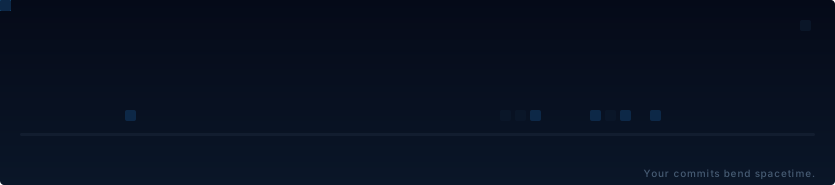
Your contributions bend spacetime.
name: generate gravity-lens

on:
  schedule:
    - cron: "0 0 * * *"
  workflow_dispatch:
  push:
    branches: [main]

permissions:
  contents: write

concurrency:
  group: gravity-lens
  cancel-in-progress: true

jobs:
  generate:
    runs-on: ubuntu-latest
    timeout-minutes: 10

    steps:
      - uses: actions/checkout@v4

      - name: Generate (dark + light)
        uses: Rujuu-prog/github-contribution-gravity-lens@v1.0.0
        with:
          github-token: ${{ github.token }}
          theme: github
          output-path: dist/gravity-lens-dark.svg

      - name: Generate light theme
        uses: Rujuu-prog/github-contribution-gravity-lens@v1.0.0
        with:
          github-token: ${{ github.token }}
          theme: paper-light
          output-path: dist/gravity-lens.svg

      - name: Deploy to output branch
        uses: crazy-max/ghaction-github-pages@v3.2.0
        with:
          target_branch: output
          build_dir: dist
        env:
          GITHUB_TOKEN: ${{ github.token }}
No PAT required — github.token is provided automatically by GitHub Actions.
All inputs
| Input | Required | Default | Description |
|---|---|---|---|
github-token |
Yes | — | GitHub token for API access |
username |
No | Repository owner | GitHub username |
theme |
No | github |
Theme name |
format |
No | svg |
Output format (svg or gif) |
output-path |
No | gravity-lens.{format} |
Output file path |
strength |
No | 0.35 |
Warp strength (0-1) |
<picture>
  <source media="(prefers-color-scheme: dark)" srcset="https://raw.githubusercontent.com/<USER>/<REPO>/output/gravity-lens-dark.svg">
  <source media="(prefers-color-scheme: light)" srcset="https://raw.githubusercontent.com/<USER>/<REPO>/output/gravity-lens.svg">
  <img alt="GitHub Contribution Gravity Lens" src="https://raw.githubusercontent.com/<USER>/<REPO>/output/gravity-lens.svg">
</picture>
Replace <USER>/<REPO> with your GitHub username and repository name.
Go to the Actions tab and trigger the workflow. That's it.
- 🌌 Physics-based animation — Cells warp toward anomalies like light bending around a massive object
- 🌊 Left-to-right wave — Activation ripples across the grid with staggered timing per anomaly
- 🔮 Interference patterns — Overlapping gravity wells create visible pulse effects
- 🎨 6 themed worlds — Each theme has its own warp intensity, dimming, and glow parameters
Not just colors. Different physics.
| Theme | Description |
|---|---|
github |
Classic dark green. The default. |
deep-space |
Deep blue cosmos. Stronger warp, brighter peaks. |
monochrome |
Grayscale minimalism. |
solar-flare |
Warm red-orange. Intense warp. |
event-horizon |
Near-black. The grid hides until anomalies distort it. |
paper-light |
Light background for GitHub light mode. |
See the Theme Gallery for previews and physics parameters.
- Fetch — Pull the last year of contributions via GitHub GraphQL API
- Detect — Identify top activity spikes as gravitational anomalies
- Warp — Compute per-cell displacement with a local lens model (R=60px)
- Animate — Render a 14-second loop: rest → awakening → lens → interference → restore
- Getting Started — Setup, tokens, and workflow options
- Themes — Full gallery with physics parameters
- CLI Reference — All options and programmatic API
- Development — Local setup, testing, and architecture
If you like this project, consider giving it a ⭐
MIT License


GitHub Contribution Gravity Lens is not certified by GitHub. It is provided by a third-party and is governed by separate terms of service, privacy policy, and support documentation.
Tags
(1)GitHub Contribution Gravity Lens is not certified by GitHub. It is provided by a third-party and is governed by separate terms of service, privacy policy, and support documentation.