Download SQLite3 and extract to your desired location. Open the location in terminal and login to SQLlite Shell
sqllite3.exe DATABASE_NAME.db - Create database. This will create .db file next to the executable
sqlite> CREATE TABLE ..... - Create table
sqlite> .databases - List databases
sqlite> .tables - List tables
sqlite> .help - List all possible commands
sqlite> .show - Show settings for the current database
sqlite> .dbinfo - Shows database stats & information
sqlite> .quit - Exit the shell
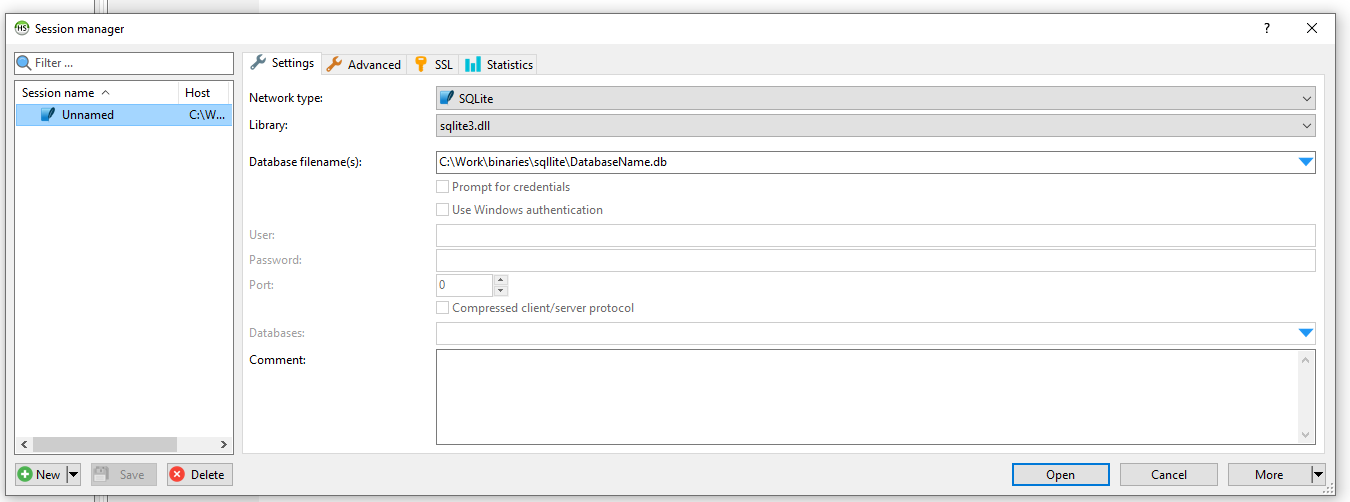
Explore SQLite database using HeidiSQL, which is free & opensoure Database explorer which supports SQLite.
Choose the SQLite db file and other settings as below to start exploring the database.