- 2 GiB RAM
- 30 GB of free disk space
- A CD/DVD drive or a USB port for the installer media
- 4 GB DVD or USB drive
The official Ubuntu installer is the result of years of experience helping
to install Linux on thousands of machines. It is great, easy to use and quite
refined, so we decided not to change a single bit of it for the first
release of bou. Thus, installing bou is exactly the same experience as
installing Ubuntu 20.04, regardless whether you want it as your only OS
or sharing your disk with others.
This is a comprehensive list of resources that can assist you on installing
bou once you have downloaded the latest available ISO file in the
releases page:
- https://ubuntu.com/tutorials/install-ubuntu-desktop
- https://itsfoss.com/install-ubuntu/
- https://phoenixnap.com/kb/install-ubuntu-20-04
- https://linuxconfig.org/how-to-install-ubuntu-20-04-focal-fossa-desktop
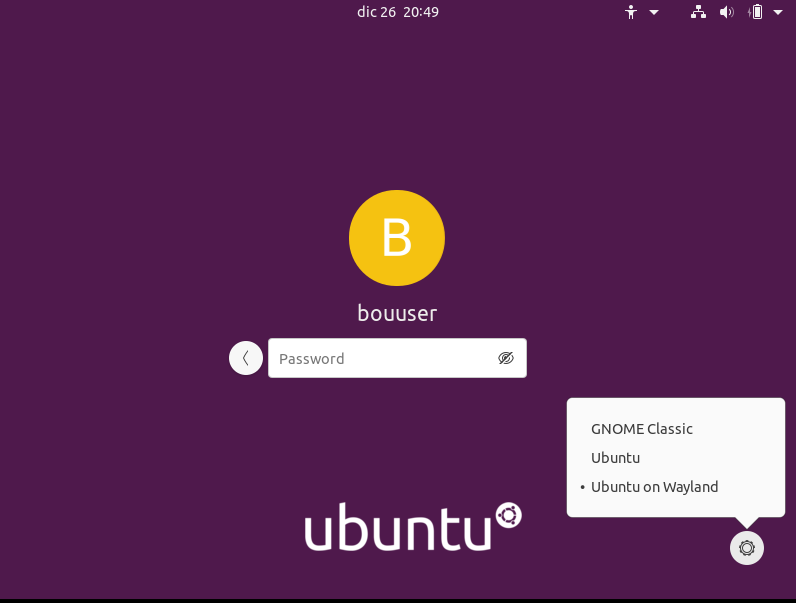
Once the installation has completed, you need to restart your computer, so bou
can start up and prompt the login screen. When you select your user, we recommend
that you select Ubuntu on Wayland on the bottom right gear wheel. Note that
some machines are not compatible with Wayland, so this options won't show up.
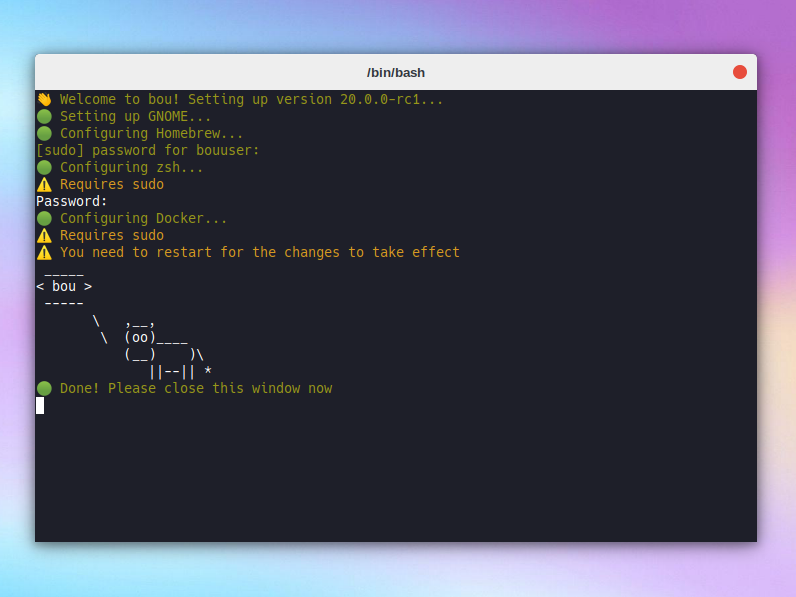
On first login, a terminal window will open automatically and complete the bou
installation for you. This requires your sudo password so Homebrew, zsh or Docker
can be correctly set up. Then you can close your window and start using bou, although
some functionalities like the docker CLI won't work correctly until next boot.