Do you have the following error when starting an Expo project on windows?
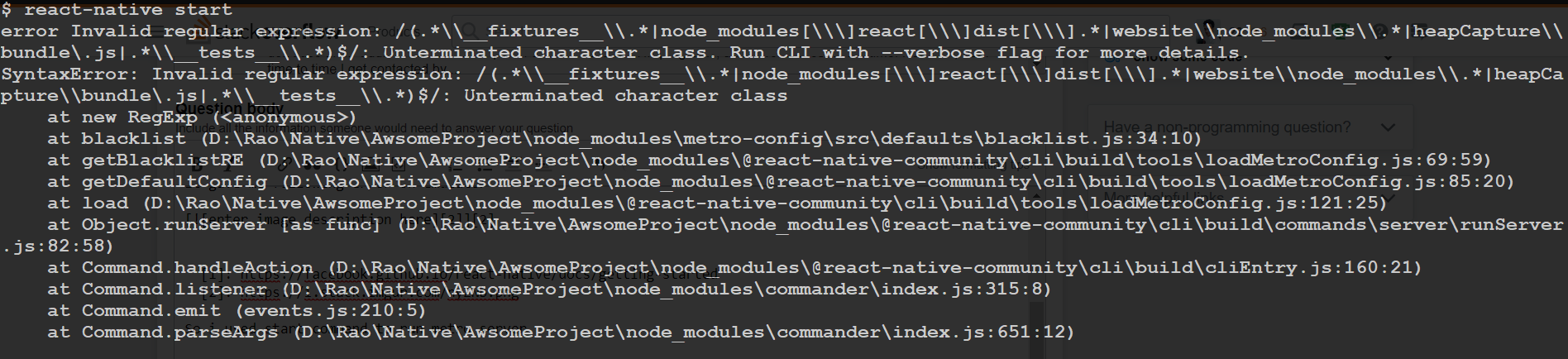
This is because there is an incompatibility between the latest versions of Node.js and Expo, that leads to a regular expression being found incorrect.
The solution is to:
- go to the directory project that does not start
- go to the following sub-directory
node_modules/metro_config/src/defaults - edit the file
blacklist.jswith for instance Notepad - in the following block of code:
var sharedBlacklist = [
  /node_modules[/\\]react[/\\]dist[/\\].*/,

  /website\/node_modules\/.*/,

  /heapCapture\/bundle\.js/,

  /.*\/__tests__\/.*/,
];- change the line:
/node_modules[/\\]react[/\\]dist[/\\].*/,- to:
/node_modules[\/\\]react[\/\\]dist[\/\\].*/,After this, doing expo start should succeed.
If you encounter permission errors while installing Expo:
npm install expo-cli --global
Use sudo:
sudo npm install expo-cli --global