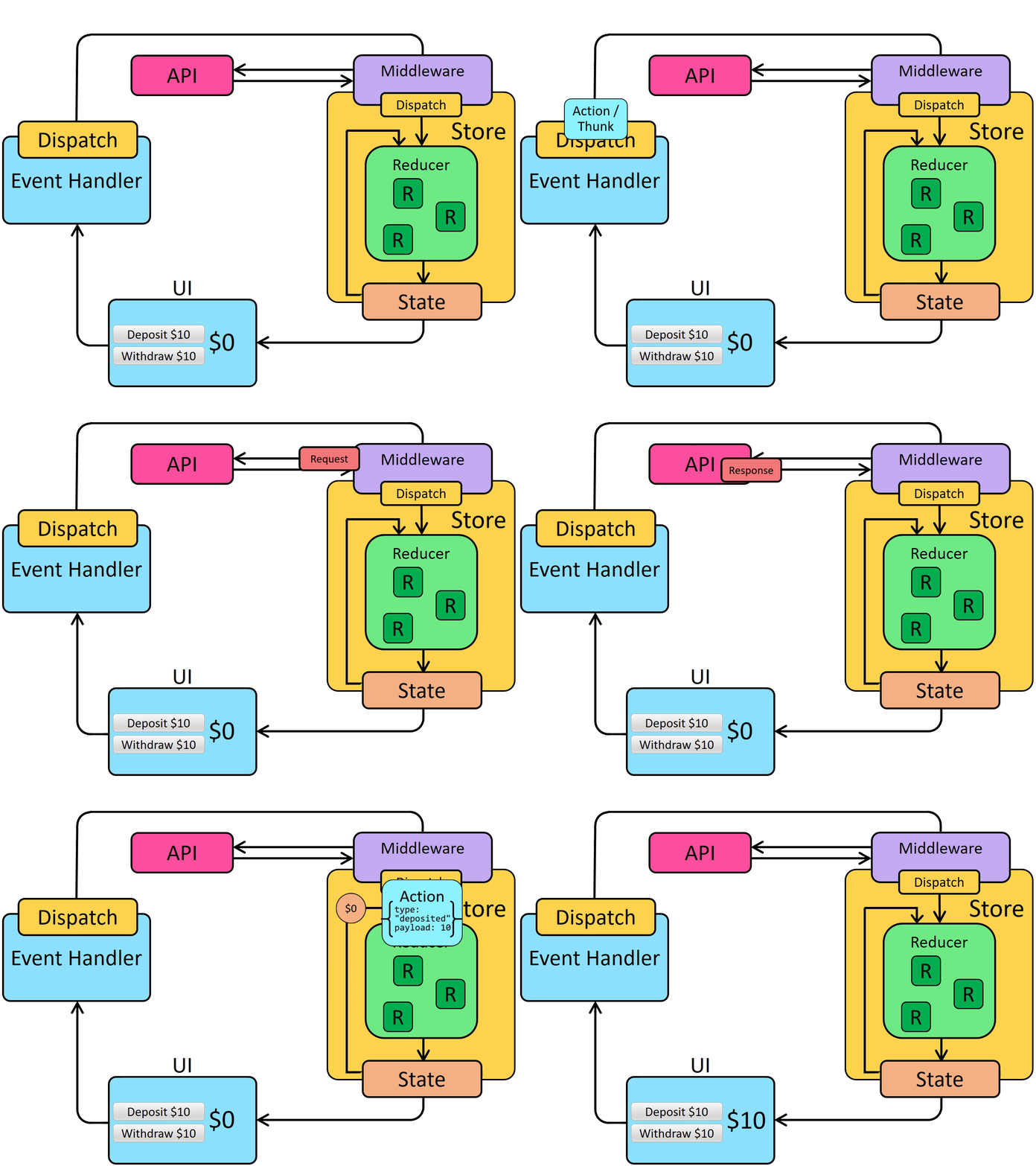
A Redux app really only has one reducer function: the "root reducer" function that you will pass to createStore later on. That one root reducer function is responsible for handling all of the actions that are dispatched, and calculating what the entire new state result should be every time.
Well, it is a Pro more than a Con since we have to change multiple states in multiple components, the fact that all the reducers can listen when the action is dispatched can reduce a lot of work, each reducer can provide a different logic to the same dispatcher.
Make a reducer for each component that will be affected by the dispatcher, only effecting a specific amount of the state it self.
-
store : a store holds the whole state tree of the application, the only way to change the state inside it is to dispatch an action on it, it is not a class , just an object with few methods on it.
-
combined reducers : it is a helper function turns an object whose values are different reducing functions into a single reducing function we can pass to createStore.
we can use React-Redux library to let our React components interact with a Redux store, including calling useSelector to read Redux state, calling useDispatch to give us access to the dispatch function, and wrapping our app in a component to give those hooks access to the store.
By itself, a Redux store doesn’t know anything about async logic. It only knows how to synchronously dispatch actions, update the state by calling the root reducer function, and notify the UI that something has changed. Any asynchronicity has to happen outside the store.
Just like with a normal action, we first need to handle a user event in the application, such as a click on a button. Then, we call dispatch(), and pass in something, whether it be a plain action object, a function, or some other value that a middleware can look for.
Once that dispatched value reaches a middleware, it can make an async call, and then dispatch a real action object when the async call completes.