The PythonAgentAI project aims to leverage advanced OpenAI models (including gpt-4o-mini with a 128k context window) to perform a variety of AI-powered tasks. This project integrates Scrapeless for Google Maps and the llama-index library (version 0.12.22) along with its experimental extensions to enable large language models to provide real-time responses.
- Integration with OpenAI’s
gpt-4o-minimodel, supporting a 128k context window. - Modular code structure including components like
main.py,pdf.py,prompts.py, andnote_engine.py. - Advanced indexing and querying via
llama-indexandllama-index-experimentallibraries.
- Python 3.11 must be installed on your system. You can download it from the official Python website.
-
Create the
.envFileThe project requires a
.envfile for storing environment variables, including the OpenAI API key. You can create it by running:cp .env.example .env
-
Set Your OpenAI API Key
Open the
.envfile in a text editor and configure your OpenAI API key:OPENAI_API_KEY=your_openai_api_key_hereReplace
your_openai_api_key_herewith your actual API key from OpenAI.
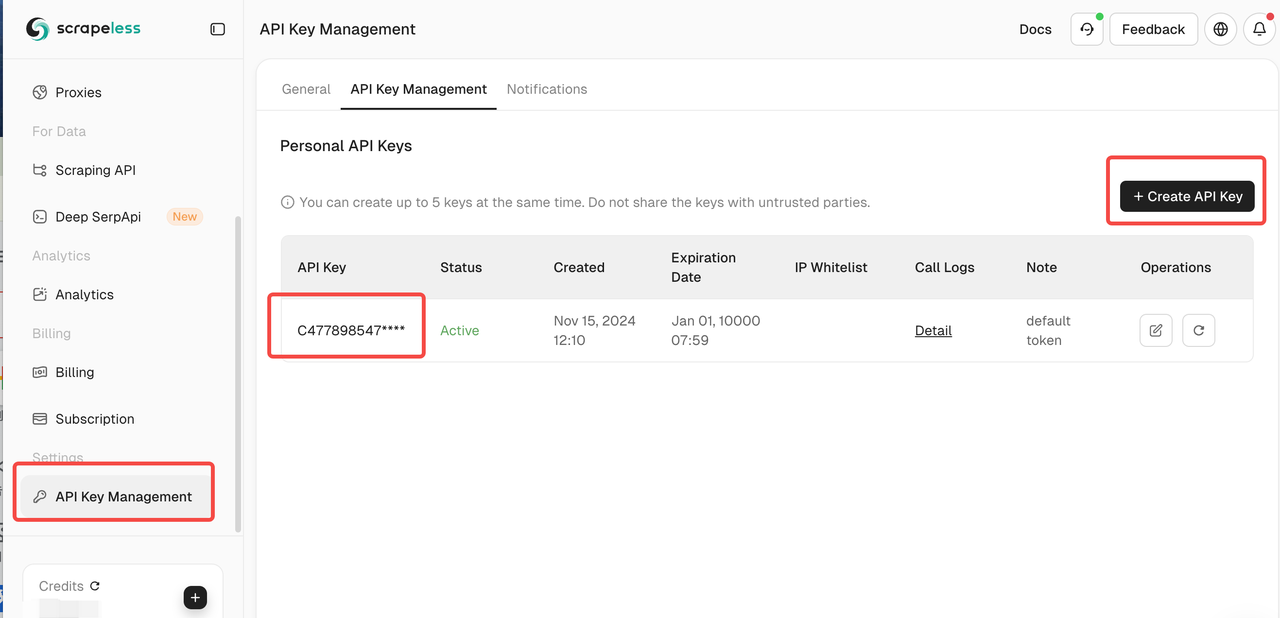
- Log into Scrapeless and obtain your API token.
-
Clone the Repository
Open your terminal and run:
git clone https://github.com/your-username/PythonAgentAI.git cd PythonAgentAI -
Create a Virtual Environment
It's recommended to use a virtual environment to manage dependencies. To create one using Python's
venvmodule:python3.11 -m venv env
-
Activate the Virtual Environment
-
On Unix or macOS:
source env/bin/activate -
On Windows:
.\env\Scripts\activate
-
-
Install Dependencies
With the virtual environment activated, install the required packages:
pip install -r requirements.txt
This will install the following essential packages:
llama-index==0.12.22llama-index-experimental==0.5.4pypdf==5.3.1python-dotenv==1.0.1pandas==2.2.3
After setting up the environment and installing the dependencies, you can run the main script:
python main.pyEnsure that you have configured any necessary environment variables or settings required by the script. Refer to the prompts.py and note_engine.py files for customizable parameters and functionalities.
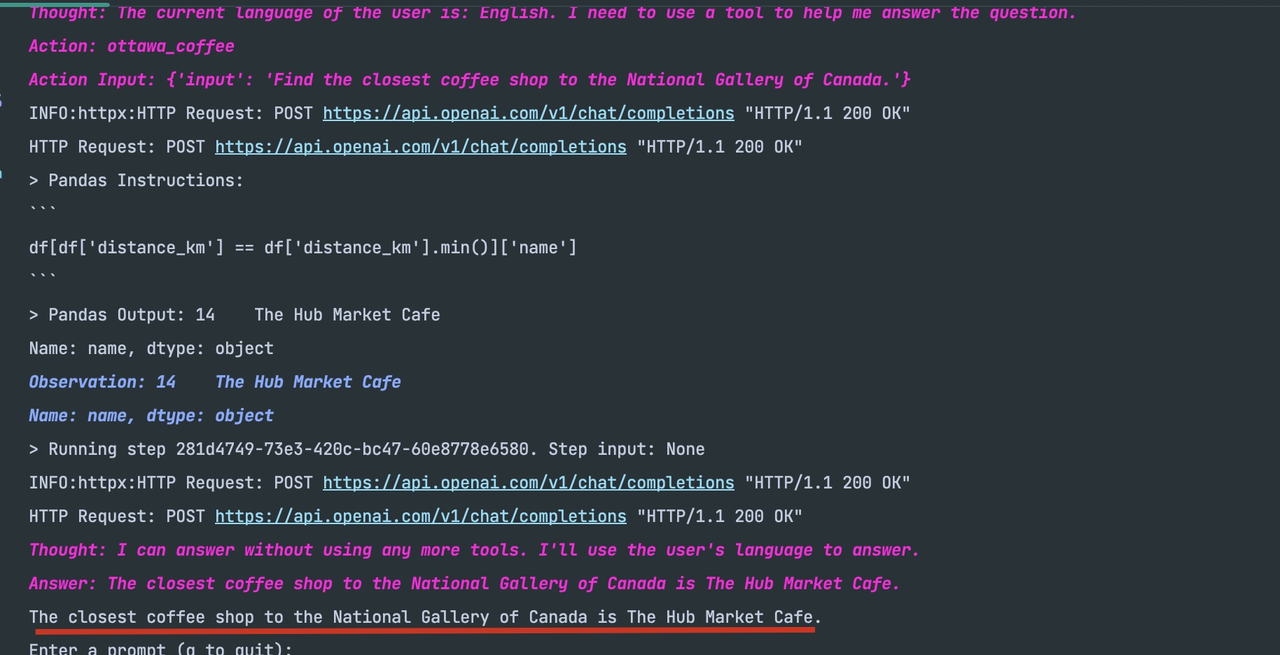
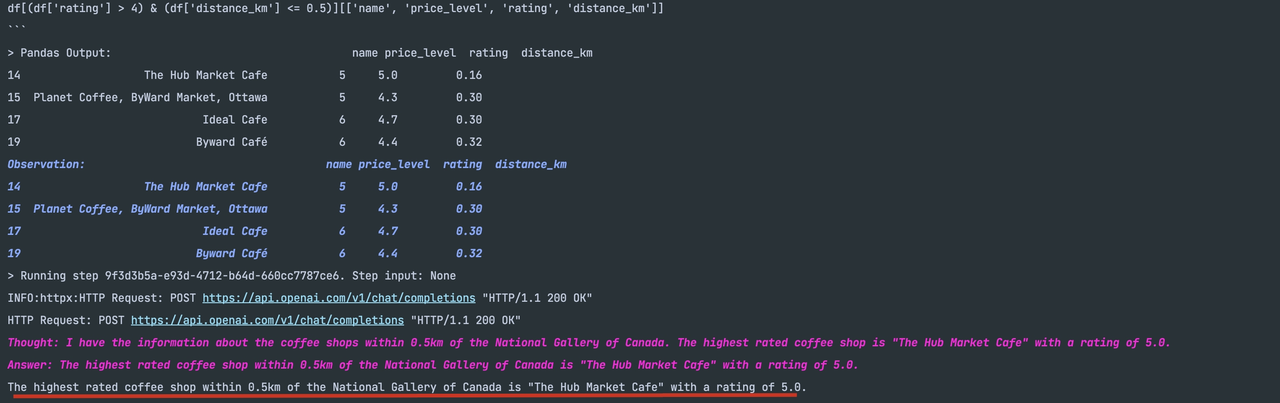
- Input the provided prompts to receive results. After a short wait, you’ll see output similar to the images below:
- Find the highest rated coffee shop within 0.5km
- Find the closest coffee shop to the target location