
Turn chores into a game your kids actually want to play.
A Home Assistant integration for family chore management, smart rewards, and streak tracking.



Originally created by vinnybad/choremander. This fork adds 15 Lovelace cards, a bonus points system, streak tracking, reward approval flow, a penalty system, and much more.
- How It Works
- Installation
- Setup
- Chores & Rewards
- Chore Scheduling
- Dynamic Chore Visibility
- Bonus Points System
- Penalties
- Dashboard Cards
- Services
- Completion Sounds
- Finding IDs
- Troubleshooting
- Tips
- Create chores — assign them to children, set point values and schedules
- Kids complete chores — tap on the child card to tick off chores, earn points, build streaks
- Parents approve — chores set to "requires approval" go into a pending queue
- Kids claim rewards — when they have enough points, they claim a reward
- Parents approve claims — points are only deducted once a parent approves
- Bonus points — weekend multipliers, streak milestones, and perfect week bonuses add extra motivation
All data is stored locally in Home Assistant. Nothing leaves your instance.
TaskMate is not yet in the HACS default store. Add it as a custom repository:
- Open HACS → Integrations → ⋮ menu → Custom repositories
- Add
https://github.com/tempus2016/taskmate— category: Integration - Search "TaskMate" and click Download
- Restart Home Assistant
- Download the latest release
- Copy the
taskmatefolder to/config/custom_components/taskmate/ - Restart Home Assistant
- Home Assistant 2024.1 or newer
- A modern browser for the dashboard cards: current Chrome, Firefox, Edge, or Safari. The cards use Web Components, Web Audio, and ES2020 features and will not work in Internet Explorer or pre-2022 browsers.
All TaskMate data — children, chores, points, reward claims, completion history — is stored inside your Home Assistant instance via HA's native storage helpers. Nothing is sent to any external service.
- Settings → Devices & Services → Add Integration → search "TaskMate"
- Choose your points currency name (Stars, Coins, Points, Bucks — whatever motivates your children)
Click Configure on the TaskMate integration card to access:
- Manage Children — add children, set avatars
- Manage Chores — create and edit chores
- Manage Rewards — create rewards with a fixed point cost
- Settings — bonus points, streak mode, history retention
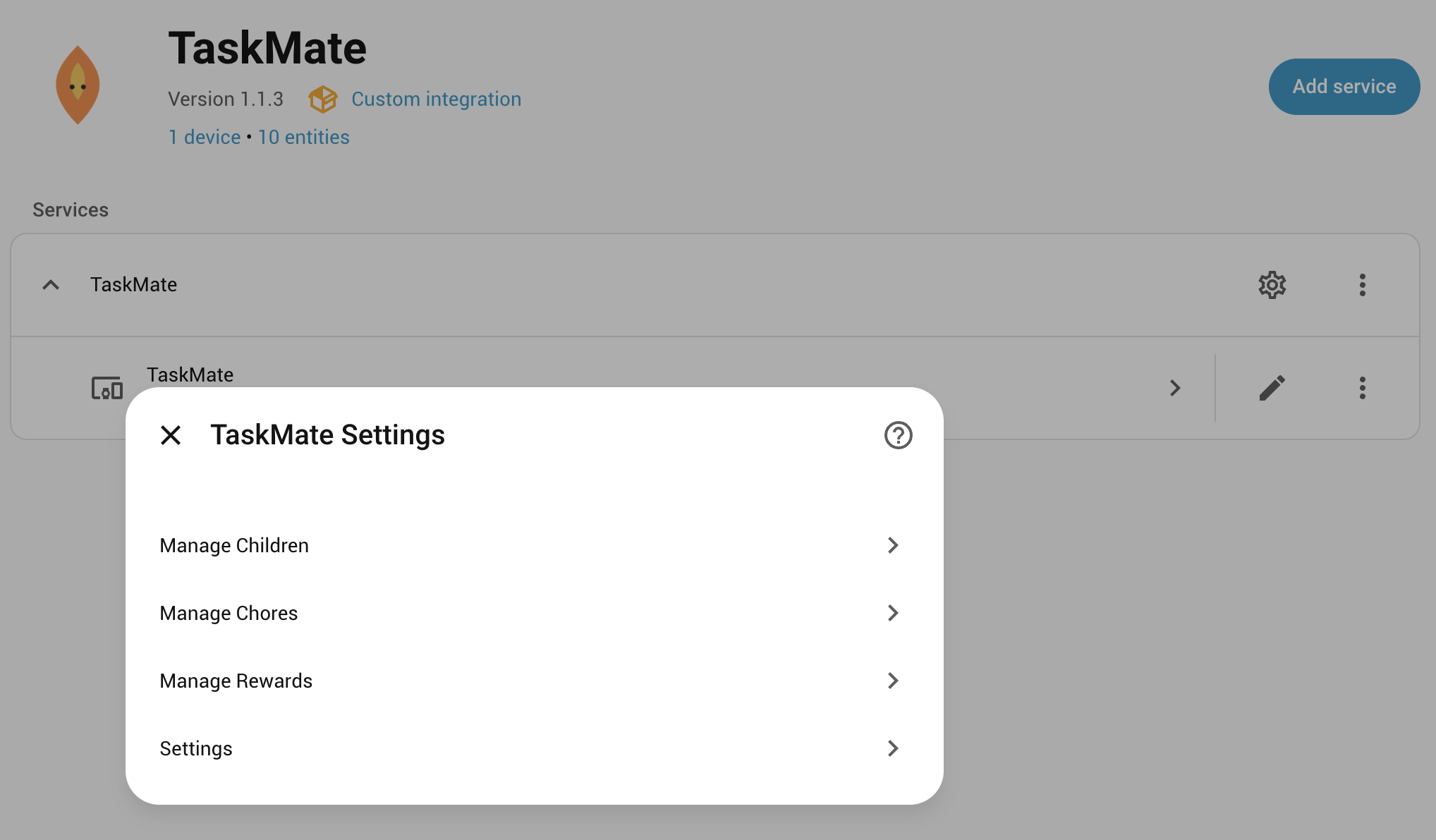
Lovelace resources are registered automatically on startup — no manual setup needed.
- Edit your dashboard → Add Card
- Search "taskmate" or scroll to Custom cards
- Select a card, set
sensor.taskmate_overviewas the entity, configure options, save
| Field | Description |
|---|---|
| Name | Display name shown on the child card |
| Description | Optional subtitle (enable with show_description in the card editor) |
| Points | Stars earned on completion |
| Time of Day | Morning Afternoon Evening Night Anytime — filters which card shows this chore |
| Scheduling Mode | Specific Days — choose which days of the week the chore appears. Recurring — set a repeating interval. Scheduling options are configured on the next page of the setup flow. |
| Due Days | (Specific Days mode) Days of the week this chore appears on the child card. Leave empty for every day. |
| Recurrence | (Recurring mode) How often the chore can be completed — Every 2 Days, Weekly, Every 2 Weeks, Monthly, Every 3 Months, Every 6 Months. Window is rolling from last completion date (midnight-rounded). |
| Daily Limit | How many times per day this chore can be completed |
| Requires Approval | If on, completion is pending until a parent approves — points held until approved |
| Completion Sound | Sound played when ticked off — overrides the card default |
| Visibility Entity | (Optional) Home Assistant entity ID that controls when this chore appears on the child card. Leave empty to always show the chore. Examples: binary_sensor.dishwasher, sensor.soil_moisture, input_boolean.guest_mode. See Dynamic Chore Visibility for details. |
| Visibility Operator | How to compare the entity's current state with your target value. Options: Equals, Not Equal, ≥, ≤, >, <. See Dynamic Chore Visibility for guidance. |
| Visibility State | The value to compare against. For text operators (Equals, Not Equal), enter any state value like on, home, or away. For numeric operators, enter a number like 30 or 50.5. |
| Type | How to Set | Description |
|---|---|---|
| Standard | Set Points Cost |
Fixed cost set by the parent |
| Jackpot | Enable "Jackpot" toggle | All assigned children's points pool together toward one shared reward |
Claiming is a two-step process — children can't instantly redeem rewards without parental oversight:
- Child taps Claim → pending claim created, points not yet deducted
- Parent sees the claim in the Claims tab of the Parent Dashboard card
- Approve → points deducted, reward granted
- Reject → claim cancelled, no points affected
Chores have two scheduling modes set in Step 1 of the add/edit chore flow.
Choose which days of the week the chore appears on the child card. Leave empty to show every day. Use due_days_mode on the child card to hide or dim non-scheduled days.
The chore has a rolling recurrence window. Once completed, it cannot be done again until the window expires — measured in days from the date of last completion (midnight-rounded).
| Recurrence | Window |
|---|---|
| Every 2 days | 2 days |
| Weekly | 7 days |
| Every 2 weeks | 14 days |
| Monthly | 30 days |
| Every 3 months | 90 days |
| Every 6 months | 180 days |
Optional settings for recurring chores:
- Day of Week — for Weekly/Every 2 Weeks, pin the chore to a specific day
- Start Date — for Every 2 Days, set the anchor date for the rhythm
- First Occurrence — Available Immediately (default) or Wait for First Scheduled Occurrence
Child card behaviour: Use recurrence_done_mode on the child card to control what happens when a recurring chore has been completed and is waiting to reset — dim (default), hide, or show.
Show or hide chores based on the state of a Home Assistant entity. Chores only appear on the child card when the visibility condition is met.
When you create or edit a chore, set the Visibility Entity (e.g., binary_sensor.dishwasher), Visibility Operator (e.g., Equals), and Visibility State (e.g., running). The chore appears on the child card only when the entity's current state matches your condition.
Examples:
- Dishwasher chores — Set entity to
binary_sensor.dishwasherwith operatorEqualsand stateon. Chores only appear when the dishwasher is running. - Soil moisture — Set entity to
sensor.soil_moisturewith operator≤and state30. Chores only appear when moisture is 30% or lower. - Guest mode — Set entity to
input_boolean.guest_modewith operatorNot Equaland stateon. Chores only appear when guests are not over. - Temperature threshold — Set entity to
sensor.temperaturewith operator>=and state25. Chores only appear when it's warm enough.
| Operator | Use When | Example |
|---|---|---|
| Equals | Entity state matches exactly (case-insensitive) | Entity: binary_sensor.dishwasher, State: on — show when entity is "on" |
| Not Equal | Entity state does not match | Entity: input_boolean.guest_mode, State: on — show when guests are NOT over |
| ≥ (Greater or Equal) | Numeric entity value is at or above threshold | Entity: sensor.battery_percent, State: 80 — show when battery ≥ 80% |
| ≤ (Less or Equal) | Numeric entity value is at or below threshold | Entity: sensor.soil_moisture, State: 30 — show when moisture ≤ 30% |
| > (Greater Than) | Numeric entity value is above threshold | Entity: sensor.temperature, State: 25 — show when temperature > 25°C |
| < (Less Than) | Numeric entity value is below threshold | Entity: sensor.snow_depth, State: 10 — show when snow < 10 cm |
- Optional — Leave Visibility Entity empty to always show the chore
- Entity types — Works with any entity:
binary_sensor,sensor,input_boolean,switch,number, etc. - Update frequency — Visibility is checked every 30 seconds (coordinator refresh interval)
- Safe fallback — If the entity becomes unavailable, the chore defaults to visible
- Frontend only — Visibility only hides chores from the child card. Parent services like
taskmate.complete_chorewill still work on hidden chores - Numeric handling — Numeric operators automatically convert entity state to a number. If conversion fails, the operators fall back to string matching.
Chores that only appear when equipment is in use:
- Dishwasher loading chores when
binary_sensor.dishwasherison - Laundry folding when
binary_sensor.dryerison
Seasonal or conditional chores:
- Snow shovelling when
sensor.snow_depth> 5 cm - Watering plants when
sensor.soil_moisture≤ 40% - Yard work when
binary_sensor.guest_modeisoff
Time-based or system state:
- Tasks only when home alone (entity not set to
away) - Tasks only during school days (custom
input_boolean.school_day) - Tasks only when a family member is home (entity is
home)
All bonus settings live in Settings → Integrations → TaskMate → Configure → Settings.
Children earn extra points for completing chores on Saturdays and Sundays.
- Default multiplier: 2.0× — a 10-point chore on Saturday earns 20 points
- The multiplier applies to the completion date, not the approval date
- Configure:
1.0to5.0(set1.0to disable)
Bonus points are awarded when a child hits a streak milestone. Fully configurable — enter your own milestones as days:points pairs:
3:5, 7:10, 14:20, 30:50, 60:100, 100:200
| Default Streak | Default Bonus |
|---|---|
| 3 days | +5 pts |
| 7 days | +10 pts |
| 14 days | +20 pts |
| 30 days | +50 pts |
| 60 days | +100 pts |
| 100 days | +200 pts |
- Milestones are re-earnable after a streak resets
- Use the Streak Milestone Bonuses toggle as a master on/off switch
- Leave the configuration field empty to disable all milestones without turning off the toggle
- Invalid formats fall back to the default list with a validation error shown on save
Children earn a bonus when they complete at least one chore every day Monday–Sunday.
- Checked automatically every Monday at midnight
- Default: 50 points — configurable from 10 to 500
| Setting | Default | Description |
|---|---|---|
| Weekend Points Multiplier | 2.0 |
Multiplier on Sat/Sun (1.0 = off) |
| Streak Milestone Bonuses | on |
Master toggle |
| Streak Milestone Configuration | 3:5, 7:10, 14:20, 30:50, 60:100, 100:200 |
Custom days:points pairs |
| Perfect Week Bonus | on |
Toggle |
| Perfect Week Bonus Points | 50 |
Points per perfect week |
| Streak Reset Mode | reset |
reset — streak drops to 0 on a missed day; pause — streak is preserved |
| History Days to Keep | 90 |
Completion history retention, 30–365 days |
TaskMate can notify parents when a chore requiring approval has been completed.
When a child completes a chore that has Requires Approval turned on:
- A persistent notification is always created in HA — visible in the notification bell in the sidebar
- If a Notification Service is configured in Settings, a push notification is also sent
Go to Settings → Integrations → TaskMate → Configure → Settings → Notification Service and enter your notify service:
notify.mobile_app_your_phone
Leave empty to use persistent notifications only.
Note: The service must be in the
notifydomain (e.g.notify.mobile_app_...). Services from other domains are ignored with a warning in the HA logs.
Tip: Use
binary_sensor.taskmate_has_pending_approvalsin your own automations for more customised notification logic.
Deduct points from a child for unwanted behaviour — the flip side of the reward system.
- Create named penalties (e.g. "Not going to bed = 10 points") via the Penalties Card or the
taskmate.add_penaltyservice - Open the Penalties Card, select the child, and tap Apply on the relevant penalty
- Points are deducted immediately and logged in the activity feed as
Penalty: <name>
- Select the child using the tabs at the top (hidden if only one child)
- Tap Apply to deduct points instantly — the tile flashes and a toast confirms the action
- Tap the pencil icon to enter edit mode: add new penalties, edit name/points/icon/description, or delete
# Create a penalty
service: taskmate.add_penalty
data:
  name: "Not going to bed"
  points: 10
  description: "Refused bedtime after two warnings"   # optional
  icon: mdi:bed-clock                                 # optional, any MDI icon

# Apply a penalty to a child
service: taskmate.apply_penalty
data:
  penalty_id: abc12345    # see Finding IDs
child_id: a8c8376aHeader colours: Every card has a configurable
header_coloroption in the visual editor, with its own vibrant default. Change it to match your dashboard theme or differentiate kid vs parent cards.
| Card | Best For | Purpose |
|---|---|---|
| Child Card | Kids | Complete chores — big buttons, sounds, celebrations |
| Rewards Card | Kids | View rewards, track progress, claim |
| Approvals Card | Parents | Approve/reject pending chore completions |
| Points Card | Parents | Manually add or remove points |
| Reorder Card | Parents | Drag-and-drop chore display order |
| Parent Dashboard Card | Parents | All-in-one: approvals, claims, overview, points |
| Overview Card | Parents | At-a-glance all-children progress |
| Activity Card | Parents | Full activity timeline |
| Streak Card | Both | Streak history and achievement badges |
| Weekly Card | Parents | Mon–Sun bar chart and stats |
| Points Graph Card | Parents | Points over time, multi-child line graph |
| Reward Progress Card | Kids | Full-screen motivational reward display |
| Leaderboard Card | Both | Competitive ranking by points, streak, or weekly |
| Penalties Card | Parents | Apply point-deduction penalties |
| Bonuses Card | Parents | Apply one-tap point bonuses |
| Points Display Card | Kids | Big, kid-friendly points readout |
| Calendar Card | Both | One-day view of chores assigned to each child |
Kid-friendly chore completion. The entire row is tappable — no small targets. Supports colourful animated badges, confetti celebrations, and completion sounds. Tapping a completed chore undoes it.
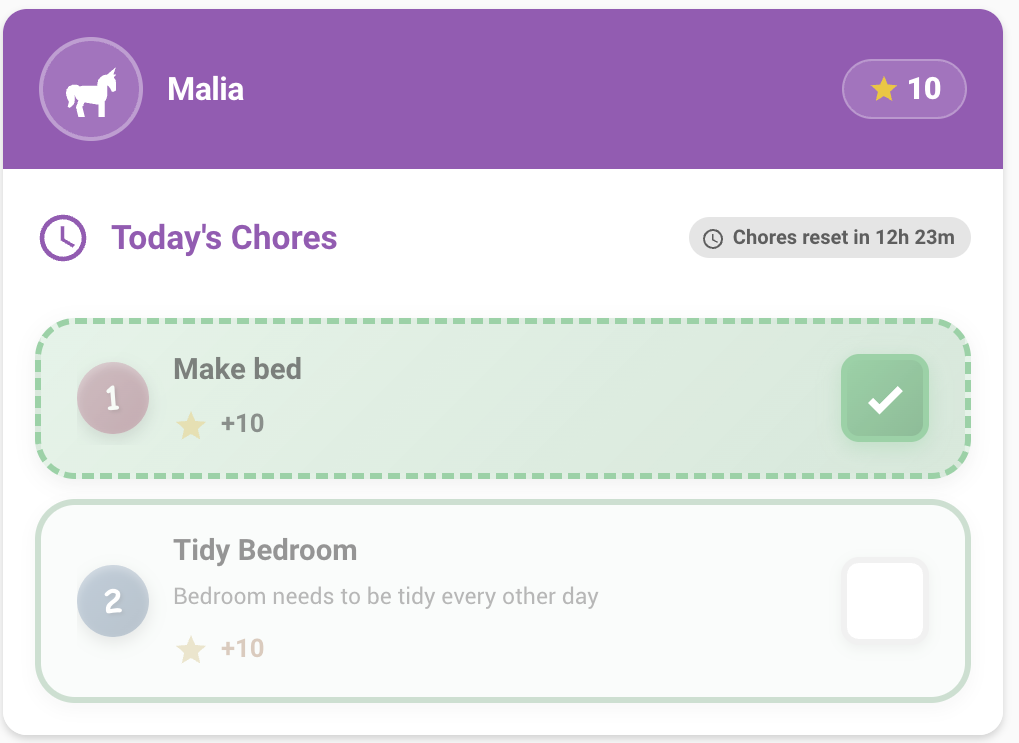
type: custom:taskmate-child-card
entity: sensor.taskmate_overview
child_id: a8c8376a            # required — see Finding IDs
time_category: anytime        # morning | afternoon | evening | night | anytime | all
due_days_mode: hide           # hide | dim | show — chores not scheduled today
recurrence_done_mode: dim     # dim | hide | show — recurring chores waiting to reset
elapsed_time_mode: dim        # dim | hide | show — time-of-day chores whose period has passed
show_countdown: true          # show midnight reset countdown
show_description: false       # show chore description below name
default_sound: coin           # default completion sound
undo_sound: undo              # sound when undoing
header_color: "#9b59b6"
elapsed_time_mode — controls what happens to morning/afternoon/evening/night chores once that time window has passed without completion. Set to dim (default) to grey them out and make them non-interactive, hide to remove them entirely, or show to leave them active. Chores set to Anytime are never affected. Chores that were completed still show with their green done style regardless.
Shows all available rewards with progress bars and claim buttons. After claiming, the button shows "Awaiting parent approval" until approved. Jackpot rewards show a colour-coded contribution bar per child.
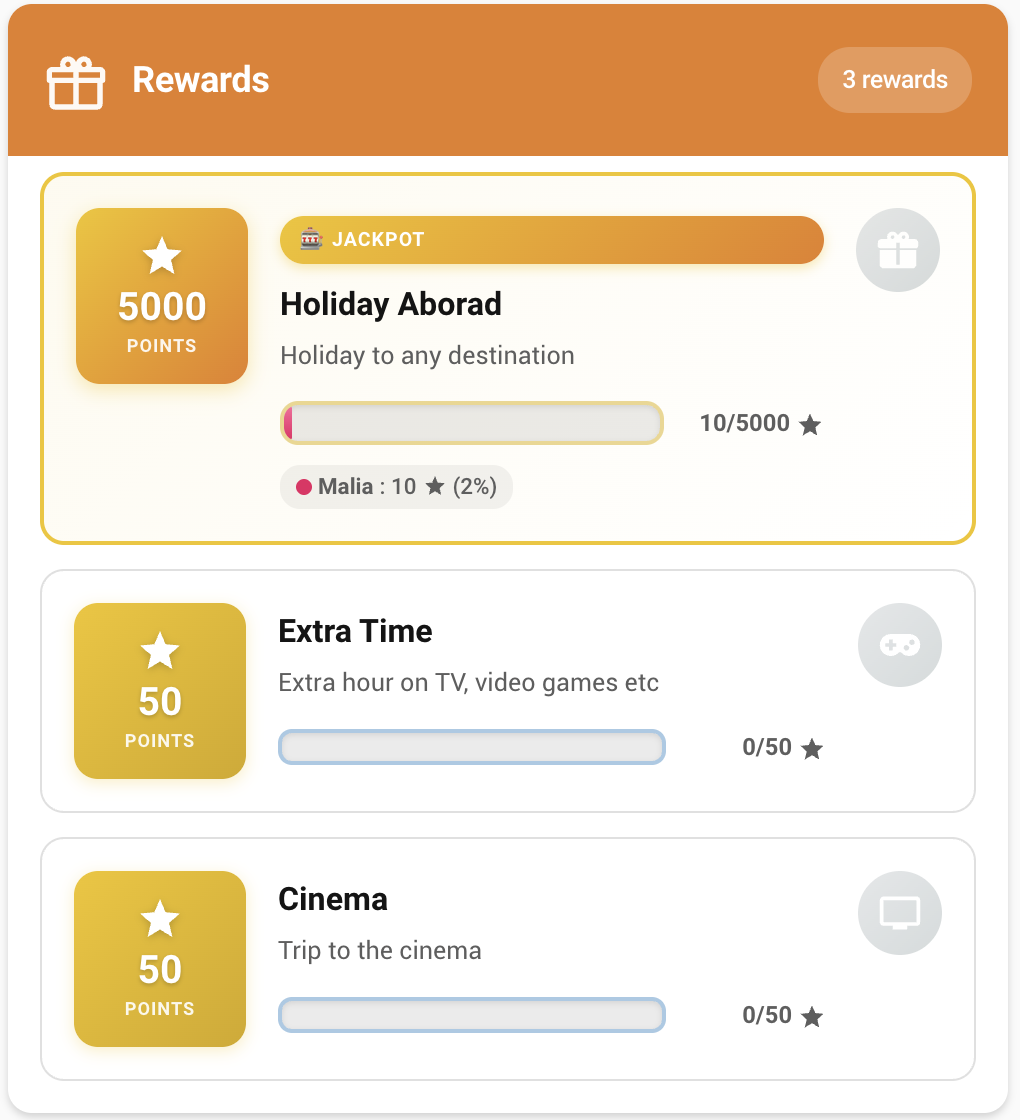
type: custom:taskmate-rewards-card
entity: sensor.taskmate_overview
child_id: a8c8376a            # optional — filter to one child
show_child_badges: true       # show which children are assigned each reward
header_color: "#e67e22"Review and approve or reject chore completions requiring parent sign-off. Items are grouped by date and time of day.
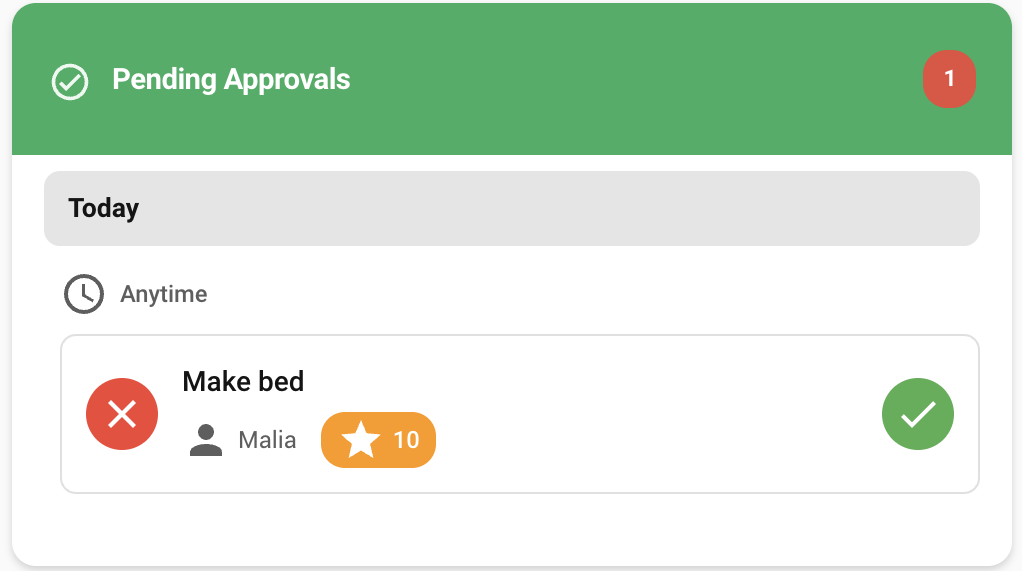
type: custom:taskmate-approvals-card
entity: sensor.taskmate_overview
title: Pending Approvals      # optional
child_id: a8c8376a            # optional — filter to one child
header_color: "#27ae60"Manually award bonus points or deduct points for consequences — useful for situations outside the normal chore flow.
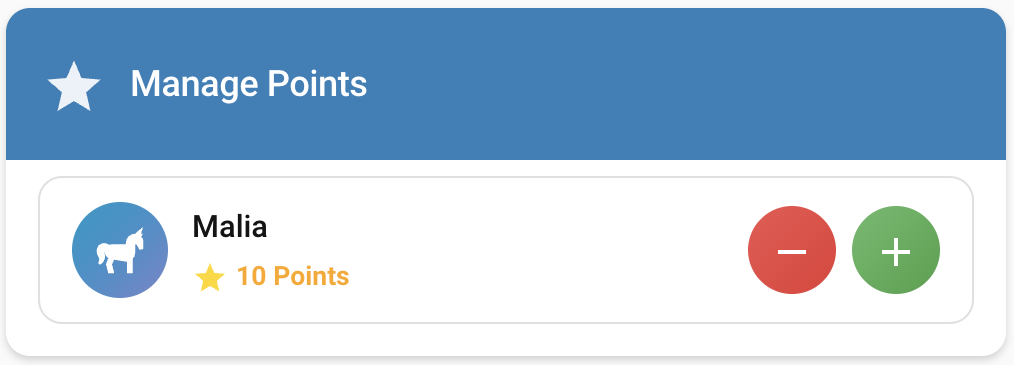
Each child row shows two rows of quick-tap buttons — one for adding, one for removing. Tap a button to apply instantly with no dialog. The ⋯ button opens a dialog for a custom amount with an optional reason.
type: custom:taskmate-points-card
entity: sensor.taskmate_overview
title: Manage Points
quick_add_amounts: [1, 5, 10]      # configurable add buttons
quick_remove_amounts: [1, 5, 10]   # configurable remove buttons
show_dialog: true                  # show ⋯ for custom amount + reason
header_color: "#2980b9"Drag-and-drop interface to set the order chores appear for each child.
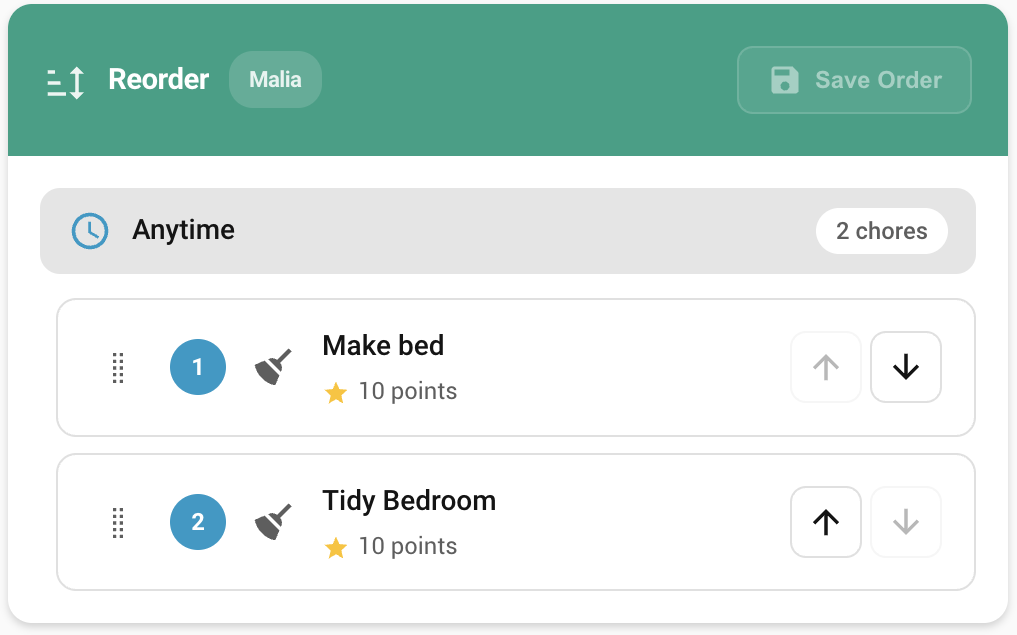
type: custom:taskmate-reorder-card
entity: sensor.taskmate_overview
child_id: a8c8376a
title: Reorder Chores
header_color: "#16a085"The most useful parent card — four tabs in one:
- Overview — all children's progress and points
- Approvals — pending chore completions with inline approve/reject
- Claims — pending reward claims with approve/reject
- Points — quick +/- buttons per child
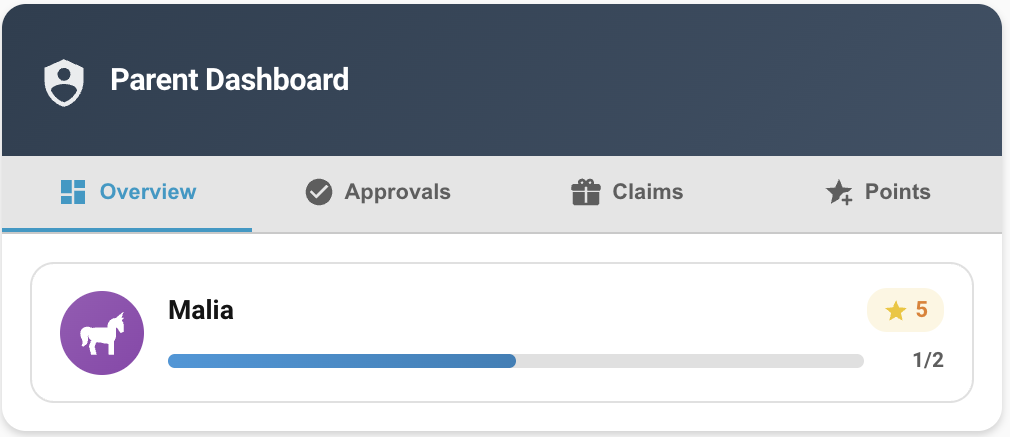
type: custom:taskmate-parent-dashboard-card
entity: sensor.taskmate_overview
title: Parent Dashboard
quick_points_amount: 5        # points per +/- button press
show_claims: true             # show the Claims tab
header_color: "#c0392b"At-a-glance view of every child — today's chore progress bars, current points, and a pulsing red badge when approvals are pending. Progress counts only chores due today — chores with due_days set are excluded from the total on days they are not scheduled.
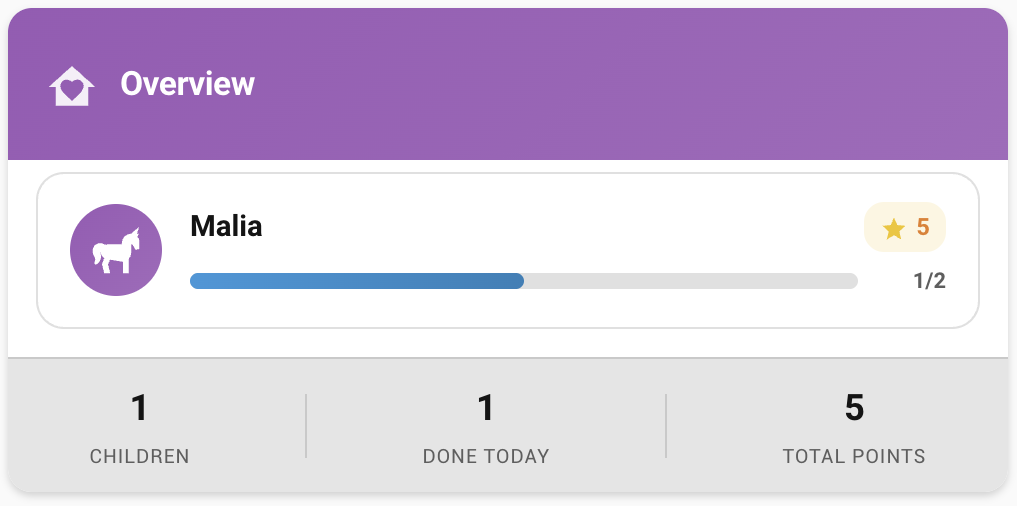
type: custom:taskmate-overview-card
entity: sensor.taskmate_overview
title: TaskMate
header_color: "#8e44ad"Scrollable timeline of everything — chore completions, manual point adjustments, bonus point events (weekends, streaks, perfect weeks), and reward claims. Grouped by Today / Yesterday / date.
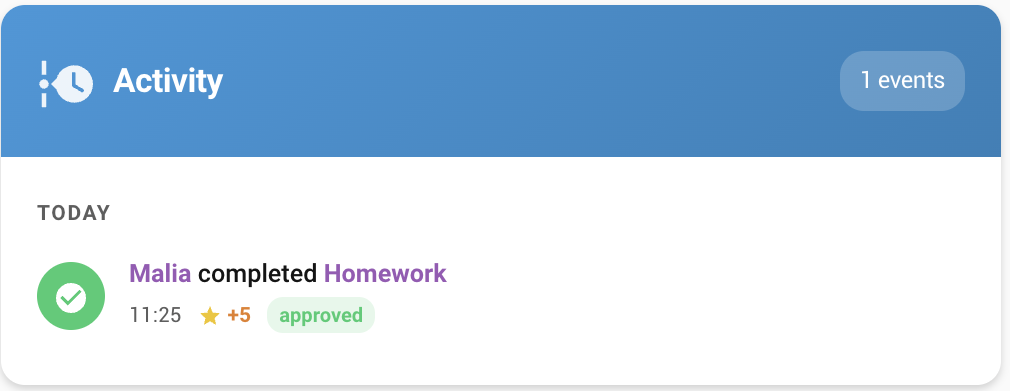
type: custom:taskmate-activity-card
entity: sensor.taskmate_overview
child_id: a8c8376a            # optional — filter to one child
max_items: 30
header_color: "#2471a3"Per-child streak display with a dot history grid, current and best streak, and achievement badges.
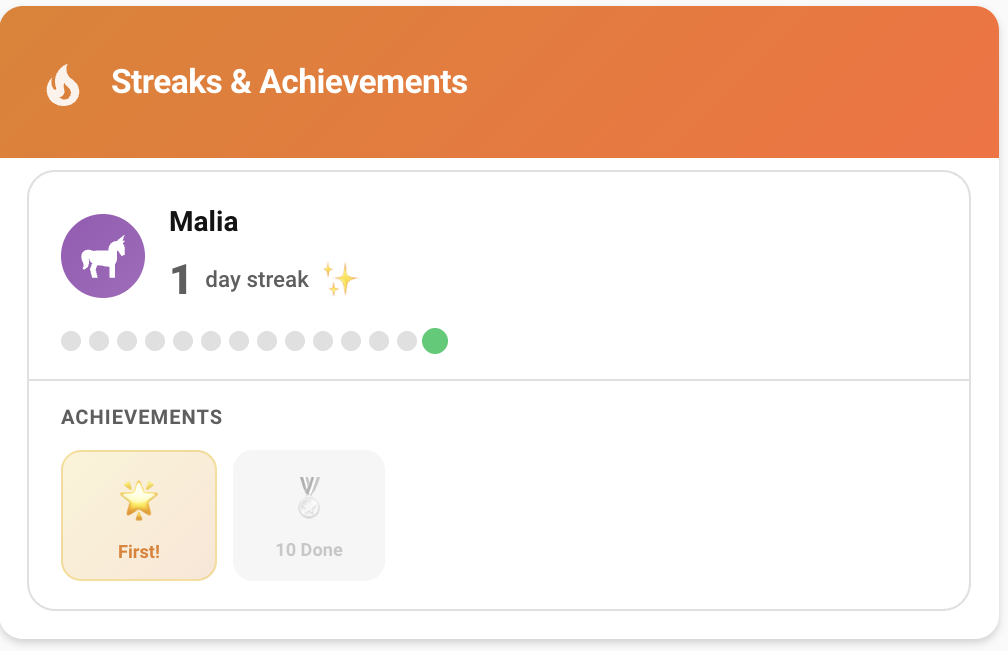
type: custom:taskmate-streak-card
entity: sensor.taskmate_overview
child_id: a8c8376a            # optional — filter to one child
streak_days_shown: 14         # days shown in the dot history grid
header_color: "#e74c3c"Monday–Sunday bar chart
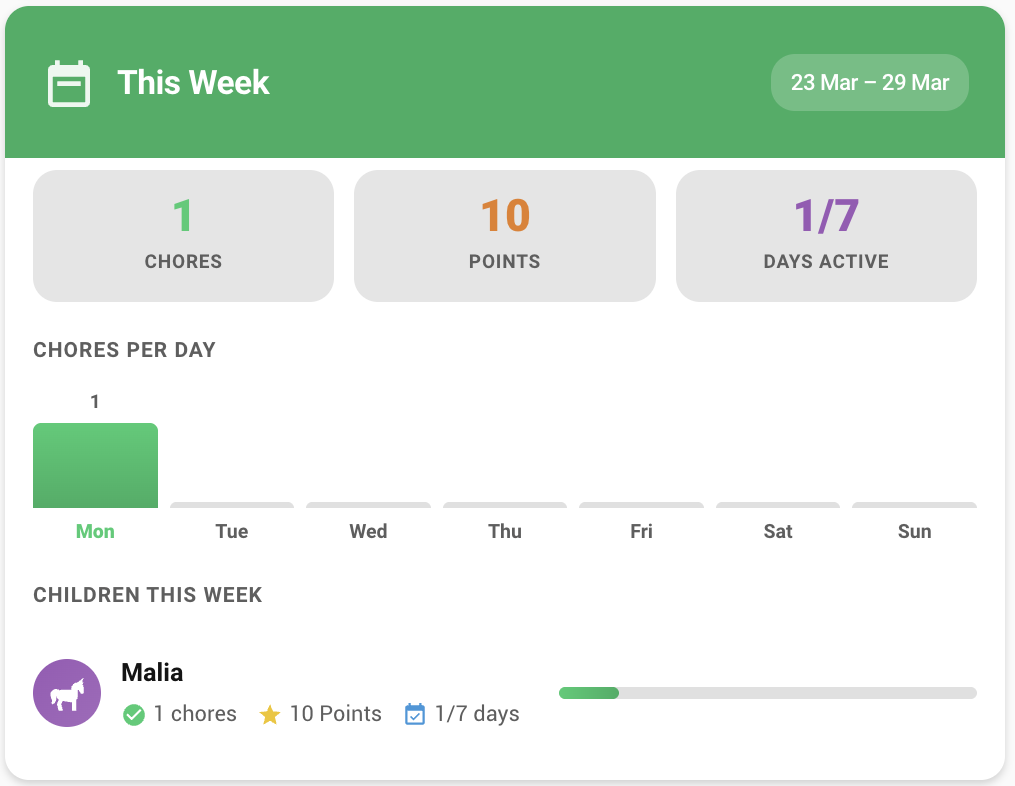
type: custom:taskmate-weekly-card
entity: sensor.taskmate_overview
child_id: a8c8376a            # optional — filter to one child
header_color: "#27ae60"Canvas-based line graph
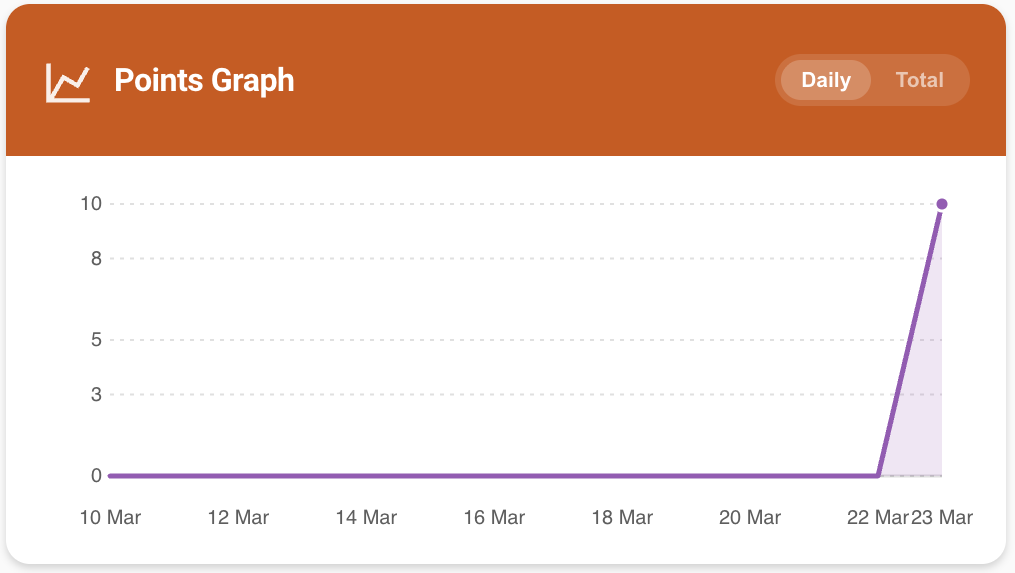
type: custom:taskmate-graph-card
entity: sensor.taskmate_overview
child_id: a8c8376a            # optional — filter to one child
days: 14                      # date range: 3–90
header_color: "#d35400"Full-screen motivational display
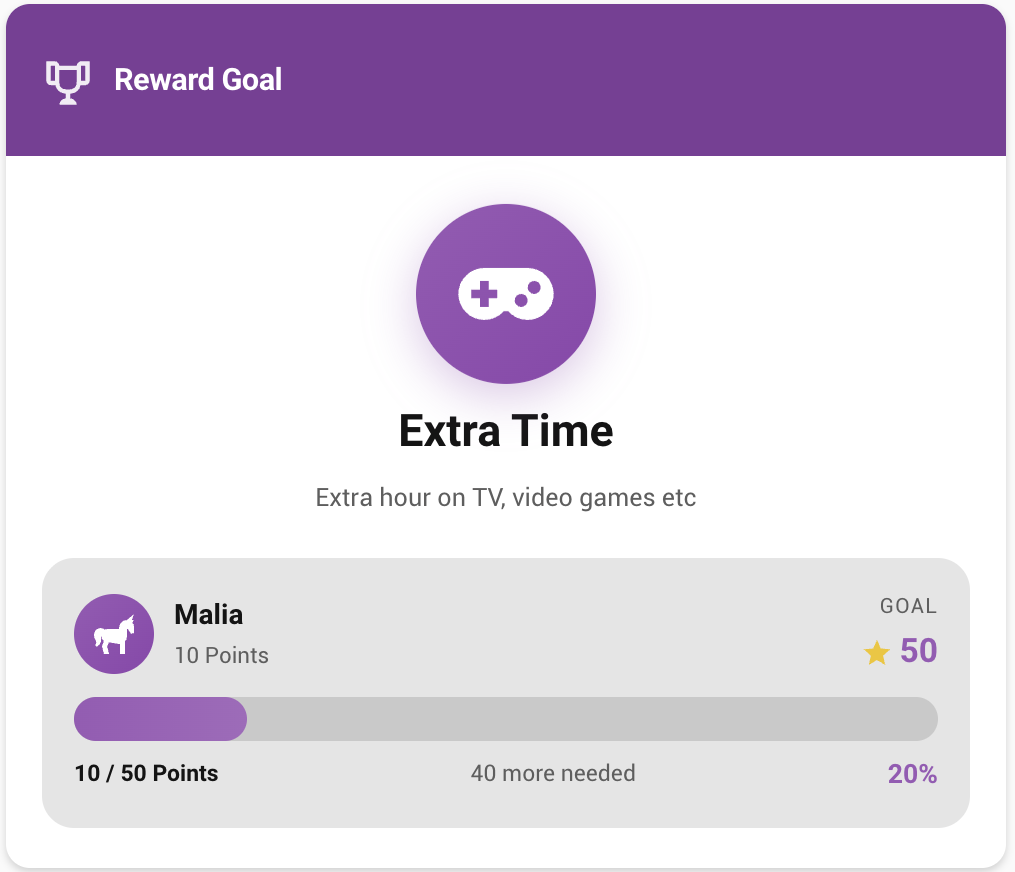
type: custom:taskmate-reward-progress-card
entity: sensor.taskmate_overview
reward_id: abc123             # required — see Finding IDs
child_id: a8c8376a            # optional — show one child's contribution
title: Reward Goal
header_color: "#7d3c98"Competitive ranking
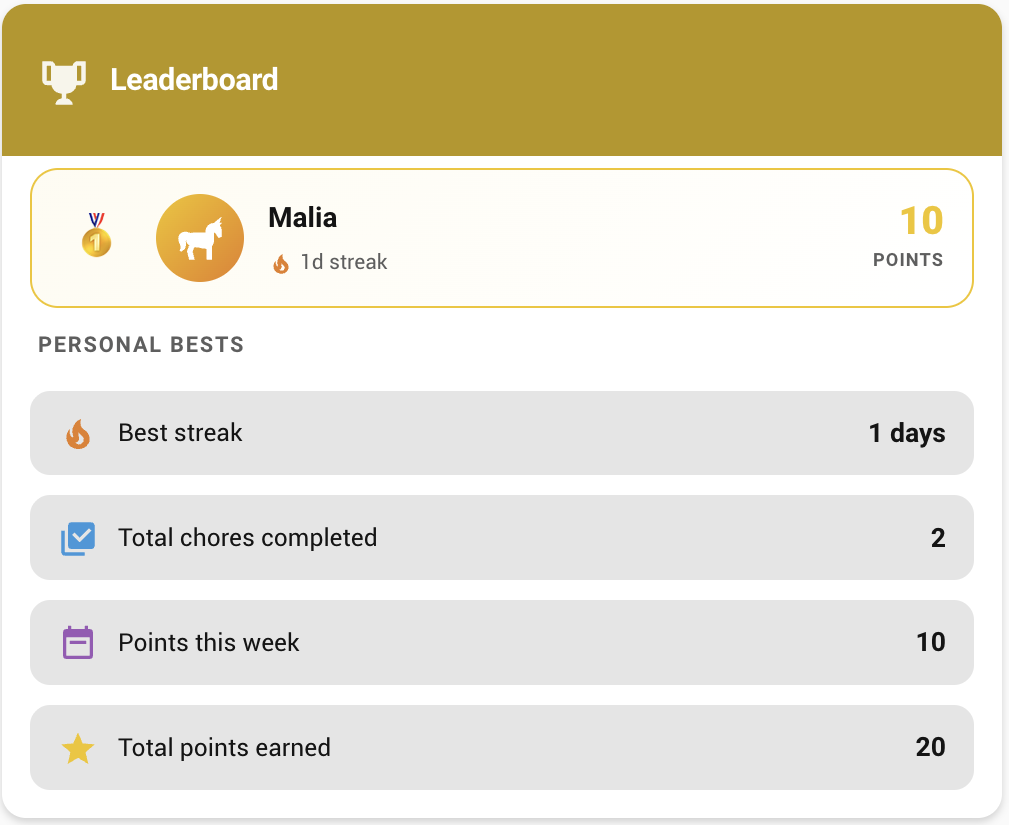
type: custom:taskmate-leaderboard-card
entity: sensor.taskmate_overview
sort_by: points               # points | streak | weekly
show_streak: true
show_weekly: true
header_color: "#b7950b"Parent-facing card for applying point-deduction penalties. Select the child using tabs, then tap Apply next to the relevant penalty. Tap the pencil icon to add, edit, or delete penalty definitions.
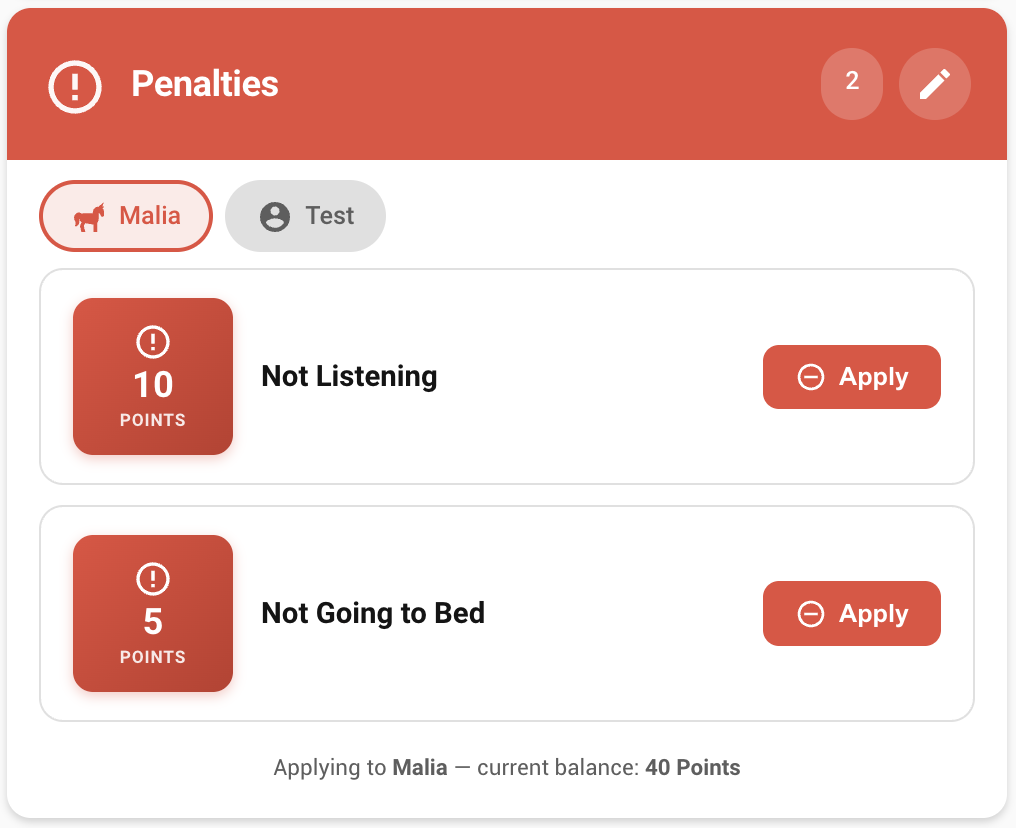
type: custom:taskmate-penalties-card
entity: sensor.taskmate_overview
title: Penalties
header_color: "#e74c3c"Parent-facing counterpart to the Penalties Card. Define one-tap point bonuses and apply them to any child from the card. Use the pencil icon to add, edit, or delete bonus definitions.
type: custom:taskmate-bonuses-card
entity: sensor.taskmate_overview
title: Bonuses
header_color: "#27ae60"Big, kid-friendly readout of current points. Supports three modes: a single child, every child side-by-side, or the combined family total. Pair it with the Child Card on a tablet dashboard.
type: custom:taskmate-points-display-card
entity: sensor.taskmate_overview
mode: single            # single | all | family
child_id: a8c8376a      # required when mode: single
header_color: "#2980b9"One-day view of the chores assigned to each child. Each child gets a section showing the chores scheduled for the selected day, colour-coded by state: green = approved, amber = pending approval, grey = due but not completed. Rotating-assignment chores (alternating, random, balanced) render dimmed on days other than today so you can see they rotate.
Use the ◀ / ▶ buttons to step through days, or the calendar icon to jump back to today. Set child_id to show only a single child.
type: custom:taskmate-calendar-card
entity: sensor.taskmate_overview
title: Task Calendar
child_id: a8c8376a            # optional — show only one child
header_color: "#3498db"TaskMate exposes services you can call from automations, scripts, or Developer Tools.
| Service | Parameters | Description |
|---|---|---|
taskmate.complete_chore |
chore_id, child_id |
Mark a chore as completed |
taskmate.approve_chore |
completion_id |
Approve a pending chore completion |
taskmate.reject_chore |
completion_id |
Reject a pending chore completion |
taskmate.claim_reward |
reward_id, child_id |
Create a pending reward claim |
taskmate.approve_reward |
claim_id |
Approve a reward claim (deducts points) |
taskmate.reject_reward |
claim_id |
Reject a reward claim |
taskmate.add_points |
child_id, points, reason |
Manually add points to a child |
taskmate.remove_points |
child_id, points, reason |
Manually remove points from a child |
taskmate.set_chore_order |
child_id, chore_order |
Set the chore display order for a child |
taskmate.add_penalty |
name, points, description*, icon* |
Create a new penalty definition |
taskmate.update_penalty |
penalty_id, name*, points*, description*, icon* |
Update an existing penalty |
taskmate.remove_penalty |
penalty_id |
Delete a penalty definition |
taskmate.apply_penalty |
penalty_id, child_id |
Apply a penalty — deducts points immediately |
* optional
Example — award bonus points from an automation:
service: taskmate.add_points
data:
  child_id: a8c8376a
  points: 10
reason: "Helped with the shopping"Enable Jackpot mode on a reward for big family goals — all assigned children's points pool together toward a single shared cost. The rewards card shows each child's contribution as a colour-coded bar segment.
The child card plays a sound when a chore is ticked off. All synthesised sounds are generated via the Web Audio API — no external files needed.
| Sound | Type | Description |
|---|---|---|
coin |
Synth | Classic video game coin collect |
levelup |
Synth | Triumphant ascending arpeggio |
fanfare |
Synth | Celebratory trumpet fanfare |
chime |
Synth | Pleasant bell chime |
powerup |
Synth | Ascending sweep with sparkle |
undo |
Synth | Sad descending womp-womp (played on undo) |
fart1–fart10 |
Audio file | Real fart sounds (CC0 — BigSoundBank.com) |
fart_random |
Audio file | Random fart sound 1–10 |
none |
— | Silence |
Fart sounds require the audio files placed at /config/www/taskmate/fart1.mp3 through fart10.mp3.
Priority order: chore-level sound → card default_sound → coin
Several card options require a child_id or reward_id. The easiest way to find these:
- Go to Developer Tools → States
- Find
sensor.taskmate_overview - Click the entity to expand its attributes
- Look in the
childrenarray foridvalues - For reward IDs, look at
sensor.taskmate_rewards→rewardsarray
Alternatively, IDs are visible in the URL when editing a child or reward in the TaskMate configuration UI.
Home Assistant limits a single entity's attribute payload to 16 KB for the
recorder. TaskMate therefore splits its data across several global sensors
and per-child sensors. Cards configured with entity: sensor.taskmate_overview
keep working unchanged — every TaskMate card internally merges attributes from
the overview sensor and its companion sensors at render time.
| Entity | State | What lives here |
|---|---|---|
sensor.taskmate_overview |
total children | children summary, points_name, points_icon, today_day_of_week, totals, streak / perfect-week settings |
sensor.taskmate_chores |
total chores | chores list (definitions), todays_completions |
sensor.taskmate_chore_availability |
total chores available today | chore_availability: {chore_id: {child_id: bool}} |
sensor.taskmate_rewards |
total rewards | rewards, pending_reward_claims, pool_allocations |
sensor.taskmate_activity |
total completions all-time | recent_completions (last 35), recent_transactions (last 20) |
sensor.taskmate_incentives |
penalties + bonuses count | penalties, bonuses |
sensor.pending_approvals |
pending approvals count | chore_completions, reward_claims (detailed lists) |
sensor.<child>_points |
points for that child | child_id, current_streak, best_streak, total_* |
sensor.<child>_stats |
chores completed by that child | assigned_chores, streak / totals |
Automations that read the old overview attributes (e.g. sensor.taskmate_overview.attributes.chores) should instead read from the matching companion sensor listed above.
Cards show "Custom element doesn't exist"
- Hard refresh the browser (Cmd+Shift+R / Ctrl+Shift+R)
- Check Settings → Dashboards → Resources — the
/taskmate/*.jsresources should be listed - If resources are missing, restart Home Assistant — they are registered automatically on startup
Cards show "Entity not found"
- Make sure you're using
sensor.taskmate_overviewas the entity (notsensor.pending_approvals) - Verify the TaskMate integration is loaded: Settings → Devices & Services → TaskMate
Chore description not showing
- Enable Show chore description in the child card editor
- Make sure the chore actually has a description set in Settings → Manage Chores
Points not updating after completing a chore
- If the chore requires approval, points are held in "pending" until a parent approves
- The pending points are shown separately in the child card header
Streak not incrementing
- Streaks update at midnight. If you complete chores late at night and check before midnight, the streak counter won't have updated yet
- If Streak Reset Mode is set to
reset, missing a single day resets the streak to 0
Resources keep disappearing after restart
- Restart Home Assistant — Lovelace resources are registered automatically on startup
- If the problem persists after restarting, check the HA logs for errors from the
taskmateintegration
- Two dashboards — One for children (Child Card + Rewards Card), one for parents (Parent Dashboard). Children don't need to see the approval queue
- Completion % — Set this lower for optional or weekly chores. If a chore is done twice a week, set it to ~30%. This prevents infrequent chores from inflating reward costs
- Due Days — Use these so Monday's homework doesn't appear on Saturday. Set
due_days_mode: hideon the child card - Chore descriptions — Add short instructions like "Put the lid back on the bin" and enable
show_description: truein the card editor - Streak mode: Pause — If you go on holiday, "Pause" mode means children don't lose their streak. "Reset" mode is stricter and more motivating for consistent households
- Weekend Multiplier — Great for incentivising chores on days children have more free time. Set it to
1.5for a gentler boost or3.0for a big incentive - Jackpot rewards — Use these for big shared goals. A family holiday, a trip to a theme park, a new board game — something everyone works toward together
- Header colours — Each card has its own default colour. Customise them in the visual editor to make the children's dashboard bright and fun, and the parent dashboard more neutral
- Per-chore sounds — Set
completion_sound: fanfareon harder chores to make completing them feel more rewarding than easy ones - Time-of-day cards — Set
time_category: morningon a card for the breakfast routine andelapsed_time_mode: dimso missed morning chores grey out automatically once it's afternoon — no clutter, no guilt trips
See GitHub Releases for the full changelog.
License: MIT · Data stays local in your Home Assistant instance