In a fresh Lyra 5.5 project, when trying to PIE in the Expanse map, for example, you will receive errors like the following:
Ensure condition failed: LoadedAsset [File:C:\All_External\LyraStarterGame\Source\LyraGame\System\LyraAssetManager.h] [Line: 134]
Failed to load asset [/Game/Input/Mappings/IMC_Default_KBM.IMC_Default_KBM]
[601]LogOutputDevice: Error: Ensure condition failed: LoadedAsset [File:C:\All_External\LyraStarterGame\Source\LyraGame\System\LyraAssetManager.h] [Line: 134]
Failed to load asset [/Game/Input/Mappings/IMC_Default_KBM.IMC_Default_KBM]
Misconfigured asset: /All/Plugins/ShooterCore Content/Experiences/LAS_ShooterCore_SharedInput
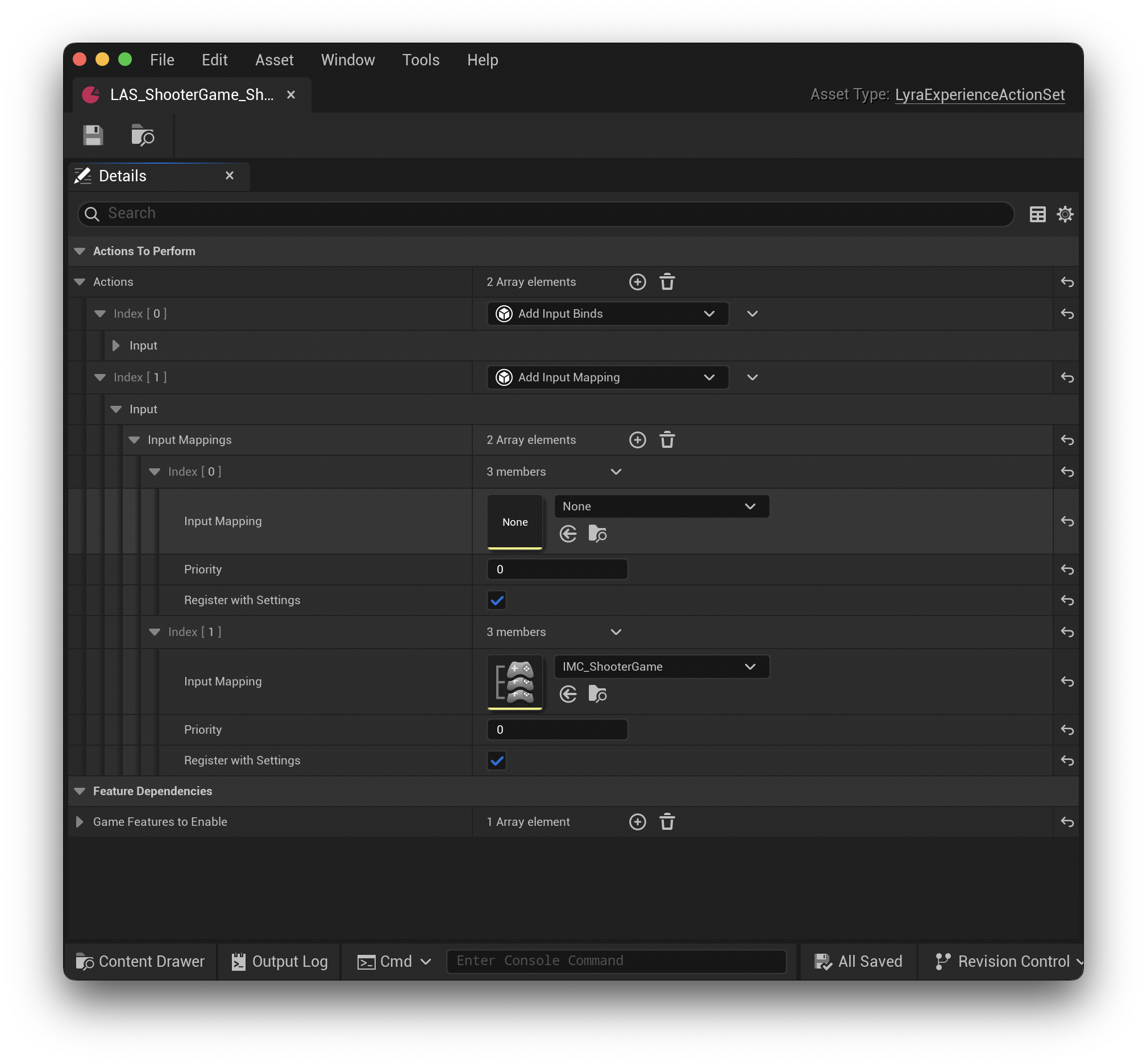
Open LAS_ShooterCore_SharedInput and expand the Add Input Mapping action, you'll notice the first one references an IMC that doesn't exist.
Mousing over that asset it's trying to access /Game/Input/Mappings/IMC_Default_KBM which no longer exists. It seems that has been renamed as IMC_Default.
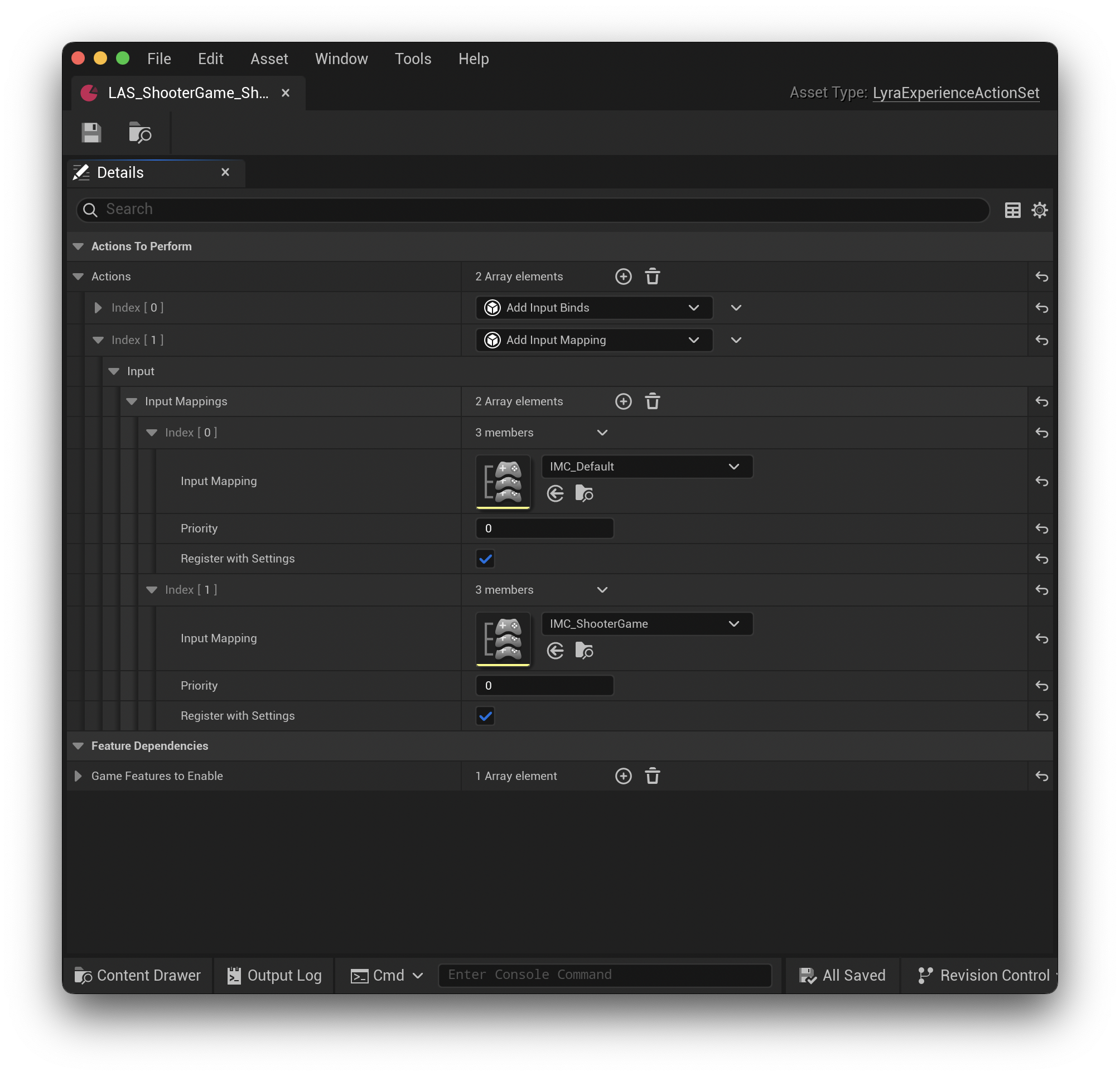
To fix: Change the None IMC asset to the correct path /Game/Input/Mappings/IMC_Default, then save the asset. After saving, you can run PIE without any errors related to this asset.
Here is what my LAS_ShooterCore_SharedInput looked like in a fresh project before I fixed it:
and here is the same asset after applying the fix:
In a fresh Lyra 5.5 project, when trying to PIE in the Expanse map, for example, you will receive errors like the following:
Misconfigured asset:
/All/Plugins/ShooterCore Content/Experiences/LAS_ShooterCore_SharedInputOpen
LAS_ShooterCore_SharedInputand expand theAdd Input Mappingaction, you'll notice the first one references an IMC that doesn't exist.Mousing over that asset it's trying to access
/Game/Input/Mappings/IMC_Default_KBMwhich no longer exists. It seems that has been renamed asIMC_Default.To fix: Change the
NoneIMC asset to the correct path/Game/Input/Mappings/IMC_Default, then save the asset. After saving, you can run PIE without any errors related to this asset.Here is what my
LAS_ShooterCore_SharedInputlooked like in a fresh project before I fixed it:and here is the same asset after applying the fix: