| title | 1.3 VTable Lifecycle |
|---|---|
| key words | VisActor,VChart,VTable,VStrory,VMind,VGrammar,VRender,Visualization,Chart,Data,Table,Graph,Gis,LLM |
In the previous chapters, we introduced the basic concepts and source code architecture of @Visactor/VTable. However, to deeply understand the working principles of the table component library, we need to delve into its source code. This article will gradually introduce the lifecycle of @Visactor/VTable through step-by-step debugging, deeply analyzing the table rendering initialization, update, and destruction processes in its source code, helping readers better understand and master the lifecycle of @Visactor/VTable.
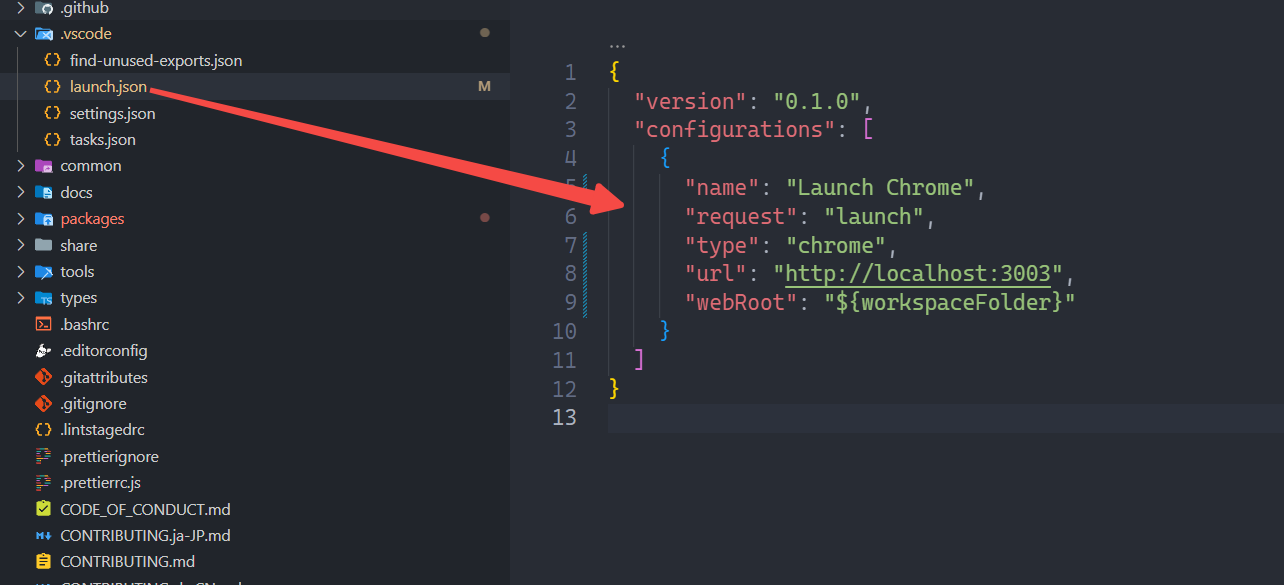
If you are using VSCode, you can refer to this configuration and enter the following settings in the .vscode file to enable debugging in VSCode. \r
Let's take ListTable as an example, set a breakpoint on the first line in the ListTable constructor. Open the console, and we successfully enter the constructor of ListTable.
- VTable\packages\vtable\src\ListTable.ts
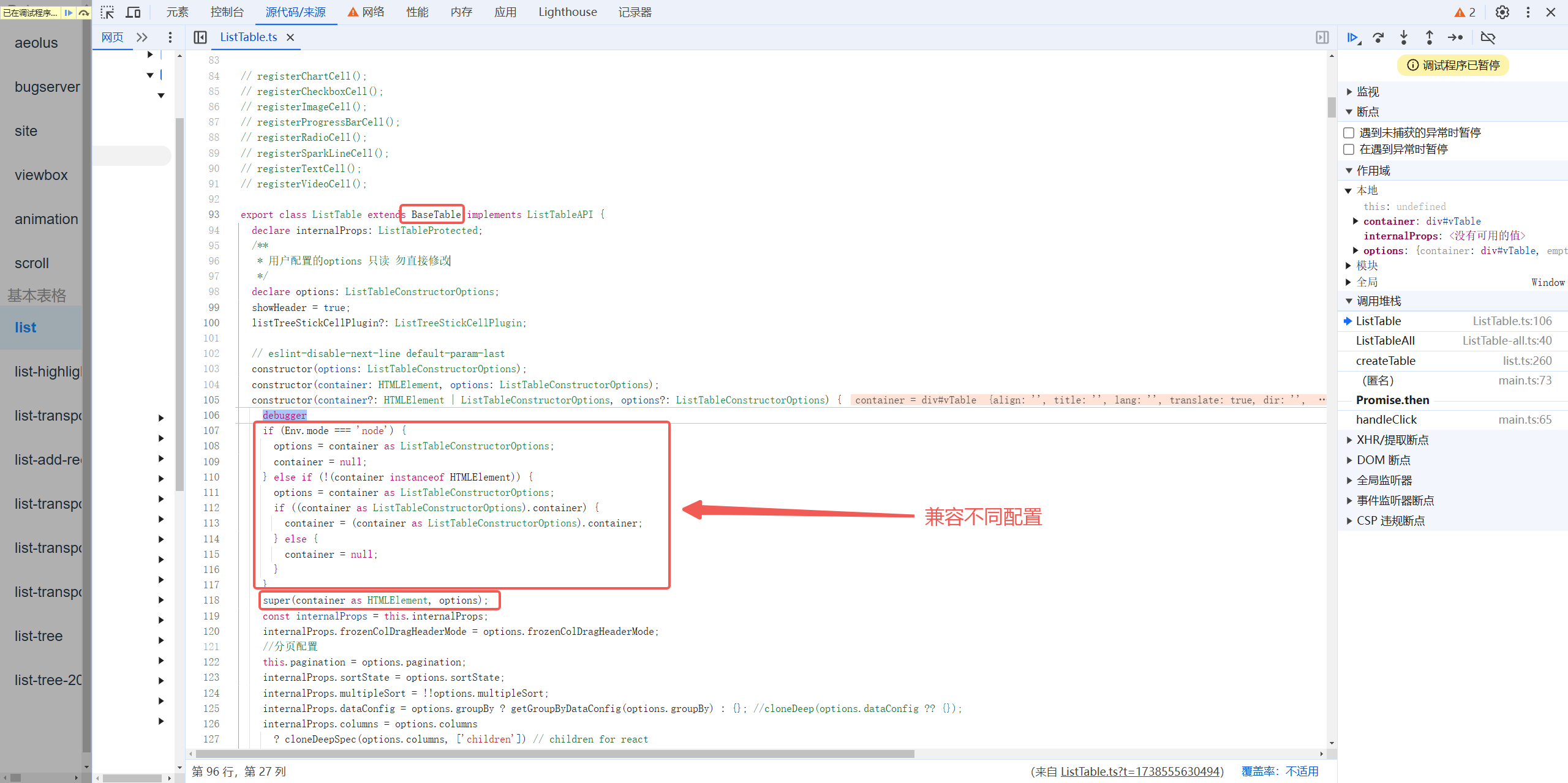
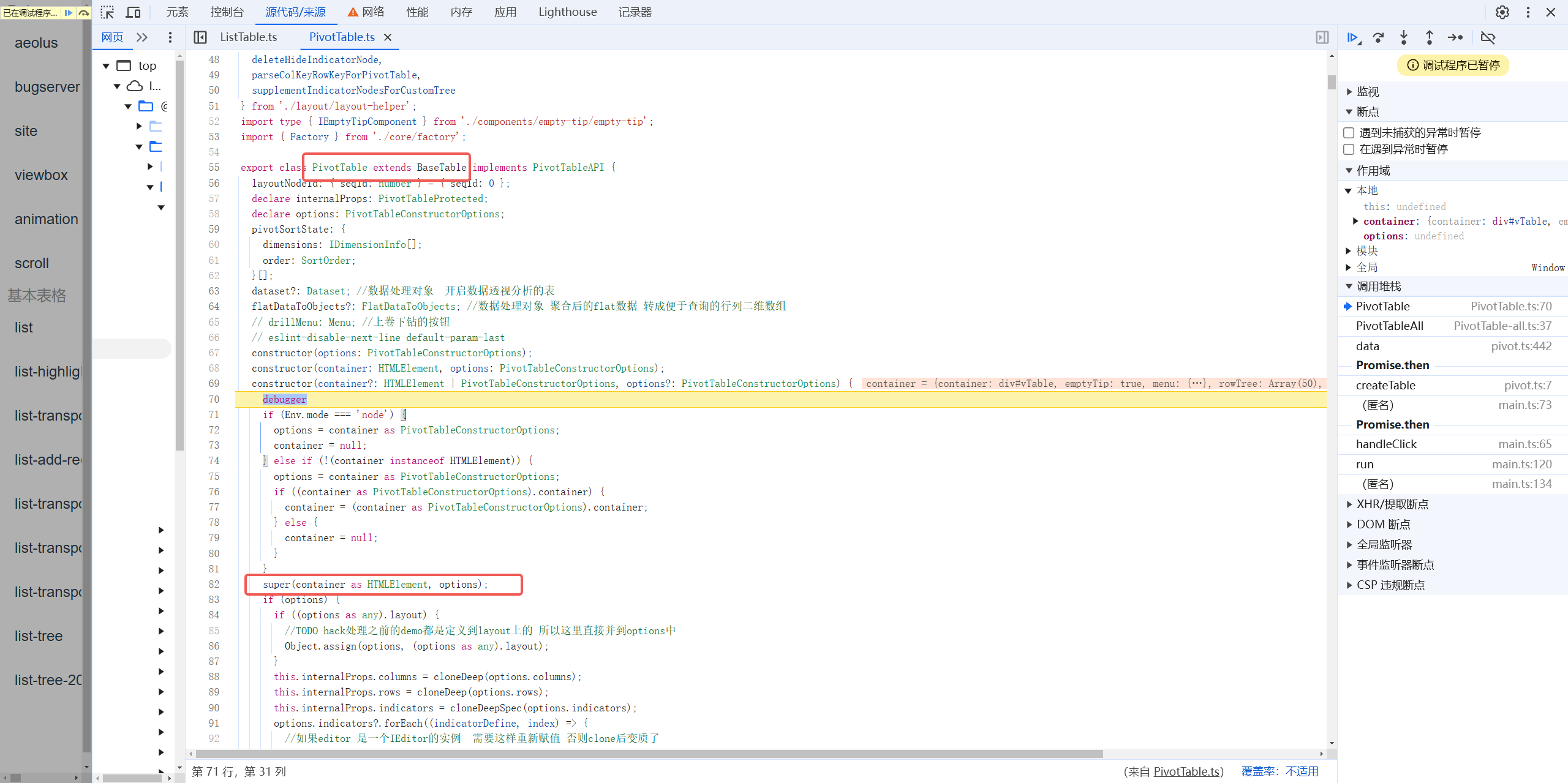
It can be seen that ListTable inherits from BaseTable and supports three different initialization methods. After adapting to different parameters, it directly calls the super method to enter the initialization of BaseTable.
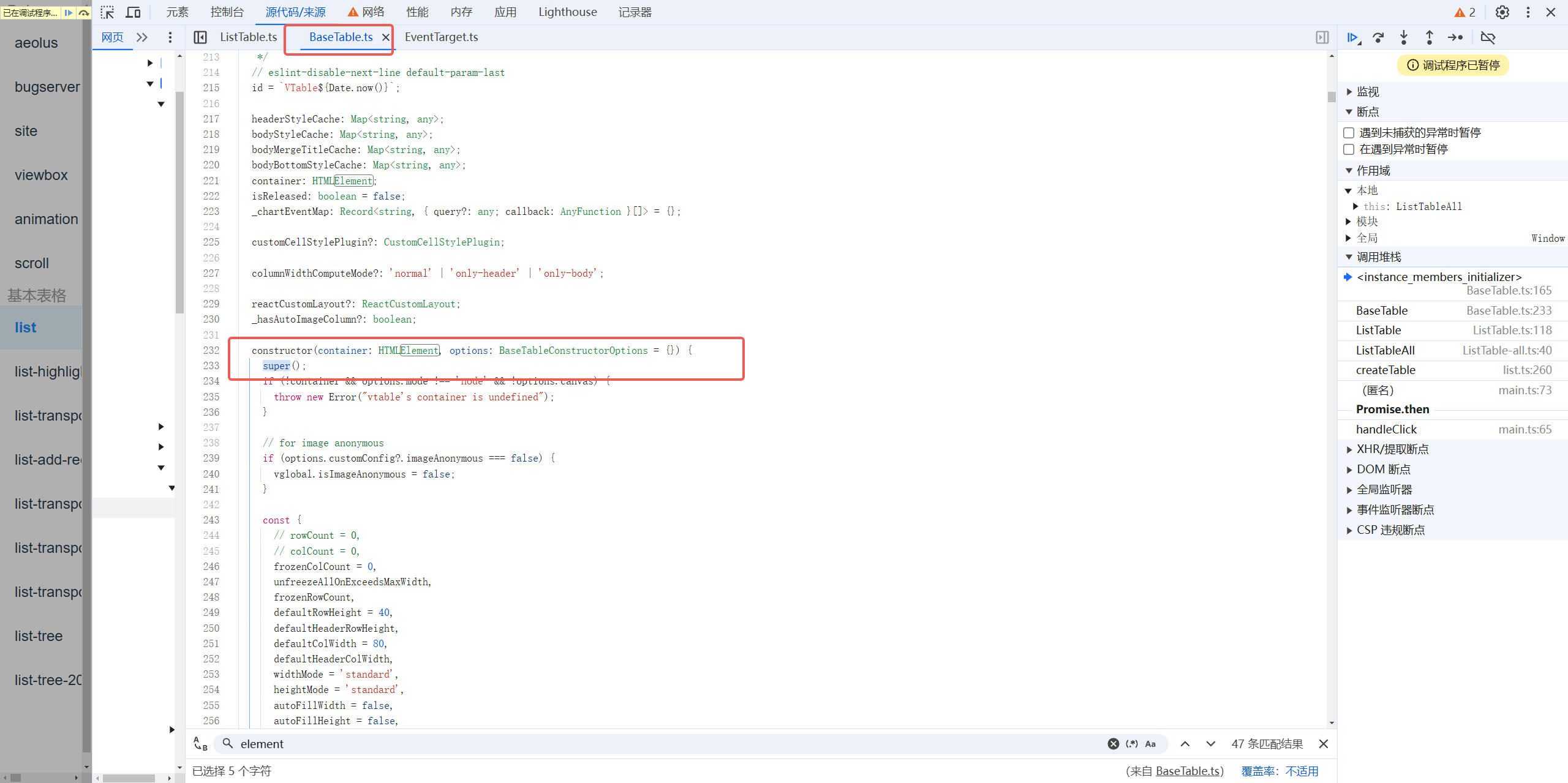
After entering the constructor of BaseTable, the super method is called directly, entering the initialization of EventTarget.
- VTable\packages\vtable\src\core\BaseTable.ts
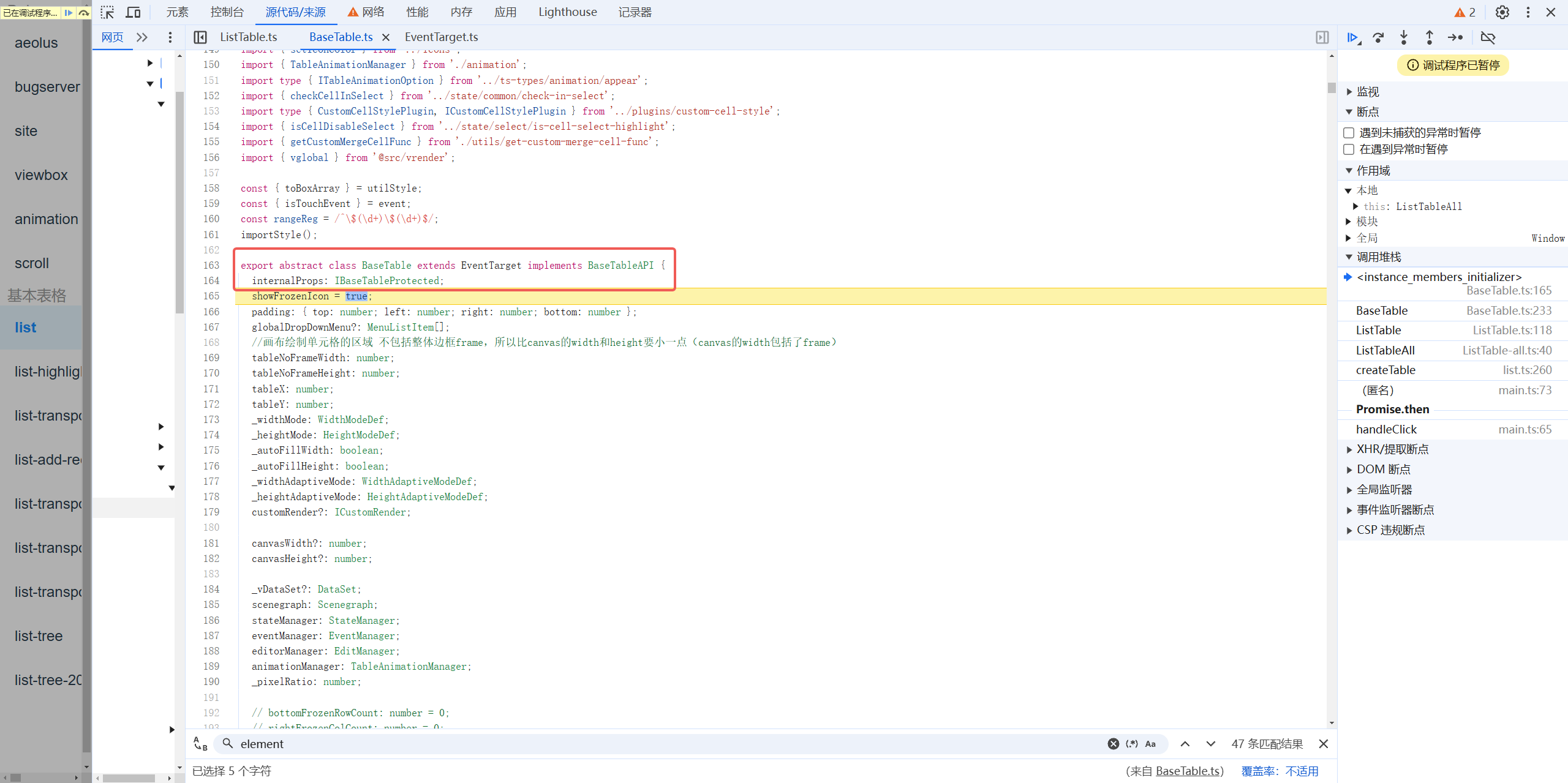
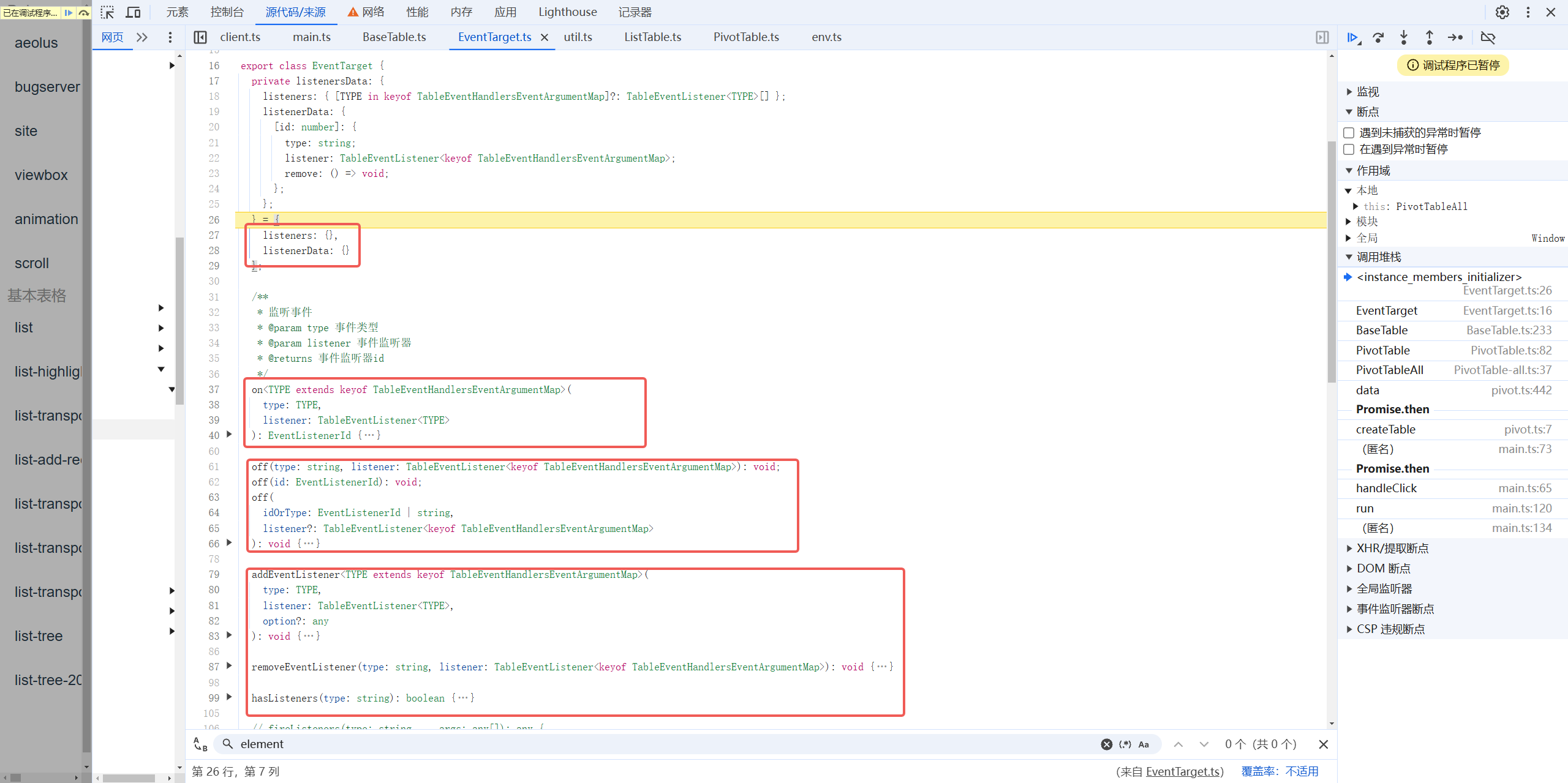
The EventTarget class implements the event publish-subscribe mechanism to facilitate event notifications within the entire component.
- VTable\packages\vtable\src\event\EventTarget.ts
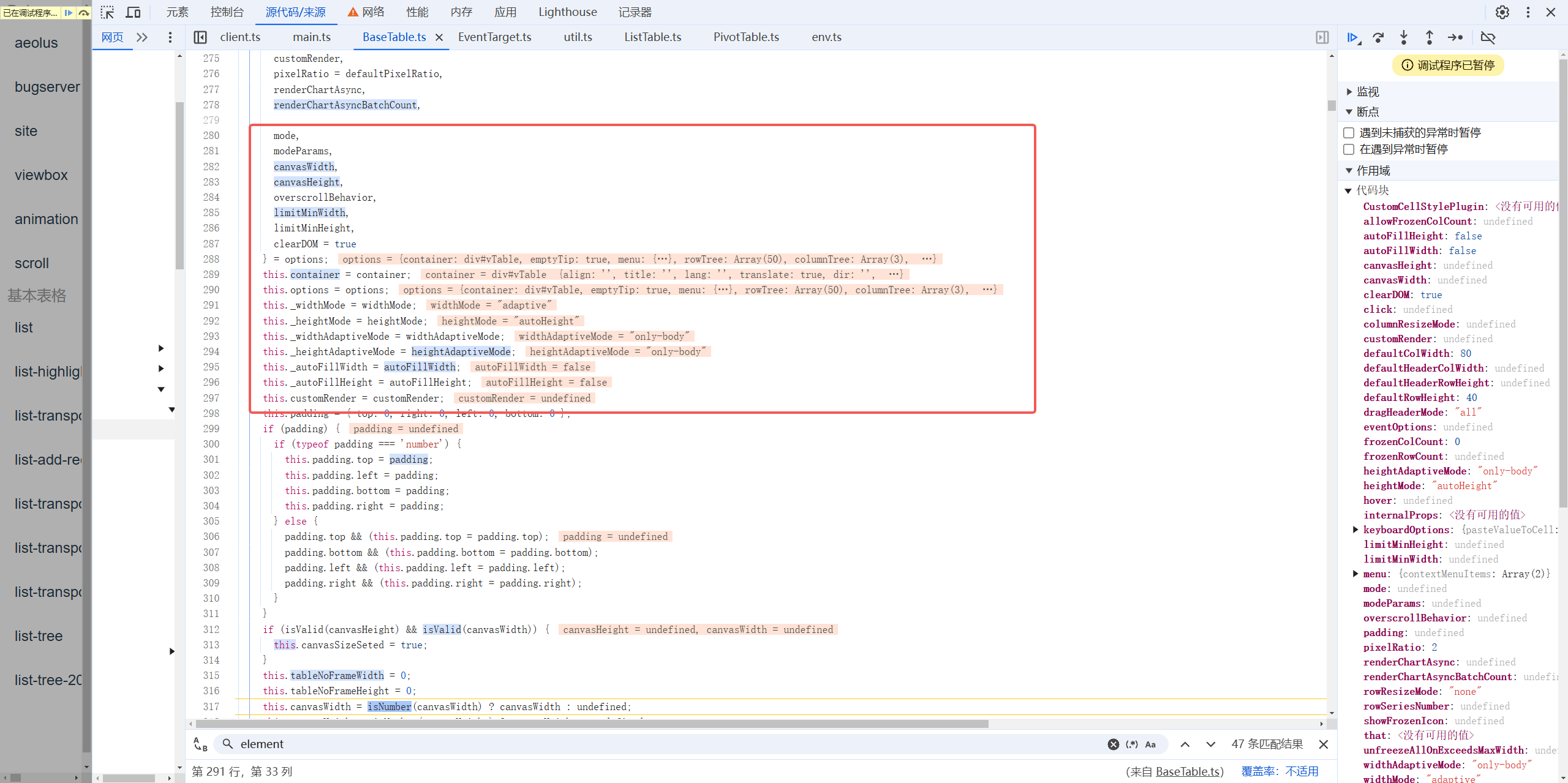
Continuing with debugging, we can see that most of the code in the BaseTable constructor deals with processing the configurations in options and placing them into internalProps and the BaseTable instance.
- VTable\packages\vtable\src\core\BaseTable.ts
After the data initialization of options is completed, an EventHandler instance is created. The EventHandler class is a more general event handler that can be used to manage event listeners for any type of event on any target, making listening more efficient. When no specific event is passed in, it defaults to the resize event and uses the modified ResizeObserver class within VTable to handle the resize event by default.

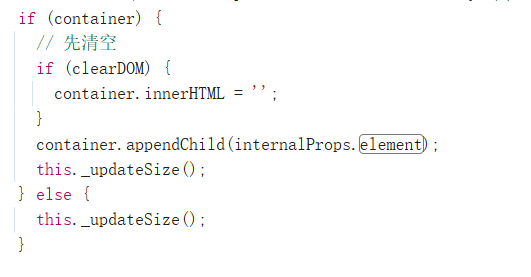
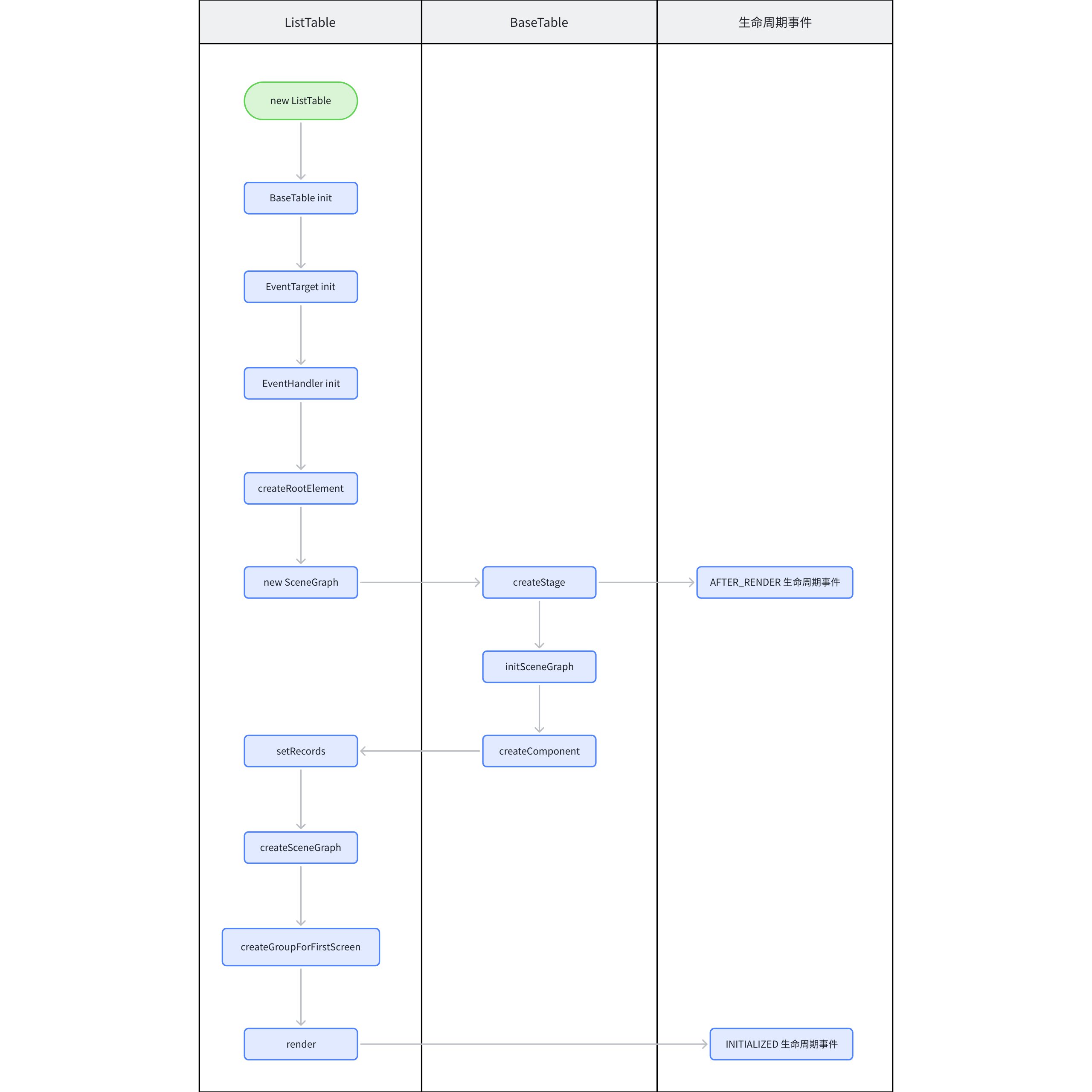
After completing the initialization of the handler, the next core part is the creation and mounting of the element. Internally, it checks whether an element has been passed through options. If not, it creates the element using createRootElement and appends it to the container, completing the first mounting of the element.
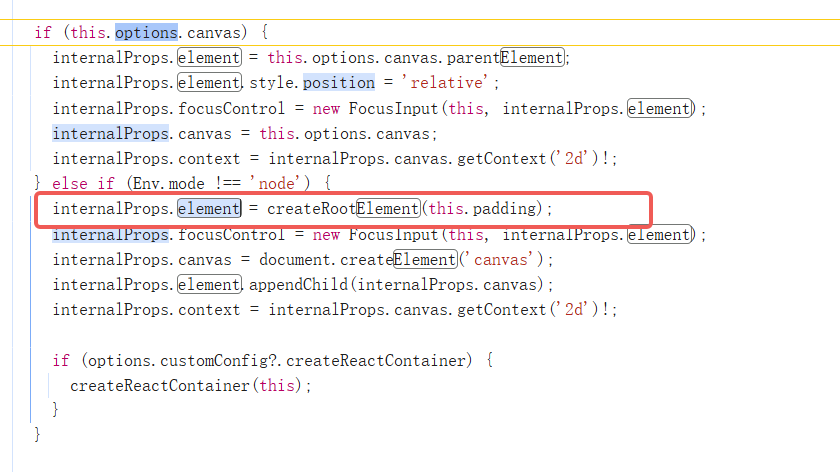
- packages\vtable\src\core\BaseTable.ts
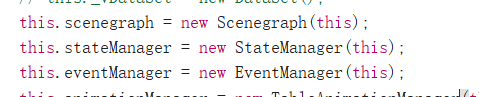
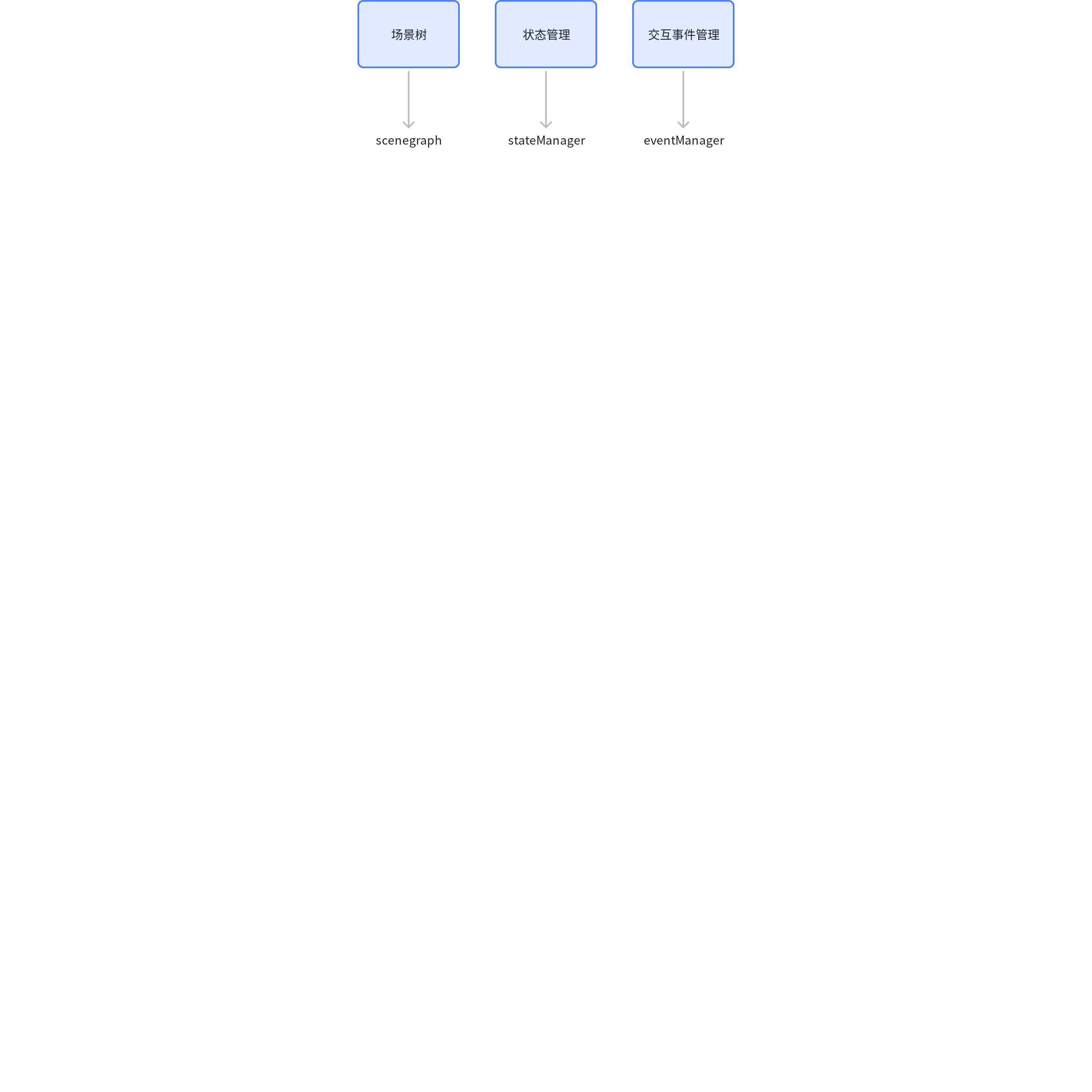
After completing the mounting of the element, the scenegraph, stateManager, and eventManager are initialized immediately, which are the scene tree, state management, and interaction event management, respectively.
- packages\vtable\src\core\BaseTable.ts
继续深入 scenegraph 类的初始化,我们可以看到内部使用了 VRender 的 createStage 方法创建 Stage。在 Stage 初始化的时候,传入了 afterRender 回调函数,这样在 Stage 渲染完成后,就会通过 fireListener 触发after_render 生命周期事件,这里的 after_render 就对应了文档中的 methods 中的 after_render 回调。
- packages\vtable\src\scenegraph\scenegraph.ts
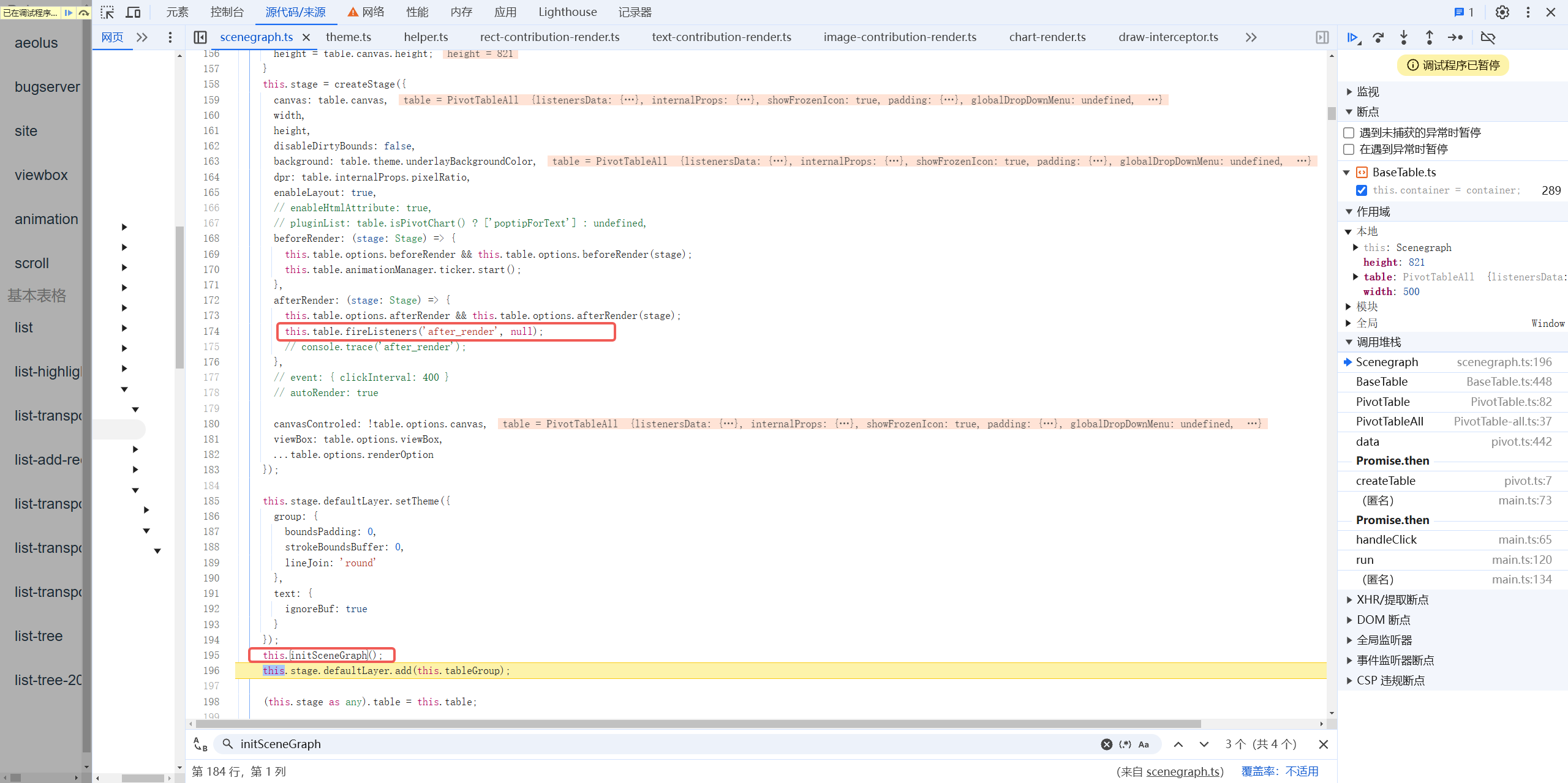

After the Stage is initialized, it is time for the initialization of the scene tree, elements, and the creation of components outside the table. \r
- packages\vtable\src\scenegraph\scenegraph.ts

- packages\vtable\src\scenegraph\scenegraph.ts


Returning to ListTable, we can see the initialization of dataSource as well as the Title and EmptyTip components.
- packages\vtable\src\ListTable.ts
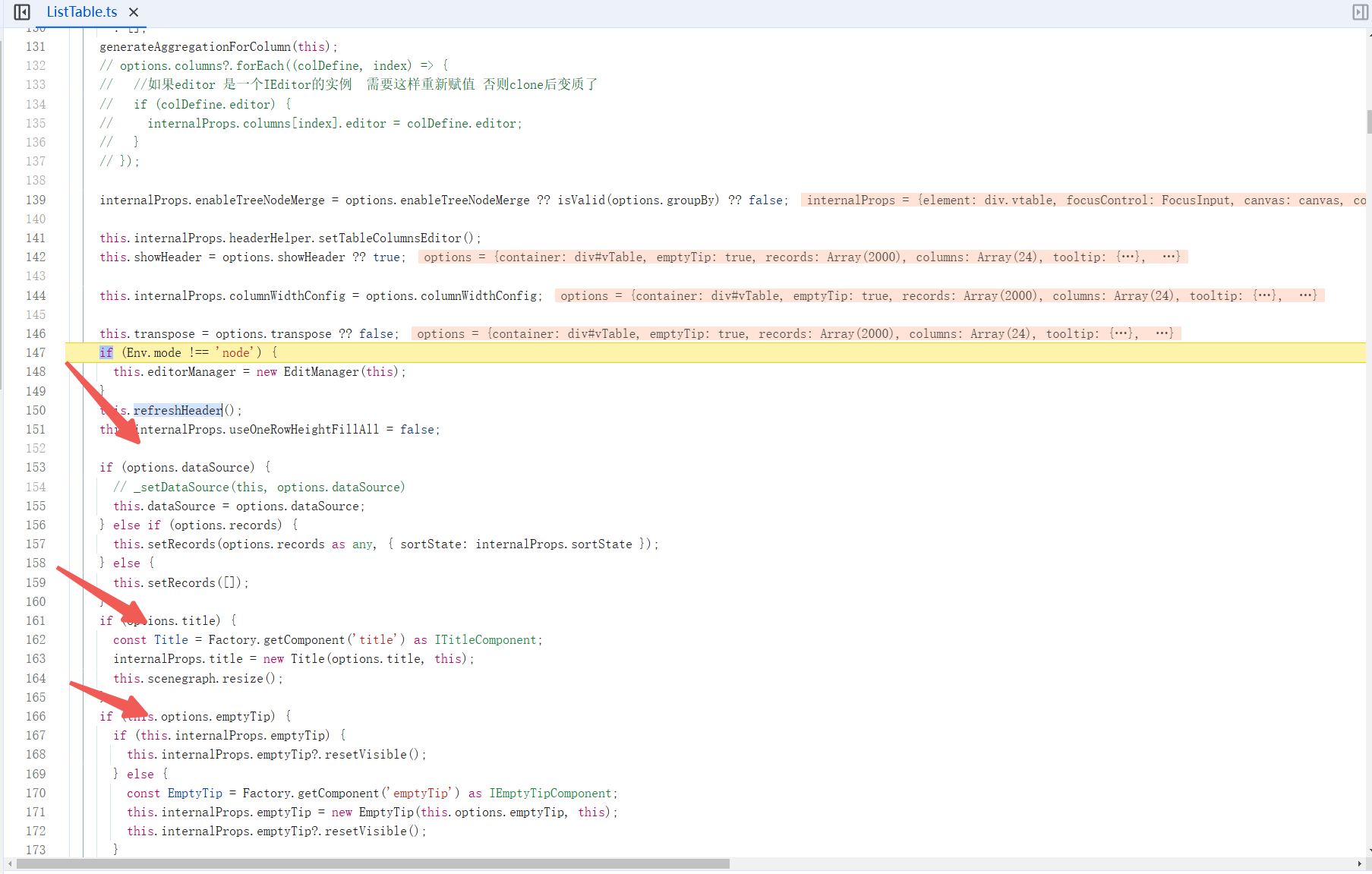
Pay attention to this part of the logic of the dataSource. For dataSource, VTable internally makes three judgments, analyzed from top to bottom: \r
- packages\vtable\src\ListTable.ts
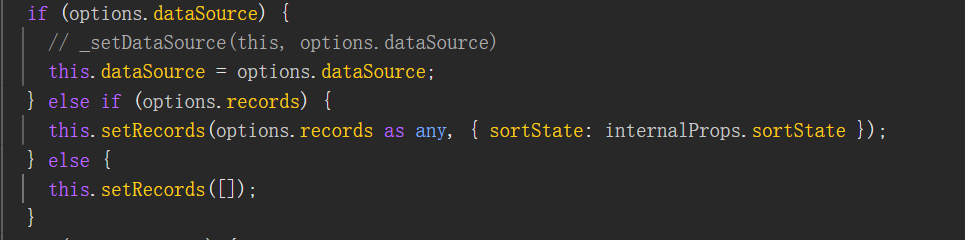
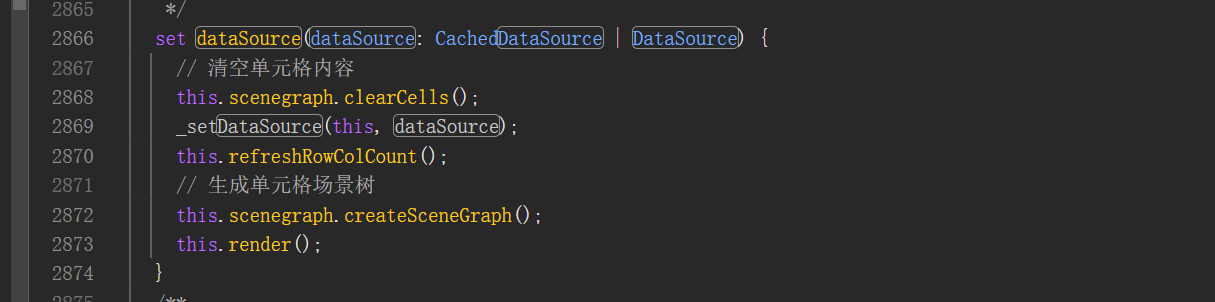
- Pass dataSource directly in Options \r
直接传入dataSource,一般在异步懒加载数据的时候会用到。Vtable 会直接改变实例上的 dataSource,由于 BaseTable 内部对 datasource 进行了代理,这个操作将会触发 createSceneGraph 和 render 方法;BaseTable 上的 render 方法,本质上就是调用 Stage 上的 render 方法,将 canvas 绘制到指定元素。
- packages\vtable\src\core\BaseTable.ts
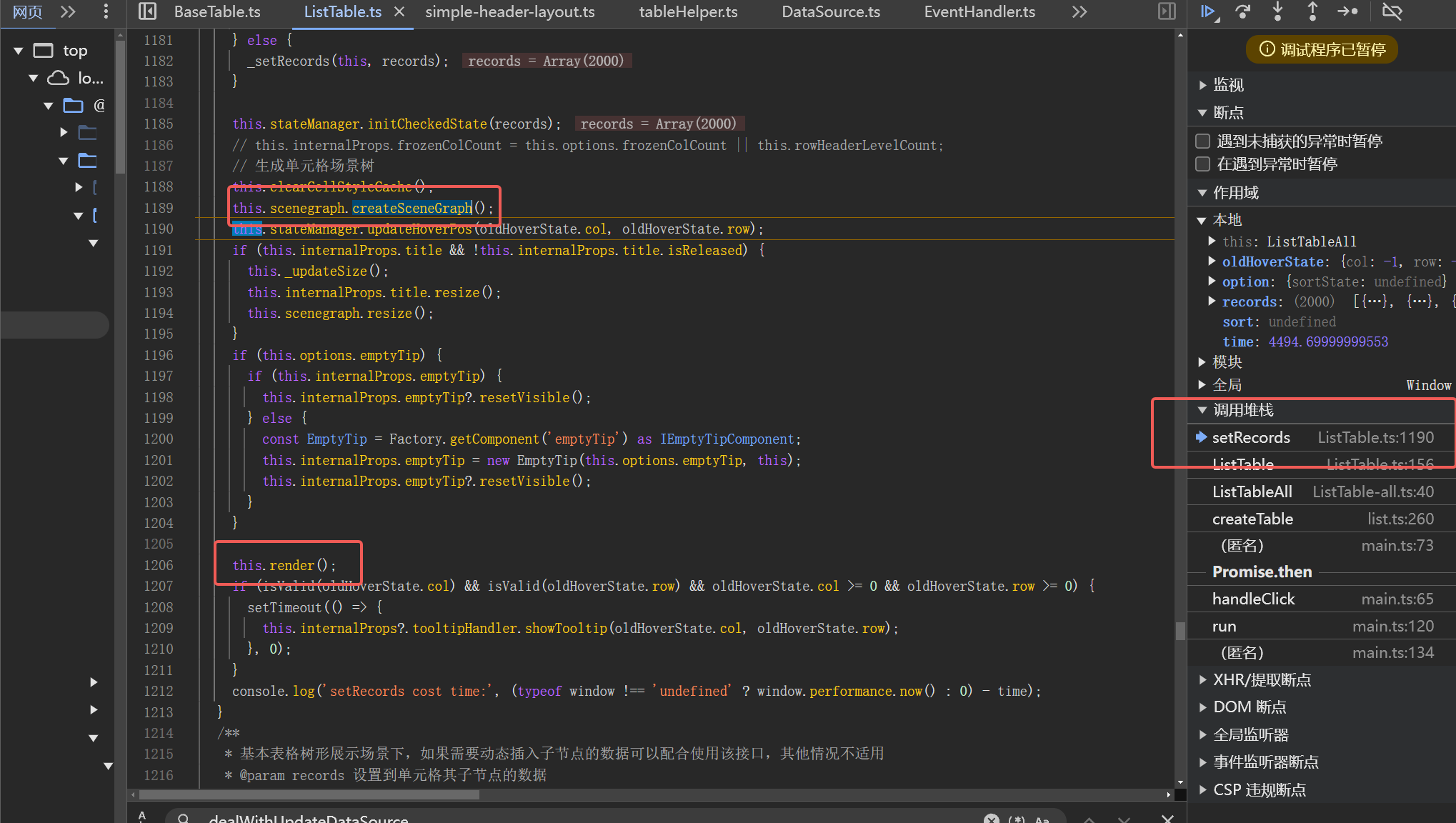
- Neither records nor dataSource and records are provided in Options
In both cases, setRecords is called. In setRecords, we see two familiar methods, createSceneGraph and render. In this logical judgment, the rendering of the table is completed. \r
- packages\vtable\src\ListTable.ts
After analyzing the general processing flow of dataSource, let's go back and see what createSceneGraph does internally: \r
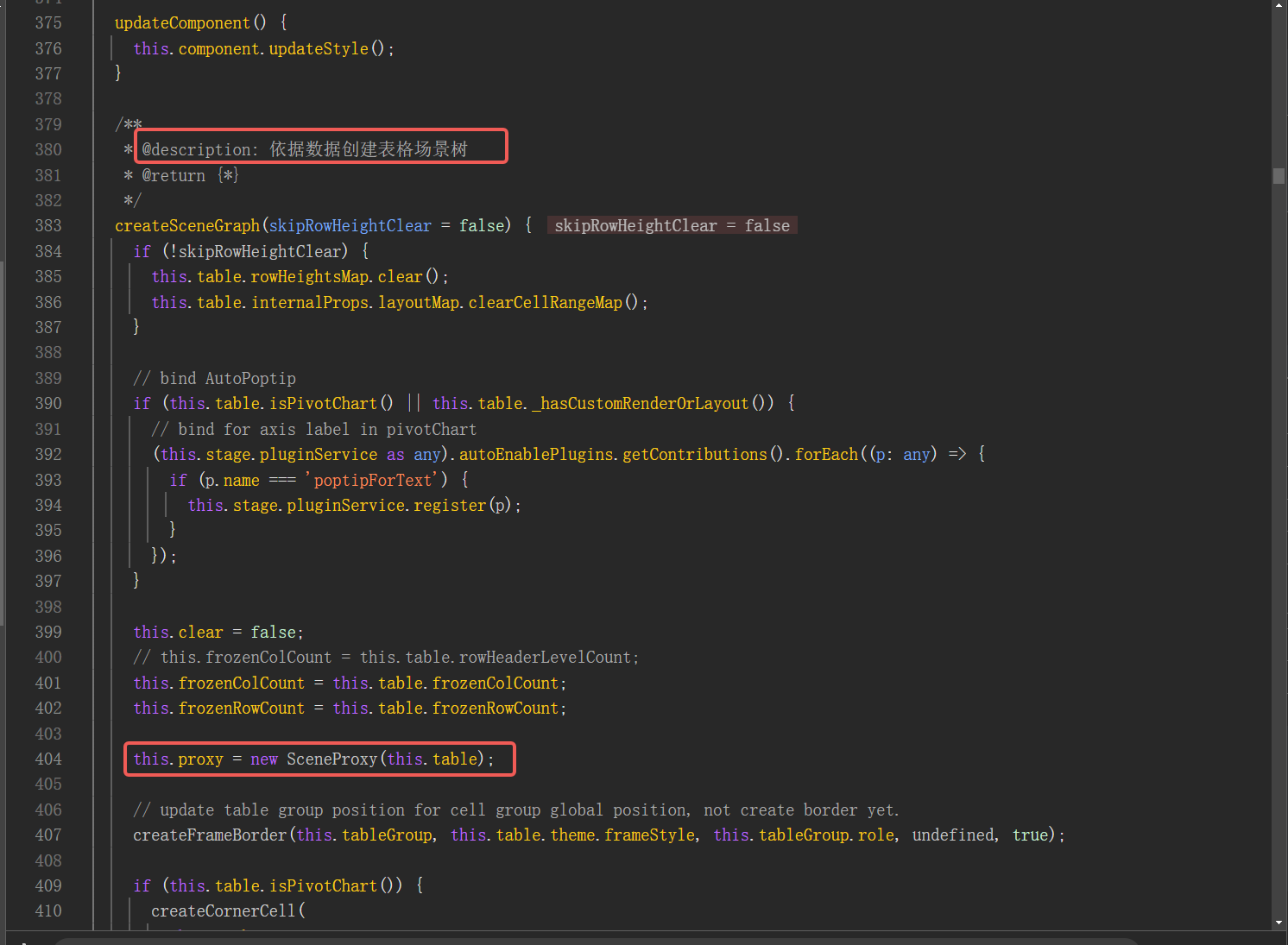
- It can be seen that special handling is done internally for the pivot table, and a SceneProxy is instantiated. The
proxy.tsfile defines aSceneProxyclass, which is responsible for calculating the maximum number of rows and columns in the scene tree, progressive loading of the scene tree, and creating the first screen group, among other logic.
- packages\vtable\src\scenegraph\scenegraph.ts
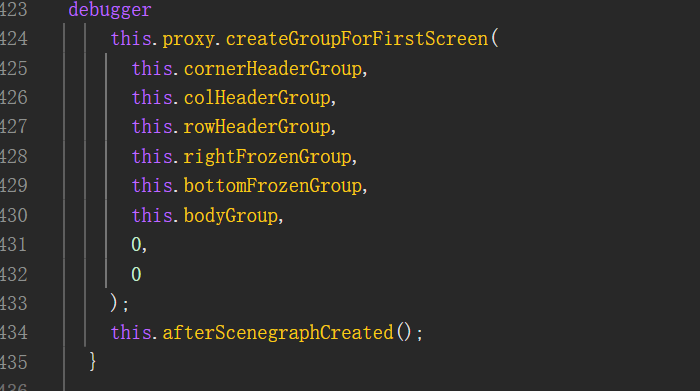
- After the proxy instance is initialized, the
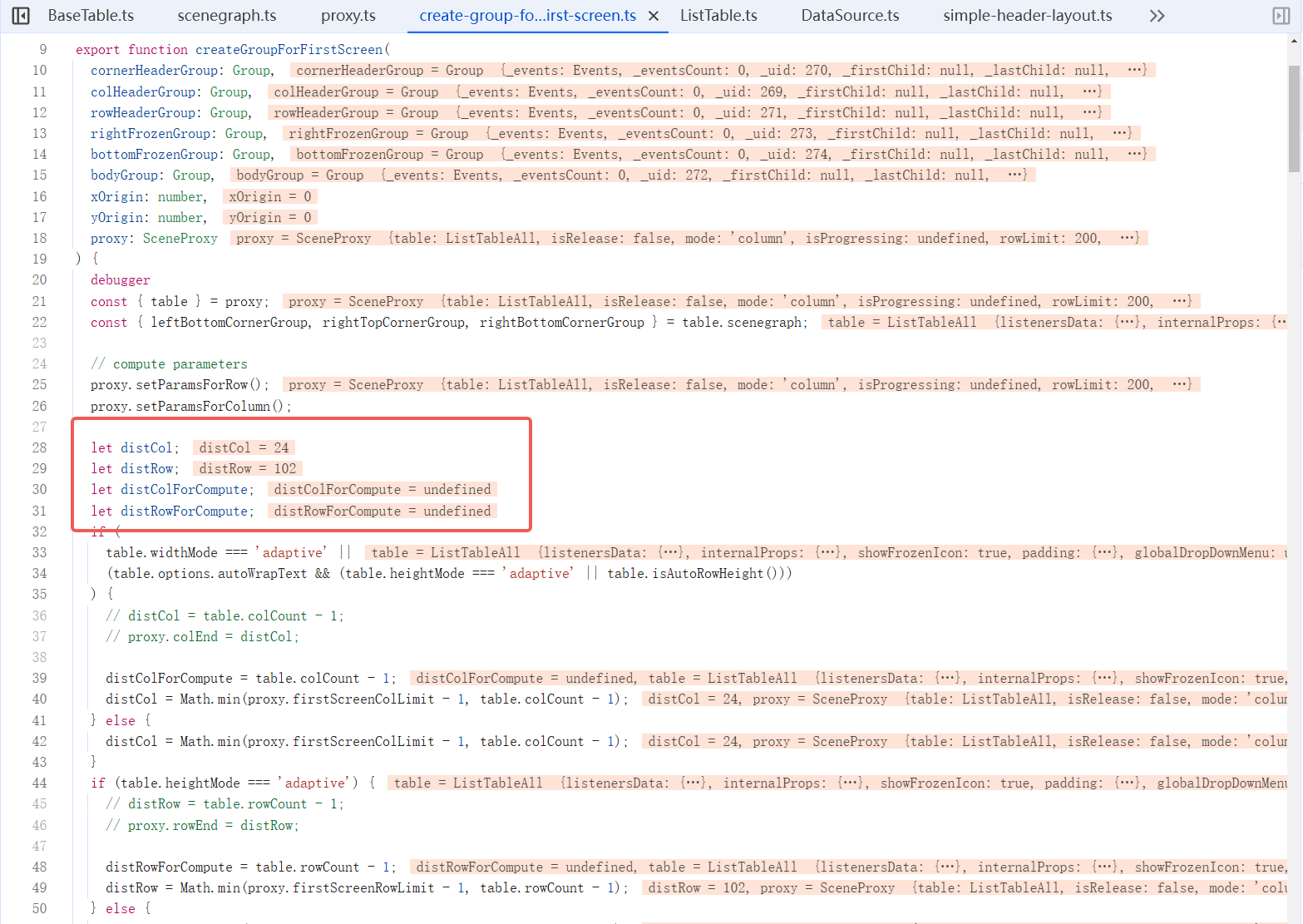
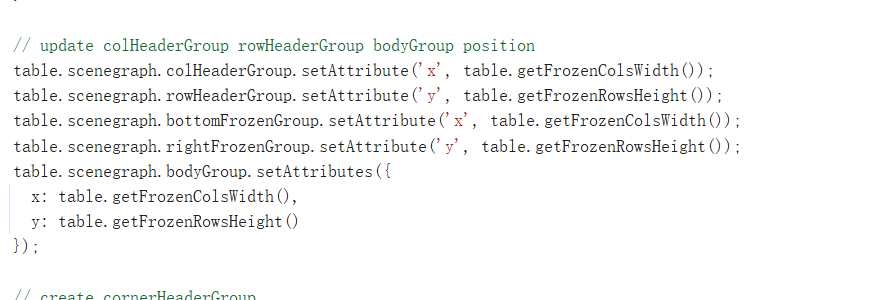
createGroupForFirstScreenmethod is called. ThecreateGroupForFirstScreenfunction is mainly used to initialize the first screen rendering area of the Canvas table. It is responsible for calculating the number of rows and columns needed for the first screen, constructing the header, freezing rows and columns, filling core drawing units (Groups) such as the main area, creating and adjusting the styles of cell elements, dynamically calculating row and column sizes, handling the layout of frozen areas according to configuration, and implementing block rendering strategies, achieving high-performance initial rendering.
- packages\vtable\src\scenegraph\scenegraph.ts
- packages\vtable\src\scenegraph\group-creater\progress\create-group-for-first-screen.ts
- packages\vtable\src\scenegraph\group-creater\progress\create-group-for-first-screen.ts

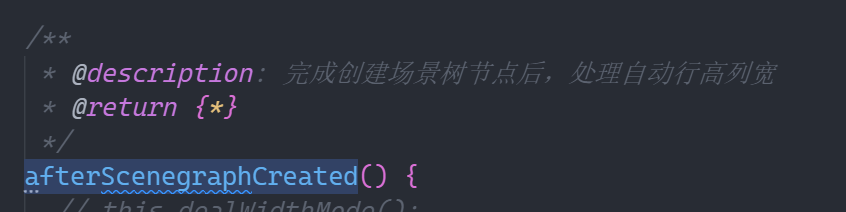
- After completing the creation of the first screen group, afterScenegraphCreated is called to automatically adjust the row height and column width, completing the adjustment of the scene graph for the render method.
- packages\vtable\src\scenegraph\group-creater\progress\create-group-for-first-screen.ts
After completing the rendering of the table and the initialization of each component, trigger the INITIALIZED callback through fireListeners in the last row of ListTable to complete the final step of the lifecycle, thus completing the initialization.
- packages\vtable\src\ListTable.ts

- General flowchart
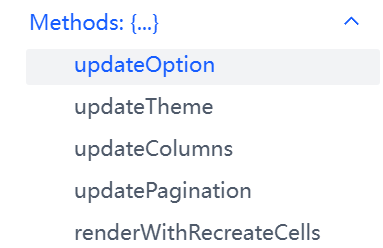
VTable 提供了五种方法用于更新配置,本次我们从最常用的 updateOption 方法切入。
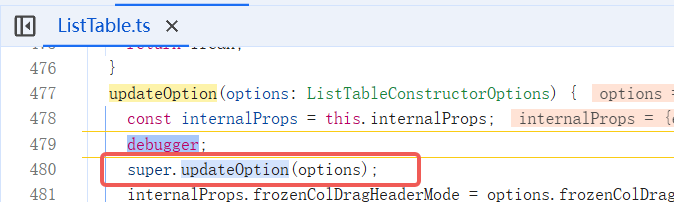
Through breakpoint analysis, it was found that the updateOption method of the parent class BaseTable of ListTable was directly called at the beginning.
Enter BaseTable, first extract the common attributes of tables ListTable and PivotTable from options, then update the pixel ratio and padding. Next, update various attributes, including widthMode, heightMode, etc.
- packages\vtable\src\core\BaseTable.ts
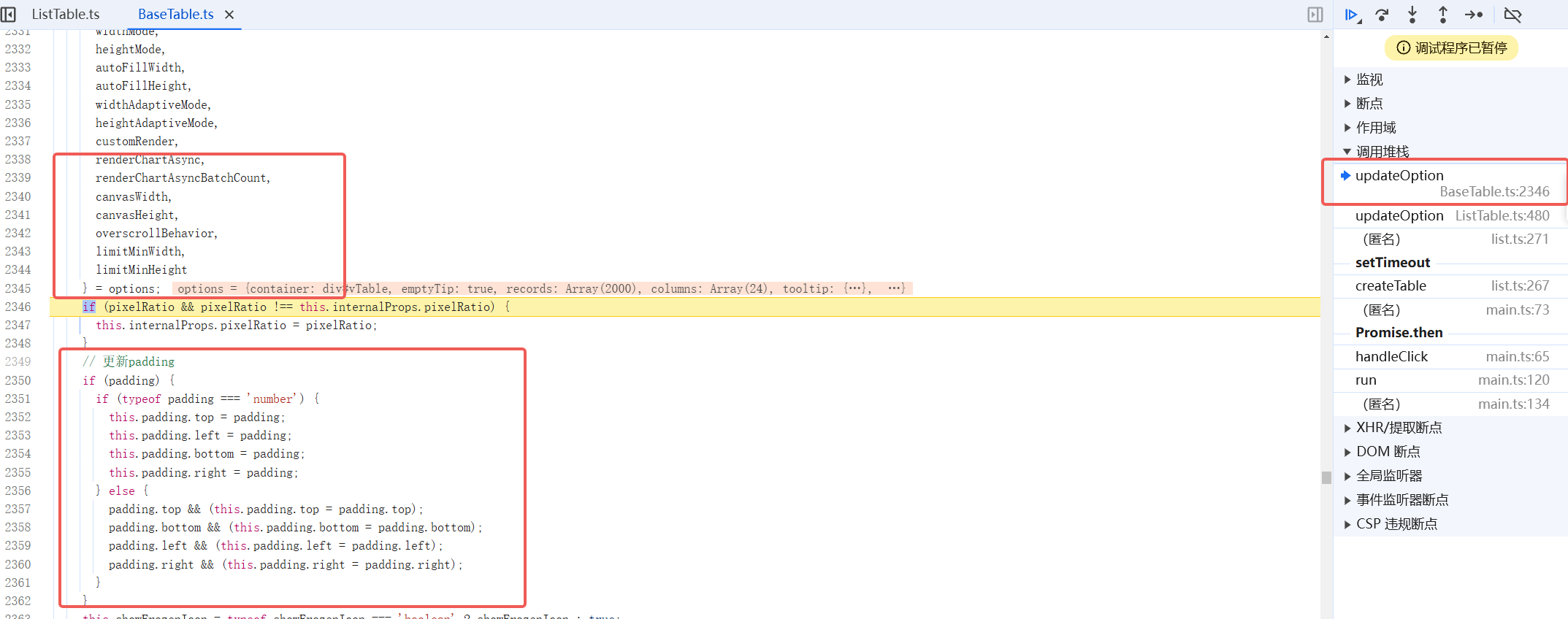
It will also clear configurations such as row height and column width. \r
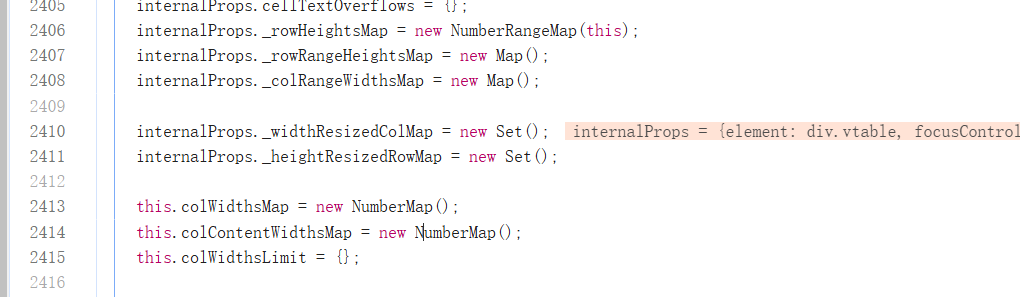
Adjust theme and Icon configuration.

Adjust the background color.

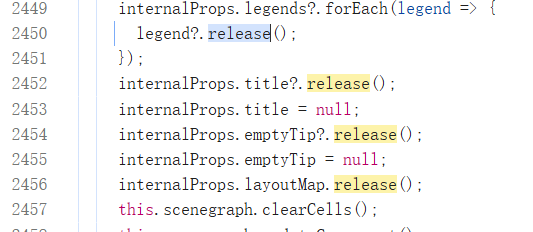
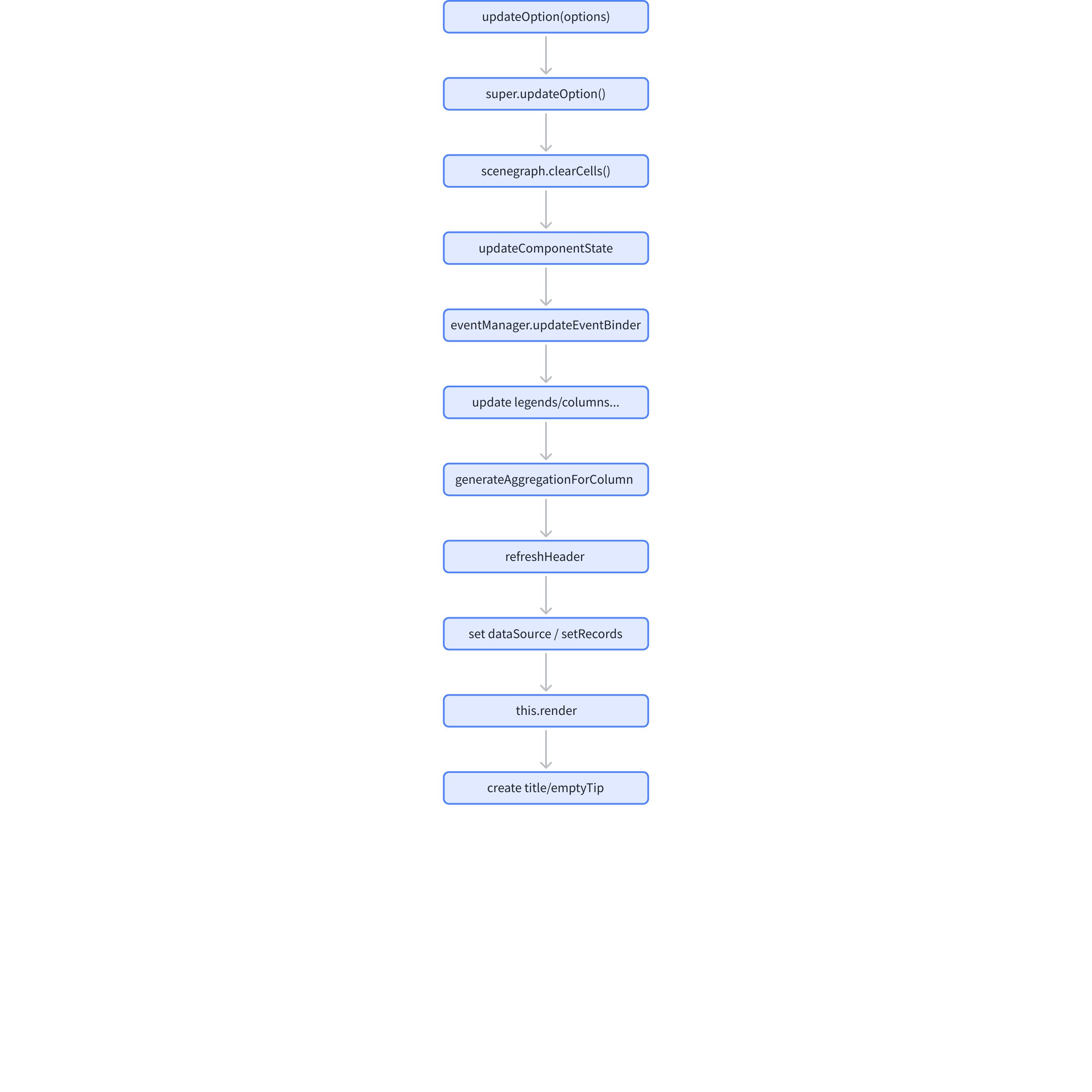
Release the old title, legend, emptyTip, and layoutMap instances, while calling sceneGraph.clearCells to clear the cells.
- packages\vtable\src\core\BaseTable.ts
- packages\vtable\src\scenegraph\scenegraph.ts
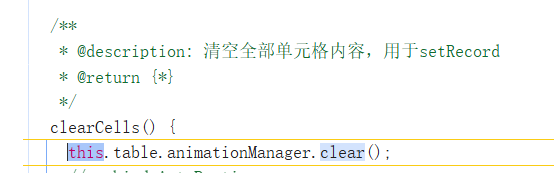
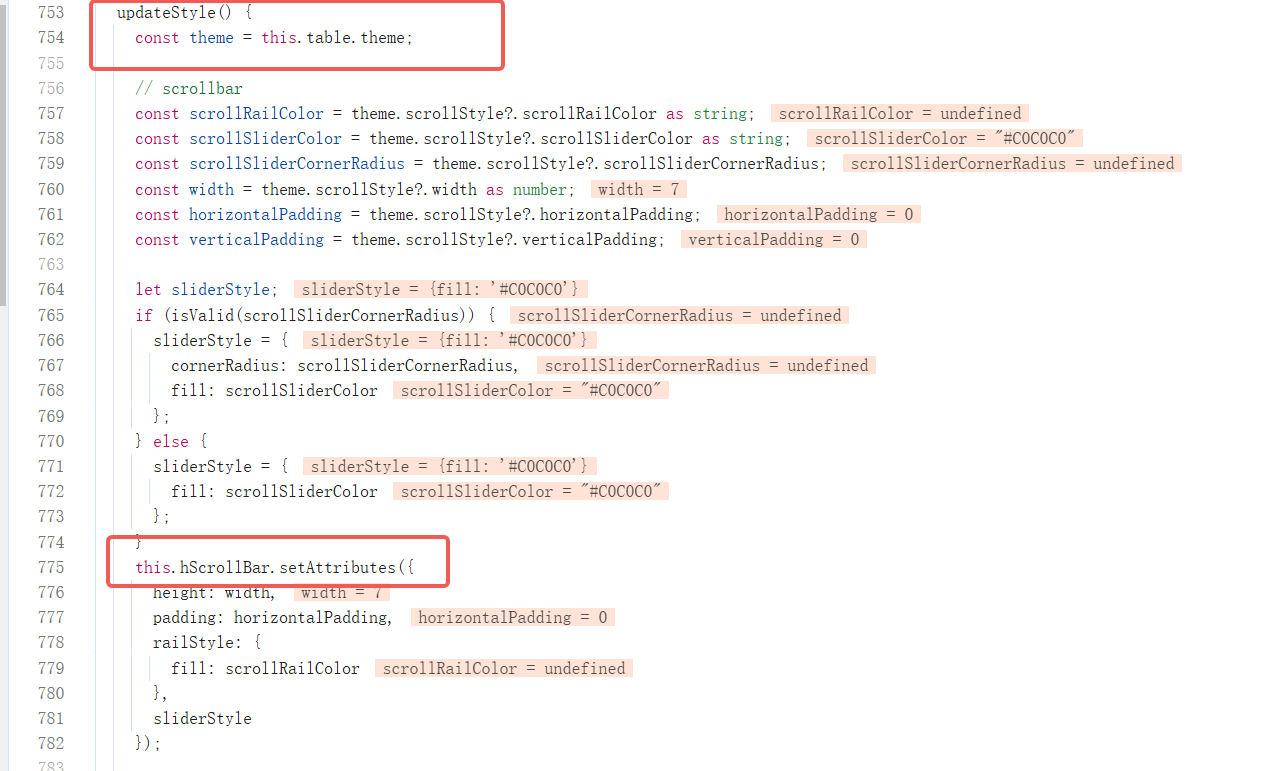
According to the new configuration, calling updateComponent, updateComponent internally will call scenegraph.updateComponent, and in scenegraph, it continues to call updateStyle to update the styles of components outside the table. This update includes scrollbars, drag reference lines, and frozen column shadows, etc.
- packages\vtable\src\core\BaseTable.ts

- packages\vtable\src\scenegraph\scenegraph.ts
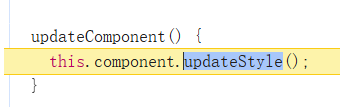
- packages/vtable/src/scenegraph/component/table-component.ts
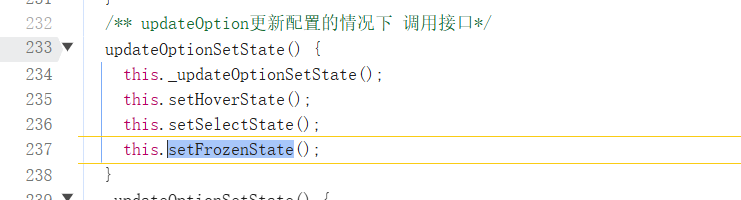
After updating the external component styles, call updateOptionSetState to refresh the configuration in the State, including highlight mode, frozen column status, hover and select status.
- packages\vtable\src\core\BaseTable.ts
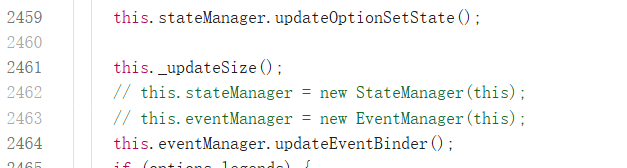
- packages\vtable\src\state\state.ts
Then recalculate the width and height of the canvas through this._updateSize. Then call this.eventManager.updateEventBinder to update the binding of scroll events and text adhesion.
- packages\vtable\src\event\event.ts
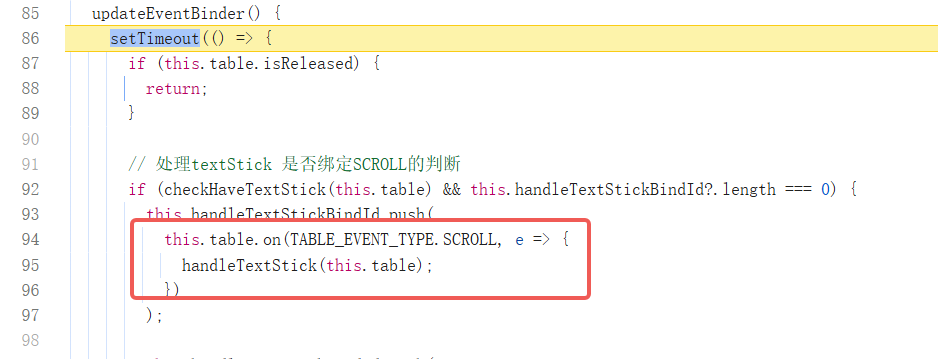
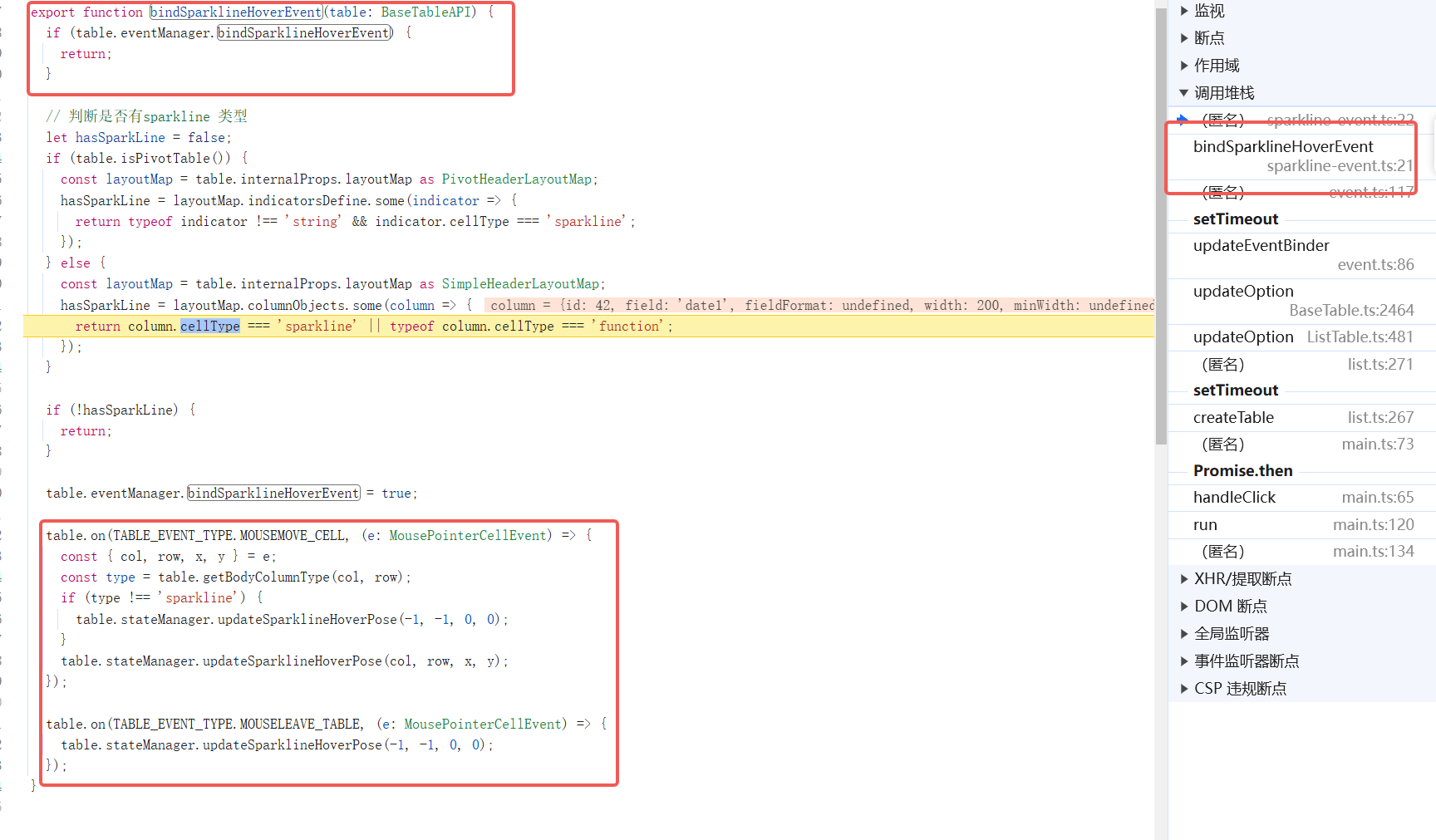
Inside updateEventBinder, it will also update the hover event state for the bound mini-map type.

- packages\vtable\src\event\sparkline-event.ts
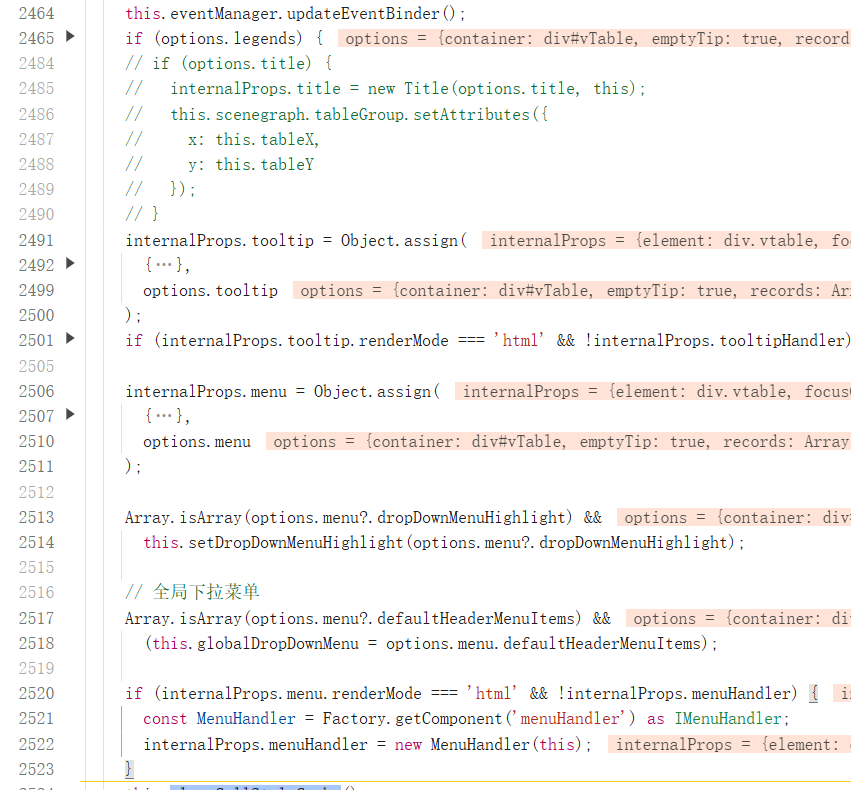
Next, update the configurations for legend, tooltip, dropdown menu, etc. in sequence; \r
Clear cell styles, column width, and row height cache; \r

更新自定义单元格合并规则(customMergeCell)

- packages\vtable\src\core\utils\get-custom-merge-cell-func.ts
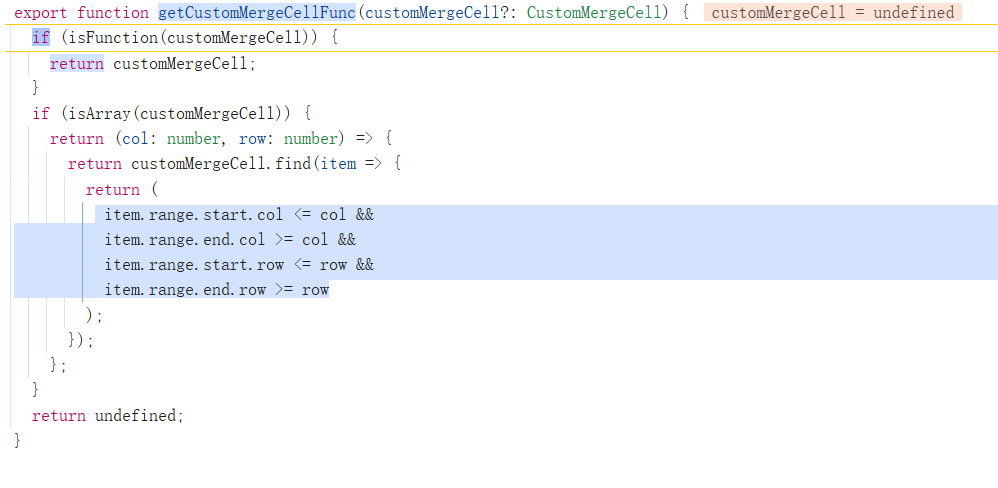
Finally, resize the canvas. At this point, the updateOption inside BaseTable is complete, returning to the inside of ListTable;

First, the pagination configuration, sortState, dataConfig, showHeader, and columns configuration were updated; \r
- packages\vtable\src\ListTable.ts
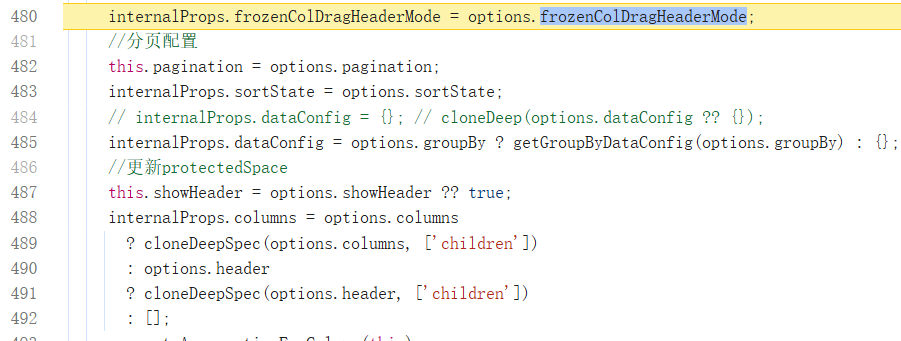
Then use generateAggregationForColumn to update the aggregation configuration for each column;

Handle transposition, call refreshHeader to update the header, update column width configuration;
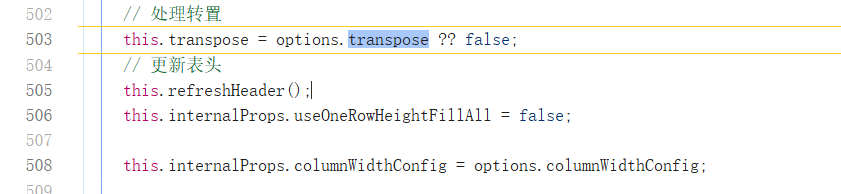
Clear releaseList;

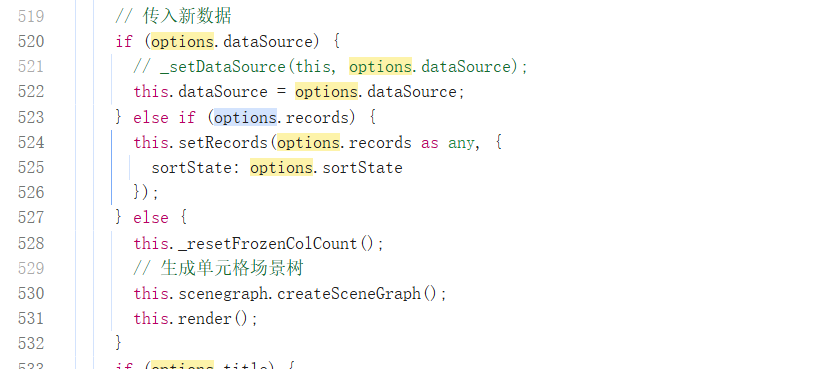
Adjusting the dataSource, or calling setRecords, or directly calling the render method, as mentioned earlier, all three methods can directly trigger table rendering. By this time, the table update is basically complete. \r
After updating the data source, the title and emptyTip instances were regenerated. It should be noted that the old title and emptyTip were already released during the updateOption process in BaseTable;
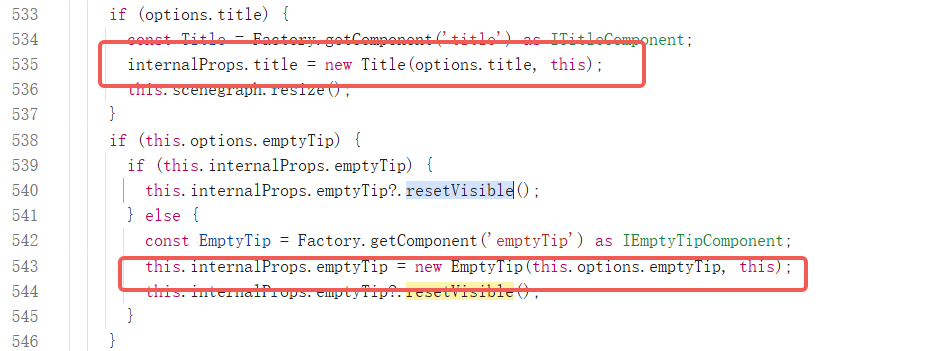
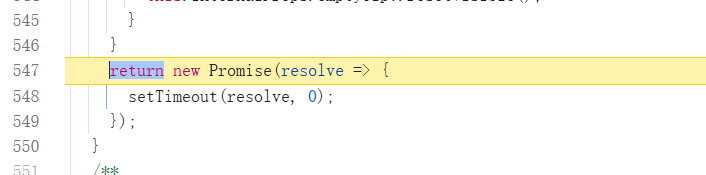
Due to the asynchronous rendering operations contained internally, VTable ensures that the table component rendering is completed when await updateOption by returning a Promise at the end of updateOption. At this point, the full update of VTable is complete. \r
- General flowchart
Understanding the update mechanism is key to maintaining data, and complete lifecycle management also requires a standardized destruction process. When tables are no longer needed, they should be proactively released through the destruction process to avoid memory leaks and resource waste.
VTable 实例提供了 release 方法用于销毁表格事例。

By searching in the file, it can be found that release is defined in the BaseTable class. At the beginning, it checks whether it is in the process of being destroyed through the isReleased field to avoid repeated unloading of instances. The next three lines of code respectively destroy the tooltipHandler and menuHandler instances.
- VTable\packages\vtable\src\core\BaseTable.ts
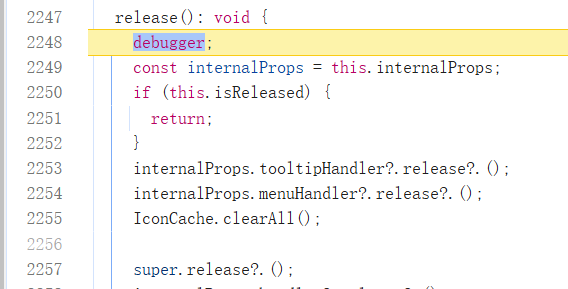
Then the release method of the parent class is called. As mentioned above, BaseTable inherits from EventTarget, so essentially it calls EventTarget.release to release all subscribed events.
- VTable\packages\vtable\src\event\EventTarget.ts

Subsequently, release the EventHandler instance, eventManager, focusControl, legends, title, emptyTip, layoutMap, stage, and proxy in sequence. After completing the release, call parentElement.removeChild to remove the mounted DOM element. \r
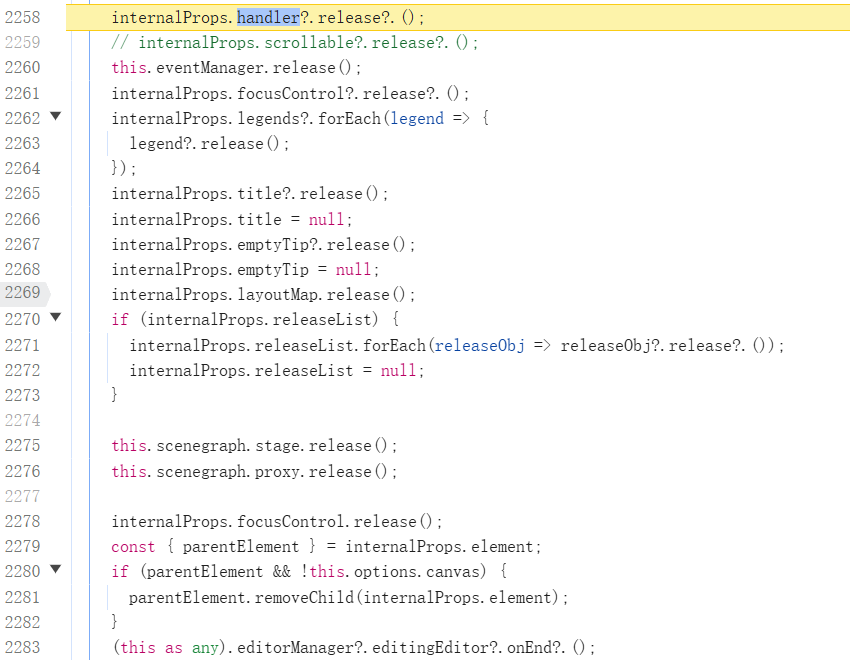
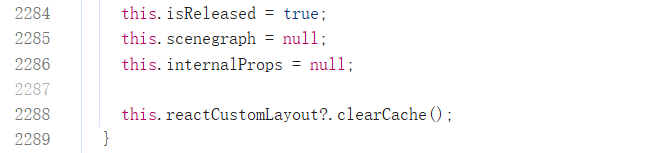
After releasing the above components, update the isReleased status to avoid repeated release operations; clear the scene tree and internalProps. This completes the entire destruction process of the table component. \r
Core Process
-
Entry:
ListTable/PivotTableconstructor inheritsBaseTable, processes configuration parameters, and then callssuper()to enter parent class initialization. -
Event Initialization:
BaseTableinheritsEventTargetto implement an event subscription mechanism, supporting events likeresize. -
DOM Mounting: Create a root element
divand mount it to the container, serving as the container for table rendering. -
Scene Graph Construction: Create
VRender Stagethrough thescenegraphmodule to manage the rendering tree and first-screen rendering logic. -
First screen rendering:
createGroupForFirstScreencreates the header, freezes rows and columns, main area elements, and dynamically calculates row and column dimensions. -
Proxy rendering:
SceneProxymanages progressive rendering strategies to optimize performance. -
Data Source Processing: Trigger
createSceneGraphandrenderbased ondataSourceorrecordsto complete the initial rendering. -
Callback Trigger: Trigger the
INITIALIZEDevent throughfireListeners, marking the completion of initialization.
Key Document
-
ListTable.ts/PivotTable.ts: Entry class, handles table type differences. -
BaseTable.ts: Core configuration processing, DOM mounting, scene graph/state/event manager initialization. -
scenegraph.ts: Scene tree management, interacts withVRender. -
create-group-for-first-screen.ts: Implementation of the first screen rendering logic.
Core Process
-
Entry Method:
updateOptiontriggers a full update. -
Configuration Update:
-
Update general properties (theme, size mode, background, etc.). \r
-
Clear cache (row height, column width, cell style). \r
-
Release old components (title, legend, layout mapping).
-
Scene Reconstruction:
-
Call
sceneGraph.clearCellsto clear cells. -
Recreate components (scrollbars, freeze shadows) and update styles. \r
-
State Synchronization: Update interaction states such as highlight, selection, and freeze. \r
-
Asynchronous Rendering: Ensure rendering completion with
Promise, supportsawaitsynchronization.
Key Document
-
BaseTable.ts: Configuration update main logic. -
state.ts: State management module. -
sparkline-event.ts: Sparkline event handling.
Core Process
-
Entry Method:
release() -
Resource Release:
-
Remove event listeners: Unsubscribe all by using
EventTarget.release(). -
Destroy DOM elements: remove the root node and Canvas.
-
Clean up components: Release instances of
Tooltip,Menu, etc. -
Memory Reclamation: Clear the scene tree, data references, trigger GC. \r
Key Design
-
Defensive judgment: Avoid repeated destruction by using the
isReleasedflag. -
Hierarchical release: Clean up step by step from child components to parent class to ensure no residual references. \r
Key Document
-
BaseTable.ts: Implementation of therelease()method. -
EventTarget.ts: Event system destruction logic.
taiiiyang(https://github.com/taiiiyang)