English · 简体中文 · Env Setup · Auth & Deployment · mimoskill · Generic Providers · Codex Enable · Proxy FAQ · Connector Plugins · Tag Log





Local proxy that lets the latest OpenAI Codex CLI / desktop talk to virtually any modern LLM. Built-in support for Xiaomi MiMo V2.5 and DeepSeek V4 Pro, plus a generic provider mechanism that connects any OpenAI Chat Completions-compatible (Qwen / GLM / Kimi / vLLM / Ollama / LM Studio …) or native Responses API (OpenAI itself) upstream — no code changes, no re-publish needed. Translates Codex's Responses API ↔ upstream Chat Completions on the fly, per-request routing by model field, optional admin web console, runs on 127.0.0.1.
🚀 From v0.5.0 · three ways to run mimo2codex:
- One-line CLI install —
npm install -g mimo2codex, the classic path. - Docker deployment — for intranet / team setups; ships with user login, BYOK, OAuth, downloadable Codex client config bundles; the upstream key never leaks. See doc/auth-deployment.md.
- Windows / macOS desktop app (recommended for non-technical users) — download an installer, runs in the background, starts on boot, no terminal required; one click from the tray / menu-bar opens the admin UI. Downloads: https://mimodoc.chengj.online/download.
📜 Full version history → doc/tag-log.md (newest first; fix / feat / opt categorized).
- Why — what problem this solves
- What works — feature matrix
- Install — pick one — npm / curl / clone
- Use — get a key, start the proxy, configure Codex
- .env + loader scripts — set up all keys once, per-OS quick guide (macOS/Linux + Windows)
- Docker deployment —
docker compose up -d, data persistence, multi-arch images (new in v0.2.15) - Codex Enable — one-click model switching in the webui (v0.2.6, replaces cc-switch)
- Use with cc-switch
- Admin console — dashboard, logs, models, settings
- Providers and model ids
- Plugging in third-party OpenAI-compatible upstreams — Qwen / GLM / Kimi / Ollama / OpenAI
- CLI flags
- Troubleshooting
- mimoskill — fill MiMo's gaps — image gen / OCR fallback / pet generation
- Project layout
- Develop
- License
Detailed guides: .env setup · Docker deployment · Auth & multi-user (v0.2.16) · Codex Enable · Generic providers · mimoskill
MiMo's official Codex doc only supports wire_api = "chat", but newer Codex versions hard-error on it (the official workaround is to downgrade Codex, losing pets, the new desktop release and tool fixes). mimo2codex fixes this without touching either side: keep Codex on latest, run mimo2codex locally, Codex thinks it's talking to a native Responses backend.
Conceptually a sibling of openrouter, claude-code-router, y-router — a thin protocol shim.
- ✅ Codex CLI
wire_api = "responses"and Codex desktop app - ✅ Multi-provider — MiMo + DeepSeek, mixed within one process (per-request routing by
modelfield) - ✅ Generic OpenAI-compatible providers — Qwen / GLM / Kimi / Ollama / native-Responses OpenAI, declare in
providers.jsonand they just work. See doc/generic-providers.md - ✅ MiMo models:
mimo-v2.5-pro/mimo-v2-flash - ✅ DeepSeek models:
deepseek-v4-pro(default) /deepseek-v4-flash/deepseek-chat/deepseek-reasoner - ✅ Tool calling — function tools, parallel calls,
local_shell,custom, MCPnamespace - ✅ Web search — translated to MiMo's native
web_searchbuiltin (requires plugin activation); auto-skipped on DeepSeek - ✅ Vision — only
mimo-v2.5andmimo-v2-omni; pro/flash auto-strip images with a placeholder - ✅ Reasoning passthrough + correct multi-turn
reasoning_contentround-trip per MiMo's official spec (with--no-reasoningto hide from terminal — round-trip stays intact) - ✅ MiMo host auto-routing —
tp-*keys → token-plan host,sk-*keys → pay-as-you-go host - ✅ Local admin web UI at
http://127.0.0.1:8788/admin/— model catalog, alias mgmt, chat logs, token stats, provider config - ✅ sqlite persistence (default
~/.mimo2codex/data.db, override with--data-dir) - ✅ cc-switch integration (
mimo2codex print-cc-switchoutputs paste-ready snippets) ⚠️ /hatchcustom pet generation — pure MiMo can't do this. Codex's/hatchis hardcoded to call OpenAI'simage_gentool client-side, and we can't intercept that from the proxy layer. MiMo also has no image-generation endpoint. Workaround viamimoskill/(free, no OpenAI key required) — see below.
npm install -g mimo2codexcurl -fsSL https://raw.githubusercontent.com/7as0nch/mimo2codex/main/scripts/install.sh | bashPowerShell on Windows:
irm https://raw.githubusercontent.com/7as0nch/mimo2codex/main/scripts/install.ps1 | iex- Git clone + manual —
git clone https://github.com/7as0nch/mimo2codex && cd mimo2codex && npm install && npm run build. Use this if you want to hack on the source. npm link— after a clone,npm run build && npm linkregistersmimo2codexglobally without publishing.
Requires Node.js ≥ 18.
| Provider | Console | Key prefix |
|---|---|---|
| MiMo | platform.xiaomimimo.com → Console → API Keys | sk- (pay-as-you-go) / tp- (token-plan) |
| DeepSeek | api-docs.deepseek.com | sk- |
💡 Don't want to
exportevery time? Use the built-in loader (v0.2.8+, no clone, OS-agnostic):mimo2codex init # seeds ~/.mimo2codex/.env + .env.example # open ~/.mimo2codex/.env in any editor and fill in your keys mimo2codex # auto-loaded on every start; banner lists key namesWhy it works everywhere: mimo2codex reads
~/.mimo2codex/.envin-process, independent of the shell — desktop launch, cmd.exe, schedulers and Docker all see the same keys. Pass--no-load-envto opt out. First baremimo2codexwith no.envand no shell key auto-bootstraps the file and prints next steps.📖 Both methods compared (built-in loader vs sourcing the repo scripts), per-OS notes (PowerShell execution-policy fallback, Git Bash / WSL),
.envsyntax, FAQ: doc/env-setup.md.
MiMo only (default):
export MIMO_API_KEY=sk-xxxxxxxxxxxxxxxx
mimo2codex
DeepSeek only:
export DS_API_KEY=sk-xxxxxxxxxxxxxxxx       # or DEEPSEEK_API_KEY
mimo2codex --model ds
Both providers at once (per-request routing — sending mimo-v2.5-pro goes to MiMo, sending deepseek-v4-pro goes to DeepSeek):
export MIMO_API_KEY=sk-mimo-key
export DS_API_KEY=sk-deepseek-key
mimo2codex                           # default fallback: mimo
mimo2codex --model ds                # default fallback: ds (unknown model fields go to ds)
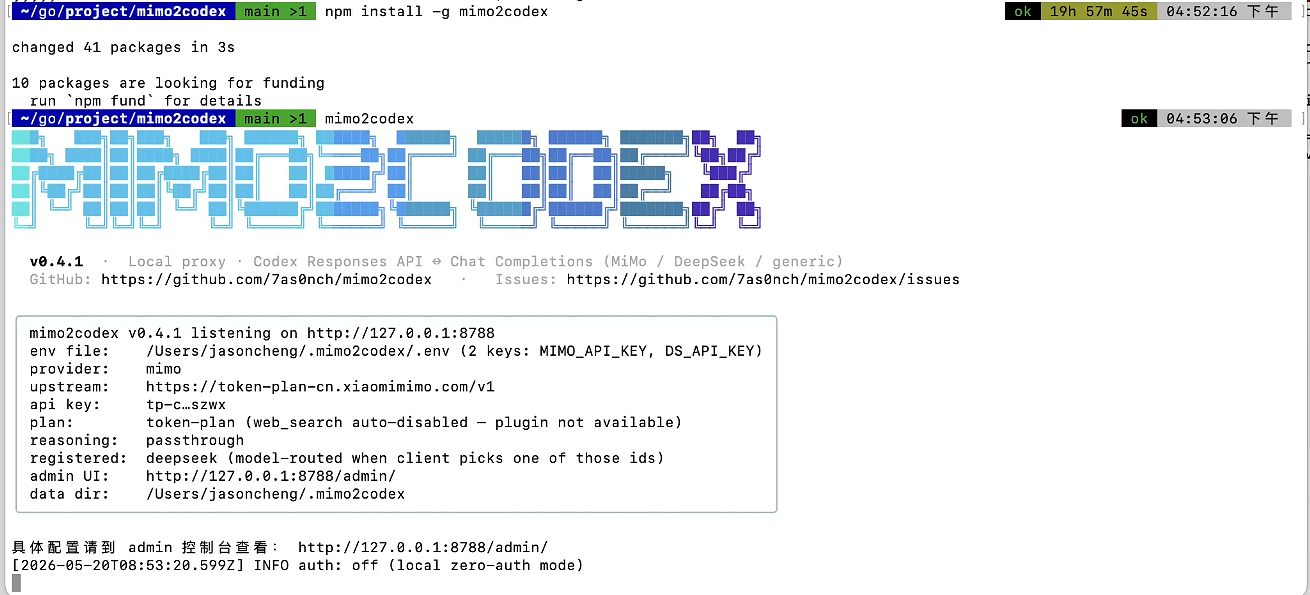
The startup banner prints the auth.json + config.toml snippets, the enabled providers, the admin UI URL and the data directory. Default works for both Codex CLI and desktop without any env-var dance.
What
--modelactually does: it picks the default / fallback provider — not a hard switch. When the client-suppliedmodelfield matches any enabled (key configured) provider's catalog (including aliases), the request is routed to that provider regardless of--model.--modelonly matters when:
- Only one provider's key is configured —
--modelmust point at it, otherwise startup errors out.- The client sends a model id that no provider recognizes (e.g.
gpt-4o) — it falls back to the--modelprovider'sdefaultModel.- The client sends a model that matches some provider's catalog, but that provider has no key configured — also falls back to the
--modelprovider'sdefaultModel, logged in admin asclient_model_rewritten. E.g. if you only setMIMO_API_KEY(notQWEN_API_KEY), sendingqwen3-maxis silently rewritten tomimo-v2.5-proand forwarded to MiMo. The admin "model mappings" table will show thisqwen3-max → mimo-v2.5-prorewrite.
Copy the printed snippets to:
| macOS / Linux | Windows | |
|---|---|---|
| auth.json | ~/.codex/auth.json |
%USERPROFILE%\.codex\auth.json |
| config.toml | ~/.codex/config.toml |
%USERPROFILE%\.codex\config.toml |
codex
> Write a Python fibonacci function and save it to fib.py
Pet, tool calls, reasoning, multi-turn — all just work. Pass --no-reasoning if you want to hide thinking from the terminal.
If Codex desktop ignores the new
auth.json, fully quit it (system tray → Quit) and relaunch.
Added 2026-05-14, available since v0.2.6. Full details: doc/codex-enable.md
If you only use Codex (not Claude Code / Gemini CLI etc.), you can drop the cc-switch dependency entirely. The admin webui now has a sidebar tab "Codex 启用" that does what cc-switch did — and a few things it didn't:
- One-click file write — click "Write files & enable" on any model row → server atomically writes
~/.codex/auth.json+~/.codex/config.toml. Fully quit + relaunch Codex to take effect. - Runtime override — click "Runtime override only" → store the active (provider, model) in mimo2codex's settings, route through Pass 0 of
selectProvider. No Codex restart needed. - Your original Codex config is permanently preserved 🔒 — the first backup taken when overwriting a foreign
auth.json(your real OpenAI login, etc.) is auto-tagged.preserveand never rolls out of the keep-window. Switch 100 times and that original is still one click away. - Every switch is backed up — regular snapshots rotate "keep newest 10"; the backups table shows each snapshot's captured
provider/modelso you can tell them apart at a glance. - Symmetric half-pair restore — if you only had
auth.jsonand no customizedconfig.tomlbefore mimo2codex, restoring deletes theconfig.tomlwe created, returning the directory to its real prior state. - Manual delete — each row has a delete button; 🔒 preserved rows require an extra confirm + backend
?force=1.
Mechanism comparison, REST API, edge behavior, troubleshooting → doc/codex-enable.md.
If you also use Claude Code / Gemini CLI etc., cc-switch is still the right cross-tool switching hub; mimo2codex coexists fine (both write the same ~/.codex/, no conflict).
cc-switch is a desktop app for switching between Claude Code / Codex / OpenCode providers in one click. Its built-in Codex preset list doesn't include MiMo, but mimo2codex slots in as a custom provider:
- Keep mimo2codex running (
MIMO_API_KEY=... mimo2codex) mimo2codex print-cc-switch— outputsauth.json+config.tomltext blocks- cc-switch GUI → Codex tab → + → Custom → paste both blocks → name it
MiMo (via mimo2codex)→ Add - Click the new provider to activate it; cc-switch writes Codex's config files for you. Switch back to OpenAI / Azure / OpenRouter anytime — mimo2codex keeps running and only gets traffic when its provider is active.
cc-switch's "Fetch Models" button calls /v1/models, which mimo2codex implements — the dropdown auto-lists mimo-v2.5-pro and mimo-v2-flash.
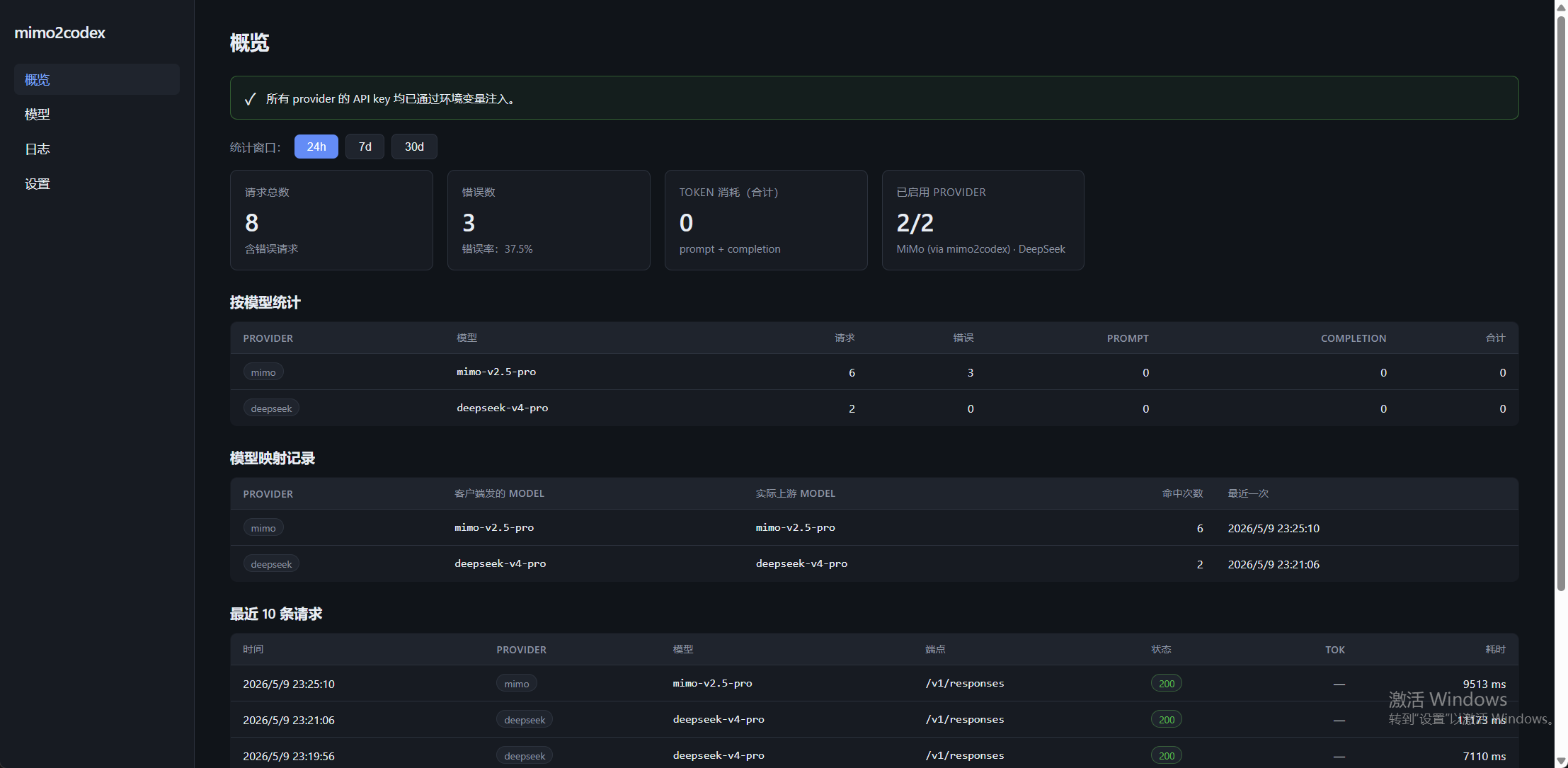
Browse to http://127.0.0.1:8788/admin/ after start.
Dashboard — 24h / 7d / 30d token usage, error rate, requests aggregated by provider/model, model-mapping records, last 10 requests.
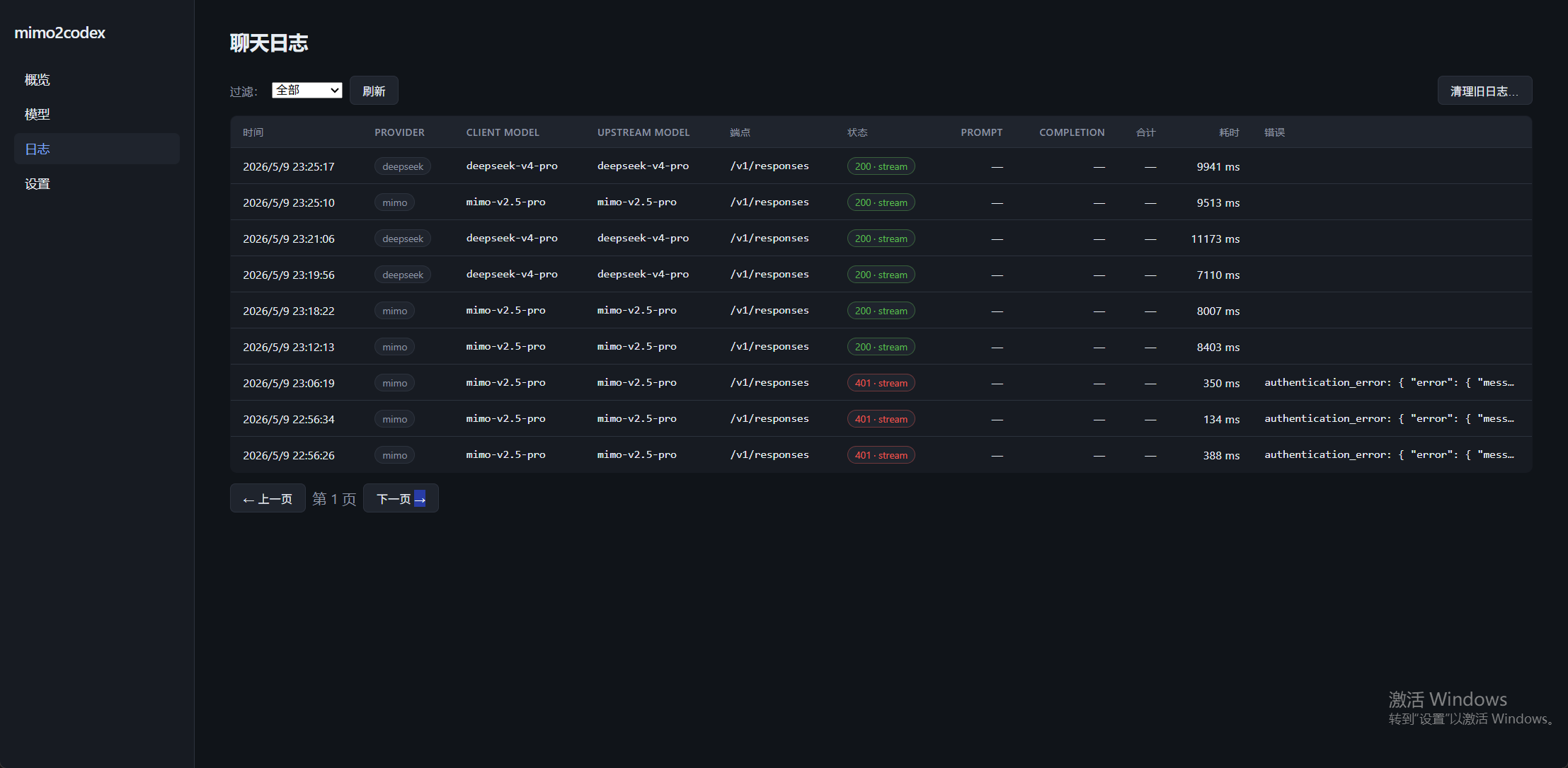
Logs — filter by provider, paginate by time, prune old records; status codes are color-coded and error snippets expand inline.
Models — provider tabs; builtin models are read-only, custom models + aliases (client-supplied model → upstream id) editable.
Settings — provider status, base URL, default model, UI prefs. API keys are not stored in the UI — they must come from environment variables; the UI only displays status and copy-paste shell snippets.
Data lives in sqlite (~/.mimo2codex/data.db); override with --data-dir <path> or disable entirely with --no-admin.
| Provider | Shortcut | Env var | Default base URL | Default model | Models |
|---|---|---|---|---|---|
| MiMo | mimo |
MIMO_API_KEY |
https://api.xiaomimimo.com/v1 |
mimo-v2.5-pro |
mimo-v2.5-pro / mimo-v2-flash |
| DeepSeek | ds |
DS_API_KEY or DEEPSEEK_API_KEY |
https://api.deepseek.com/v1 |
deepseek-v4-pro |
deepseek-v4-pro / deepseek-v4-flash / deepseek-chat* / deepseek-reasoner* |
*legacy, deprecated 2026-07-24, both alias the v4-flash thinking / non-thinking modes.
MiMo's
tp-*keys auto-route to the token-plan host (https://token-plan-cn.xiaomimimo.com/v1);sk-*keys use the pay-as-you-go host. SettingMIMO_BASE_URL/--base-urlexplicitly overrides this; the startup banner prints a ⚠ warning if your key prefix and host don't match.
Beyond the built-in MiMo / DeepSeek, any OpenAI Chat Completions-compatible (Qwen / GLM / Kimi / Ollama / vLLM …) or native Responses API (OpenAI itself, future-leaning providers) upstream can connect to Codex with zero code changes.
Simplest path — one env trio:
export GENERIC_BASE_URL=https://dashscope.aliyuncs.com/compatible-mode/v1
export GENERIC_API_KEY=sk-your-qwen-key
export GENERIC_DEFAULT_MODEL=qwen3-max
mimo2codex --model generic
Multi-instance — write ~/.mimo2codex/providers.json:
{
  "providers": [
    {
      "id": "qwen",
      "displayName": "Qwen (DashScope)",
      "baseUrl": "https://dashscope.aliyuncs.com/compatible-mode/v1",
      "envKey": "QWEN_API_KEY",
      "defaultModel": "qwen3-max"
    }
  ]
}
Then QWEN_API_KEY=sk-... mimo2codex --model qwen.
Full field reference, wireApi: "responses" passthrough mode, copy-pasteable examples for Qwen / GLM / Kimi / Ollama / OpenAI / MiniMax, routing rules and troubleshooting all live in doc/generic-providers.md.
Strict OpenAI-compatible upstreams (e.g. MiniMax) need a one-line
features.minimaxCompat: trueswitch — see doc/minimax.md.
SenseNova (商汤日日新) is auto-detected in the admin UI: typing
https://token.sensenova.cn/v1as baseUrl applies the recommended features — see doc/sensenova.md.
Kimi (Moonshot) is auto-detected when you type
https://api.moonshot.cn/v1(default appliesdropReasoningEffortso the "Force high reasoning effort" admin switch doesn't break Kimi) — see doc/kimi.md.
Existing mimo / deepseek users with no
providers.jsonare not affected — default provider staysmimoand behavior is byte-identical.
| Flag | Env | Default | Notes |
|---|---|---|---|
--model <shortcut> |
MIMO2CODEX_DEFAULT_PROVIDER |
mimo |
default provider: mimo or ds |
--port, -p |
MIMO2CODEX_PORT |
8788 |
listen port |
--host |
MIMO2CODEX_HOST |
127.0.0.1 |
bind host |
--base-url |
MIMO_BASE_URL / DEEPSEEK_BASE_URL |
see table above | base URL for the default provider |
--api-key |
MIMO_API_KEY / DS_API_KEY / DEEPSEEK_API_KEY |
at least one required | api key for the default provider (other providers read their own env vars) |
--data-dir <path> |
MIMO2CODEX_DATA_DIR |
~/.mimo2codex |
sqlite + admin UI data directory |
--no-admin |
MIMO2CODEX_NO_ADMIN=1 |
off | disable the admin UI + sqlite logging |
--no-reasoning |
MIMO2CODEX_NO_REASONING=1 |
off | hide reasoning from Codex (still preserved between turns) |
--verbose, -v |
MIMO2CODEX_VERBOSE=1 |
off | log every translated request body |
| env-only | MIMO2CODEX_CONTEXT_OVERFLOW_MODE |
friendly |
how to render upstream 400s identified as "context window exceeded": friendly (default) rewrites them to a bilingual hint pointing users at codex's /compact command; passthrough forwards the raw upstream error unchanged |
mimo2codex applies two behaviors automatically to make MiMo behave more like the OpenAI / Anthropic models Codex was designed for:
parallel_tool_callsforced on — overrides Codex's default offalse. Lets MiMo batch multiple tool calls per turn → fewer round-trips before the model commits toapply_patch.- Web search auto-forwarded with auto-fallback — Codex's
web_search/web_search_previewis translated to MiMo'sweb_searchbuiltin. The model decides when to invoke it (no extra prompting required). If your account doesn't have the Web Search Plugin activated, the first request returns a 400; mimo2codex catches it, stripsweb_search, retries, and remembers — subsequent requests in the same process skip web_search proactively. Zero config either way.
Thinking mode is ON — MiMo generates
reasoning_contenton every request and Codex shows it in the terminal. Pass--no-reasoningto hide thinking from the terminal (mimo2codex still re-injects it across turns for multi-turn tool quality, per MiMo's official recommendation).
Subcommands:
mimo2codex print-config             # ~/.codex/config.toml + auth.json snippets
mimo2codex print-config --env-key   # legacy env-var variant (CLI only)
mimo2codex print-cc-switch # cc-switch paste blocksMiMo 400 The reasoning_content in the thinking mode must be passed back / multi-turn tool calls drift into rambling / hallucinated text
Per MiMo's official advisory, when thinking mode is on (default) and history contains tool calls, every assistant message that carries tool_calls MUST also carry its original reasoning_content — otherwise the model context becomes inconsistent. Two failure modes:
| Severity | Symptom |
|---|---|
| 🔴 Hard fail | MiMo returns 400 "The reasoning_content in the thinking mode must be passed back". Codex shows "Provider returned 400" and the conversation stalls. |
| 🟡 Soft degrade | No error, but model "narrates" instead of calling tools, fabricates content unrelated to the prompt (e.g. asked to generate a pet sprite, model outputs movie / pop-culture trivia), or ends turns with "I'll do X" without calling apply_patch. Every off-task turn burns 1k-5k tokens. |
Both manifest specifically on multi-turn tool-calling workflows (agentic coding, /hatch-replacement pet generation, OCR feed-back, web search chains). Codex is on MiMo's published list of affected agent products (alongside Cursor, TRAE, Roo Code, Copilot CLI, etc.).
Fix: upgrade to mimo2codex >= 0.2.3. Prior versions only stashed reasoning in summary[].text and dropped it entirely under --no-reasoning; 0.2.3+ also pins the full trace into encrypted_content (Codex echoes it back verbatim across turns) and re-injects it as reasoning_content on the prior assistant message during translation.
npm update -g mimo2codex   # or: git pull && npm run build
mimo2codex --version       # confirm >= 0.2.3
Affected models: MiMo-V2.5-Pro, MiMo-V2.5, MiMo-V2-Pro, MiMo-V2-Omni, MiMo-V2-Flash. DeepSeek V4 family has the same requirement and was already covered.
Missing environment variable: MIMO2CODEX_KEY
Your config.toml has the legacy env_key = "MIMO2CODEX_KEY" line. Codex desktop doesn't inherit shell env vars. Switch to the auth.json variant: replace env_key = "..." with requires_openai_auth = true and write ~/.codex/auth.json with {"OPENAI_API_KEY": "mimo2codex-local"}. Or just rerun mimo2codex print-config and paste the new default output.
MiMo returned 404: No endpoints found that support image input
You sent images on a model that doesn't support vision. Only mimo-v2.5 and mimo-v2-omni accept images. Switch model in config.toml to one of those, or let mimo2codex auto-strip (it already does on mimo-v2.5-pro/-flash — placeholder text replaces the image).
MiMo returned 400: Param Incorrect: text is not set
MiMo's image API requires every image-bearing message to include a text part. mimo2codex auto-injects a single space when missing — make sure you're on the latest version (npm update -g mimo2codex or git pull && npm run build).
Codex shows image_gen tool not available when generating a pet
That's Codex's /hatch trying to call OpenAI's image API. MiMo doesn't have image generation. Use mimoskill/scripts/generate_pet.py instead — defaults to free Pollinations.ai, no extra key needed. See mimoskill/SKILL.md.
Stream disconnected before completion
Old version bug — make sure you're on >= 0.1.0. Each SSE event must have type in its data payload; older builds were missing it.
Logs spammed with dropping unsupported tool type
Already fixed — known server-side tools (code_interpreter, image_generation, computer_use, etc.) are silently dropped at debug level. Unknown types warn once per session, not per request.
MiMo returned 400: web search tool found in the request body, but webSearchEnabled is false
You're on an old build. Newer mimo2codex catches this 400 automatically: it strips web_search and retries, then skips it for the rest of the session. Update with npm update -g mimo2codex (or git pull && npm run build) and the error stops appearing.
If you actually want web search to work upstream, activate the Web Search Plugin at MiMo console → Plugin Management (separately billed), then restart mimo2codex.
Startup banner shows ⚠ "sk-* key needs the pay-as-you-go host..." / "tp-* key needs the token-plan host..."
Stale MIMO_BASE_URL in your shell is overriding the key-prefix inference. Resolution priority is --base-url > MIMO_BASE_URL > key-prefix inference > default, so env wins over inference.
PowerShell:
echo $env:MIMO_BASE_URL                                            # check
Remove-Item Env:MIMO_BASE_URL                                      # clear in current session
[Environment]::GetEnvironmentVariable('MIMO_BASE_URL','User')      # check user-level
[Environment]::SetEnvironmentVariable('MIMO_BASE_URL',$null,'User')  # remove user-level permanently
bash / zsh:
echo $MIMO_BASE_URL
unset MIMO_BASE_URL
Once cleared, sk-* keys auto-use https://api.xiaomimimo.com/v1 and tp-* keys auto-use https://token-plan-cn.xiaomimimo.com/v1.
DeepSeek returns 401 Unauthorized
Confirm DS_API_KEY (or DEEPSEEK_API_KEY) is what's actually being picked up — DeepSeek keys are issued on the DeepSeek console only and don't interchange with MiMo keys.
mimo2codex --model ds --verbose
# The startup banner prints `api key: sk-x…xxxx` — verify it's the DS one.
Admin UI returns 503 "Admin UI not built"
The frontend bundle hasn't been built yet. Run npm run build:all (compiles backend with tsc, then frontend with vite) to populate dist/web/. To build only the frontend: npm run web:install && npm run web:build.
better-sqlite3 fails to compile during npm install
Usually caused by an unusual Node distribution (e.g., Electron-bundled Node). Node ≥ 18 from nodejs.org normally pulls a prebuilt binary without invoking node-gyp. If you only want the proxy and not the admin UI, pass --no-admin — the db module is not loaded in that mode.
Codex says "I'll do X" then ends the turn without calling any tool
Most common cause: missing reasoning_content on prior assistant turns — see the top troubleshooting entry above (upgrade to ≥ 0.2.3). 0.2.2 and earlier silently drop reasoning across turns in some configurations, which makes MiMo's multi-turn tool calling degrade exactly this way.
If you're already on ≥ 0.2.3 and still see it, it's MiMo's known weakness on multi-step agentic coding. mimo2codex defaults parallel_tool_calls: true (lets MiMo batch tool calls per turn), which usually mitigates it. The highest-leverage manual fix is a more directive prompt — replace "继续" with something like:
不要解释,直接调 apply_patch 写完整文件内容
This pattern (concrete instruction + explicit tool name + "don't explain") is much more reliable than "continue" with MiMo.
📖 Full reference: doc/mimoskill.md — per-script docs, env vars, triggering rules, three usage modes, recipes, troubleshooting. The section below is a quick summary.
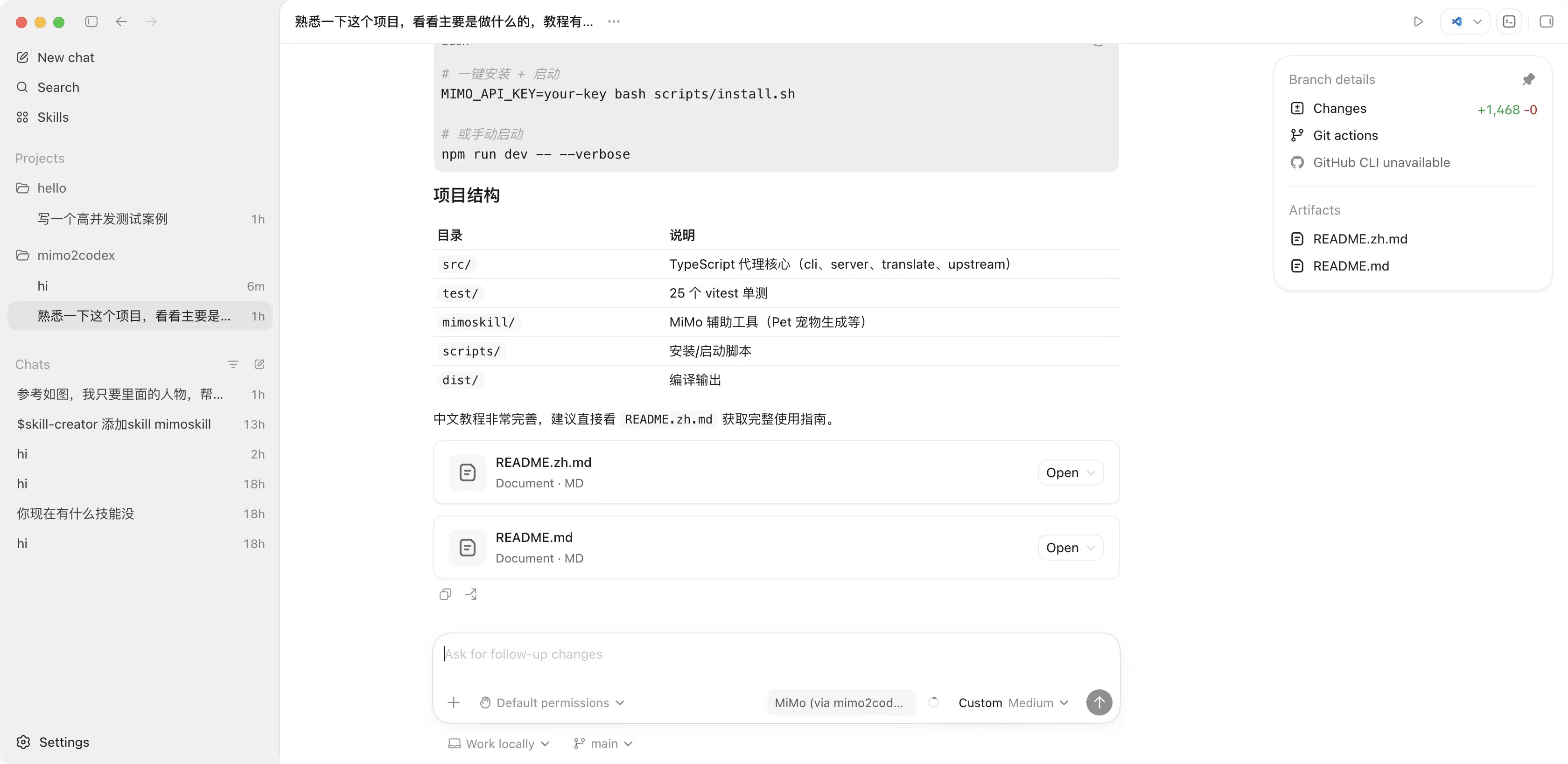
mimoskill/ is a bundle of helper scripts + reference docs at the project root. It exists because some things MiMo just doesn't do natively (mainly: image generation, OCR fallback when the chat model is text-only), and Codex hardcodes a few capability assumptions on the client side that the proxy can't override.
| Problem | Why mimo2codex alone can't fix it |
|---|---|
/hatch custom pet generation |
Codex calls OpenAI's image_gen tool client-side. MiMo has no image-gen endpoint, and we can't fake one in the proxy because Codex won't ship the request through us — it tries to talk to OpenAI directly with the auth.json key. |
| In-Codex image generation in general | Same reason. |
| Direct MiMo calls outside Codex | mimo2codex is a proxy, not an SDK — bare scripts are easier than spinning up the proxy for one-off calls. |
Quirks like image+text pairing, max_completion_tokens, reasoning_content re-injection |
Repeating these every time you write a script wastes your time; the helper scripts encode them already. |
| File | Purpose |
|---|---|
SKILL.md |
Skill manifest read by Claude / Codex agents — describes when to invoke each script |
scripts/mimo_chat.py |
Direct chat / vision / web-search call to MiMo, stdlib-only (no pip install openai) |
scripts/generate_pet.py |
Image generation: auto mode picks free Pollinations when no OpenAI key, else gpt-image-1. Also supports Replicate / local SD. |
scripts/install_pet.sh |
Install the generated PNG into Codex's pet directory (probes macOS/Linux/Windows paths) |
references/models.md |
MiMo capability matrix + field quirks |
references/pet_workflow.md |
Pet generation walkthrough (single image vs animated bundle) |
assets/pet_prompt_template.md |
Tuned chibi-sticker prompt templates |
1. Direct invocation (any user, no setup)
python3 mimoskill/scripts/mimo_chat.py "tell me a joke"
python3 mimoskill/scripts/mimo_chat.py --image src.jpg "describe this"
python3 mimoskill/scripts/generate_pet.py --description "chibi shiba dev" --out pet.png
bash mimoskill/scripts/install_pet.sh pet.png shiba
2. As a Claude Code skill — symlink the directory into ~/.claude/skills/:
ln -s "$(pwd)/mimoskill" ~/.claude/skills/mimoskillClaude reads SKILL.md and routes relevant requests (e.g. "generate a pet from this image") to the right scripts automatically.
3. As a Codex agent guide — already wired via AGENTS.md. Codex reads it on each session and routes image-gen / pet tasks to mimoskill scripts instead of trying to pip install openai.
# Generate (free — defaults to Pollinations.ai when no OpenAI key is set)
python3 mimoskill/scripts/generate_pet.py --description "chibi shiba coder" --out pet.png

# Install
bash mimoskill/scripts/install_pet.sh pet.png shiba

# Fully quit + relaunch Codex, pick the new pet from the picker
For higher quality, set PET_OPENAI_API_KEY=sk-real-openai-key (separate from MIMO_API_KEY — used only for the image gen call) and auto mode switches to gpt-image-1. Animated multi-state bundles via --bundle DIR/. Full guide: mimoskill/SKILL.md.
src/
  cli.ts, server.ts, config.ts        # entry, routing, multi-provider config
  providers/{types,mimo,deepseek,generic,genericLoader,registry}.ts   # Provider abstraction + built-ins + generic factory
  setup/snippets.ts                   # shared print-config / admin /setup-snippets generator
  upstream/openaiCompatClient.ts      # chat + responses passthrough upstream clients
  translate/                          # Responses ↔ Chat Completions translation
  admin/router.ts                     # /admin/api/* REST + /admin/* SPA static hosting
  db/{index,logs,settings,models}.ts  # better-sqlite3 layer + migrations + seed
test/                # 136 vitest cases
web/                 # Vite + React 18 admin console (builds to dist/web/)
mimoskill/           # MiMo helpers + pet generation workaround
doc/                 # extended docs (generic providers, etc.) — referenced from README
scripts/install.{sh,ps1}  # one-liner bootstrap
dist/                # tsc + vite output (generated)
AGENTS.md            # Codex-agent instructions (don't import openai, use mimoskill)
PUBLISHING.md        # maintainer release runbook
git clone https://github.com/7as0nch/mimo2codex && cd mimo2codex
npm install
npm run web:install  # frontend deps (first run only)
npm run dev          # backend via tsx, no build step
npm run web:dev      # vite dev server (5173, proxies /admin/api → 8788) — separate terminal
npm test             # 100 vitest cases
npm run build        # backend only → dist/cli.js
npm run web:build    # frontend only → dist/web/
npm run build:all    # both at once
To register mimo2codex globally from your local checkout: npm run build:all && npm link.
Behavior alignment with MiMo / DeepSeek official docs, plus a community-reported DeepSeek tool-calling 400 fix. No breaking changes. Install: npm i -g mimo2codex@beta.
- Fix DeepSeek multi-turn tool-calling 400:
"An assistant message with 'tool_calls' must be followed by tool messages responding to each 'tool_call_id'. (insufficient tool messages following tool_calls message)". Root cause:reasoningitems in the input were unconditionally flushed, wedging anassistant(reasoning_content)message betweenassistant(tool_calls)and the matchingtoolmessage — violating the Chat Completions contiguity invariant DeepSeek strictly enforces.reasoningis now folded into the same assistant message as the pending tool_calls. Also adds a defensive backstop: if anytool_call_idis missing itsfunction_call_output(cancelled turn, dropped output, etc.), a placeholder tool message is synthesized so the emitted body is always structurally valid. - DeepSeek thinking mode restored: the
thinkingfield used to be silently stripped by the DeepSeek provider — effectively nobody could enable thinking mode. Now we injectthinking: {type: "enabled"}+reasoning_effort: "high"by default per official docs; client-supplied values are respected. - DeepSeek thinking-mode parameter strip:
temperature/top_p/presence_penalty/frequency_penaltyare ignored upstream in thinking mode; we strip them client-side to match. - MiMo
mimo-v2-proadded to catalog (note: v2-pro, no.5). It's listed in the official OpenAI-APImodelenum but was missing. - MiMo
thinkingdefault by model:mimo-v2-flashdefaults to upstream-disabled (no longer blindly injected);mimo-v2.5-pro/mimo-v2.5/mimo-v2-pro/mimo-v2-omnidefault-inject{type: "enabled"}. - MiMo
mimo-v2.5-pro/mimo-v2.5in thinking mode:temperaturestripped (upstream forces it to 1.0 anyway). - MiMo
tool_choicenon-autovalues stripped (upstream removes them). - MiMo catalog gets
maxOutputTokens: pro / v2-pro = 131072, v2.5 / omni = 32768, flash = 65536.print-confignow emitsmodel_max_output_tokens. - DeepSeek
defaultBaseUrlkept athttps://api.deepseek.com/v1(the docs sayhttps://api.deepseek.com, but with/v1works too and we avoid regression risk).
Will promote to 0.2.5 (latest) after community testing.
MIT — see LICENSE.