Releases: AdguardTeam/AdGuardVPNForiOS
2.9.4

2.9.3
This is a technical update aimed to increase the app stability and fix minor bugs.
2.9.2

This is a technical update aimed to increase the app stability and fix minor bugs.
2.9.1
2.8.1

This is a technical release featuring minor tweaks behind the scenes. We're rolling it out primarily to enhance app stability and update the VPN client.
2.7.3
In this update we've improved the stability of the app and fixed some minor bugs.
2.7.2
2.7.1
2.9
2.8
We’ve added a new feature that significantly improves VPN connection speed and stability: dynamic VPN protocol selection. Now AdGuard VPN automatically detects which protocol (HTTP2/TLS or HTTP3/QUIC) is faster at the moment and connects to it.
This feature is enabled by default and can be found in Settings → General → Advanced → Low-level settings → AdGuard VPN protocol → Auto-select.
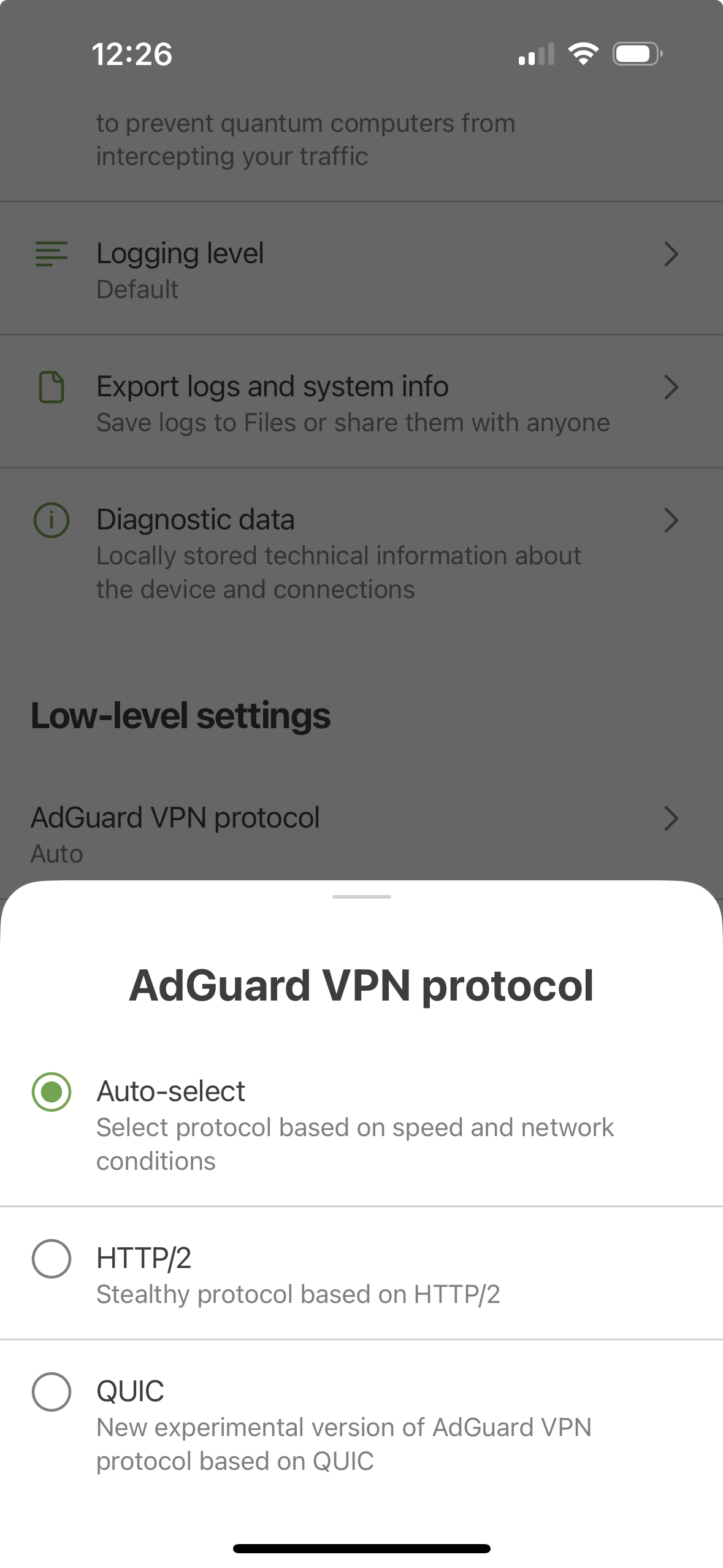
We’ve also updated the VPN client, making the app’s performance more stable.
Changelog
Improvements
- Added DNS server details screen
- Improved search logic in the “Add website” dialog → “From list” tab
- Improved appearance of placeholder on “Saved locations” screen
- Updated translations for DNS server names and descriptions
- Added logout confirmation dialog
- Added fallback logic for “Preferred IP version”
Fixes
- Collapsing the dropdown list of exclusion services filtered by a keyword resets filtering
- Unable to add website to the exclusions via share menu in Safari browser
- The “Log out of all devices” option in the web version of the AdGuard account doesn’t log users out of the app
- Issues in the integration with the Shortcuts app
- Occasional crashes on the main screen if the app is minimized while connecting
- Shadows disappear on the home screen on iOS 15 when the VPN is reconnected in the background
VPN client (AdGuard VPN protocol implementation)
- Updated VpnLibs to v0.17.4 #446