- 幫你夠鐘自動click個reg科制
- 應該會快過你望住個鐘撳
- 唔洗裝App,CU啲電腦都用到
↡ 片嚟 ↡
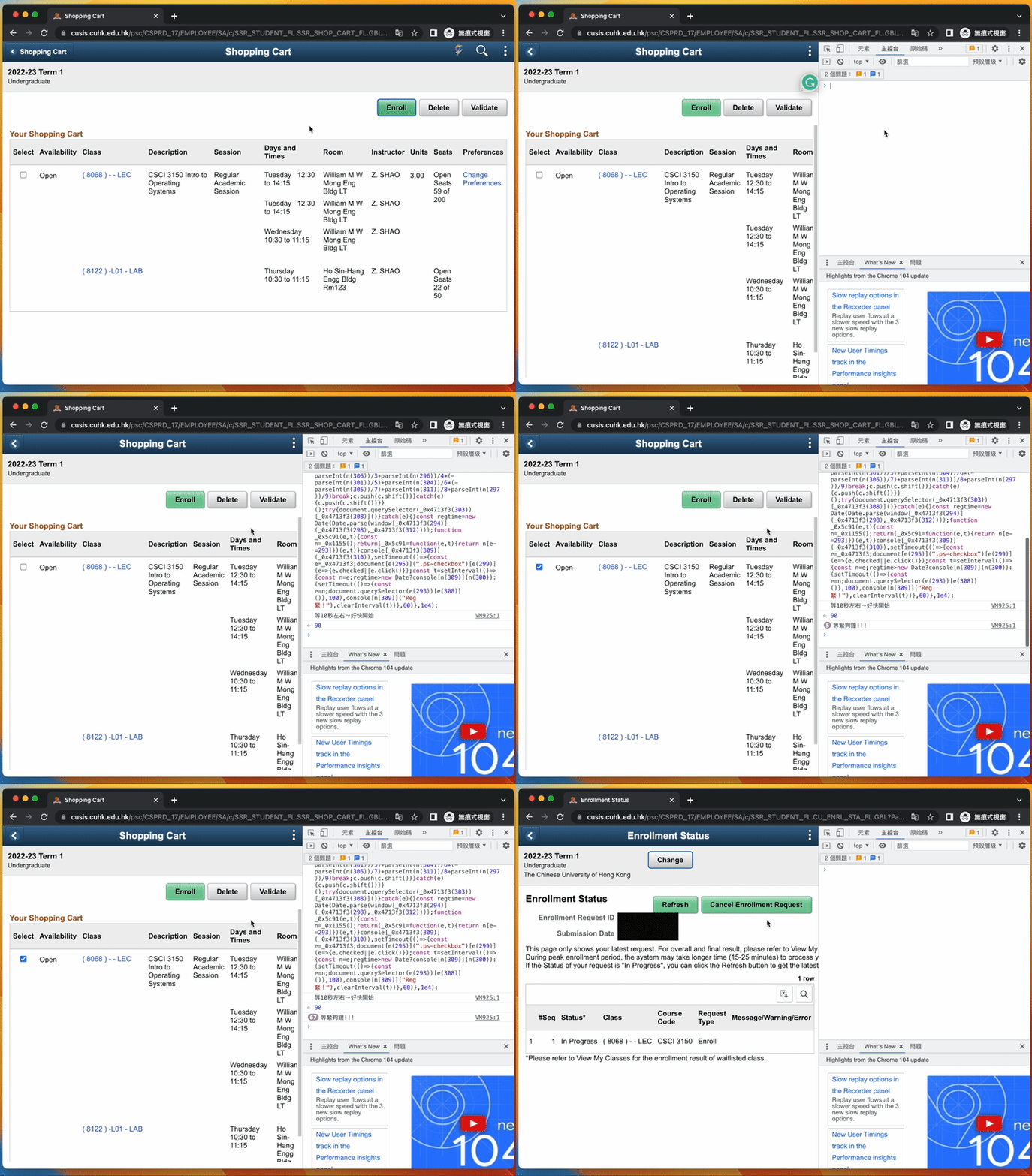
↟ 片嚟 ↟
-
最後更新:15/8/2022(若CUSIS更新,此程式可能不適用)
// CUHK 2022-2023 Sem 1 可用 // Until CUHK 2023-2024 Sem 1 可用 -
請事先Validate所有科目。(好似平時咁)
-
只在Chrome上測試過。
-
若有任何問題以致延誤,本人概不負責。
- 此程式以電腦時間運作,而非天文台時間(不過一般都一致)。
- 如電腦時間與天文台時間不一致,請參考香港天文台網頁調整時間。
https://www.hko.gov.hk/tc/nts/ntime.htm - 如有需要,可到以下頁面查詢時間是否準確。
https://ansoncheng03.github.io/CUSIS-Auto-Reg - 第一次用嘅話,記得未夠鐘之前試下work唔work先~
- Step 1: 前往
https://cusis.cuhk.edu.hk/並登入CUSIS
=> 最好距離reg科時間15分鐘內先login,唔係有機會自動logout。

- Step 2: 在網址欄輸入
https://cusis.cuhk.edu.hk/psc/CSPRD_newwin/EMPLOYEE/SA/c/SSR_STUDENT_FL.SSR_SHOP_CART_FL.GBL?Page=SSR_SHOP_CART_FL
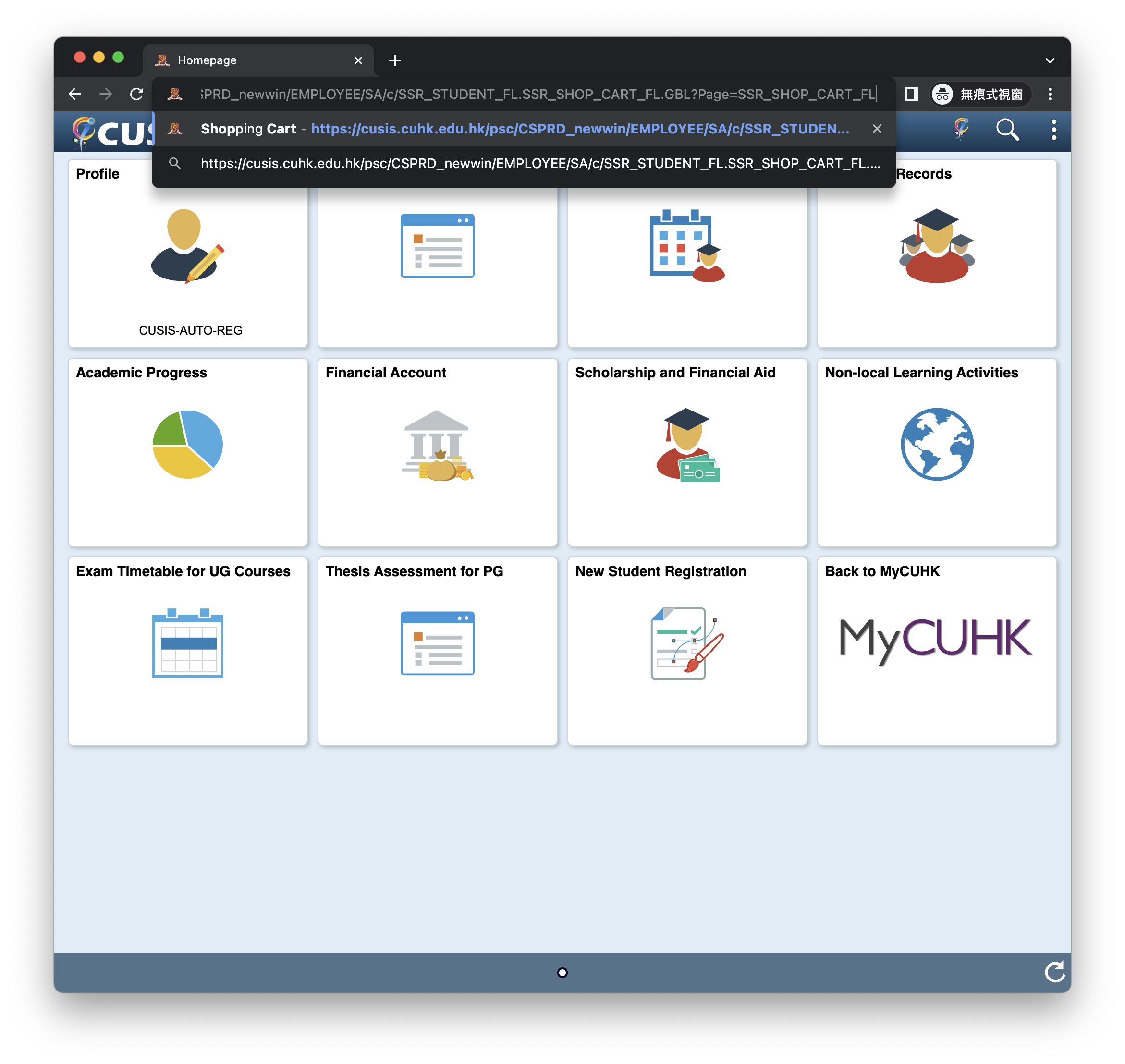
- Step 3: 點擊
滑鼠右鍵再 選擇檢查再喺右邊個框框頂揀主控台
注:喺Shopping Cart嗰頁用。總之你Step 2冇打錯網址就ok~

- Step 4: 輸入以下代碼,跟住拍 Enter
function _0x1155(){const e=["等緊夠鐘!!!","730XNydIk","396544KHczso","#DERIVED_REGFRM1_DETAILS_LINK","6XPWCrF","1628018xLcWbn","1186995iyQpRE","120283ssDzdQ","click","log","等10秒左右~好快開始","2374768eAgVFp","2023-08-10 10:00:00","#DERIVED_SSR_FL_SSR_ENROLL_FL","prompt","querySelectorAll","9292qkeQDn","11045835cEksCh","請輸入reg科時間 (eg. 2023-08-10 10:00:00)","forEach"];return(_0x1155=function(){return e})()}const _0x4713f3=_0x5c91;!function(e,t){const n=_0x5c91,c=_0x1155();for(;;)try{if(238209===-parseInt(n(307))/1+-parseInt(n(302))/2+-parseInt(n(306))/3+parseInt(n(296))/4*(-parseInt(n(301))/5)+parseInt(n(304))/6*(-parseInt(n(305))/7)+parseInt(n(311))/8+parseInt(n(297))/9)break;c.push(c.shift())}catch(e){c.push(c.shift())}}();try{document.querySelector(_0x4713f3(303))[_0x4713f3(308)]()}catch(e){}const regtime=new Date(Date.parse(window[_0x4713f3(294)](_0x4713f3(298),_0x4713f3(312))));function _0x5c91(e,t){const n=_0x1155();return(_0x5c91=function(e,t){return n[e-=293]})(e,t)}console[_0x4713f3(309)](_0x4713f3(310)),setTimeout(()=>{const e=_0x4713f3;document[e(295)](".ps-checkbox")[e(299)](e=>{e.checked||e.click()});const t=setInterval(()=>{const n=e;regtime>new Date?console[n(309)](n(300)):(setTimeout(()=>{const e=n;document.querySelector(e(293))[e(308)]()},100),console[n(309)]("Reg緊!"),clearInterval(t))},60)},1e4);
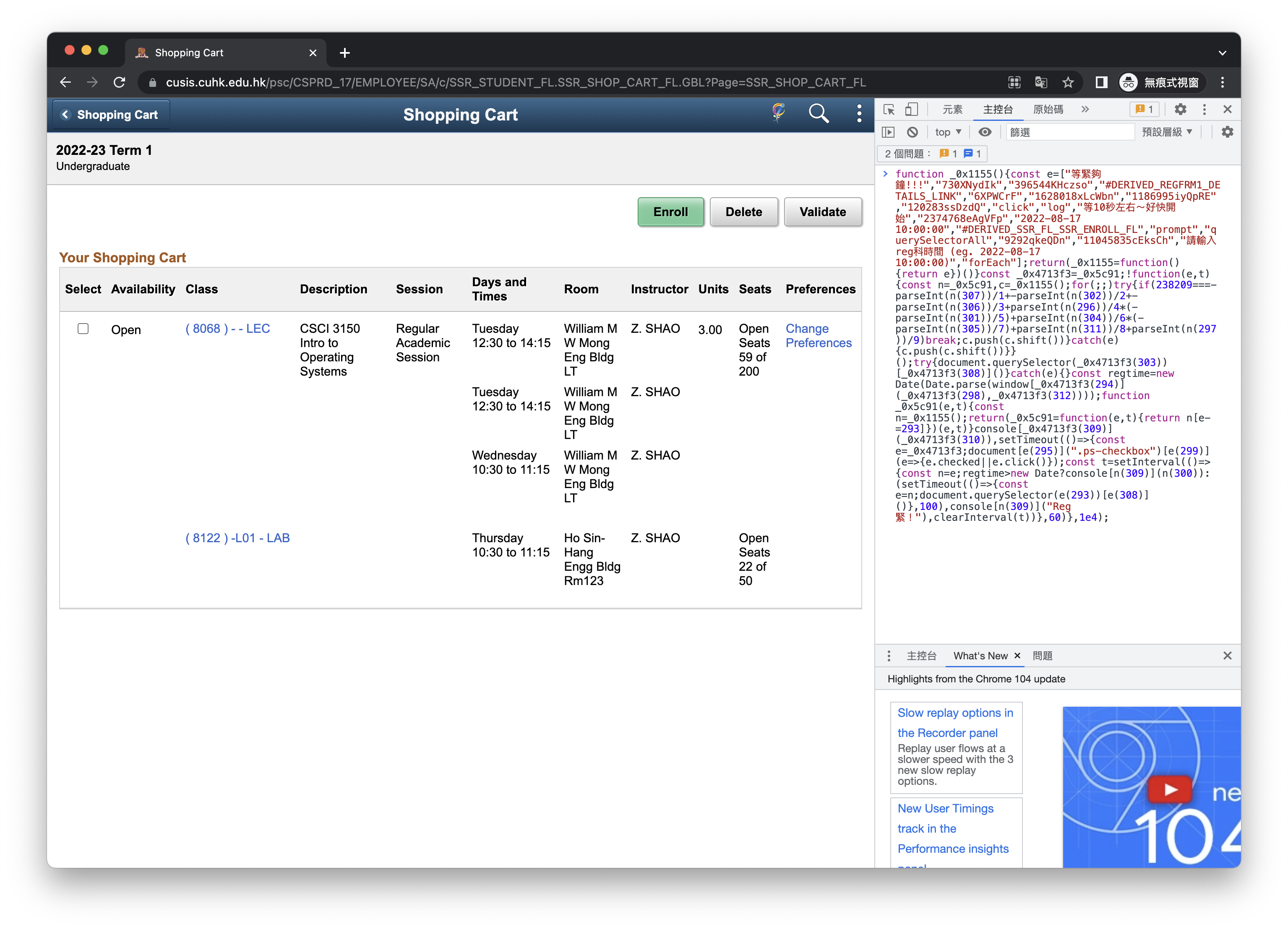
- 完成~
=> 如果你見到 Error 或者 等左30秒都未見到等緊夠鐘!!!呢個Message 就撳Refresh,然後由Step 2再做過~
=> Refresh 方法: ⌘ + R (Mac) 或 Ctrl + R (Windows)