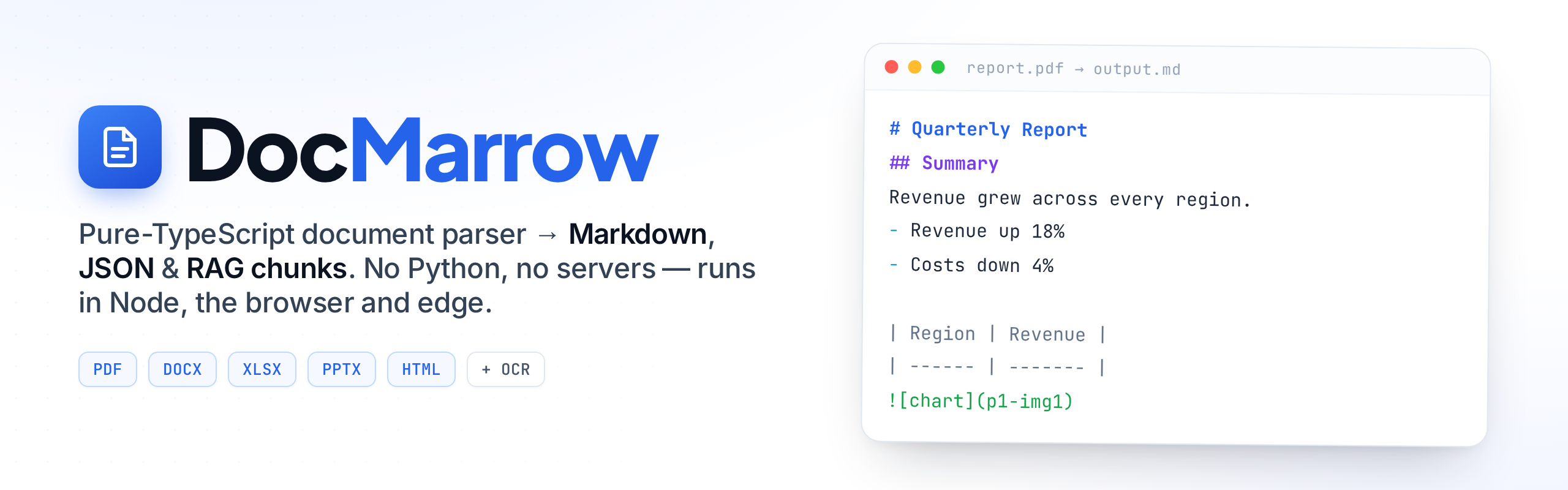
Pure TypeScript document parser for PDF → Markdown, JSON and RAG chunks.
No Python, no servers — layout-aware parsing that runs in Node, the browser and edge.




Convert PDF, Word (DOCX), Excel (XLSX), PowerPoint (PPTX) and HTML to clean Markdown or JSON for RAG / LLM pipelines — in pure TypeScript, with no Python and no external services.
DocMarrow turns a PDF, DOCX, XLSX, PPTX or HTML file into clean Markdown,
a structured JSON content tree, and RAG-ready chunks — reconstructing
reading order, multi-column flow, headings, lists, tables, code and quotes
instead of dumping a flat soup of text. One parseDocument() call, same output
shape for every format.
It is pure JS/WASM (PDFs via pdfjs-dist;
OOXML via fflate +
fast-xml-parser; HTML
via node-html-parser), so it runs
in Node, the browser and edge runtimes without native binaries or a Python
sidecar — see the in-browser playground. Scanned PDFs can be
OCR'd with the optional @docmarrow/ocr add-on.
Status: 1.0. The public API and the PDF and DOCX pipelines are stable, typed, and covered by an automated test suite (unit tests plus integration tests on real generated PDFs/DOCX). It works today on digital (text-based) PDFs and on Word
.docxfiles. It is not an OCR engine and it is not a "parse anything perfectly" promise — see Scope & limitations for exactly what works and what does not. The benchmark below reports timing only, no quality claims.
PDFs store positions, not structure: most JS parsers hand you a flat list of
text runs, so tables collapse, multi-column pages interleave, and heading
hierarchy is lost — which produces broken chunks and a worse RAG pipeline. DOCX
does carry structure, but most JS tooling still flattens it. The strong document
parsers (Docling, Marker, MarkItDown, Unstructured) are all Python. docmarrow
brings layout-aware, structure-preserving parsing to the JS/TS ecosystem with one
small dependency-light package.
npm install docmarrow
# or: pnpm add docmarrow / yarn add docmarrowimport { parseDocument } from "docmarrow";
import { readFile } from "node:fs/promises";
// Format (PDF or DOCX) is autodetected from the bytes.
const doc = await parseDocument(new Uint8Array(await readFile("report.pdf")));
console.log(doc.markdown); // clean Markdown, ready for an LLM
console.log(doc.meta); // { format, pageCount, hasText, title?, warnings[] }const doc = await parseDocument(bytes, {
format: "pdf", // "pdf" | "docx"; autodetected from the signature if omitted
tables: true, // detect tables (PDF; geometric)
readingOrder: true, // reconstruct multi-column reading order (PDF)
dropHeadersFooters: true, // remove repeated headers/footers and page numbers (PDF)
password: "…", // password for encrypted PDFs
speakerNotes: false, // PPTX: also extract speaker notes (opt-in)
});
doc.markdown // string
doc.blocks // structured blocks: { type, page, bbox, confidence, ... }[]
doc.json // uniform content tree: { type, page, bbox, confidence, content }[]
doc.pages // blocks grouped by 1-based page index
doc.meta // { format, pageCount, hasText, title?, warnings[] }
// Structure-aware chunking for RAG (never splits a table or paragraph mid-block)
const chunks = doc.chunks({
maxTokens: 512,
overlap: 64,
countTokens: (t) => t.length, // optional; plug in a real tokenizer (default: word heuristic)
});
// -> { text, tokens, pages, path, bbox }[] (`path` is the heading breadcrumb)Block types: heading, paragraph, list, table, code, quote, figure.
A figure carries alt (caption), ref (image locator) and, when cheap to
obtain, mime + bytes; it serializes to Markdown as .
bytes accepts a Uint8Array, ArrayBuffer, or any ArrayBufferView.
npx docmarrow report.pdf -o report.md --json report.json --chunks chunks.json
npx docmarrow notes.docx -o notes.md
docmarrow <file.pdf|file.docx> [options]
-o, --out <file> Write Markdown to <file> (default: stdout)
--json <file> Write the JSON content tree
--chunks <file> Write RAG chunks (JSON)
--max-tokens <n> Max tokens per chunk (default: 512)
--overlap <n> Token overlap between chunks (default: 64)
--no-tables Disable table detection (PDF only)
--no-reading-order Disable multi-column reordering (PDF only)
--keep-headers Keep running headers/footers and page numbers (PDF only)
PDF (deterministic, rule-based pipeline):
- Extraction —
pdfjs-distyields positioned text runs per page, converted to a top-left coordinate convention, with bold/italic/monospace resolved from the embedded fonts (@docmarrow/pdf). - Segmentation & reading order — items are split into columns by detecting vertical whitespace gutters, with a heuristic that distinguishes genuine text columns from aligned grids (tables); full-width titles/footers split the page into bands so they order correctly around columns.
- Header/footer removal — margin lines that repeat across pages, and bare page numbers, are dropped.
- Table detection — ruled tables are reconstructed from the page's actual vector border lines (parsed from the content stream): rules are grouped into grids and text is dropped into cells, so borders and multi-word cells are respected. Pages without rules fall back to the geometric detector (runs of vertically adjacent lines whose cells align into shared columns).
- Structure detection — headings (font-size ratio / bold), ordered & unordered lists (nested by indentation), code (monospace runs), block quotes (italic, inset), and paragraphs (wrapped lines merged with soft-hyphen joining).
DOCX / XLSX / PPTX / HTML — these formats carry explicit structure, so each backend maps it directly to the same block model without geometry:
- DOCX (
@docmarrow/docx): paragraph styles → headings/quotes/code,w:numPr+numbering.xml→ ordered/unordered nested lists,w:tbl→ tables. - XLSX (
@docmarrow/xlsx): each non-empty sheet → a heading (sheet name) + a table of its used cell range (shared strings, numbers, inline strings, booleans). - PPTX (
@docmarrow/pptx): each slide → a heading (its title, or "Slide N"), bulleted body placeholders → nested lists,a:tbl→ tables, in slide order. - HTML (
@docmarrow/html):h1–h6,p,ul/ol,table,pre,blockquote→ the matching blocks; loose inline text → paragraphs.
All backends feed the same serializers (Markdown, JSON) and the same
structure-aware chunker, so output is uniform across formats. Every block
carries a page, a bbox (zero for flow formats) and a heuristic confidence
for citations and traceability.
Across every format, embedded images/figures are located and emitted as
figure blocks (rendered  in Markdown), so they hold their place
in reading order instead of vanishing. DocMarrow does not interpret the pixels;
pass a describeImage hook to caption them for RAG.
This is a pnpm monorepo. Only the aggregate package is published to npm; the others are internal workspace modules bundled into it at build time.
| Package | Published as | Purpose |
|---|---|---|
packages/docmarrow |
docmarrow (npm) |
Main entry — parseDocument() + docmarrow CLI |
@docmarrow/core |
bundled | Layout, structure, tables, serializers, chunker (pure) |
@docmarrow/pdf |
bundled | pdfjs-dist extraction backend |
@docmarrow/ooxml |
bundled | Shared OOXML helpers (order-preserving XML + zip) |
@docmarrow/docx |
bundled | DOCX (Word) structure backend |
@docmarrow/xlsx |
bundled | XLSX (Excel) structure backend |
@docmarrow/pptx |
bundled | PPTX (PowerPoint) structure backend |
@docmarrow/html |
bundled | HTML backend |
@docmarrow/ocr is an optional, opt-in package (tesseract.js) and is not
bundled into docmarrow, so the core stays pure JS with no native/heavy deps.
The core is backend-agnostic: it analyses PageInput[] (positioned items) for
PDF, and accepts pre-structured Block[] from DOCX, so more backends can feed
the same pipeline later.
- Live demo — hosted, in-browser: drop a PDF/DOCX/XLSX/PPTX/HTML and get Markdown/JSON/chunks. Nothing is uploaded.
examples/— runnable Node scripts (PDF, DOCX, chunking + custom tokenizer).pnpm --filter @docmarrow/examples all.playground/— a Vite app that parses PDFs and DOCX entirely in the browser (no upload, no server), verified end-to-end in a headless Chromium.pnpm --filter @docmarrow/playground dev.
Scanned/image-only PDFs have no text layer. The optional @docmarrow/ocr package
(backed by tesseract.js) rasterizes
those pages and recognizes the text, feeding it into the normal pipeline. It is
not bundled into docmarrow, so the core stays pure JS — you opt in:
npm install @docmarrow/ocr
# Node also needs a canvas to rasterize pages:
npm install @napi-rs/canvas
import { parseDocument } from "docmarrow";
import { createOcrEngine } from "@docmarrow/ocr";
const doc = await parseDocument(bytes, { ocr: createOcrEngine({ lang: "eng" }) });
// Pages with a text layer are used as-is; only empty (scanned) pages are OCR'd.OcrEngine is just { ocrPages(pdf, pageNumbers) }, so you can plug in any OCR
backend (a cloud API, a different WASM engine) instead of the bundled tesseract
one. In the browser the DOM canvas is used and you configure the pdf.js worker.
OCR is heavier and slower than text extraction (the tesseract model is ~15 MB and downloaded on first use). Use it only for documents that actually need it.
Many documents carry meaning in images — charts, diagrams, screenshots. DocMarrow
locates every embedded figure and emits a figure block in reading order, so
it is never silently dropped:
- PDF — image XObjects are found in the content stream with their on-page
bbox; therefis a stable per-page id (p2-img1). The pixels are not decoded (that needs a canvas, like OCR), so PDF figures carry nobytes. - DOCX / PPTX / XLSX — pictures are resolved through relationships to the
embedded media (
word/media,ppt/media,xl/media), so the figure carries the realmime+bytes, plus any authored alt text (descr). - HTML —
<img>becomes a figure (data:URIs are decoded tobytes, a normalsrcis kept as theref); a content inline<svg>is captured with its markup asbytes(decorative icon svgs are skipped by heuristic).
By default a figure has no description (alt: "") and renders as .
Pass a describeImage hook — an injectable captioner that mirrors OcrEngine —
to fill it (e.g. with a vision LLM). DocMarrow ships no model, so this stays
opt-in and dependency-free:
const doc = await parseDocument(bytes, {
describeImage: {
// Called only for figures with no authored alt text. Return "" to skip.
describe: async ({ ref, page, mime, bytes }) => {
const caption = await myVisionModel(bytes ?? ref); // your call
return caption;
},
},
});
// Captions land in `alt`, so they serialize into Markdown (``)
// and feed the RAG chunker — figures become searchable text.The hook runs over all formats; authored alt text (HTML alt, OOXML descr) is
kept and never overwritten, and a describer error leaves that figure undescribed
(non-fatal).
What works today, verified by the test suite and on real generated documents:
- Digital PDFs → Markdown + JSON + chunks; multi-column reading order with column-vs-table disambiguation; heading/list/paragraph/code/quote detection; running header/footer removal; ruled (vector-line) + geometric tables.
- DOCX → headings, ordered/unordered nested lists, tables, code, quotes, paragraphs, and document title, from the document's own styles and numbering.
- XLSX → each non-empty sheet as a heading + a table (shared strings, numbers, inline strings, booleans; trimmed to the used range).
- PPTX → each slide as a heading (title or "Slide N") + bulleted body text (nested lists) + slide tables, in presentation order.
- HTML → headings, paragraphs, nested lists, tables, code (
pre) and quotes. - Scanned PDFs → optional OCR via
@docmarrow/ocr(see above). - Figures → embedded images located across all formats as
figureblocks, with an optionaldescribeImagehook for captioning (see above). - Document
metawithwarnings(e.g. a page with no extractable text). - Pluggable token counter for chunking; ESM + CJS builds; strict types; Node ≥ 20; runs in the browser.
Known limitations (deliberately stated):
- OCR is opt-in, not built in. The core does no OCR, so scanned/image-only
pages yield no text and are flagged in
meta.warnings(meta.hasTextisfalse). Add@docmarrow/ocrto recognize them (see above). This is a deliberate design choice — the core stays pure JS with no native/heavy deps. - XLSX: cell values are read as stored (formula results, not recomputed — the
cached value is normally what you want). Common date/time and percent
formats are applied (
45292→2024-01-01,0.25→25%); other number formats (currency, thousands) keep the raw value, and charts are ignored. - PPTX: title-vs-body is inferred from placeholders; charts are not extracted.
Speaker notes are available via the opt-in
speakerNotesoption (off by default — they are presenter-private). - Figures: DocMarrow locates figures but does not interpret them — there
is no built-in captioner (deliberate, like OCR);
altstays empty unless the source has alt text or you passdescribeImage. PDF image XObjects are located (bbox +ref) but the pixels are not decoded, so PDF figures carry nobytes(rasterizing needs a canvas — planned as an opt-in package). Decorative inline<svg>icons are skipped by heuristic, and vector art drawn directly in a PDF (not as an image) is not captured. - PDF tables: ruled tables use the real border lines (multi-word cells kept intact); merged/spanning cells are approximated and rotated tables are not supported. Borderless tables fall back to whitespace-alignment heuristics.
- PDF block-quote detection is conservative (italic + inset) and best-effort;
DOCX quotes come from the explicit
Quotestyle and are reliable. - Token counts default to a word heuristic. Pass
countTokensfor exact, model-specific counts (a deliberate choice to avoid a tokenizer dependency). mode: "boost"(VLM/LLM refinement) is intentionally not implemented in the open core; it throws and is reserved for an optional refiner module.- RTF, ODT and EPUB are not implemented (EPUB could reuse the HTML backend).
docmarrow ships a reproducible timing harness (no quality/accuracy
claims — that needs a labelled corpus this repo does not have):
pnpm build && pnpm benchIllustrative numbers from one run (Node 24, single thread, synthetic fixtures — your machine will differ):
| Fixture | Median |
|---|---|
| PDF, 1 page | ~6 ms |
| PDF, 50 pages | ~200 ms (~250 pages/s) |
| DOCX, 500 paragraphs | ~6 ms |
pnpm install
pnpm build        # build all packages (tsup: ESM + CJS + d.ts)
pnpm typecheck    # strict tsc --noEmit (run after build: types resolve from dist/)
pnpm test         # vitest suite
pnpm bench        # timing benchmark
CI (GitHub Actions) runs build + typecheck + test on Node 20 and 22.
Dual-licensed: AGPL-3.0-or-later (see LICENSE) or a
commercial license (see COMMERCIAL-LICENSE.md).
If the AGPL's network-copyleft terms do not fit your use, the commercial license
is the intended alternative.