Ableton live plugin for sound spatialisation using Barco's IOSONO core
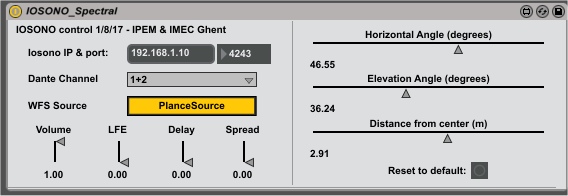
- Version 1 using spectral coordinates: IOSONO_Spectral.amxd
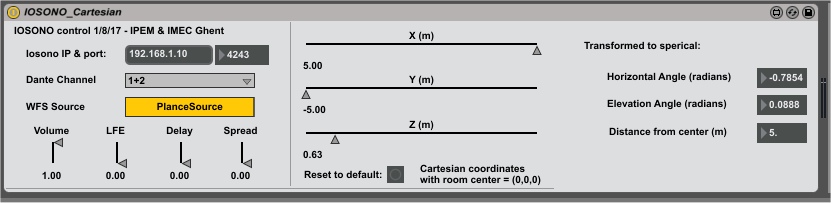
- Version 2 using cartesian coordinates: IOSONO_Cartesian.amxd (assuming 5m width)
- Author: Bart Moens, IPEM, UGhent
- Made for IMEC's Immersive space (https://github.com/krooklab) and IPEM Art & Science Lab (https://www.ugent.be/lw/kunstwetenschappen/en/research-groups/musicology/ipem/artsciencelab-ipem)
- Tested with the Prototype performance of Marc Vanrunxt (http://www.kunst-werk.be/) with Daniel Vanverre (sound) and Charlotte ... (dance)
- Ableton live 9.7.3 Suite
- Max 4 live 7.3.4 x64
- Dante Virtual Soundcard
- Dante Controller
- IOSONO Core
- Immersive space or Art & Science Lab, but should work on all iosono systems
- Find ableton user library: (usually \Documents\Ableton\User Library)
- Place the patches in \User Library\Presets\Audio Effects\Max Audio Effect
- Set fixed ip for ethernet controller to 192.168.1.1xx
- In dante controller, patch your virtual soundcard outputs to the rednet 6 device (RN6)
- In ableton live, set output to dante virtual soundcard
- ** For each track/channel, select audio output to ext out and unique dante channel **
- Drag and drop the device of choice (spherical or cartesian coordinates) to add as audio device
- Configure settings, ** select the same channel as the audio output! **
- Automate slides as required
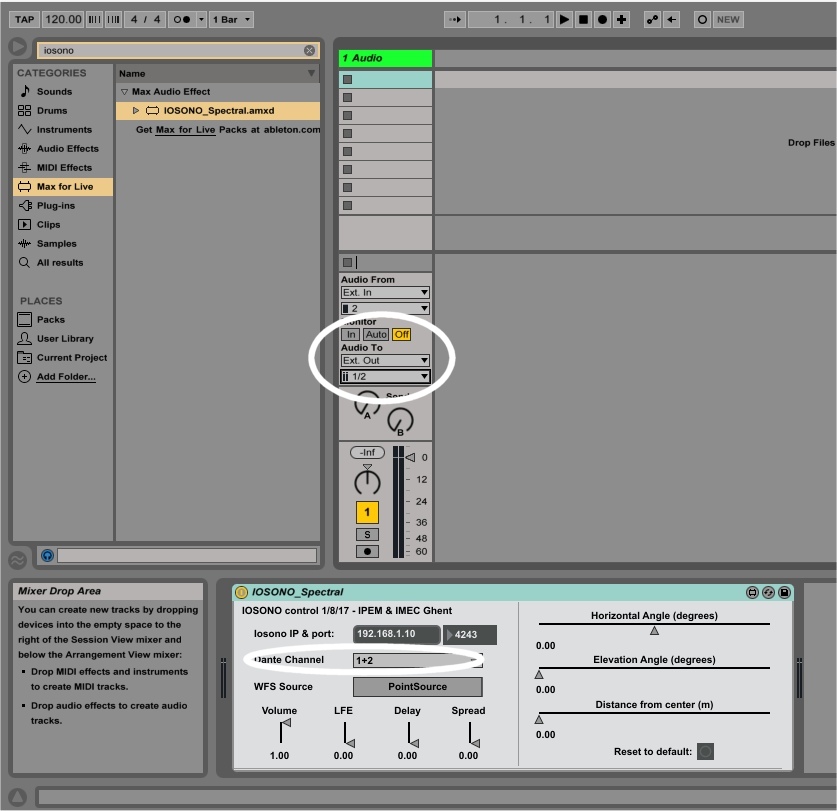
- When the plugin needs to spatialise a stereo track, you can select both channels at once (eg 1+2) but they will be spatialised at the same location; effectivly losing the stereo effect.
- Selecting (1-2) rotates the second channel 180 degrees.
[https://raw.githubusercontent.com/ArtScienceLab/Iosono4Live/master/img/demo.mp4]
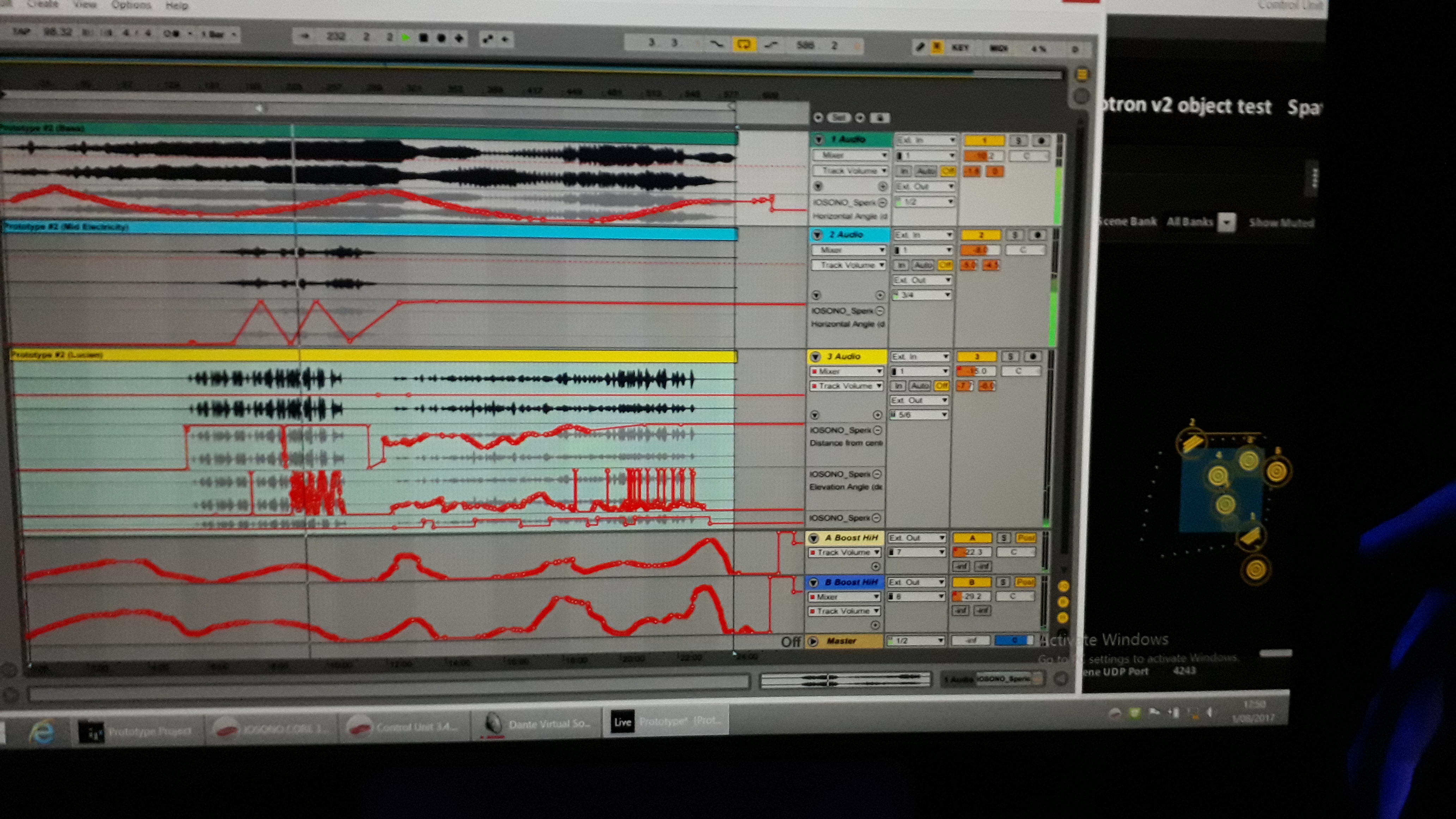
All parameters can be automated, both in session and track view.
see readmee files at https://github.com/krooklab/midi2iosono and https://github.com/krooklab/immersivespace-template
- Make sure everything is 48Khz
- Motherboard settings for DANTE network optimisation: Set CStates to OFF, Disable Intel SpeedStep, Enable TurboBoost
- On windows, optimize dante network performance: change 'Flow Control' and 'Interrupt Moderation' of your network card (https://www.audinate.com/faq/how-can-i-tune-windows-pc-best-audio-performancethe)
- On dell computers: use the correct adapter, underpowered ones lead to reduced pc performance and signal/dante loss without error messages
- Bart Moens, Kasper Jordaens, Wouter Devriese, IMEC team.
- Based on scripts found in https://github.com/krooklab/midi2iosono