

A web-based TV remote control served from a Raspberry Pi. An SVG remote is displayed in the browser — clicking a button sends a POST request to the Express server, which triggers the IR LED via IR-Slinger and libpigpio.
- Raspberry Pi with an IR LED wired up (see Hardware setup)
- Node.js 24+
- GCC + libpigpio (for compiling the IR transmitter)
git clone https://github.com/joan2937/pigpio.git
cd pigpio
make
sudo make installcd src/ir-slinger
gcc -o tvRemote tvRemote.c -lm -lpigpio -pthread -lrtEdit config.json and set the path to the compiled executable:
{
    "pathToExecutable": "/path/to/tvRemote"
}Edit src/data/RemoteKeysBinaryMapping.json to map button IDs to the binary IR codes for your specific TV (Check tutorial under src/ir-slinger/bschwind-tutorial.png for how to capture).
npm install
npm run buildnpm startThe remote is then available at http://<raspberry-pi-ip>:3000.
docker compose up --buildThis builds the frontend and starts the server in one step. Mount config.json as a volume to change settings without rebuilding the image.
npm run dev   # Vite dev server on :5173, proxies /api to Express on :3000
npm start     # Express server on :3000 (in a separate terminal)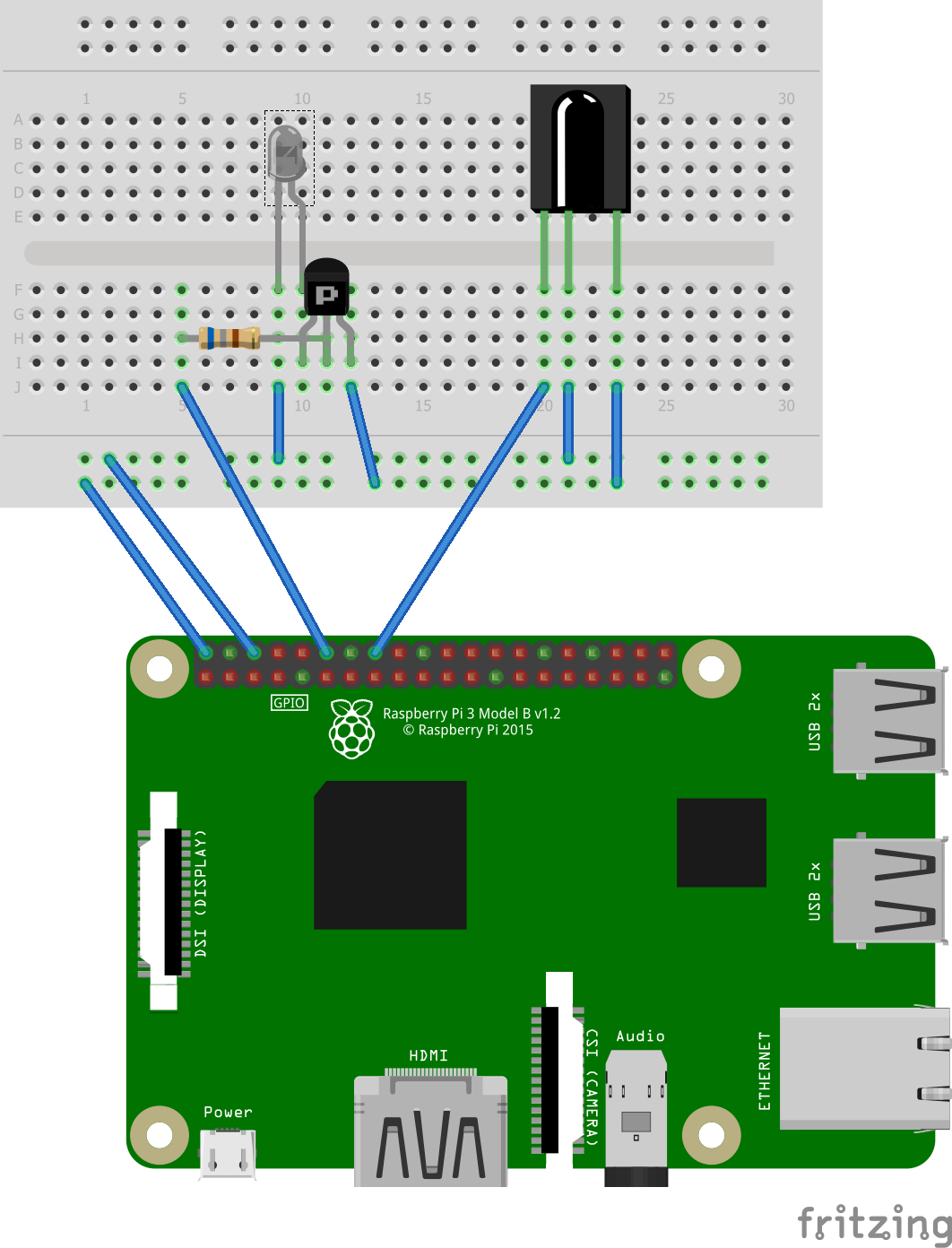
See this blog post by Brian Schwind for a full walkthrough of the hardware setup and IR protocol.
- libpigpio — GPIO library for the Raspberry Pi
- IR-Slinger — IR signal library by Brian Schwind
- remote.svg — public domain SVG by AshKyd