How to Pair USB device
- After fully charging your headset. Power on your EEG headset.
EPOC    - Blue  light indicates power on.
EPOC+   - White light indicates power on.
Insight - White Light indicates power on.
- Insert your EEG USB universal dongle. (Operates on a 2.4ghz wireless frequency)
- Verify Light Indicators as follows:
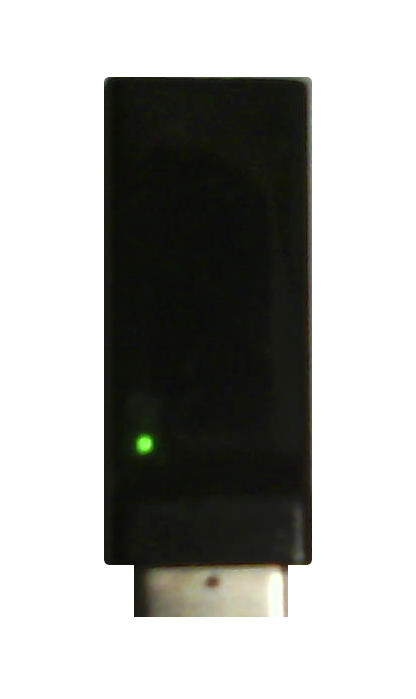
(No Signal, Not Paired)
Left light will be bright and blink on/off every second,
No headset signal is detected. Device is not paired.
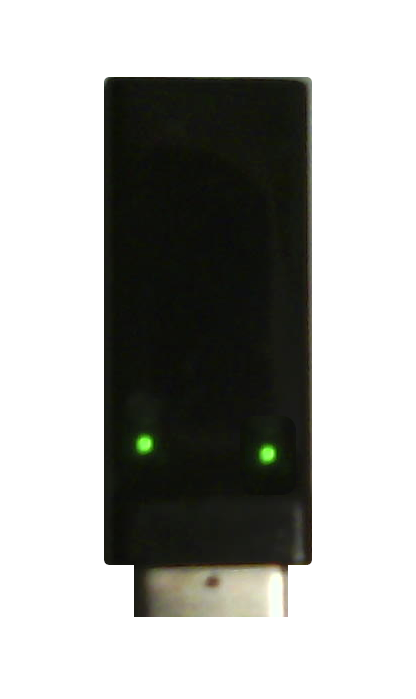
(Reconnect USB device)
Left and Right lights will be bright and turned on. (Not blinking)
The USB dongle is getting a signal from the device, but can not connect.
*** Important *** Turning device on/off will likely not connect it at this stage.
You must  unplug the USB from its from its connector, and plug it in again.
With the device still turned on.
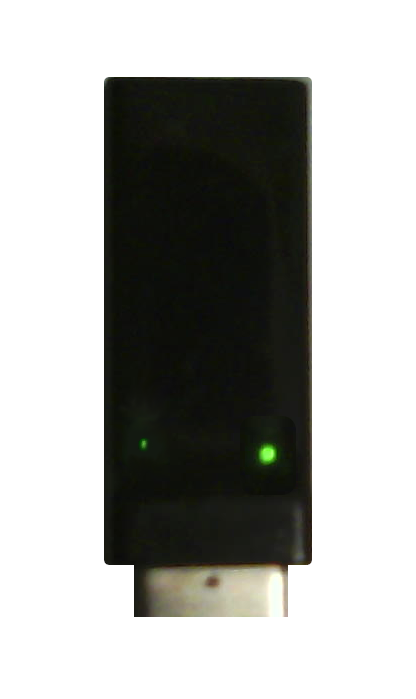
(Successfully Paired)
Right light bright and turned on. (Not blinking)
Left light dimly lit and flickering, indicating incoming data.
Additional: A red light, may indicate USB is damaged or nonoperational.