Self-hosted web interface to manage MySQL servers, built on the Symfony framework.
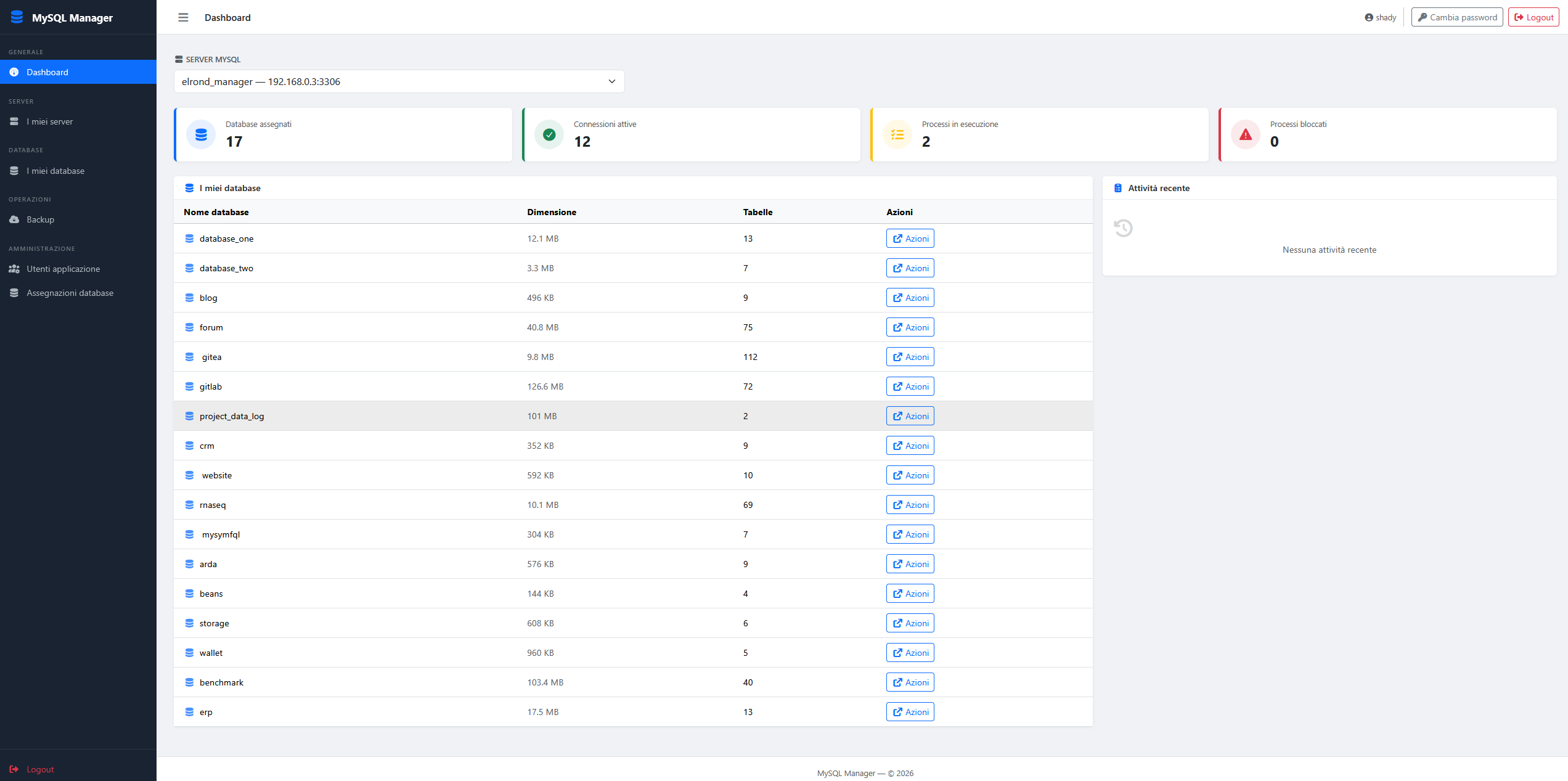
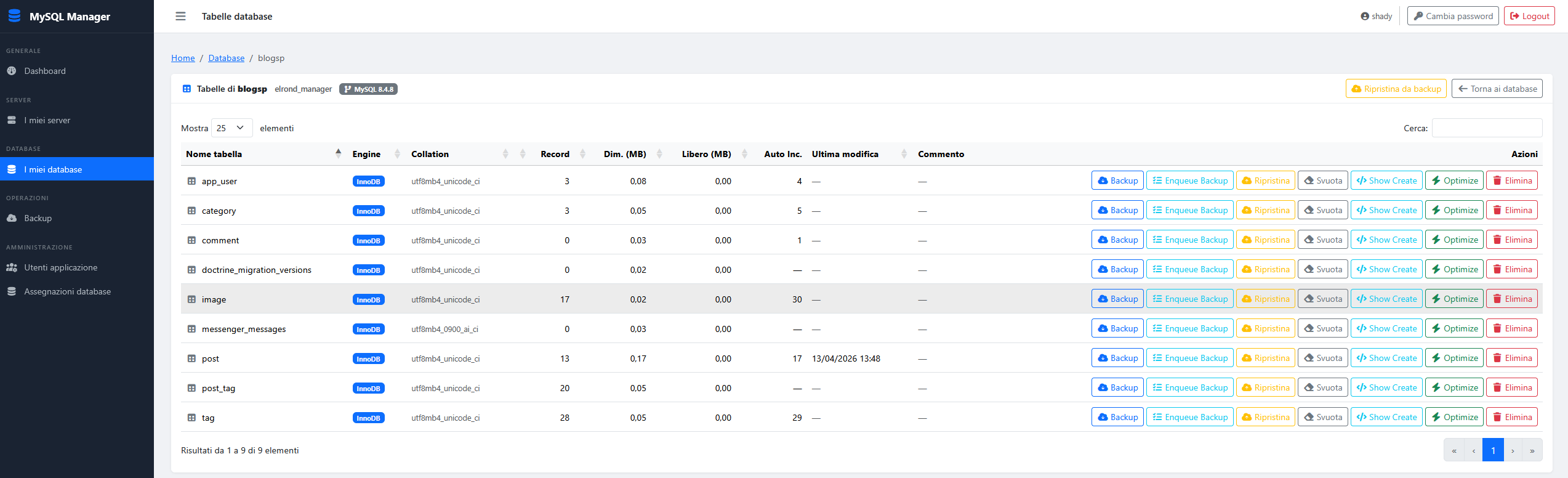
| Database list | Table list |
|---|---|
 |
 |
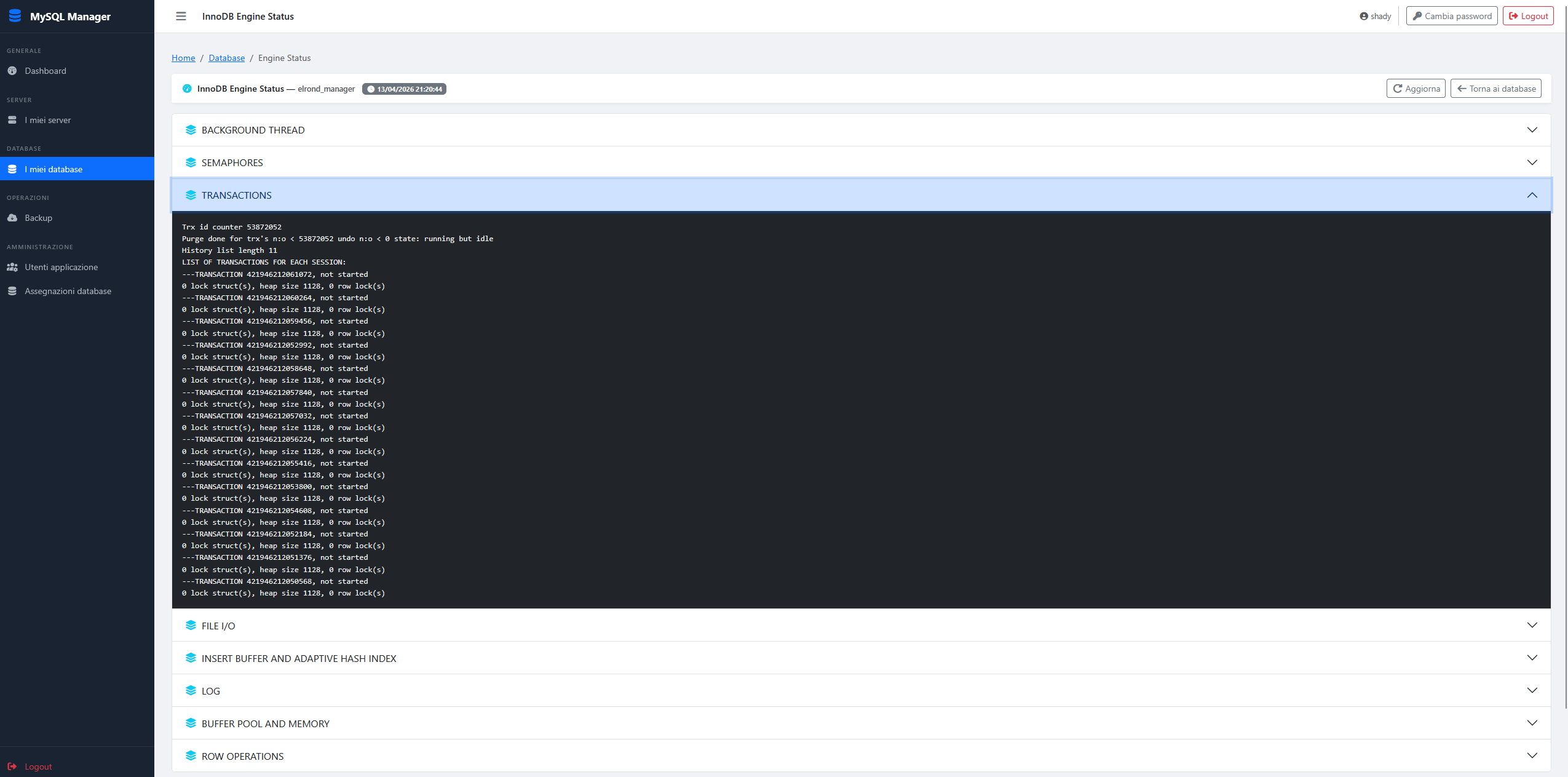
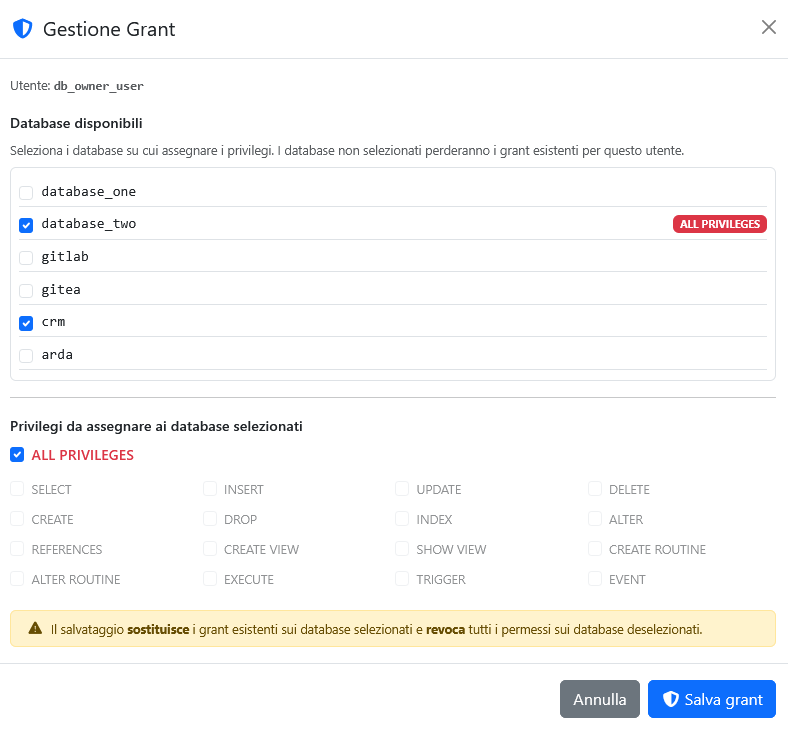
| Engine Status | User Permission |
|---|---|
 |
 |
mysymfql_manager is a web application that allows you to manage one or more remote MySQL servers from a single centralized interface. Users are associated with specific MySQL servers and can perform administrative operations such as browsing databases, managing tables, handling MySQL users, running backups and restores, and monitoring server processes — all from the browser.
- Login / logout
- User registration
- Password reset via email (temporary password sent by email)
- Authenticated password change with current password verification
- Application user CRUD (admin only)
- CRUD for MySQL server entries (host, port, username, encrypted password)
- Many-to-many ownership: each server can be assigned to multiple application users
- Dashboard with server selector (only servers assigned to the authenticated user are shown)
- Live statistics per selected server: assigned databases, active connections, running processes, blocked processes
- Database table with name, size, table count, and quick action links
- Auto-reload on server change via
fetch()
- List databases for a server
- Database detail page with table list
- Create database (charset/collation configurable) with optional MySQL user creation and GRANT
- Drop database
- Empty table (DELETE + AUTO_INCREMENT reset)
- Drop table
- Single-table backup (structure + data via
mysqldump) - Table restore from backup file
- List MySQL users on a server with per-database grant flags
- Create MySQL user with database grant
- Drop MySQL user
- Change MySQL user password
- Process list with process termination by ID
- InnoDB engine status
- PHP >= 8.4
- MySQL >= 8.4.8 (application database)
- Redis/Valkey (session/cache)
mysqldumpbinary available in PATH- Composer
- A working SMTP relay or mailer DSN
The application requires the mysqldump binary in PATH. The recommended way to install the official Oracle MySQL client tools on Debian or Ubuntu is via the MySQL APT repository.
wget https://dev.mysql.com/get/mysql-apt-config_0.8.36-1_all.deb
sudo dpkg -i mysql-apt-config_0.8.36-1_all.deb
During installation a dialog will appear asking which MySQL product to configure. Select MySQL Server & Cluster and choose the desired MySQL version (e.g. mysql-8.4), then select Ok.
sudo apt updatesudo apt install mysql-clientThis installs mysql, mysqldump, and the other client utilities without installing the MySQL server.
mysqldump --versionExpected output example:
mysqldump Ver 8.4.x Distrib 8.4.x, for Linux (x86_64)
If you already have the Debian/Ubuntu default
mysql-clientpackage installed (from the distro repo) and need to switch to the Oracle version, remove it first:sudo apt remove mysql-client && sudo apt autoremove.
Before running the setup command, create the MySQL database and a dedicated user that the application will use to connect. Connect to your MySQL server as root:
mysql -u root -pThen run:
CREATE DATABASE mysymfql CHARACTER SET utf8mb4 COLLATE utf8mb4_unicode_ci;
CREATE USER 'mysymfql'@'127.0.0.1' IDENTIFIED BY 'StrongPassword123!';
GRANT ALL PRIVILEGES ON mysymfql.* TO 'mysymfql'@'127.0.0.1';
FLUSH PRIVILEGES;
Adjust the host (
127.0.0.1) to match the address from which the PHP process connects to MySQL. If PHP and MySQL run on the same machine,127.0.0.1is correct. ReplaceStrongPassword123!with a strong, randomly generated password.
git clone <repo-url> mysymfql_manager
cd mysymfql_manager
composer installThe app:setup command guides you through the entire configuration interactively.
php bin/console app:setupOn the first run, since no .env.local file exists, the command will:
-
Auto-generate the following secret keys and display them on screen:
APP_SECRET— Symfony application secret (64-char hex)SQLCLIENT_ENCRYPTION_KEY— encryption key for MySQL credentials stored in the DB (64-char hex, XSalsa20-Poly1305)ALTCHAKEY— HMAC key used by the ALTCHA CAPTCHA widget (64-char hex)
-
Ask interactively for the application database parameters:
APP_DB_NAME— database name (e.g.mysymfql)APP_DB_HOSTNAME— database host (e.g.127.0.0.1)APP_DB_PORT— database port (default:3306)APP_DB_USER— database user (e.g.mysymfql)APP_DB_PASSWORD— database password (input is hidden)BACKUP_PATH— absolute path where table backup files will be stored (e.g./var/backups/mysymfql)
-
Ask for the mailer DSN:
MAILER_DSN— Symfony Mailer DSN for sending emails (password reset, etc.). Press Enter to keep the defaultnull://null(disables email sending).
All values are written to .env.local (never committed to git). At the end the command prints:
! [NOTE] Riesegui il comando per completare il setup: php bin/console app:setup
php bin/console app:setupWith .env.local now in place, the command will:
- Generate and apply the Doctrine migration (
doctrine:migrations:diff+doctrine:migrations:migrate) to create the application schema. - Prompt interactively for the first administrator account:
UsernameEmailPassword(input is hidden)
If setup has already been run (i.e. the
app_usertable exists and contains at least one record), the command exits without making changes.
Point your web server document root to the public/ directory. Example for Apache:
<VirtualHost *:80>
    DocumentRoot /path/to/mysymfql_manager/public
    <Directory /path/to/mysymfql_manager/public>
        AllowOverride All
        Require all granted
    </Directory>
</VirtualHost>
For Nginx, use try_files $uri /index.php$is_args$args; inside the location block.
mysymfql_manager connects to the MySQL servers you register in its interface using the credentials you provide in the SqlClient configuration. The MySQL account used must have sufficient privileges to list databases, manage users, run SHOW PROCESSLIST, execute KILL, and so on.
The example below uses:
- MySQL server:
192.168.0.1 - Web server (running this app):
192.168.0.2
From the MySQL server or any host that can reach it:
mysql -h 192.168.0.1 -u root -pThe user must be created with the web server's IP as the host so MySQL accepts connections from it:
CREATE USER 'manager'@'192.168.0.2' IDENTIFIED BY 'StrongPassword123!';Replace
StrongPassword123!with a strong, randomly generated password.
To allow full management of all databases on that server:
GRANT ALL PRIVILEGES ON *.* TO 'manager'@'192.168.0.2' WITH GRANT OPTION;
FLUSH PRIVILEGES;
WITH GRANT OPTION is required if you want the application to be able to create MySQL users and assign GRANTs on their behalf.
If you prefer a more restricted account that still covers all application features:
GRANT SELECT, INSERT, UPDATE, DELETE, CREATE, DROP, INDEX, ALTER,
      CREATE TEMPORARY TABLES, LOCK TABLES, EXECUTE, CREATE VIEW,
      SHOW VIEW, CREATE ROUTINE, ALTER ROUTINE, EVENT, TRIGGER,
      RELOAD, PROCESS, REFERENCES, SHOW DATABASES, SUPER
ON *.* TO 'manager'@'192.168.0.2' WITH GRANT OPTION;
FLUSH PRIVILEGES;From the web server (192.168.0.2), test that the account works:
mysql -h 192.168.0.1 -u manager -pIf the connection is refused, check:
- MySQL
bind-addressin/etc/mysql/mysql.conf.d/mysqld.cnf— it must not be127.0.0.1; set it to0.0.0.0or the specific interface IP and restart MySQL. - Firewall rules on
192.168.0.1— port3306must be open for connections from192.168.0.2.
# On 192.168.0.1 — allow port 3306 from the web server (ufw example)
ufw allow from 192.168.0.2 to any port 3306Log in to the application as admin, go to Server MySQL → Add, and fill in:
| Field | Value |
|---|---|
| Host | 192.168.0.1 |
| Port | 3306 |
| Username | manager |
| Password | StrongPassword123! |
Then assign the server to the application users that should be able to manage it.
Dumps every database found on a registered MySQL server using mysqldump. Each database is saved as a separate .sql file in the directory configured via the BACKUP_PATH environment variable.
Usage
php bin/console app:backup-all <host>Arguments
| Argument | Required | Description |
|---|---|---|
host |
yes | Hostname of the MySQL server as registered in the application (e.g. 192.168.1.10) |
The host value must exactly match the host field of an existing SqlClient entry. If no matching server is found the command exits with an error.
What it does
- Looks up the SqlClient record for the given host.
- Retrieves the list of all databases on that server.
- For each database, runs
mysqldumpwith the following flags:--single-transaction— consistent snapshot without locking tables (InnoDB)--set-gtid-purged=OFF— avoids GTID-related errors when restoring on a replica--routines— includes stored procedures and functions--events— includes scheduled events--triggers— includes triggers
- Saves each dump to
$BACKUP_PATH/bkp_YYYY-MM-DD_H-i-s_{dbname}_full.sql. - Credentials are passed via a temporary
.cnffile (--defaults-extra-file) and never exposed in the process list.
Output format
Backup di 4 database su 192.168.1.10
  myapp ... OK (bkp_2026-04-04_02-00-00_myapp_full.sql)
  myapp2 ... OK (bkp_2026-04-04_02-00-01_myapp2_full.sql)
  legacy ... FALLITO
  stats ... OK (bkp_2026-04-04_02-00-03_stats_full.sql)

 [WARNING] 3 backup completati, 1 falliti.
Exit codes
| Code | Meaning |
|---|---|
0 |
All backups completed successfully |
1 |
One or more backups failed |
Scheduling with cron
To run a nightly full backup at 02:00:
0 2 * * * /usr/bin/php /path/to/mysymfql_manager/bin/console app:backup-all 192.168.1.10 >> /var/log/mysymfql_backup.log 2>&1Dumps a specific database found on a registered MySQL server using mysqldump. The database is saved as a .sql file in the directory configured via the BACKUP_PATH environment variable.
Usage
php bin/console app:backup-single <host> <db_name>Arguments
| Argument | Required | Description |
|---|---|---|
host |
yes | Hostname of the MySQL server as registered in the application (e.g. localhost) |
db_name |
yes | Name of the database to back up (e.g. test1) |
The host value must exactly match the host field of an existing SqlClient entry. If no matching server is found the command exits with an error.
Example
php bin/console app:backup-single localhost test1What it does
- Looks up the SqlClient record for the given host.
- Retrieves the database matching the given name.
- Runs
mysqldumpwith the following flags:--single-transaction— consistent snapshot without locking tables (InnoDB)--set-gtid-purged=OFF— avoids GTID-related errors when restoring on a replica--routines— includes stored procedures and functions--events— includes scheduled events--triggers— includes triggers
- Saves the dump to
$BACKUP_PATH/bkp_YYYY-MM-DD_H-i-s_{dbname}_full.sql. - Credentials are passed via a temporary
.cnffile (--defaults-extra-file) and never exposed in the process list.
Output format
Backup di 1 database su localhost
  test1 ... OK (bkp_2026-04-05_02-00-00_test1_full.sql)

 [OK] Tutti i 1 backup completati con successo.
Exit codes
| Code | Meaning |
|---|---|
0 |
Backup completed successfully |
1 |
Backup failed |
Scheduling with cron
To run a nightly backup of a specific database at 03:00:
0 3 * * * /usr/bin/php /path/to/mysymfql_manager/bin/console app:backup-single localhost test1 >> /var/log/mysymfql_backup.log 2>&1Picks the most recently queued backup request that has not yet been executed (via the web UI "Enqueue Backup" button or the automatic fallback triggered on timeout/502), runs mysqldump, and marks the entry as completed.
The command is designed to be called once per invocation — schedule it frequently via cron so the queue drains promptly.
Usage
php bin/console app:process-backup-queueNo arguments or options.
What it does
- Calls
BackupQueueRepository::findLastOneDequeable()to fetch the newest pending entry. - If the queue is empty, prints a message and exits with
SUCCESS. - Runs
mysqldumpviaMysqldumpManager::createBackup()using the server, database, and optional table stored in the entry. - On success: sets
isDequeued = trueandcompletedDate = now()on the entry and flushes to the database. - On failure: exits with
FAILUREwithout updating the entry, leaving it available for a subsequent run.
Output format
Backup mydb on server_locale ... OK (bkp_2026-04-08_10-00-00_mydb_full.sql)
No pending backup in queue.
Exit codes
| Code | Meaning |
|---|---|
0 |
Backup completed successfully, or queue was empty |
1 |
mysqldump failed |
Scheduling with cron
Run every minute so queued backups are processed as soon as possible:
* * * * * /usr/bin/php /path/to/mysymfql_manager/bin/console app:process-backup-queue >> /var/log/mysymfql_queue.log 2>&1Or every 5 minutes if a slight delay is acceptable:
*/5 * * * * /usr/bin/php /path/to/mysymfql_manager/bin/console app:process-backup-queue >> /var/log/mysymfql_queue.log 2>&1The command processes one entry per run. If multiple backups are queued they will be handled in successive cron ticks. This avoids overlapping long-running
mysqldumpprocesses.
Creates and persists a new SqlClient entry in the application database. The password is automatically encrypted at rest using XSalsa20-Poly1305 (via the SQLCLIENT_ENCRYPTION_KEY configured in .env.local).
Usage
php bin/console app:setup-sqlclient <name> <host> <username> <password> [--port=<port>]Arguments
| Argument | Required | Description |
|---|---|---|
name |
yes | Unique display name for the server (e.g. Produzione) |
host |
yes | Hostname or IP of the MySQL server (e.g. 192.168.1.10) |
username |
yes | MySQL username (e.g. manager) |
password |
yes | MySQL password |
Options
| Option | Default | Description |
|---|---|---|
--port / -p |
3306 |
MySQL port |
The command exits with an error if a SqlClient with the same host or the same name is already registered.
Examples
# Default port 3306
php bin/console app:setup-sqlclient Produzione 192.168.1.10 manager StrongPassword123!

# Custom port
php bin/console app:setup-sqlclient Staging 192.168.1.20 manager StrongPassword123! --port=3307
Output format
[OK] Server MySQL registrato con successo: [Produzione] manager@192.168.1.10:3306 (id: 1)
Exit codes
| Code | Meaning |
|---|---|
0 |
SqlClient created and persisted successfully |
1 |
A server with the same host or name already exists |