


Skip to content

DevExpress-Examples/winforms-how-to-use-zoom-transition-effect

Folders and files

NameName
Last commit message
Last commit date

Latest commit


History

68 Commits


Repository files navigation

WinForms Transition Manager - Apply zoom transition effects

This example demonstrates how to use the WinForms Transition Manager component to play DirectX-based "Zoom Transition" animation. In this example, the Zoom Transition effect animates the Data Grid's WinExplorerView that displays your local folders and files. The ZoomIn or ZoomOut animation effect plays when the user navigates to a subfolder or clicks the "Back" button.
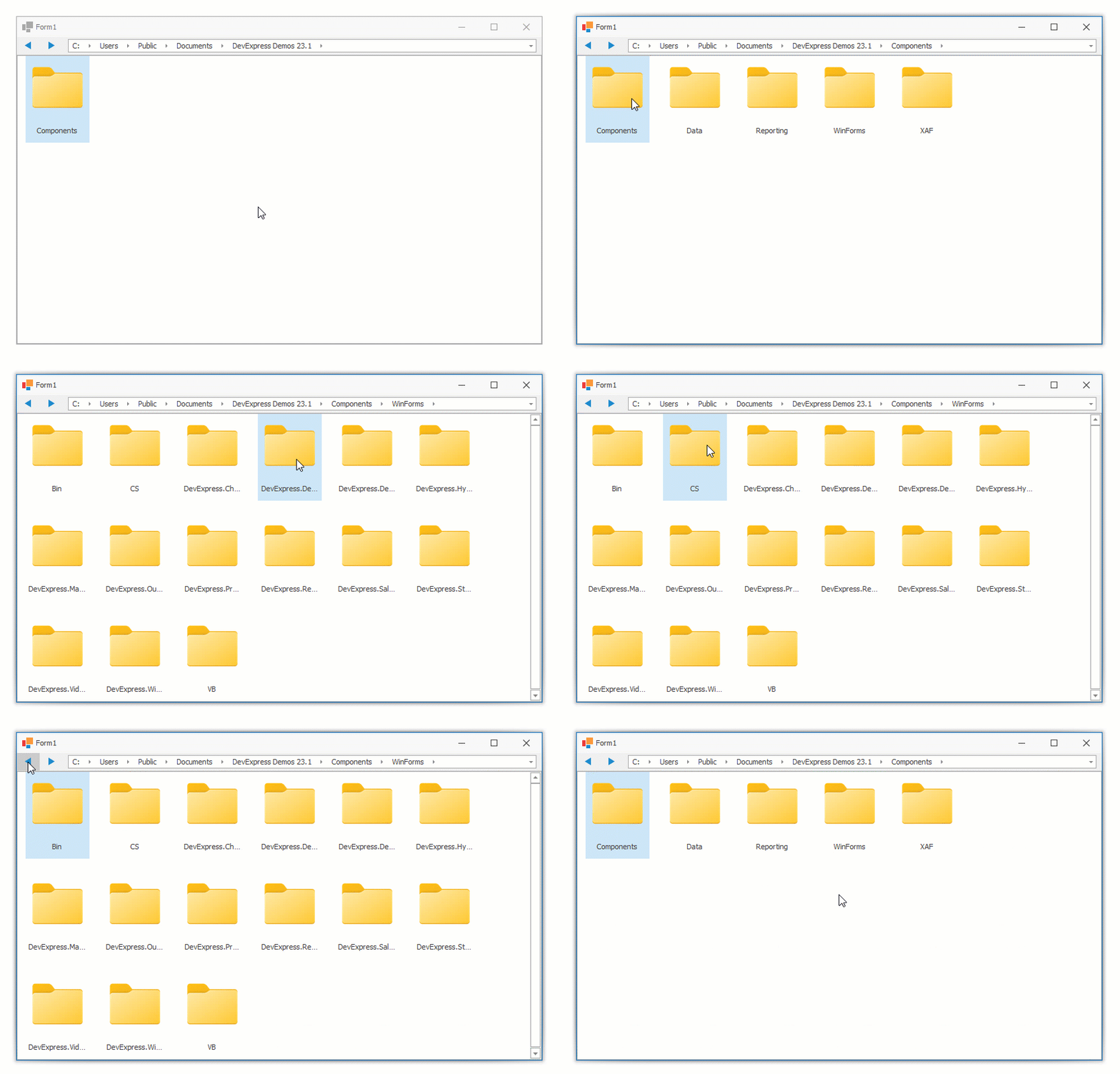

WinForms Transition Manager - Apply zoom transition effects

Files to Review

Documentation

Does This Example Address Your Development Requirements/Objectives?

(you will be redirected to DevExpress.com to submit your response)

About

This example shows how to use the DevExpress Transition Manager component to animate controls with the DirectX-based "Zoom Transition" effect.

Topics

Resources

License

Stars

Watchers

Forks

Contributors
