While working on a collaborative fiction project with friends, I realized there wasn't an easy way for us to keep track of all of the characters and settings we had built.
Using static site generator Jekyll, I designed and developed a personal "wiki" website, which I later deployed using Netlify. This "wiki" was developed initially with the intention for it simply to be a mostly static collection of articles to be referenced and occasionally added to by myself and my group, with most of the pages initially written in Markdown with additional structure and formatting added using templating engine LiquidJS.
However, as our project expanded and grew in complexity, I realized there was a need to develop additional functionality to help ease the process of adding and editing new settings and characters and how these settings and characters were interrelated.
The wiki site contains three main 'sub-projects'.
- Character Search
- Location Map
- Family Tree
Live Site Character Search Page
In order to keep track of an ever-expanding cast of characters, via JavaScript I developed that collects every 'character' page on the site by parsing their distinct metadata, then formats their image and title into a clickable card, and allows you to search for and filter these individuals by various characteristics, such as their age, gender, and location.
The setting of the story we were co-authoring expanded among multiple connected and nested locations.
While this could've perhaps been solved by an illustration of a map, the dynamic nature of our collaborative process and the geographical complexities of the landscape required a level of flexibility that a flat pre-drawn map wouldn't satisfy.
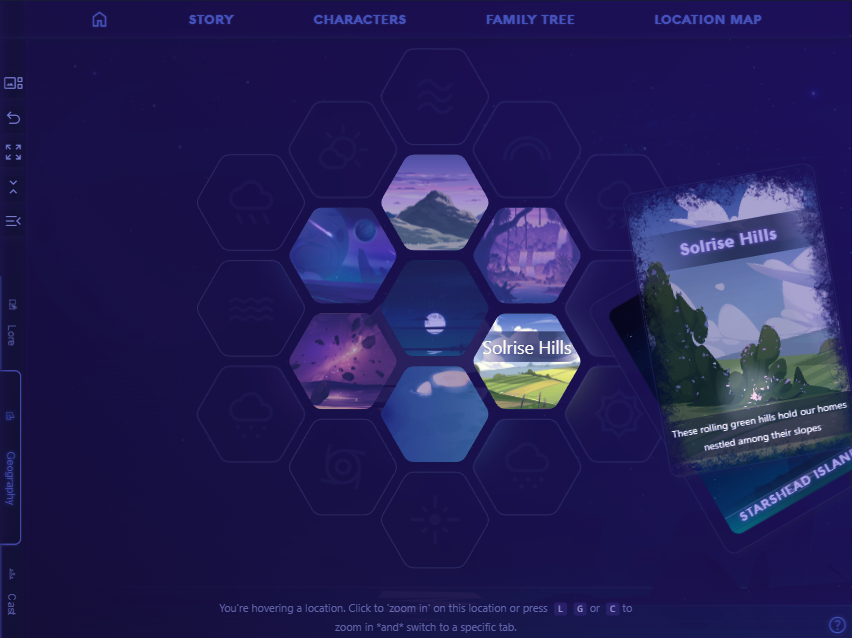
In order to solve this, I developed an interactive hex-map that would keep track of each location and stylistically fit the themes and moods of the story.
Each "hex" represents an individual location.
You can hover over it to get a summary view of the location, or click upon the location to 'zoom in' to the sub-location and get a more detailed view.
The detailed view displaying lore descriptions, lists of inner locations, connected locations that could be traveled to or from, and characters or factions present in the location.
Keeping track of familial relations among our cast of characters also proved difficult. Knowing new characters could be added at any time, constantly recreating and rearranging the cast's family tree in flow-chart software like I'd been doing before proved too much of a hassle.
To solve this, I developed a 'dynamic' family tree that draws from YAML front matter metadata written in each individual's character's article, and leverages that data to connect each character with their immediate family members and distribute them evenly across an SVG viewport.{" "}
Hovering over a portrait magnifies the individual in question and highlights their connections with their immediate family members, fading out any non-immediately-related individuals.
Clicking upon the individual's portrait will take you to their individual article page so you can read about them in-depth.