GUI Design Document
1. GUI Abstract
3. Main Menu
2.1. Buttons
4. In-Game Flow
This document is a showcase of all the UI's functionalities along all the design related decisions made regarding it. Here UI User Flow Diagrams will be used to demonstrate the titles catering to user experience, while also displaying some of the artwork used. The intention is to give the reader an insight into the crucial decisions being made behind the lens of GUI.
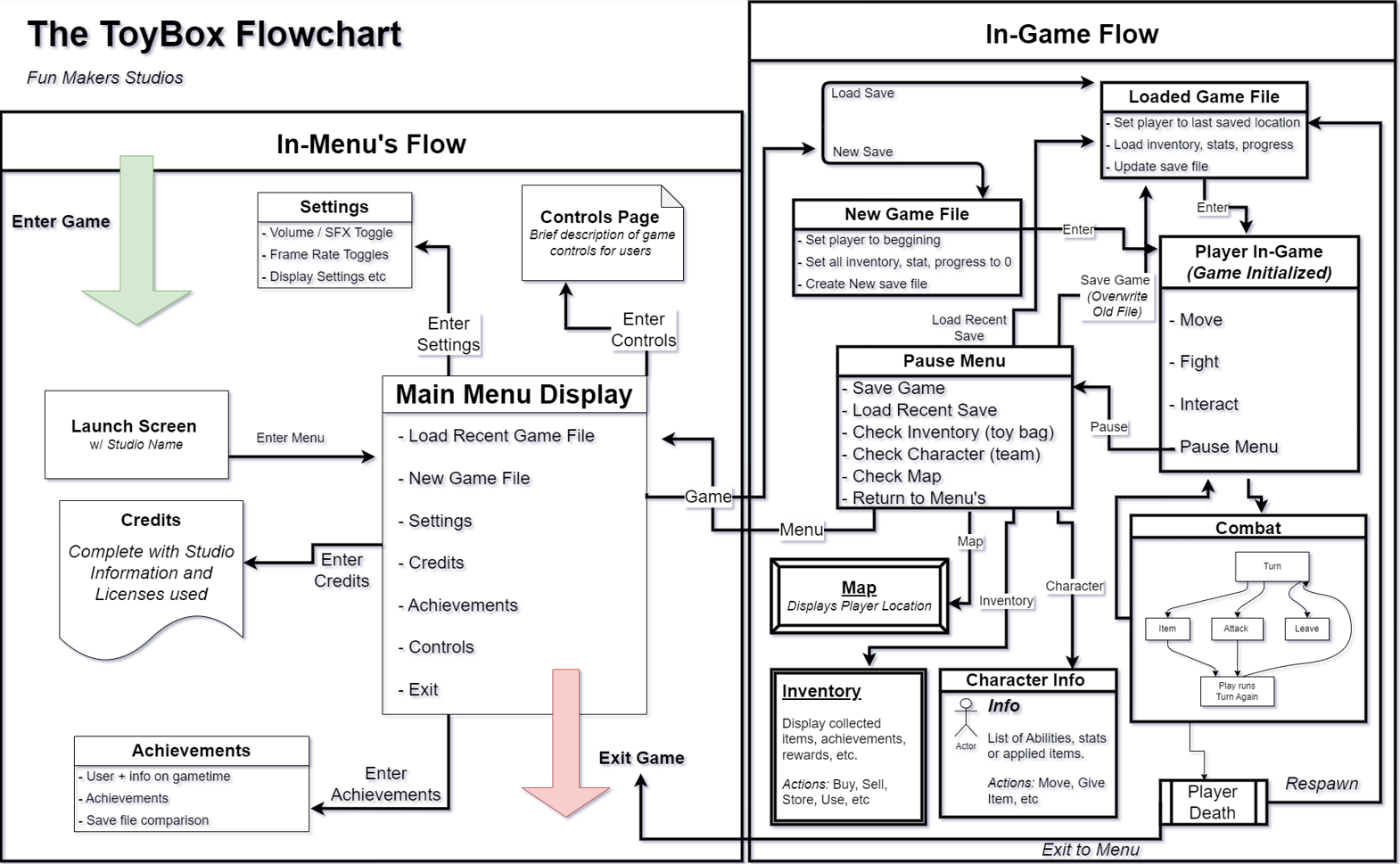
The following flow includes a conglomeration of other flows which will be explored below in the Pause Menu, Main Menu, In-Game, and Combat Sections. The flow will also be crossreferenced with other titles that were used as inspiration below in the 'Source Studies' Section.
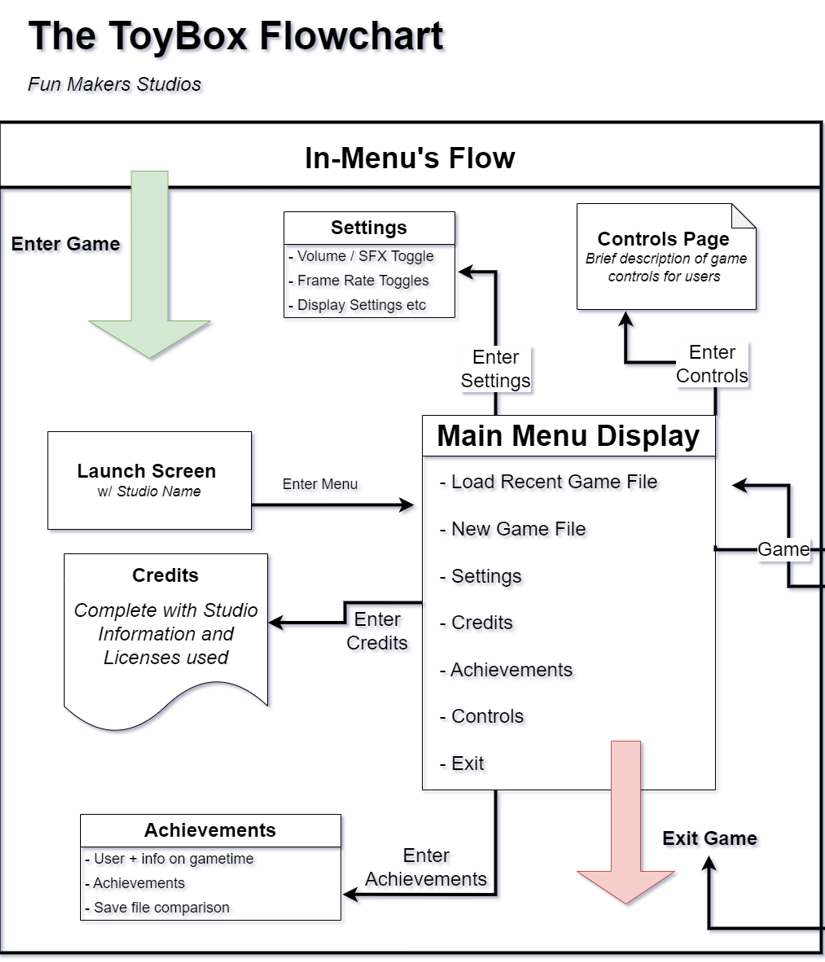
The main menu will have be a central navigation hub for the player to interact with, enabling them to tweek their experience to their suiting and set themselves up for an enjoyable experience. The menu will be used for players to load game states, learn how the title works, general game info, and toggle settings.
Here is the general flow diagram for the entire game. This includes the pause menu, main menu, in-game combat, and several others.
The menu will feature the following buttons for the user to navigate:
- Play
- player will be able to choose between load game file or new game file in the subsequent menu that will be displayed.
- Settings
- player will enter options menu, with the ability to toggle several settings to fit their experience to their liking, including frame rate, sound, and control mapping.
- Controls
- player will be able to see controls menu for all required in-game actions, there is also a tutorial if they may choose.
- Achievements
- player will enter achievements room, where they are able to see rewards gained and leader boards, such as games fastest completion time.
- Credits
- player will enter credits page, with the game developer info, and all included licenses used to create the game.
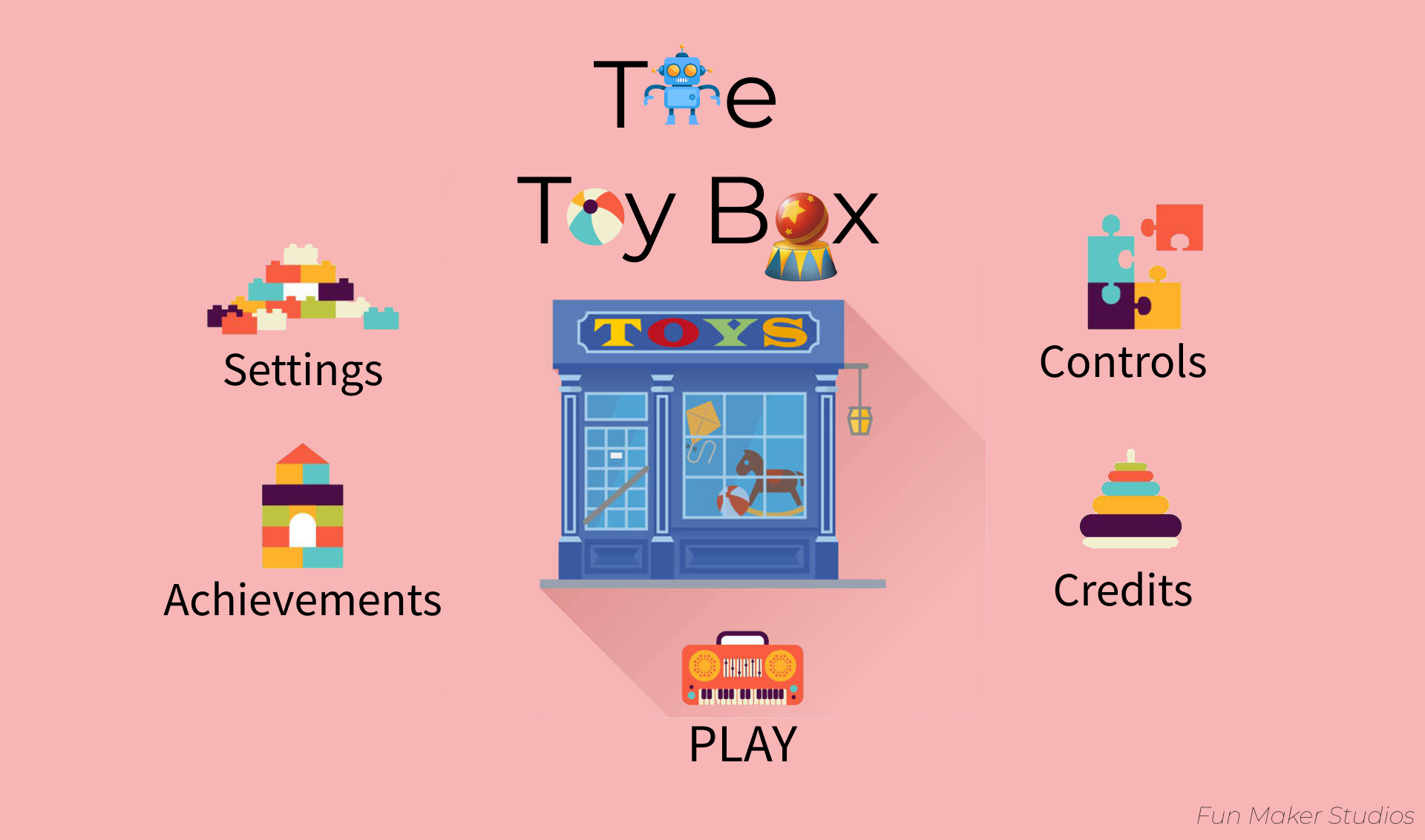
Below is the concept art for the main menu screen, complete with all of the included buttons and their functionalities considered.
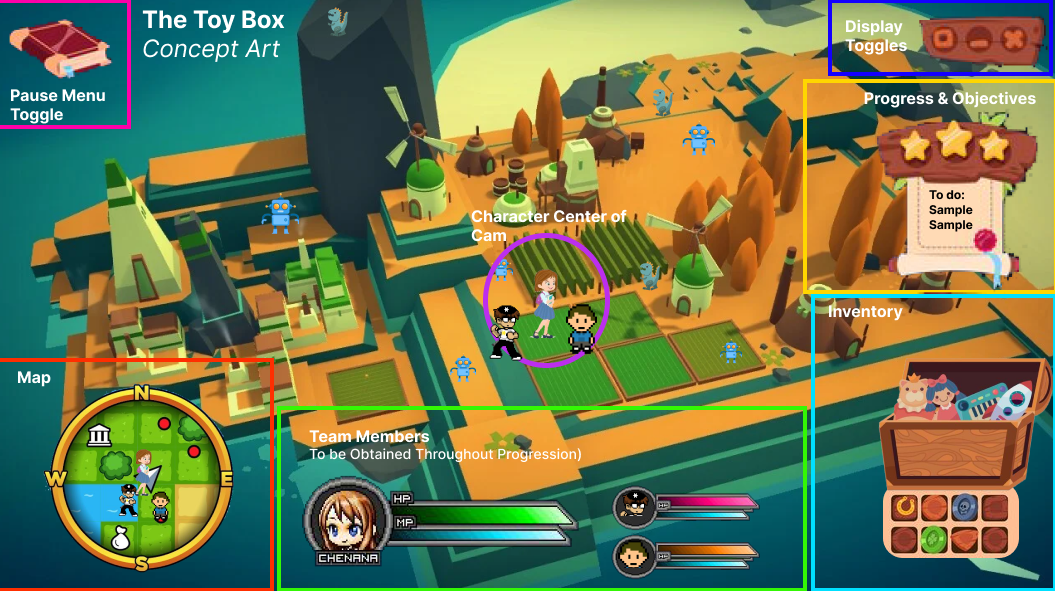
The intention for the in-game flow is to provide the user with an easy to view display of their team, health, objectives, enemies, the map and more, all while maintaining a principle focus on the main character located in the center. Users should be able to multitask between checking level objectives, all while moving around the map.
Here is a concept created to exemplify this and what it may look like. This concept was assembled using Figma software, to add all elements of the game onto one sample display:
The in-game flow would look the following diagram. This illustrates the pop-up menu into.
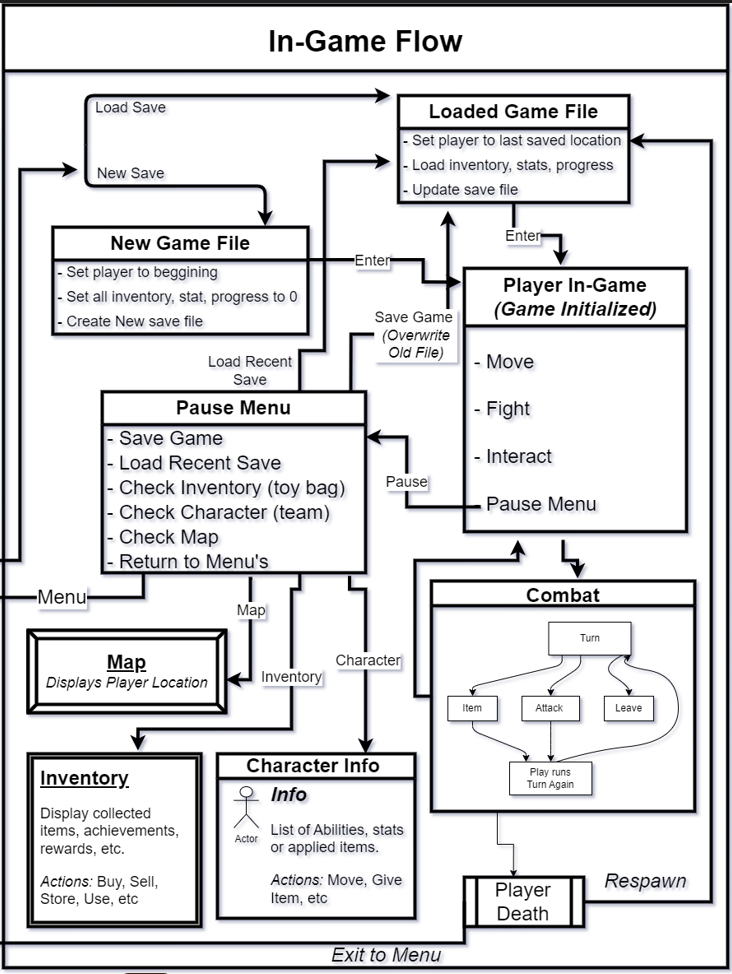
When the player is in-game they should have all required functionality just a few button presses away. Having to labor through several layers of screens just to find the information you desire is painstaking and cumbersome. With this title we hope to combat this issue by replicating to a certain extent the menu state that Pokemon consistently utilizes. Below in the section 'Source Studies' I will explore these games utilized as inspiration and go deeper into the UI thought process.
The idea behind the pause menu UI is for the user to have a right side drop down menu which activates upon pause. However, for each hovered subject an additional left side window will activate, displaying the advanced info for the subject. Below is an example of when the user hovers the team section of the pause drop down menu.
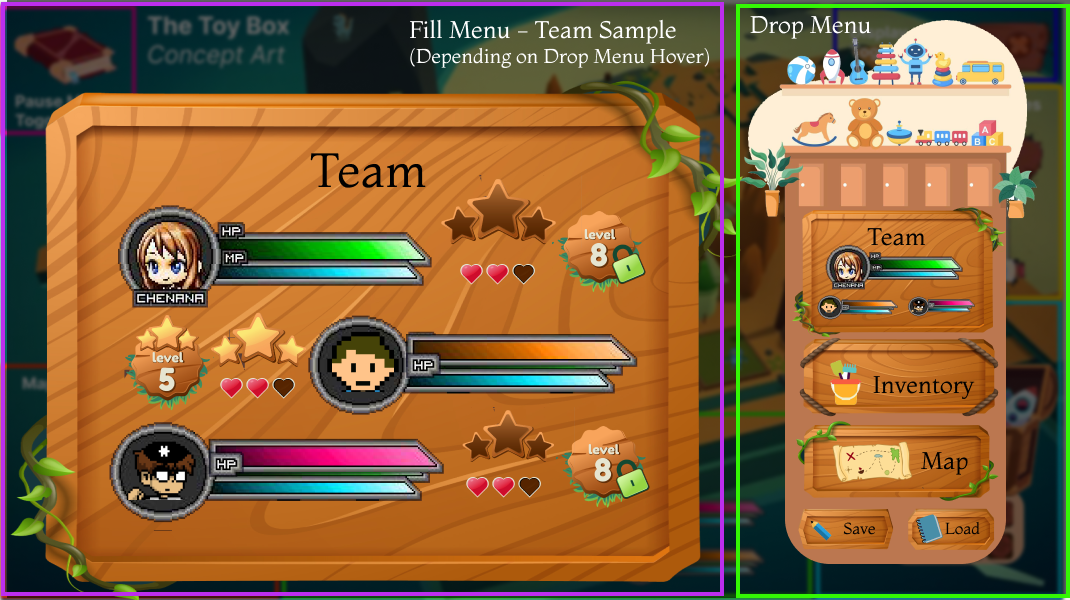
When the player is in-game they should have all required functionality just a few button presses away. Having to labor through several layers of screens just to find the information you desire is painstaking and cumbersome. With this title we hope to combat this issue by replicating to a certain extent the menu state that Pokemon consistently utilizes. With this Pokemon has inspired several UI elements, and I wish to highlight a few.
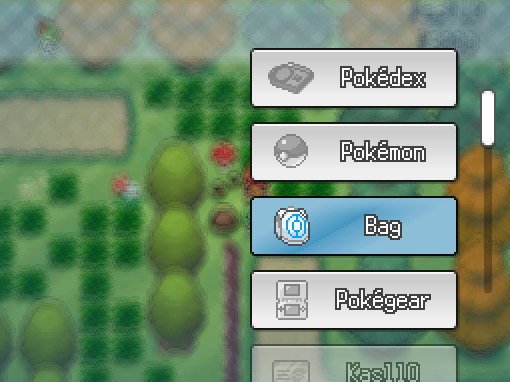
Pause Menu Pokemon has a well implemented pause menu format within their titles, with all of the required game elements located within only a few clicks. In addition to being easy to navigate and efficient, the Pokemon UI is also minimalist, offering a clean user experience where they can still see the main game screen.
From New Titles:
To Old Titles:
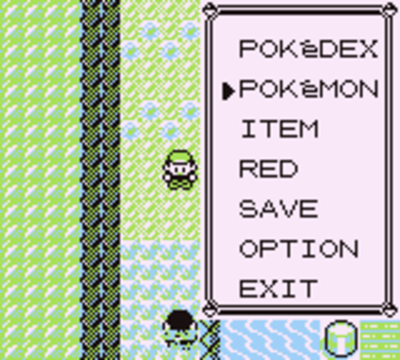
Pokemon has mastered the art of a right side options menu, that provides the user with instant access to their RPG characters, items, save, and exit. It is this that will be attempted to be replicated within this game title. However, the game wishes to expand on this concept, adding an additional filling pup up based on the right side pop-ups hovered concept.
Item Inventory
Breath of the wild has a well implemented inventory ui, that allows the user to see their character, items, and several other status effect events all at once. Additionally the UI is clean, and doesn't try to cram in too much information, overstimulating the user. The inventory is clearly laid out, and when certain items are activated, you can see a clear effect on the hovered character.
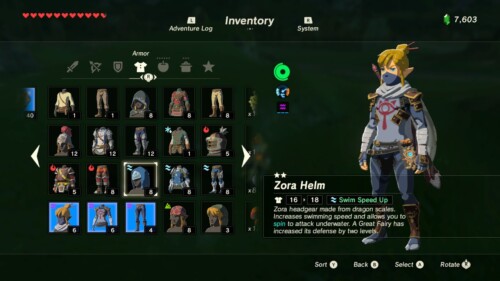
For our title we will seek to replicate this, and although it is not pictured above in the pause menu section, we will try to use this clean grid layout, where items have a visible effect on the player model on hover.