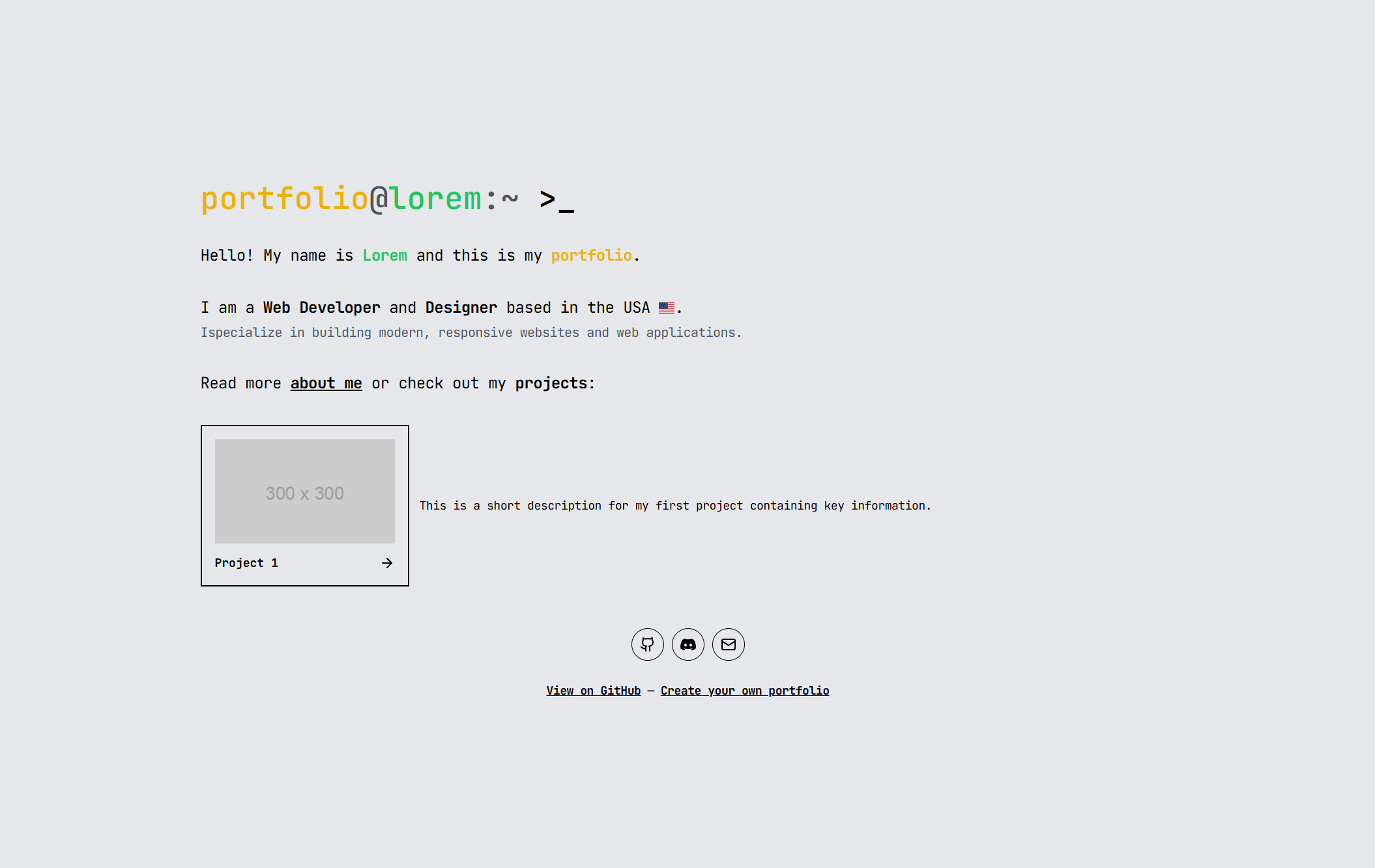
- ✨ Simple and elegant design with a monospace font!
- 📱 Mobile friendly!
- 📃 Index, about and project pages!
- ☁️ Smooth animations between the pages!
- ⚙️ Easy configuration for customization!
- 📑 Use markdown to modify the content of the pages!
- 📺 Customizable social links in the footer!
- 🚀 Easy to deploy to github-pages using a workflow!
You want this beatiful portfolio for yourself? Great!
-
First, start by creating a fork of this repository.
-
Next, you'll want to modify the config to suit your needs. You can find the config file at
src/config.jsx.<- Here is a quick overview of the config
export const config = {
  title: "portfolio", // This is the title of the website
  name: "Lorem", // This is your name
  publicUrl: "https://gamingklex.github.io/portfolio", // This is the URL where your website is hosted
  githubUrl: "https://github.com/GamingKlex/portfolio", // This is the URL to the GitHub repository of this page
  titleColor: "text-yellow-500",
  nameColor: "text-green-500",
  // This is the description that appears below your name. You can use JSX here!
  description: "Hi, I'm cool! 😎",
  // This is another smaller description. Describe yourself really quickly!
  subdescription:
    "I'm a cool person who does cool things. I like cool stuff and I'm cool.",
  // Social links that appear in the footer, you can add more if you want! Leave empty to remove them.
  socials: [
    {
      icon: <Github size={24} />, // Can be any JSX element!
      href: "https://github.com/", // The URL to the social media (optional)
      tooltip: "GitHub: @username", // The tooltip that appears when hovering over the icon (optional)
    },
  ],
  // The content of the about me page
  about: `Here you can use **markdown** if you want!`,
  // Projects that appear in the main section
  projects: [
    {
      id: "coolcli", // This is the ID of the project, it should be unique!
      title: "CoolCLI", // The title of the project
      summary: "Look at this project from the cool person!", // A short summary of the project
      body: `This is the content of the project. You can use **markdown** here!`, // The content of the project with markdown
      img: "https://via.placeholder.com/300", // The image of the project
    },
    // - Add as many projects as you want!
  ],
};
Look into the
src/config.jsxfile for a more detailed example! -
After you've configured everything, you can deploy the page to GitHub pages!
Just push your changes to your repository and GitHub will automatically deploy the page for you!If you want to deploy the page to a different platform, you can build the page with
npm run buildand then host thedistfolder on your server! -
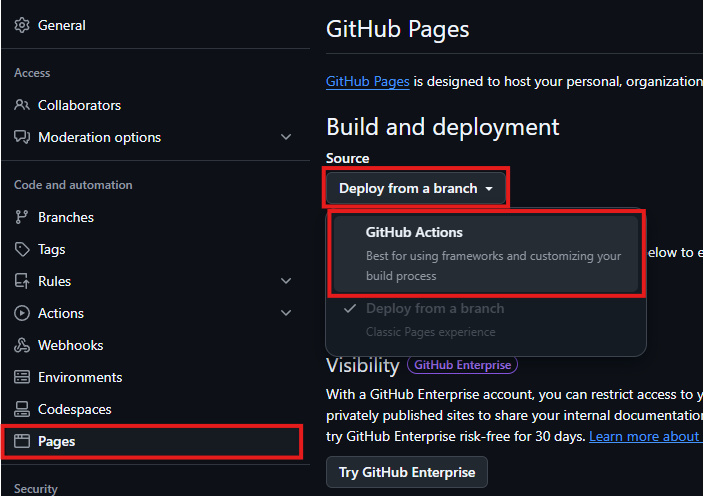
You may need to enable github pages for github actions in the settings of your repository:
-
That's it! You now have a beautiful portfolio page! 🎉
Setting things up for development is pretty easy!
Just...
- install the latest Node version,
- install dependencies with
npm installand - run the project!
npm run dev
No, there wil be no dark mode. :)