
this guide wil help you install my config for ZSH shell with oh-my-zsh. cygwin install is optional for windows systems
- Download Cygwin installation file: cygwin 32bit installer or cygwin 64bit installer
- Start installion of cygwin.
- Choose in window 'Choose a Download source' option 'Install from internet'.
- Keep root directory at 'C:\cygwin64'
- Ignore local package window.
- Choose 'Direct Connection' in internet connection window.
- Choose a Download site. fastest for me is: http://ftp.snt.utwente.nl
- In the Package window choose the following packages:
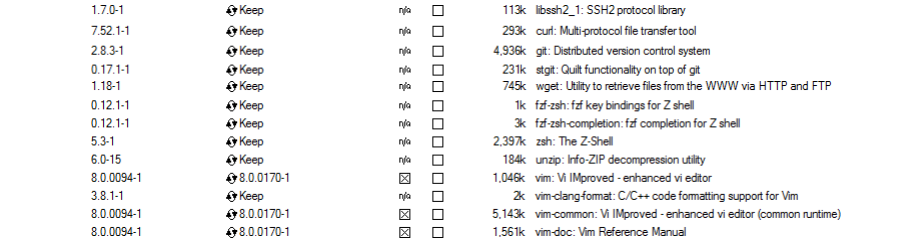
- zsh !IMPORTANT!
- ssh
- git
- curl
- wget
- unzip
- vim
- install the packages en enjoy!
When in need of more packages just download and run the installer again. select the packages you want to install from de package window en just install!
https://www.youtube.com/watch?v=CrWB9zg4fLg
https://github.com/robbyrussell/oh-my-zsh 1.