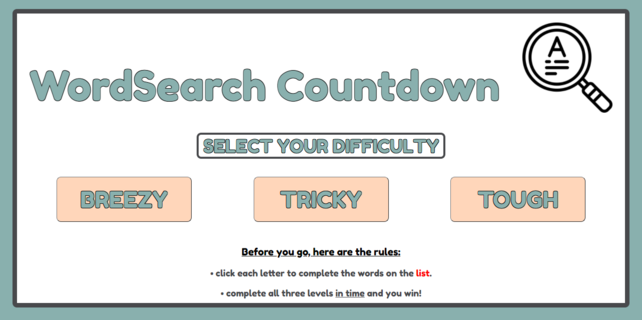
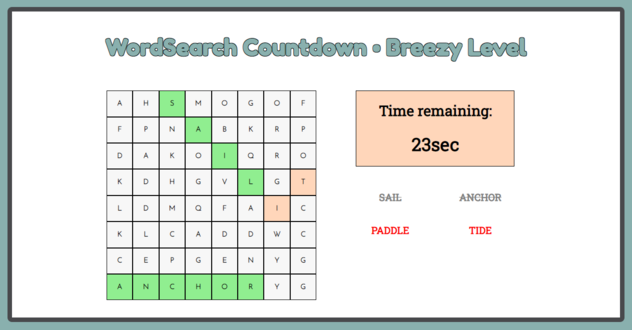
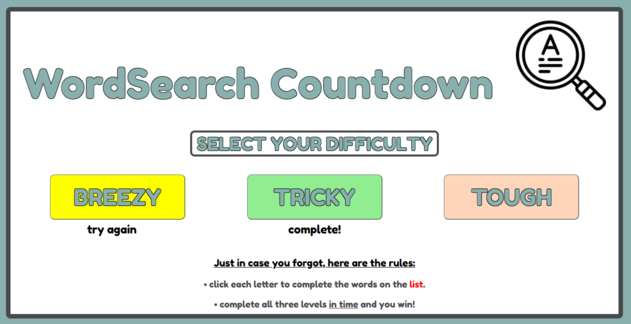
Welcome to WordSearch Countdown. There are three wordsearch puzzles to play but you will only get credit for completing the levels if you do it within the time-limit. Be warned, the levels get harder as you make your way through the breezy, tricky and tough difficulties. Your progress will be kept on the main screen in case you've forgotten which levels you've completed.
https://jamelscott.github.io/WordSearch-Countdown/
- HTML
- CSS
- JavaScript


- build a word-search board (hard-coded)
- build a countdown timer
- create a list of searchable words (hard-coded)
- circle or highlight letters of searchable words when clicked in sequence
- strike out words in the list when found
- when game is over, add a play again button.
- when first board is complete, start a new board that is larger, restart timer and provide 10 new words
- add three levels of incrementing difficulty
- list the rules on main menu
- keep track of game progress on main menu
- let the player know when all levels are complete
- when you return to main menu, have the text in the rules change slightly
- provide a button to return to main menu instead of an instant return
- add a circle around the found words (similar to hand-written word-searches)
- highlight timer when time is running out
- add a more time button that a player can use once during the game to provide an extra 20 seconds
- every time a board is generated, the words locations are different
- sound prompt on last 10 seconds
- slowly generate the board with words instead of instantly
- (completed with a twist) play a quick orchestral sound when complete
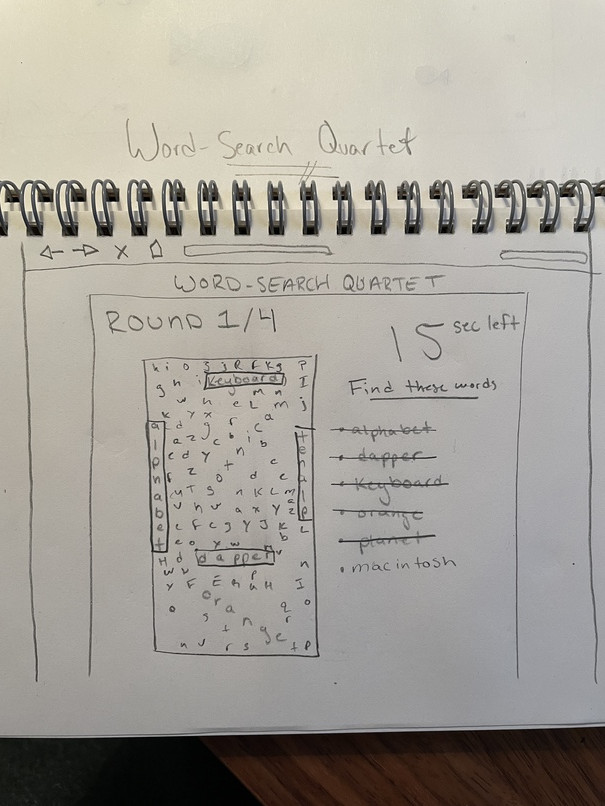
- (completed with a twist) build a round scoreboard (ex: round 1/3)
- add more resonsive design to the larger boards
- a mobile friendly version while just the breezy difficulty
- Manipulating the DOM to seemlessly move beeen gameboards and main menu
// RETURN TO MAIN MENU
  document
    .getElementById('returntoMainButton')
    .addEventListener('click', () => {
      document.querySelector('#button-div').style.removeProperty('display');
      document.querySelector('#header-div').style.removeProperty('display');
      document.getElementById('returntoMainButton').remove();

      document.getElementById('header-container').remove();
      document.getElementById('main-container').remove();
      if (document.querySelector('#breezy-status').innerText === "complete!" && document.querySelector('#tricky-status').innerText === "complete!" && document.querySelector('#tough-status').innerText === "complete!"){
        let videoAte = document.createElement("div")
        videoAte.style.width = "480px"
        videoAte.style.marginBottom = ".5em"
        let iFrame = document.createElement("iFrame")
        iFrame.setAttribute("allow", "fullscreen")
        iFrame.setAttribute("frameBorder", "0")
        iFrame.setAttribute("height", "270")
        iFrame.setAttribute("src","https://giphy.com/embed/xU7TNYYXP2UWnYUqPC/video")
        iFrame.setAttribute("width", "480")
        document.getElementById("vid").appendChild(iFrame)
        let winText = document.createElement("p")
        winText.innerText = "🏆 YOU DID IT! 🏆"
        winText.className = "rules-text"
        winText.style.color = "black"
        document.getElementById("vid").appendChild(winText)
        document.getElementById("rules-box").style.display = "none"


      }
- Setting timers with the use of setInterval which are cleared if all words are or are not found in time.
    // TIMER

    let countdownStart = 301;
    let timerMinusOne = () => {
      countdownStart--;
      timer.innerText = countdownStart + 'sec';

      // CHANGE TEXT AT MAIN MENU DEPENDING ON COLOR
    if (countdownStart === 0) {
      let b = "BREEZY"
      clearInterval(oneMinTimer);
      document
        .getElementById('returntoMainButton')
        .classList.remove('button-invisible');
      document
        .getElementById('returntoMainButton')
        .classList.add('button-visible');
      timer.innerText = '😢You lost!😢';
      document.querySelector('#startLevel3').style.backgroundColor = 'yellow';
      document.querySelector('#tough-status').innerText = "try again";
    }

    if (
      document.querySelectorAll('.biggerFontandStrikethrough').length === 12
    ) {
      clearInterval(oneMinTimer);

      document
        .getElementById('returntoMainButton')
        .classList.remove('button-invisible');
      document
        .getElementById('returntoMainButton')
        .classList.add('button-visible');
      timer.innerText = '🏆You won!🏆';
      document.querySelector('#startLevel3').style.backgroundColor =
        'lightgreen';
      document.querySelector('#tough-status').innerText = "complete!"
    }
  };
- once a word is complete, if you happen to press one of the green squares, it will turn beige until all letters in that word are clicked again
- not small-screen/mobile friendly
- if you don't finish a level in time, you can continue to play but wont get credit for completing it in the main menu (maybe this is an unintended feature?)