Solve LeetCode problems in any VS Code-based IDE — with i18n (Chinese/English), study plans, and inline results 在任意 VS Code 系编辑器中刷 LeetCode — 支持中英双语、学习计划、内联提交结果



This project is a community-maintained fork of vscode-leetcode by LeetCode. 本项目是 vscode-leetcode(由 LeetCode 开发)的社区维护分支。
The original repository has been unmaintained for over 2 years (last active in 2023), with many open issues and PRs left unaddressed. This fork was created to continue development and deliver features that the community has been requesting: 原仓库已超过 2 年未维护(最后活跃于 2023 年),大量 Issue 和 PR 无人处理。本分支在原项目基础上继续开发,旨在交付社区期待已久的功能:
- Chinese language support — the original extension is English-only, making it difficult for Chinese-speaking users
- 中文语言支持 — 原插件仅支持英文,对中文用户不友好
- Study plan integration — directly browse and solve curated problem lists (Hot 100, SQL 50) from leetcode.cn
- 学习计划集成 — 直接在侧边栏浏览并刷 leetcode.cn 上的精选学习计划(热题 100、高频 SQL 50)
- Better editor layout — split view with preview on left, code on right
- 更好的编辑器布局 — 题目预览在左,代码在右,无需来回切换标签页
- Bug fixes — including a pre-existing bug where Sign Up always opened leetcode.cn regardless of endpoint
- Bug 修复 — 修复了原插件中注册按钮无论站点设置如何都会打开 leetcode.cn 的问题
The original extension is English-only. LeetCode Plus adds full bilingual support: 原插件仅支持英文,LeetCode Plus 新增了完整的中英文双语支持:
- Auto-detect: follows your VS Code display language
- 自动检测:跟随 VS Code 显示语言
- Manual toggle:
Cmd+Shift+P→LeetCode: Switch UI Language - 手动切换:
Cmd+Shift+P→LeetCode: Switch UI Language - or set
"leetcode.language": "zh-CN"in settings - 或在设置中配置
"leetcode.language": "zh-CN"
No more digging through hundreds of problems. Browse curated study plans directly in the explorer: 无需再从几百道题中手动翻找,直接在侧边栏浏览精选学习计划:
- Hot 100 — 100 most-liked problems
- 热题 100 — 100 道最高赞题目
- SQL 50 — 50 high-frequency SQL problems
- 高频 SQL 50 — 50 道高频 SQL 题目
- Custom plans — add any plan slug via
"leetcode.studyPlans": ["your-plan-slug"] - 自定义计划 — 通过
"leetcode.studyPlans": ["your-plan-slug"]添加任意学习计划
Preview on the left, code on the right — no more tab switching: 题目预览在左,代码编辑在右,不再来回切换标签页:
"leetcode.enableSideMode": true,
"leetcode.editor.previewOnLeft": trueSubmit and Test buttons show results inline with emoji status — no more opening a separate page: 提交和测试按钮直接显示结果状态,不再跳转到单独页面:
| Status / 状态 | Button / 按钮 |
|---|---|
| Idle / 空闲 | 🟡 Submit / 🟡 提交 |
| Pending / 进行中 | ⏳ Submitting... / ⏳ 提交中... |
| All passed / 全部通过 | ✅ Submit (10/10) / ✅ 提交 (10/10) |
| Has failures / 有失败 | ❌ Submit (8/10) / ❌ 提交 (8/10) |
Click "View Details" in the notification to see the full result page. 点击通知中的"查看详情"可查看完整结果页面。
If you are using
leetcode.cn, you can skip this section. 如果使用的是leetcode.cn账户,可以跳过本段。
Recently we observed that the extension cannot login to leetcode.com endpoint anymore. The root cause is that leetcode.com changed its login mechanism. 近期我们发现插件出现了无法登录 leetcode.com 节点的问题。原因是 leetcode.com 改变了登录机制。
Thanks to @yihong0618 for a workaround. You can click Sign In and select Third Party login or Cookie login.
感谢 @yihong0618 提供的临时解决办法。点击登录按钮并选择第三方登录或 Cookie 登录。
For third-party login (Recommended), ensure your account is connected. For
Cookielogin, see the steps here. 第三方登录(推荐)需确保账户已绑定第三方。Cookie登录请点击查看步骤。
- Any VS Code-based IDE (1.30.1+) / 任意基于 VS Code 的编辑器:
- Node.js 10+
Ensure
Nodeis in yourPATH. You can also useleetcode.nodePathto specify the Node.js executable path. 请确保Node在PATH环境变量中。也可通过leetcode.nodePath指定Node.js可执行文件路径。
Multi-IDE Support / 多 IDE 支持: OAuth login auto-detects your IDE and uses the correct callback protocol. Works out of the box on VS Code, Cursor, CodeFuse, and any other VS Code-based editor. OAuth 登录自动检测当前 IDE 并使用正确的回调协议,在 VS Code、Cursor、CodeFuse 及其他基于 VS Code 的编辑器上开箱即用。
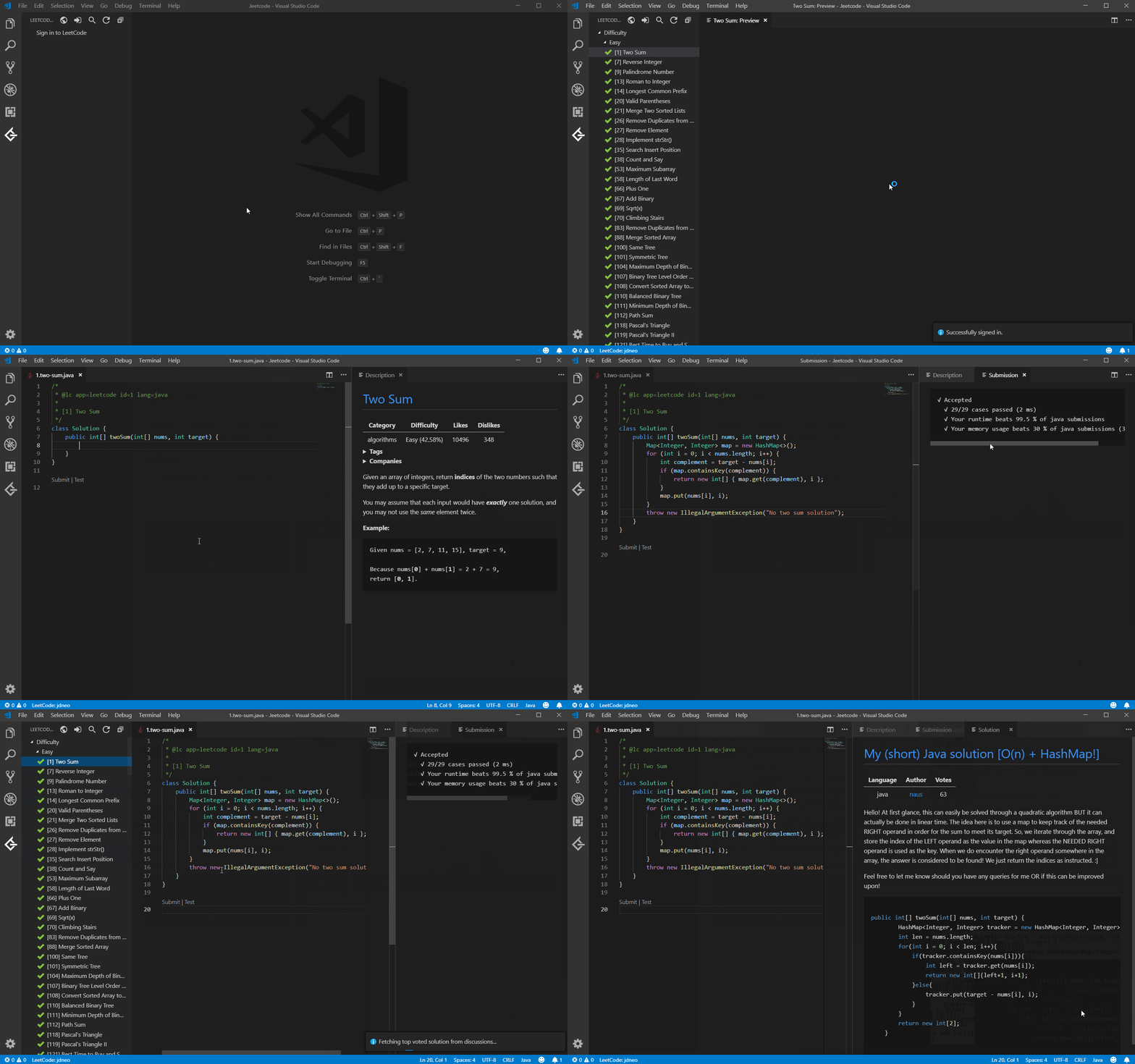
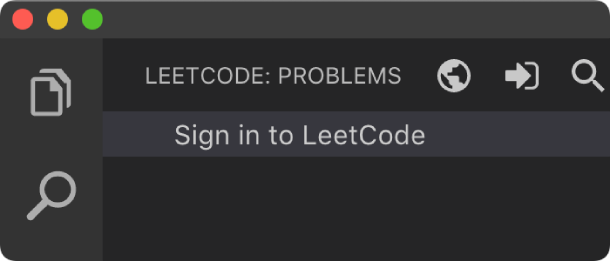
- Click
Sign in to LeetCodein theLeetCode Explorerto sign in with your LeetCode account. - 点击
LeetCode Explorer中的Sign in to LeetCode即可登入。 - Commands: LeetCode: Sign in / LeetCode: Sign out
- 命令:LeetCode: Sign in / LeetCode: Sign out
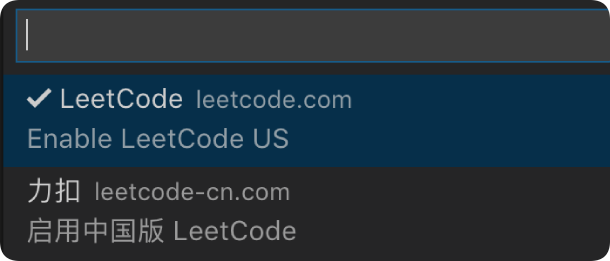
- Click
 at the explorer's navigation bar to switch between:
 - 点击导航栏中的 按钮可切换:
- leetcode.com
- leetcode.cn
Accounts of different endpoints are not shared. Default is
leetcode.com. 两种版本的账户不通用,请确保当前版本正确。默认激活英文版。
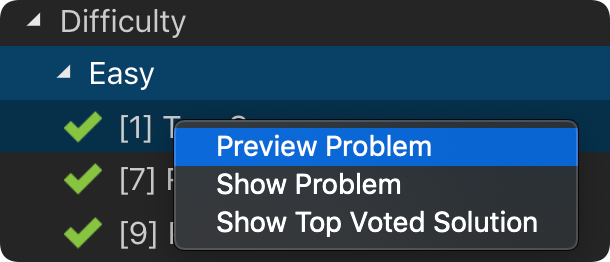
- Click a problem or right-click →
Preview Problemto see the description;Show Problemto open the code file. - 点击题目或右键 →
Preview Problem查看描述;Show Problem打开答题文件。Set
leetcode.workspaceFolderto customize the file save path. Default: $HOME/.leetcode/ 通过leetcode.workspaceFolder自定义保存路径。默认:$HOME/.leetcode/ UseLeetCode: Switch Default Languageto change the default programming language. 通过LeetCode: Switch Default Language切换默认编程语言。
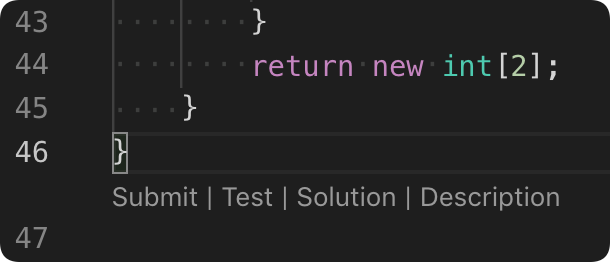
- 5 editor shortcuts (Code Lens):
- 5 种编辑器快捷方式(Code Lens):
Shortcut / 快捷方式 Description / 说明 Submit/提交Submit answer to LeetCode / 提交答案到 LeetCode Test/测试Test with custom cases / 用自定义用例测试 Star/Unstar/收藏Star or unstar the problem / 收藏或取消收藏 Solution/题解Show top voted solution / 显示高票题解 Description/描述Show problem description / 显示题目描述 Customize via
leetcode.editor.shortcuts. Default:SubmitandTestonly. 通过leetcode.editor.shortcuts自定义。默认仅启用Submit和Test。
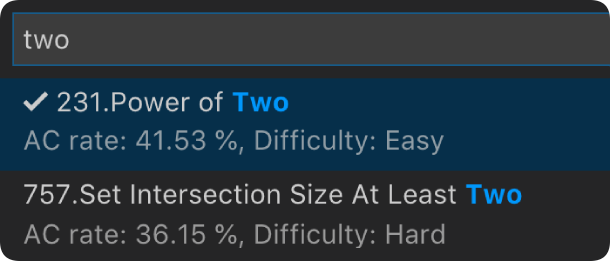
- Click
 to search problems by keywords.
 - 点击 按关键字搜索题目。
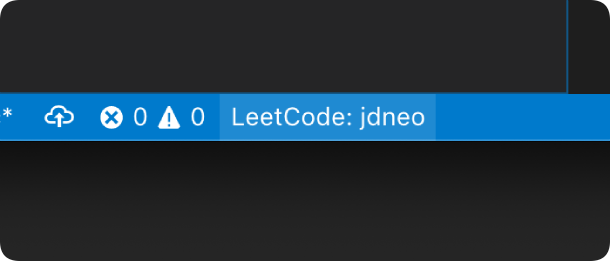
- Click
LeetCode: ***at the bottom status bar to switch, create, or delete sessions. - 点击底部状态栏的
LeetCode: ***可切换、创建或删除会话存档。
| Setting / 配置项 | Description / 说明 | Default / 默认值 |
|---|---|---|
leetcode.hideSolved |
Hide solved problems / 隐藏已解决的题目 | false |
leetcode.defaultLanguage |
Default language: bash, c, cpp, csharp, golang, java, javascript, kotlin, mysql, php, python, python3, ruby, rust, scala, swift, typescript / 默认编程语言 | N/A |
leetcode.useWsl |
Use WSL / 启用 WSL | false |
leetcode.endpoint |
Endpoint: leetcode or leetcode-cn / 站点 |
leetcode |
leetcode.workspaceFolder |
Path to store problem files / 题目文件保存路径 | "" |
leetcode.filePath |
Relative folder and filename for problem files details / 题目文件的路径和文件名 | |
leetcode.enableStatusBar |
Show LeetCode status bar / 显示状态栏 | true |
leetcode.editor.shortcuts |
Customized shortcuts: submit, test, star, solution, description / 自定义快捷方式 | ["submit, test"] |
leetcode.enableSideMode |
Group webview into second editor column / 将预览集中到第二栏 | true |
leetcode.editor.previewOnLeft |
Preview on left, code on right / 预览在左,代码在右 | true |
leetcode.nodePath |
Node.js executable path / Node.js 路径 | node |
leetcode.showCommentDescription |
Include description in comments / 注释中包含题干 | false |
leetcode.useEndpointTranslation |
Use endpoint translation / 显示翻译版本 | true |
leetcode.colorizeProblems |
Add difficulty badge / 难度颜色标记 | true |
leetcode.problems.sortStrategy |
Sorting strategy / 排序策略 | None |
leetcode.allowReportData |
Allow anonymous usage reporting / 允许匿名上报 | true |
leetcode.language |
UI language: auto, en, zh-CN / 界面语言 | auto |
leetcode.studyPlans |
Custom study plan slugs / 自定义学习计划 | [] |
If you encounter any problem, please file an issue. 遇到问题欢迎提交 Issue。
Based on vscode-leetcode v0.18.4. 基于 vscode-leetcode v0.18.4。
Features / 新功能:
- i18n infrastructure with Chinese (zh-CN) and English (en) string tables / i18n 国际化,支持中英文字符串表
leetcode.languagesetting (auto/en/zh-CN) with auto-detection /leetcode.language设置,自动检测语言LeetCode: Switch UI Languagecommand for runtime toggle /LeetCode: Switch UI Language命令运行时切换- Localized ALL UI strings across the entire codebase / 本地化全部 UI 字符串
- Study Plan category (leetcode.cn only): Hot 100, SQL 50, custom plans / 学习计划分类:热题 100、SQL 50、自定义计划
leetcode.editor.previewOnLeftsetting for split layout /leetcode.editor.previewOnLeft分屏布局- Inline submit/test results with emoji status on CodeLens / CodeLens 内联显示提交测试结果
leetcode.studyPlanssetting for custom plan slugs /leetcode.studyPlans自定义学习计划
Bug Fixes / Bug 修复:
- Fixed
promptForSignIn()always opening leetcode.cn regardless of endpoint / 修复注册按钮总是打开 leetcode.cn - Hide-solved filter moved from cache to display layer / 隐藏已解决过滤从缓存层移到显示层
DialogOptionsuse getters for real-time language switching / DialogOptions 改用 getter 实时切换语言- OAuth callback uses correct extension ID for login redirect / OAuth 回调使用正确的扩展 ID
- Study plan endpoint check moved inside try/catch / 学习计划端点检查移入 try/catch
- Based on @skygragon's leetcode-cli open source project.
- 基于@skygragon的leetcode-cli开源项目。
- Community fork of vscode-leetcode by LeetCode.
- vscode-leetcode(由 LeetCode 开发)的社区维护分支。
- Special thanks to our contributors.
- 特别鸣谢贡献者们。