An AI Full‑Stack travel planning application built as part of FullStack Development coursework. WanderSync helps users plan trips, manage itineraries, track expenses, add members, and store reservations – all with a modern, responsive UI supporting both light and dark modes. WanderBot is the Service Agent of the Platform.

- ✨ Features
- 🖼️ Screenshots
- ⚙️ Tech Stack
- 📁 Folder Structure
- 🚀 Getting Started
- 🎬 Demo Video
- 🐛 Troubleshooting
- 📄 License
- 📫 Contact
- User Authentication – Register, Login, Reset Password, Delete Account with JWT, OAuth2 and OTP Verification for Emails
- Trip Management – Create, view, edit, and delete trips.
- Itinerary Planning – Add daily activities with time and location.
- Expense Tracking – Log expenses per trip, split among members.
- Member Management – Invite and manage trip members.
- Reservations – Store hotel, flight, and other booking details.
- Dark / Light Mode – Seamless theme switching.
- Responsive Design – Works on mobile, tablet, and desktop.
- Traveling Bot - WanderBot Agentic AI Travel Manager
All screenshots are located in the Demo_Media/ folder.
 Full Logo without Background |
 Full Logo with Background |
 Logo Symbol without Background |
 Logo Symbol with Background |
 Login Page (Dark Mode) |
 Login Page (Light Mode) |
 Registration Page (Dark Mode) |
 Registration Page (Light Mode) |
 Password Forget Page (Dark Mode) |
 Password Forget Page (Light Mode) |
 OTP Verification Page (Dark Mode) |
 OTP Verification Page (Light Mode) |
 Journey Page Upcoming Trips (Dark Mode) |
 Journey Page Upcoming Trips (Light Mode) |
 Journey Page Memories (Dark Mode) |
 Journey Page Memories (Light Mode) |
 Add Trip Page (Dark Mode) |
 Add Trip Page (Light Mode) |
 Specific Trip Cover (Dark Mode) |
 Specific Trip Cover (Light Mode) |
 Specific Trip Details (Dark Mode) |
 Specific Trip Details (Light Mode) |
 Member Management Page (Dark Mode) |
 Member Management Page (Light Mode) |
 Itenary Page (Dark Mode) |
 Itenary Page (Light Mode) |
 Expense Page (Dark Mode) |
 Expense Page (Light Mode) |
 WanderBot Agent (Dark Mode) |
 WanderBot Agent (Light Mode) |
 Add Activity Page (Dark Mode) |
 Add Activity Page (Light Mode) |
 Reservations Page (Dark Mode) |
 Reservations Page (Light Mode) |
 Reservation Document |
 Spring Boot Backend |
| Layer | Technologies |
|---|---|
| Frontend | React.js, TypeScript, Tailwind CSS, Axios, React Router, NVM, Node, Nodemon, NPM, PNPM |
| Backend | Spring Boot, Spring Security, JWT, Hibernate, Maven Wrapper, Maven Application { Once Used for Wrapper Creation, However, users don't need to download maven as wrapper is present } |
| Database | PostgreSQL, Cloudinary API Image Storage, Unsplash Image Search, Lombok, Spring Data JPA, |
| Build Tools | Maven Wrapper (Backend), PNPM (Frontend) |
| Authentication | JWT (JSON Web Tokens), Google OAuth2 and SMTP Gmail, BCrypt |
WanderSync-Project/
|
├── Backend/
│   ├── src
│   |    ├── main
│   │    |    ├── java/com/example/wandersync/
│   │    |    │   ├── config/
│   │    |    │   ├── controller/
│   │    |    │   ├── model/
│   │    |    │   ├── repository/
│   │    |    │   ├── service/
│   │    |    │   ├── security/
│   │    |    │   ├── dto/
│   │    |    │   └── WanderSyncApplication.java
│   │    |    └── resources/
│   │    |        ├── application.yml
│   │    |        ├── application.sample.properties -> create "application.properties" using this
│   │    |        └── static/
│   |    └── test/
│   |         └── WanderSyncApplicationTests.java
│   ├── .mvn\wrapper
│   ├── mvnw
│   ├── mvnw.cmd
│   └── pom.xml
|
├── Frontend/
│   ├── app/
│   ├── public/
│   ├── services/
│   ├── types/
│   ├── .env.example -> create ".env" using this
│   ├── .gitignore
│   ├── eslint.config.mjs
│   ├── next.config.ts
│   ├── package-lock.json
│   ├── package.json
│   ├── pnpm-lock.yaml
│   ├── pnpm-workspace.yaml
│   ├── postcss.config.mjs
│   ├── proxy.ts
│   └── tsconfig.json
|
├── Demo_Media/
│   ├── Logo0.png
│   ├── Logo0bg.png
│   ├── Logo1.png
│   ├── Logo1bg.png
│   ├── LoginPage-DarkMode.png
│   ├── LoginPage-LightMode.png
│   ├── RegistrationPage-DarkMode.png
│   ├── RegistrationPage-LightMode.png
│   ├── PasswordForgetPage-DarkMode.png
│   ├── PasswordForgetPage-LightMode.png
│   ├── OTPVerification-DarkMode.png
│   ├── OTPVerification-LightMode.png
│   ├── JourneyPage1-DarkMode.png
│   ├── JourneyPage1-LightMode.png
│   ├── JourneyPage2-DarkMode.png
│   ├── JourneyPage2-LightMode.png
│   ├── AddTripPage-DarkMode.png
│   ├── AddTripPage-LightMode.png
│   ├── SpecificTripPage1-DarkMode.png
│   ├── SpecificTripPage1-LightMode.png
│   ├── SpecificTripPage2-DarkMode.png
│   ├── SpecificTripPage2-LightMode.png
│   ├── MemberManagementPage-DarkMode.png
│   ├── MemberManagementPage-LightMode.png
│   ├── ItenaryPage-DarkMode.png
│   ├── ItenaryPage-LightMode.png
│   ├── ExpensePage-DarkMode.png
│   ├── ExpensePage-LightMode.png
│   ├── WanderBot-DarkMode.png
│   ├── WanderBot-LightMode.png
│   ├── AddExpensePage-DarkMode.png
│   ├── AddExpensePage-LightMode.png
│   ├── ReservationsPage-DarkMode.png
│   ├── ReservationsPage-LightMode.png
│   ├── Reservation-Document.png
│   ├── Spring-Boot-Backend.png
│   ├── Final_Build.png
│   └── WanderSync-Video-Overview-Compressed.mp4
|
├── Test_Images/
│   ├── Location1.png
│   ├── Location2.png
│   ├── Reservation1.png
│   └── Reservation2.png
|
├── CHANGELOG-V2-Ultimate.md
|
├── .gitattributes
|
├── .gitignore
|
├── README.md  ( This Guide )
|
└── LICENSE
-
Demo_Media => Contains the project logos of the projects with variants like Logo0 (Full Logo with Name but backgroundless), Logo0bg (Logo0 with background), Logo1 (Only Logo Symbol without background), Logo1bg (Logo1 with background) along with all UI screenshots displayed above. It also contains the Final_Build.png which is used in Heading and the Compressed Version of the Youtube Video named Wandersync-Video-Overview-Compressed.mp4.
-
Test_Images => Contains images of 2 Locations (South Korea and Greece) and 2 Reservations (like hotel and flight reservations). However, AI is capable to search the appropriate image for your location and add it there.
- Java Development Kit (JDK) 17 or later.
- Node.js (v16+) and npm installed.
- PostgreSQL installed and running locally (e.g., via EDB Postgres).
- An IDE (IntelliJ IDEA, VS Code recommended).
-
Open a terminal and connect to PostgreSQL:
psql -U postgres
(Enter your superuser password when prompted.)
-
Create the database:
CREATE DATABASE wandersync;
-
(Optional) Verify:
\l
Then quit with
\q.
Note: The
userstable password column stores BCrypt‑hashed passwords – they cannot be decoded.
-
Open a new terminal and navigate to the
Backend/folder:cd Backend -
Create
application.propertiesin the Backend folder itself:- Copy
src/main/resources/application.sample.properties→src/main/resources/application.properties. - Fill in your PostgreSQL, Google OAuth2, Google SMTP Gmail, Cloudinary, Unsplash Credentials and JWT Secret (or Keep Default).
- Copy
-
Run the Spring Boot application using the Maven wrapper:
./mvnw spring-boot:run          # Linux/MacOS
.\mvnw spring-boot:run          # Windows
The backend will start on
http://localhost:8080(default).
-
Open a new terminal and navigate to the
Frontend/folder:cd Frontend -
Create
.envin the Frontend folder itself:- Copy
.env→.env.example. - Fill in your API Url Path (Keeping Default is Recommended) and Gemini API Key.
- Copy
-
Install dependencies:
pnpm install --dangerously-allow-builds
-
Start the development server:
pnpm run dev
The frontend will be available at
http://localhost:5173.
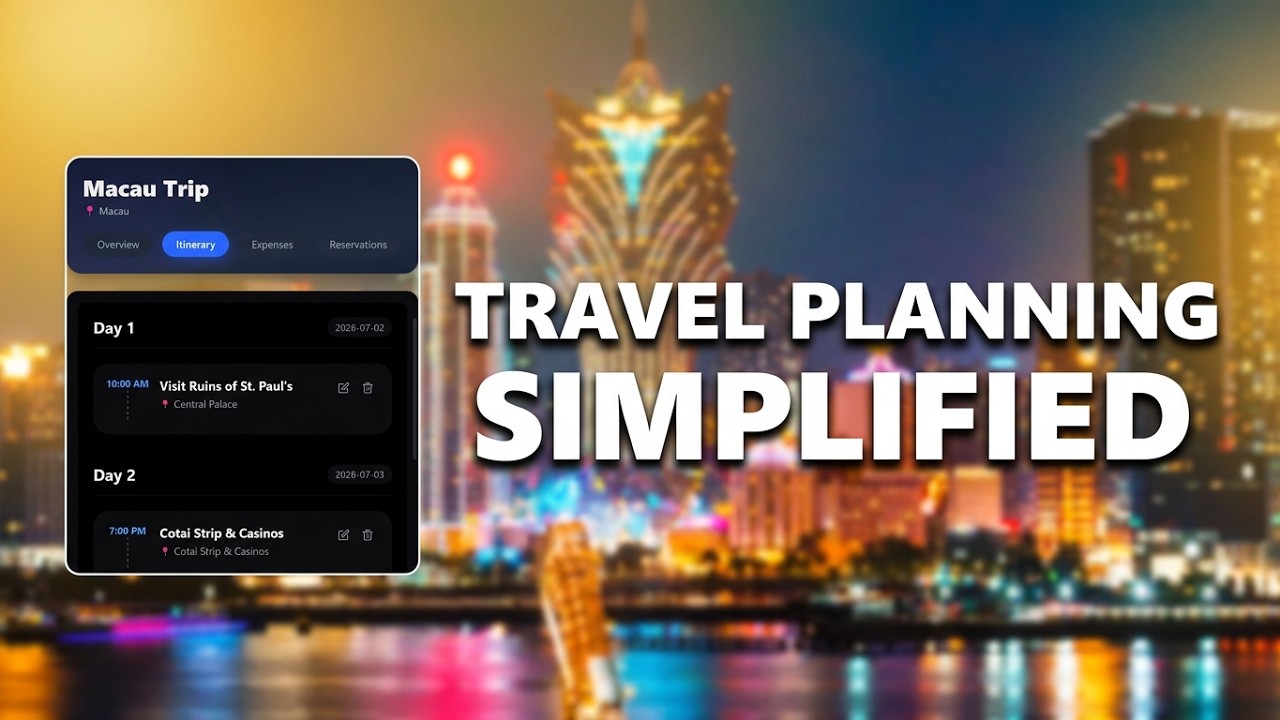
Watch the full walkthrough on YouTube:
| Issue | Solution |
|---|---|
| Port 8080 already in Use | Change the server port in application.properties (server.port=...). |
| Database Connection Refused | Ensure PostgreSQL is running and credentials in application.properties are correct. |
| Maven Build Fails | Check your JDK version (java -version) – JDK 25+ required. |
| Frontend Dependency Errors | Run npm install --legacy-peer-deps or npm audit fix. |
| API calls returning 403 | Verify JWT token is being sent in the Authorization header. |
| Application.properties Not Found | Copy the sample file and rename it correctly. |
| Gemini Rate Limits Issues | Use different account api key or change model or wait to reset limits |
| Google OAuth2/SMTP Errors | Refer respective documentation to setup the credentials properly |
This project is for educational purposes. Feel free to use and modify it for your own learning.
For questions or collaboration, reach out via GitHub.
🧳 Happy Travel Planning!