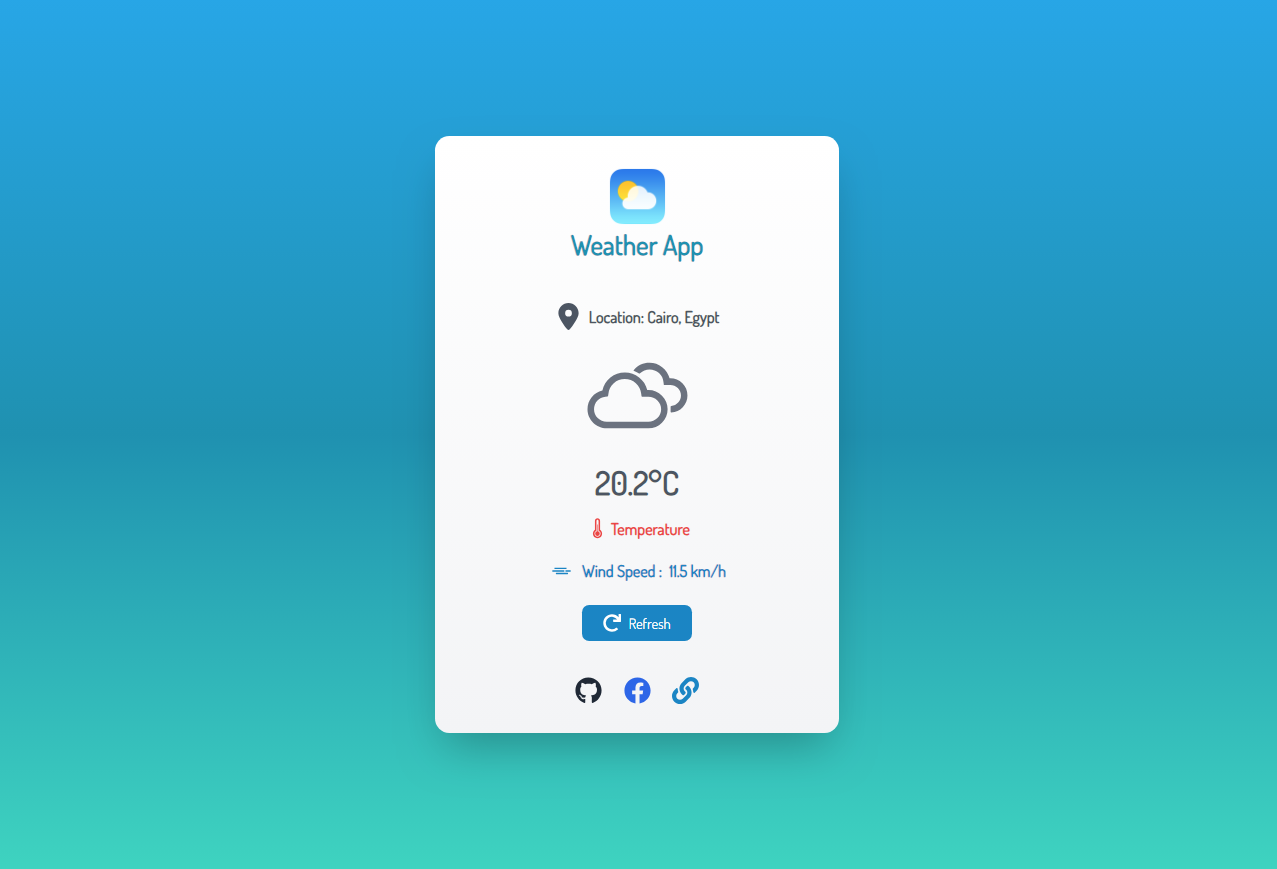
🌤️ Weather App is a simple and user-friendly web application built using React. It allows you to get the current weather information based on your geolocation. The app provides weather details like temperature, wind speed, and displays weather icons. It also includes error handling and a refresh button for reloading the data.
-
Weather Display Section
- Weather Information: Displays current weather based on the user's geolocation, including temperature and wind speed.
- Weather Icons: Displays different icons based on weather conditions (sunny, cloudy, rainy, etc.).
- Refresh Button: Allows users to refresh the weather data.
-
Error Handling
- If location access is denied or geolocation is not supported, an error message will be shown to the user.
-
Social Media Section
- Provides links to the project repository and social media profiles for sharing and exploring.
- Responsive Design: The application is mobile-friendly and works seamlessly across devices.
- Icons for Weather: Uses icons from the
react-iconslibrary for visual representation of weather conditions. - Localization: The weather app fetches weather data based on your location.
- Displays the current weather conditions using your geolocation.
- Weather icons for different weather conditions.
- Temperature and wind speed information.
- Refresh button to get new weather data.
- Links to social media profiles and project repository for easy sharing.
- Frontend Framework: React.js
- Icons: React Icons
- API: Open Meteo API
- Styling: Tailwind CSS
Follow these steps to run the project locally:
-
Clone the repository:
git clone https://github.com/your-username/weather-app.git
-
Navigate to the project directory:
cd weather-app -
Install the dependencies:
npm install
-
Start the development server:
npm run dev
-
Open your browser and go to: http://localhost:5173
| Homepage |
|---|
 |