
A Production-Ready Smart Civic Grievance Management System for India



-4285F4?style=for-the-badge&logo=google&logoColor=white)

Hackathon Submission · March 2026 · Team 404
Every complaint is a contract between a citizen and their government. JanSamadhan makes that contract visible, enforceable, and measurable.
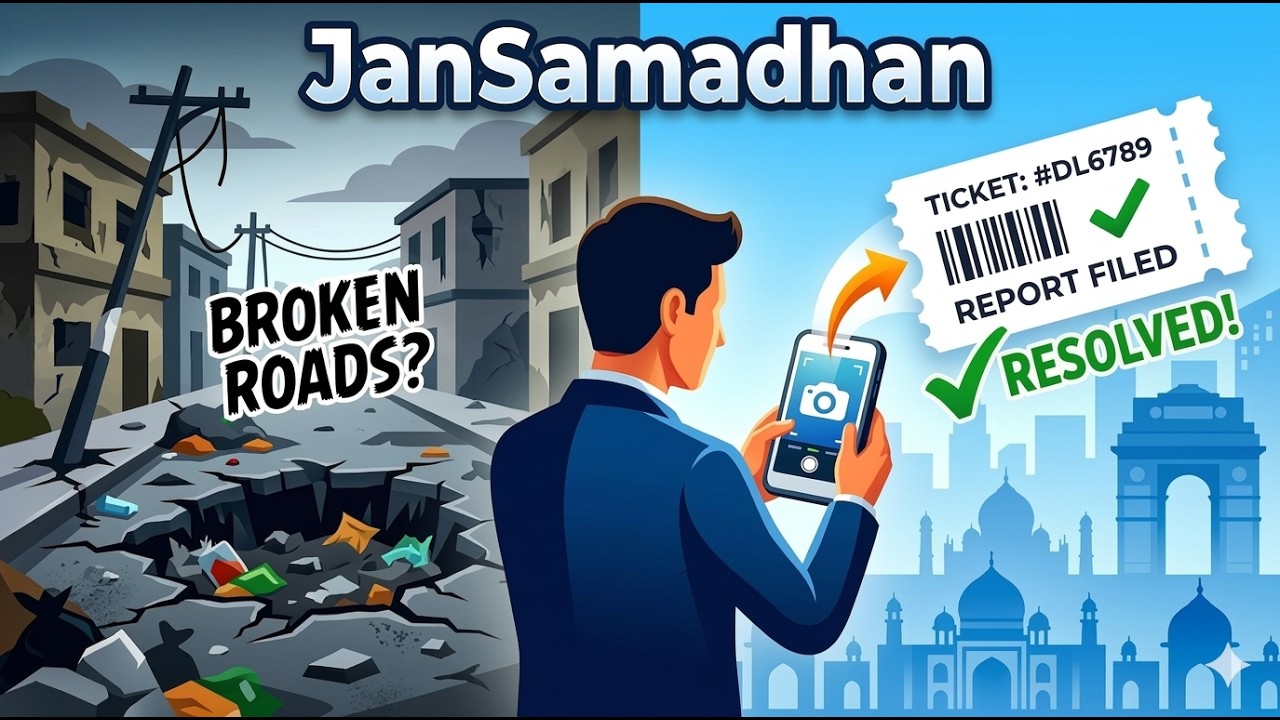
- Problem Statement
- Why JanSamadhan is Different
- The 4 Major Portals
- Setup Guide
- Citizen Flow — Filing a Complaint
- Complaint Categories (42+ across 9 Delhi Zones)
- Authority Flow
- Worker Flow
- Admin Flow
- SLA & Escalation Engine
- Application Architecture
- API Reference
- Security Design
- Compatibility
- Roadmap
India has over 4,000 urban local bodies, 28 state governments, and hundreds of civic departments — all operating siloed grievance systems with no interoperability.
| Pain Point | Reality |
|---|---|
| No single window | Citizens must know which portal to use for which issue |
| Zero visibility | Complaints disappear — no updates, no timelines |
| Duplicate filings | 50 citizens report the same pothole → 50 noise entries |
| Language barrier | Most portals require English, excluding 800M+ Hindi speakers |
| No spatial intelligence | Authorities can't see complaint clusters or hotspot zones |
| Worker context gap | Workers get vague assignments — no photos, no GPS, no SLA |
| Jurisdictional overlap | MCD, NDMC, DJB, PWD — complaints land in the wrong department |
📊 A 2023 CAG report found that 34% of CPGRAMS complaints are closed without action.
The result: chronic under-resolution, citizen frustration, and government departments that cannot measure their own performance.
| Feature | How It Works |
|---|---|
| 🗺️ DIGIPIN Integration | India's official 10-char location code (Dept of Posts). Every complaint gets a permanent, government-standard address — works even offline |
| 🤖 Seva — Gemini AI Chatbot | Citizens describe issues in Hindi or English via natural language. Gemini classifies category, severity, and auto-fills the form — no form literacy needed |
| 📍 Movable Location Pin | GPS auto-detects position; citizen can drag the map pin to correct it precisely. DIGIPIN re-encodes on every pin drop |
| 🗳️ Community Severity Escalation | Citizens upvote complaints. 10+ votes → +1 severity level. 50+ votes → force L4 Critical. Crowd intelligence replaces bureaucratic triage |
| 🔍 PostGIS Duplicate Detection | 20-metre radius check prevents spam before submission. Citizen is shown existing complaints and can upvote instead |
| 🏢 Department-Scoped Authority Views | Each authority only sees complaints from their department. Zero cross-department leakage — the #1 problem with CPGRAMS in India |
| 🔒 ENUM State Machine in DB | complaint_status, severity_level, worker_availability are PostgreSQL ENUMs. Invalid transitions are impossible even if someone bypasses the app |
| 🤖 reCAPTCHA Protection | Bot-spam prevention on complaint submission and login to prevent fake complaint flooding |
| 📋 Immutable Audit Trail | Every status change is logged to ticket_history. Citizens see public trail; authorities see internal notes. Tamper-proof |
| Role | Portal | Password | Access Method | |
|---|---|---|---|---|
| 👤 Citizen | /citizen (Home) |
Login via Google | — | Click "Sign in with Google" — auto-assigns Citizen role |
| 🏛️ Authority | /authority |
authority@gmail.com |
Test1234! |
Email + Password login + Sign in with Google |
| 👷 Worker | /worker |
prakharwork@gmail.com |
Test1234! |
Email + Password login + Sign in with Google |
| ⚙️ Admin | /admin |
hackathondb@gmail.com |
Test1234! |
Email + Password login + Sign in with Google |
Note: Citizens can also sign up manually by clicking "Sign Up", filling the form, and selecting the Citizen radio button to assign their role. Admin can invite new Authority and Worker accounts directly from the Admin Dashboard.
The public-facing Progressive Web App. Citizens can file complaints via the Seva chatbot (primary) or a manual form, track their ticket status in real-time, view complaints on an interactive map, upvote community issues, and rate resolved complaints.
A department-scoped dashboard. Authorities only see complaints belonging to their assigned department. They can review tickets, add internal notes, escalate complaints, and assign work to available field workers — all filtered to prevent jurisdictional overlap.
A mobile-optimised field interface. Workers see only their assigned complaints. They update status (in progress → resolved), upload proof photos, and navigate to job sites via Google Maps integration.
Full platform control. Admins can view all complaints across all departments, manage the spatial map view, assign workers, invite new Authority/Worker accounts, view SLA breach reports, and generate AI-powered analytics summaries.
- Node.js v18+
- Python 3.10+
- Supabase project (free tier works)
- Google Gemini API key (free tier — see note below)
- Mappls Maps API key
- reCAPTCHA site key (Google)
⚠️ Gemini API Key is intentionally set to the FREE tier. This is a deliberate design choice to prevent runaway costs during demos and to avoid billing spikes that could crash the AI service. The free tier is sufficient for hackathon-scale usage. See API Reference for more details.
git clone https://github.com/your-org/jansamadhan
cd jansamadhanCopy the example env file and fill in your credentials:
cp .env.example .env.local| Variable | Purpose |
|---|---|
NEXT_PUBLIC_SUPABASE_URL |
Your Supabase project URL |
NEXT_PUBLIC_SUPABASE_ANON_KEY |
Public anon key for client-side calls |
SUPABASE_SERVICE_ROLE_KEY |
Server-side only — never expose to client |
GEMINI_API_KEY |
Google Gemini API key (free tier) |
MAPPLS_API_KEY |
Mappls Maps API for India geocoding |
NEXT_PUBLIC_API_URL |
FastAPI backend URL (Railway or local) |
NEXT_PUBLIC_RECAPTCHA_SITE_KEY |
Google reCAPTCHA v2 site key |
Run the SQL blocks in your Supabase SQL editor in order:
- Create 3 ENUM types (
complaint_status,severity_level,worker_availability) - Create all 8 tables in dependency order
- Create spatial + performance indexes (GIST on geography column)
- Create ticket ID sequence and
generate_ticket_idtrigger - Create all 8 trigger functions and attach them
- Create all 9 RPC functions
- Enable RLS and create all 28 policies
- Seed 43 categories across 9 Delhi authority zones
- Create
complaints-mediastorage bucket from the Supabase Dashboard UI
This project uses pnpm workspaces. Install all dependencies from the root directory:
pnpm installcd apps/web
pnpm run devcd apps/api
# Create a virtual environment first, or install globally
pip install -r requirements.txt
uvicorn main:app --reloadThe app will be available at http://localhost:3000.
There are two ways a citizen can submit a complaint. The chatbot is the primary, recommended path — it's faster, smarter, and eliminates form-filling entirely.
flowchart TD
    A([🏠 Citizen Opens App]) --> B{How to file?}

    B -->|Primary Path| C[💬 Seva Chatbot]
    B -->|Secondary Path| D[📝 Manual Form]

    C --> C1[Describe issue in Hindi or English]
    C1 --> C2[Gemini AI classifies:\nCategory + Severity + Authority]
    C2 --> C3[Seva shows auto-filled summary]
    C3 --> C4{Citizen confirms?}
    C4 -->|Yes| E
    C4 -->|No / Edit| C1

    D --> D1[Fill Title, Description]
    D1 --> D2[Select Category manually]
    D2 --> D3[Set Severity: L1–L4]
    D3 --> E

    E[📎 Attach Photo optional]
    E --> F[📍 Confirm Location Pin on Map]
    F --> F1[GPS auto-detects location]
    F1 --> F2{Pin accurate?}
    F2 -->|Drag to correct| F3[Pin repositioned]
    F2 -->|Accurate| F4
    F3 --> F4[DIGIPIN encoded from final pin position]
    F4 --> G[🔍 PostGIS Duplicate Check\n20-metre radius scan]
    G --> G1{Duplicate found?}
    G1 -->|Yes| G2[Show existing complaint\nOption to Upvote instead]
    G1 -->|No| H
    G2 -->|Upvote| G3[✅ Upvote registered\nSeverity may escalate]
    G2 -->|Submit anyway| H
    H[🤖 reCAPTCHA verification]
    H --> I[🎫 Ticket Generated\nDL-YYYY-NNNNN]
    I --> J[📧 Confirmation + Ticket ID shown]
    J --> K[📊 Live tracking on dashboard]
    K --> L{Resolution reached?}
    L -->|Resolved| M[⭐ Rate the resolution\n1-10 scale · 72h window]
Seva is JanSamadhan's AI-powered complaint assistant, built on Google Gemini (free tier). It transforms complaint filing from "fill a 10-field form" to "just tell me what happened."
- Accepts free-text input in Hindi or English
- Uses Gemini's agentic reasoning to classify the complaint into one of 43 categories
- Suggests the correct severity level (L1–L4) based on urgency language
- Identifies the responsible authority (e.g., "broken metro escalator" → DMRC)
- Auto-fills the complaint form — citizen just confirms and submits
- Conducts multi-turn conversation — asks clarifying questions if input is ambiguous
- Stores intent and session data in the
seva_queriestable for analytics
Citizen:  "Hamare gali mein kachra 3 din se nahi utha — bohot badsbu aa rahi hai"

Seva:     "I've identified your issue:
           📋 Category   : Garbage Collection (MCD)
           🏢 Authority  : Municipal Corporation of Delhi
           ⚠️  Severity   : L3 — High (48-hour SLA)
           📍 Location   : Auto-detected from your GPS

           Shall I file this complaint at your current location?"

Citizen:  "Haan"

Seva:     "✅ Complaint filed. Your ticket number is DL-2026-00312.
           You can track it live on your dashboard."
🔑 Why Gemini free tier? The API key is deliberately configured on the free (non-billed) plan. This prevents any accidental billing spikes during the demo or public usage, which could cause service interruptions. The free quota is more than sufficient for demonstration scale.
For citizens who prefer the form approach, every field that Seva fills automatically is available manually:
- Enter complaint title and description
- Select a category from the 42+ category tree
- Set severity level (L1 Low → L4 Critical)
- Attach up to one photo (HEIC/JPEG/PNG, 5MB limit)
- Confirm location on the map (see below)
Location accuracy is critical for civic complaints. JanSamadhan solves this with a two-step location confirmation:
Step 1: GPS auto-detection
        ↓
        Map centres on your current coordinates

Step 2: Visual confirmation + drag-to-correct
        ↓
        You can drag the pin to the EXACT location
        (e.g., the specific pothole, not your home)

Step 3: DIGIPIN encoding
        ↓
        Final pin position → FastAPI /digipin/:lat/:lng
        → 10-character government-standard code
        → Stored permanently in complaints.digipin
DIGIPIN (Digital Postal Index Number) is India's official location coding system developed by the Department of Posts, Government of India. It encodes any GPS coordinate into a 10-character alphanumeric code that identifies a 4m × 4m area anywhere in India.
Example: 28.6315°N, 77.2167°E → 39J-948-H2PK
| Why DIGIPIN matters in JanSamadhan |
|---|
| Works in areas without street names — slums, villages, new colonies |
| Works offline — DIGIPIN is calculated from GPS, no internet needed |
| Field workers can navigate to a 4m × 4m square — no address ambiguity |
| Survives address renaming and subdivision — permanent identifier |
| Enables zone/ward-level aggregates by DIGIPIN prefix for analytics |
Once the location is confirmed and reCAPTCHA passes, the system runs a sequence of automatic operations:
1. PostGIS duplicate check (ST_DWithin 20m radius)
       ↓ No duplicate found
2. Complaint row inserted into database
       ↓ BEFORE INSERT trigger fires
3. Ticket ID generated: DL-{YEAR}-{SEQUENCE}
   e.g. DL-2026-00312
       ↓
4. SLA deadline set based on severity:
   L4 → 4 hours   | L3 → 48 hours
   L2 → 7 days    | L1 → 14 days
       ↓
5. Initial ticket_history row created (submitted)
       ↓
6. Citizen receives confirmation with ticket ID
The ticket ID sequence is guaranteed unique via a PostgreSQL SEQUENCE — no race conditions possible.
JanSamadhan covers 42+ complaint types spanning 9 Delhi jurisdiction bodies: DMRC, NHAI, PWD, MCD, NDMC, DJB, DISCOM, Delhi Police, Forest Dept, and DPCC.
| 🏗️ Category | Child Issues Covered |
|---|---|
| 🚇 Metro | Metro Station Issue, Track / Safety Hazard, Escalator / Lift Malfunction, Metro Parking, Station Hygiene, Metro Property Damage |
| 🛣️ Roads & Infrastructure | National Highway Damage, Toll Plaza Issue, Expressway Problem, Highway Bridge Damage, State Highway / City Road, Flyover / Overbridge, Large Drainage System, Colony Road / Lane |
| 💧 Water & Sewage | Water Supply Failure, Water Pipe Leakage, Sewer Line Blockage, Contaminated Water |
| ⚡ Electricity | Power Outage, Transformer Issue, Exposed / Fallen Wire, Electricity Pole Damage |
| 🗑️ Sanitation & Waste | Garbage Collection, Street Sweeping, Public Toilet, Local Drain / Sewage, Stray Animals |
| 🌳 Parks & Public Spaces | Park Maintenance |
| 🚔 Law & Safety | Crime / Safety Issue, Traffic Signal Problem, Illegal Parking, Road Accident Black Spot |
| 🌿 Environment | Illegal Tree Cutting, Air Pollution / Burning, Noise Pollution, Industrial Waste Dumping |
| 💡 Lighting | Street Light (MCD Zone), NDMC Street Light |
| 🏛️ Government Property | Government Building Issue |
| 🏙️ NDMC Zone | Central Govt Residential Zone, Connaught Place / Lutyens Issue, NDMC Road / Infrastructure |
This solves one of India's biggest governance problems.
In existing systems like CPGRAMS, MCD portal, and DJB portal — complaints from all departments are visible to everyone. An MCD officer can see DJB complaints. A PWD officer sees DMRC tickets. This causes confusion, misrouting, and no accountability.
JanSamadhan enforces strict department isolation at the database level.
flowchart TD
    A([🏛️ Authority logs in]) --> B[RLS Policy checks\nauth.jwt department claim]
    B --> C{Department assigned?}
    C -->|MCD Authority| D[Sees ONLY MCD complaints]
    C -->|DJB Authority| E[Sees ONLY DJB complaints]
    C -->|DMRC Authority| F[Sees ONLY DMRC complaints]
    C -->|PWD Authority| G[Sees ONLY PWD complaints]

    D --> H[Dashboard filtered view\nL4 Critical shown first]
    E --> H
    F --> H
    G --> H

    H --> I[Review ticket details\nPhotos, DIGIPIN, description]
    I --> J{Action?}

    J -->|Assign to worker| K[Select available worker\nfrom same department]
    J -->|Add internal note| L[Note added with is_internal=true\nInvisible to citizen]
    J -->|Escalate| M[Manual escalation\nSeverity upgraded]
    J -->|Reject spam| N[Complaint marked rejected\nTerminal state]

    K --> O[assign_worker_to_complaint RPC\nFOR UPDATE row lock\nRace-condition safe]
    O --> P[Worker notified\nSLA clock starts ticking]
❌  WITHOUT JanSamadhan:
    Sewer overflow reported → lands in PWD dashboard →
    PWD says "not our problem" → DJB never sees it →
    Complaint dies

✅  WITH JanSamadhan:
    Sewer overflow reported → Seva/category maps to DJB →
    RLS ensures ONLY DJB authority can see and act on it →
    Clear ownership, clear accountability
Row-Level Security (RLS) enforces this at the PostgreSQL layer — not the frontend. Even if someone bypasses the app UI, the database will block cross-department access.
Workers operate from a mobile-first PWA designed for one-hand use in the field.
flowchart TD
    A([👷 Worker opens app]) --> B[Toggle Availability: Available]
    B --> C[Authority assigns complaint\nvia assign_worker_to_complaint RPC]
    C --> D[📱 Complaint appears on worker dashboard]

    D --> E[View complaint details:\n• Description & photos\n• DIGIPIN location code\n• SLA deadline countdown\n• Severity level]

    E --> F[🗺️ Tap Navigate\nOpens Google Maps with DIGIPIN coordinates]
    F --> G[Travel to site]

    G --> H[Update status: In Progress]
    H --> I[Work on the issue]

    I --> J{Issue resolved?}
    J -->|Yes| K[📸 Upload proof photo\nStored in complaints-media/resolution/]
    J -->|Needs escalation| L[Flag for authority\nStatus → escalated]

    K --> M[Update status: Resolved]
    M --> N[✅ DB trigger fires automatically:\n• Worker availability → available\n• current_complaint → NULL\n• resolved_at timestamp set]
    N --> O[Worker ready for next assignment]

    L --> P[Authority reviews escalation]
    P --> Q[Authority reassigns or adjusts severity]
    Q --> D
| ✅ Worker CAN | ❌ Worker CANNOT |
|---|---|
| See their assigned complaints | See other workers' complaints |
| Update status for their complaints | Change complaint category or authority |
| Upload resolution proof photos | View internal authority notes |
| Navigate to complaint location | Assign themselves to other complaints |
| View their total resolved count | Access admin or authority dashboards |
Admin has full access across all departments and cities.
Admin Capabilities:
├── View ALL complaints (all departments, all statuses)
├── Spatial map view — see complaint clusters and hotspots
├── Assign workers to any complaint (atomic RPC with race-safety)
├── Invite new Authority and Worker accounts via email
│     └── Invitation carries metadata: role, department, city
│     └── on_auth_user_created trigger auto-creates profiles
├── View SLA breach dashboard — complaints past deadline
├── Trigger manual escalation
├── Access AI analytics summary (Gemini-generated weekly report)
└── Full audit trail — all 28 RLS policies still logged
| Level | Deadline | Impact | Example Issues |
|---|---|---|---|
| 🟢 L1 — Low | 14 days | Minor inconvenience | Overgrown park, peeling paint |
| 🟡 L2 — Medium | 7 days | Moderate public impact | Pothole, broken streetlight |
| 🟠 L3 — High | 48 hours | Public disruption | Garbage pile, road blockage |
| 🔴 L4 — Critical | 4 hours | Emergency hazard | Sewage overflow, live wire |
Citizens collectively upgrade complaint priority through upvotes:
| Upvotes Received | Severity Boost | Example (starts L2) | Example (starts L3) |
|---|---|---|---|
| 0 – 9 | No change | L2 stays L2 | L3 stays L3 |
| 10 – 24 | +1 level | L2 → L3 | L3 → L4 |
| 25 – 49 | +2 levels | L2 → L4 | L3 → L4 |
| 50+ | Force L4 Critical | L2 → L4 | L3 → L4 |
Severity can never go down —
effective_severityis always ≥severity.
At 15+ upvotes, thepossible_duplicateflag is raised for admin review.
A cron-callable RPC check_sla_breaches() runs periodically and automatically escalates complaints that have passed their SLA deadline:
complaint_status: assigned → escalated   (if SLA breached)
complaint_status: in_progress → escalated (if SLA breached)
Escalated complaints are surfaced at the top of the authority dashboard with a
stateDiagram-v2
    [*] --> submitted : Citizen files complaint
    submitted --> under_review : Admin/Authority reviews
    submitted --> rejected : Spam or invalid

    under_review --> assigned : Worker allocated
    under_review --> rejected : Duplicate or invalid
    under_review --> escalated : Manual escalation

    assigned --> in_progress : Worker starts work
    assigned --> escalated : SLA breached

    in_progress --> resolved : Work completed + proof photo
    in_progress --> escalated : SLA breached

    escalated --> under_review : Admin re-reviews

    resolved --> under_review : Citizen reopens (max 2 times\nwithin 72h window)
    rejected --> [*] : Terminal state
The
enforce_status_transition()trigger runs BEFORE every statusUPDATEand raises a PostgreSQL exception for any invalid transition. This cannot be bypassed from the frontend.
graph TD
    subgraph Client["🌐 Client Layer (Next.js 15 + React 19)"]
        CIT[👤 Citizen PWA]
        AUTH[🏛️ Authority Dashboard]
        WRK[👷 Worker PWA]
        ADM[⚙️ Admin Panel]
    end

    subgraph API["⚙️ API Layer (FastAPI — Python)"]
        SEVA[💬 Seva Chatbot\nGemini AI Integration]
        DGP[📍 DIGIPIN Encoder/Decoder]
        ANLX[📊 Analytics Generator]
    end

    subgraph DB["🗄️ Data Layer (Supabase + PostgreSQL 15)"]
        PG[(PostgreSQL + PostGIS 3.4)]
        RLS[🔒 28 RLS Policies]
        TRG[⚡ 8 Triggers]
        RPC[🔧 9 RPC Functions]
        STR[📁 Supabase Storage\ncomplaints-media]
    end

    subgraph EXT["🔌 External Services"]
        GMN[🤖 Google Gemini\nFree Tier API]
        MAPS[🗺️ Mappls Maps\nLeaflet.js]
        GAUTH[🔐 Google OAuth]
        RCAP[🛡️ reCAPTCHA v2]
    end

    CIT -->|Complaint submission| API
    CIT -->|Real-time updates| DB
    AUTH -->|Dept-scoped queries| DB
    WRK -->|Status updates| DB
    ADM -->|Full access| DB

    SEVA -->|classify + chat| GMN
    DGP -->|encode/decode| PG
    ANLX -->|trend summary| GMN

    DB --> PG
    PG --- RLS
    PG --- TRG
    PG --- RPC
    PG --- STR

    CIT --> GAUTH
    CIT --> RCAP
    Client --> MAPS
| Layer | Technology | Purpose |
|---|---|---|
| Frontend | Next.js 15 + React 19 + Tailwind v4 | PWA, server components, routing |
| Backend | FastAPI (Python) | Seva chatbot, DIGIPIN API, analytics |
| Database | PostgreSQL 15 + PostGIS 3.4 (Supabase) | All data, spatial queries, RLS |
| AI | Google Gemini (Free Tier) | Natural language classification, multi-turn chat |
| Maps | Mappls API + Leaflet.js | India-specific geocoding, interactive map |
| Auth | Supabase Auth + Google OAuth | Role-based access, magic links |
| Location Standard | DIGIPIN (Dept of Posts, GoI) | 10-char 4m×4m location encoding |
| Bot Protection | Google reCAPTCHA v2 | Prevent fake complaint flooding |
| Storage | Supabase Storage | Complaint photos and resolution proof |
| Hosting | Vercel (frontend) + Railway (FastAPI) | Edge deployment |
| Endpoint | Method | Purpose |
|---|---|---|
/complaints/analyze |
POST |
Seva: classify complaint category + severity from free text using Gemini |
/complaints/chat |
POST |
Multi-turn Seva conversation — maintains session context |
/digipin/:lat/:lng |
GET |
Encode GPS coordinates to DIGIPIN 10-char code |
/digipin/decode/:code |
GET |
Decode DIGIPIN back to lat/lng bounding box |
/analytics/report |
POST |
Generate AI summary of complaint trends for admin dashboard |
| RPC | Purpose |
|---|---|
check_for_duplicate_report(lat, lng, category_id) |
PostGIS ST_DWithin 20m radius duplicate detection |
get_nearby_complaints(lat, lng, radius_m) |
Distance-ranked complaints within configurable radius |
increment_upvote_count(complaint_id) |
Atomic upvote + severity recalculation in single transaction |
assign_worker_to_complaint(complaint_id, worker_id) |
Race-safe worker assignment with FOR UPDATE row locks |
check_sla_breaches() |
Cron-callable: auto-escalates complaints past their SLA deadline |
Important: The
GEMINI_API_KEYin this project is configured to use Google's free, non-billed tier.Why? During hackathons and public demos, unbounded AI API calls can generate unexpected billing spikes — sometimes hundreds of dollars in minutes if the demo goes viral or a bot targets the endpoint. By using the free tier with its built-in rate limits, JanSamadhan ensures:
- No accidental billing charges
- Graceful degradation when quota is hit (falls back to manual form)
- Safe for public demo deployment
For production deployment at scale, upgrading to a billed Gemini key with usage caps is recommended.
Google reCAPTCHA v2 is integrated on complaint submission to prevent automated bots from flooding the system with fake complaints. This is critical for a civic platform where complaint volume directly affects authority workload.
All 8 database tables have RLS enabled. Policies use auth.uid() and auth.jwt() — never recursive subqueries.
| Role | What They Can Access |
|---|---|
| Citizen | Own complaints (insert + read), public complaint listing, upvotes, ratings |
| Worker | Only their assigned complaints — cannot see others' |
| Authority | Only complaints from their assigned department |
| Admin | Full access across all tables |
| service_role | Bypass for server-side triggers and cron only |
DIGIPIN encoding is a pure algorithm — no external API call required. Even in low-connectivity areas, complaint location can be accurately encoded and stored.
complaint_status, severity_level, and worker_availability are PostgreSQL ENUM types. Invalid values are rejected at the database level before any trigger or policy runs.
| Feature | Support |
|---|---|
| Mobile browsers | Chrome, Safari, Firefox (Android and iOS) |
| Desktop browsers | Chrome, Firefox, Edge, Safari |
| Offline capability | DIGIPIN encoding works offline; complaint form data cached locally |
| Photo upload | HEIC (iPhone), JPEG, PNG — auto-converted, 5MB limit |
| Map | Leaflet.js with Mappls India tiles — works on 2G+ connections |
| Language | English and Hindi supported in Seva chatbot; UI in English |
JanSamadhan is designed from day one for national scale. The Delhi pilot covers 9 jurisdiction zones and 42+ categories.
| Phase | Feature | Status |
|---|---|---|
| Phase 1 | Delhi pilot — 9 zones, 42+ categories | ✅ Complete |
| Phase 2 | Multi-city: Mumbai (BMC), Bengaluru (BBMP), Chennai (GCC) | 🔄 Planned |
| Phase 3 | Offline PWA — service worker caching for low-connectivity | 🔄 Planned |
| Phase 4 | WhatsApp integration — report via WhatsApp message → Seva processes automatically | 🔄 Planned |
| Phase 5 | CPGRAMS bridge — API integration for cross-jurisdiction escalation | 🔄 Planned |
| Phase 6 | Official DIGIPIN REST API (India Post v2, expected 2027) | 🔄 Planned |
जन समाधान
Built with ❤️ for 1.4 billion citizens
🌐 Live Demo · 📝 File an Issue · Hackathon 2026 · Team 404