

Are you tired of being trapped in Vim? Do you feel like you're in a never-ending maze with no way out? Look no further than Exit Vim - the ultimate guide to conquering this treacherous editor!
Our team of highly skilled rubber chicken wranglers has spent countless hours researching and testing the best methods for exiting Vim, so you don't have to. From pressing the "Esc" key to doing a rain dance while chanting "I will exit Vim," our guide has got you covered.
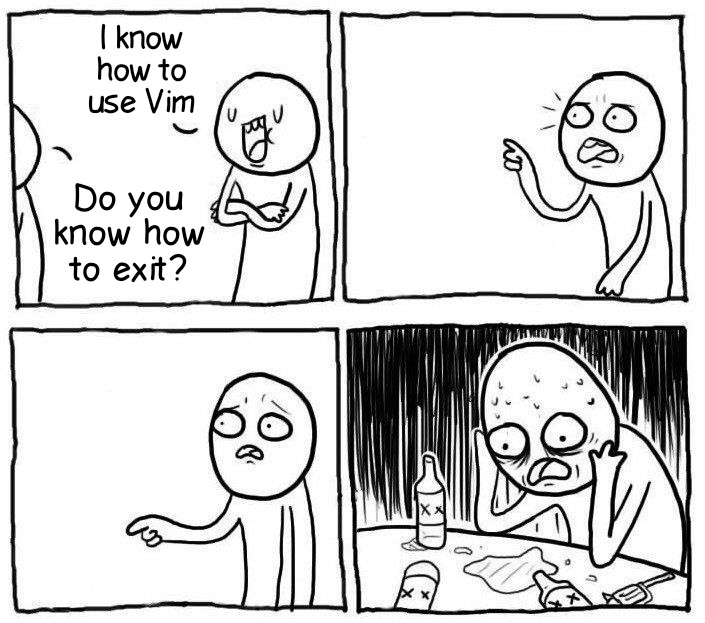
But wait, there's more! Our project also includes a handy image that you can use to visually represent your Vim frustration. And if you're really stuck, we've even included a step-by-step guide for using a flamethrower (although we highly recommend not actually doing this).
So if you're ready to say goodbye to the endless maze of Vim and hello to freedom, join the Exit Vim community today. We promise to make your Vim struggles a thing of the past (or at least provide a good laugh along the way).
Fear not, my friend! I'm here to help you navigate your way out of this treacherous editor with a few easy steps.
First things first, don't panic! Vim is just a text editor, and you are in control. Take a deep breath, and let's get started.

The first thing you need to do is get out of insert mode. To do this, press the Esc key. This will take you back to command mode, where you can enter commands.
Now that you're back in command mode, type :q!. This command will exit Vim without saving any changes you may have made to the file. This is the ultimate "get me out of here" command.
If for some reason :q! doesn't work (and trust me, it happens to the best of us), try :wq!. This command saves your changes and then exits Vim.
If none of the above steps work, it's time to bring out the big guns. Grab your flamethrower and burn your computer to the ground. Okay, I'm just kidding, don't actually do that. Instead, try hitting your keyboard with a rubber chicken or doing a rain dance while chanting "I will exit Vim." Who knows, it might just work!

If you're still stuck in Vim and feeling hopeless, it's time to call for help. Don't be ashamed, we've all been there. Reach out to your tech-savvy friend or post on a forum for assistance. Remember, you're never alone in your Vim struggles.
So there you have it, folks! With these simple steps, you can conquer the ultimate challenge of exiting Vim. Don't let this editor intimidate you any longer, you are in control! Now go forth and conquer!
The end-user is solely responsible for utilizing the project and its resources. The developers bear no liability and cannot be held accountable for any harm or misuse resulting from the use of the project. It should be noted that certain actions may be unlawful, and this software cannot be employed to test individuals or organizations without obtaining written consent.