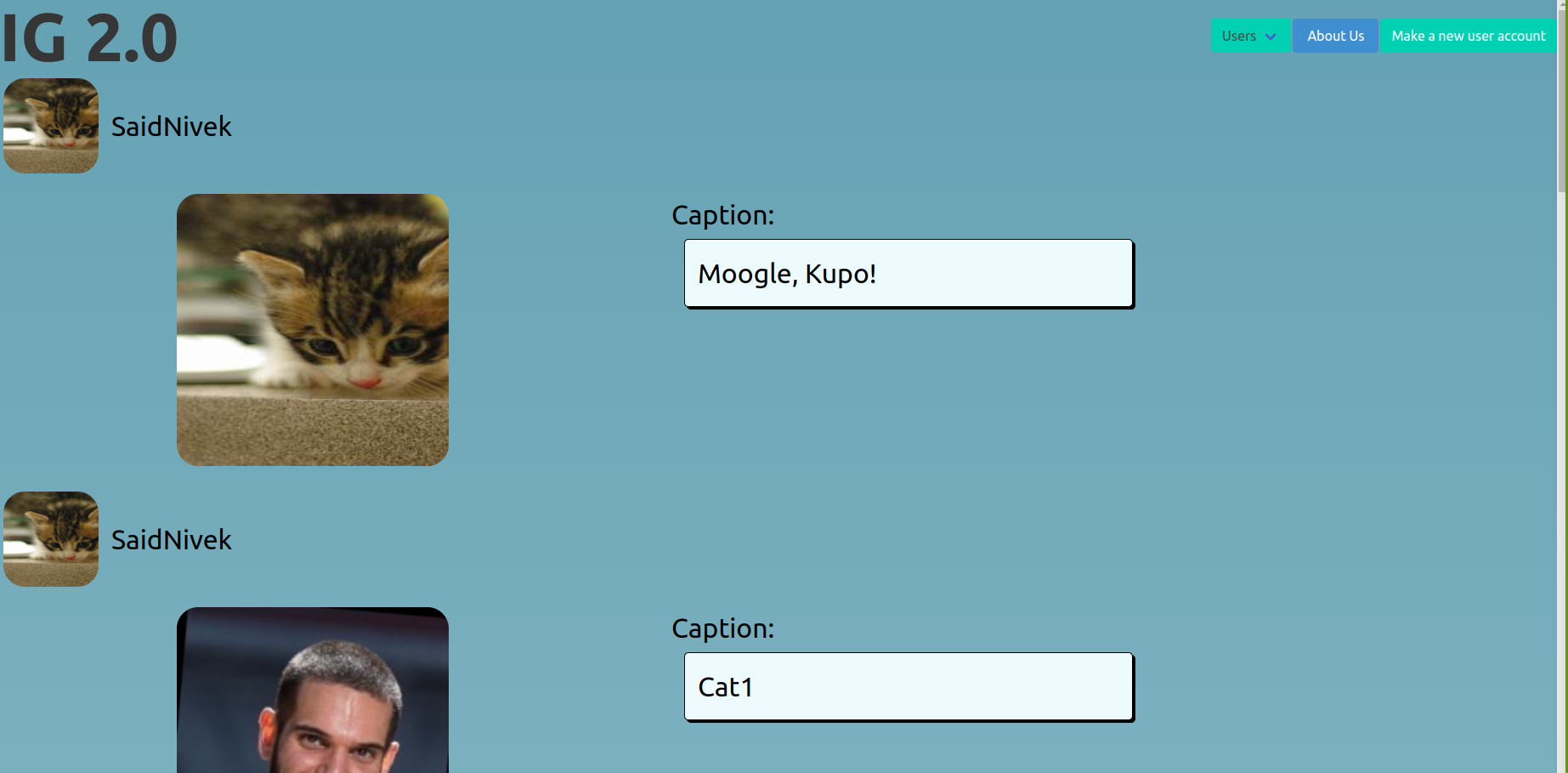
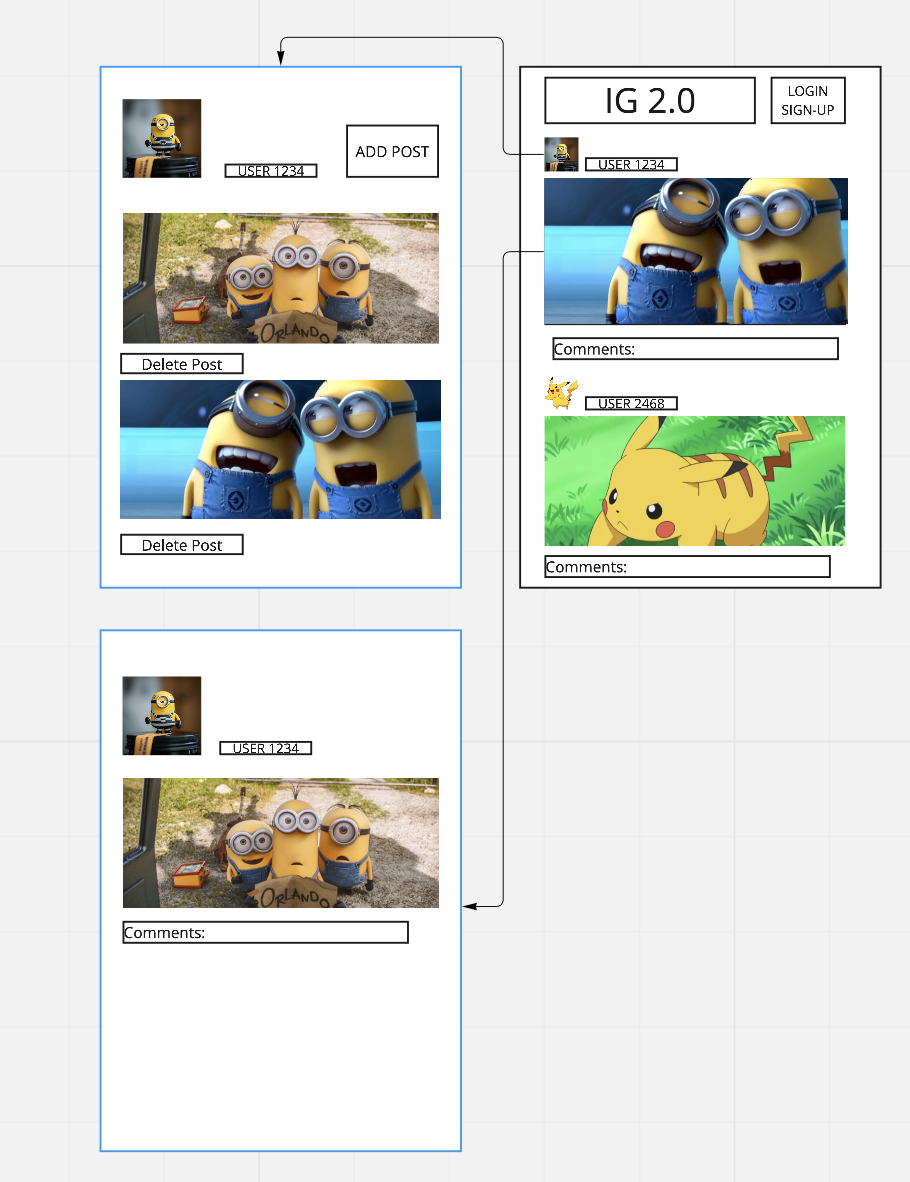
This project was created to implement several of Instagram's functionalities. The user is able to see all of the currently posted images on the main page. These pictures are sorted in chronological order, with the newest picture at the top. The user who posted the picture will have their avatar displayed, as well a their username. The picture's caption will be to the right of the image.
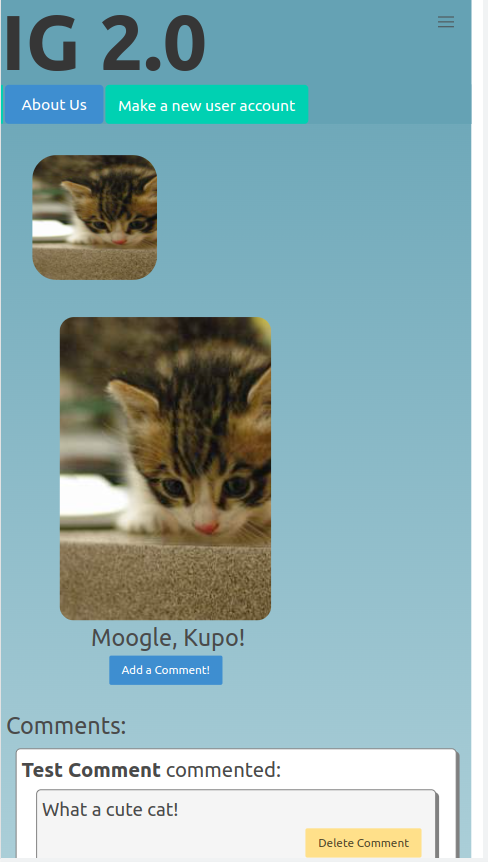
If you click on a picture from this main feed, you will be taken to that picture's show page, where you can add a comment, delete a comment, or delete the entire picture. You will also be able to edit the picture's caption on this page.
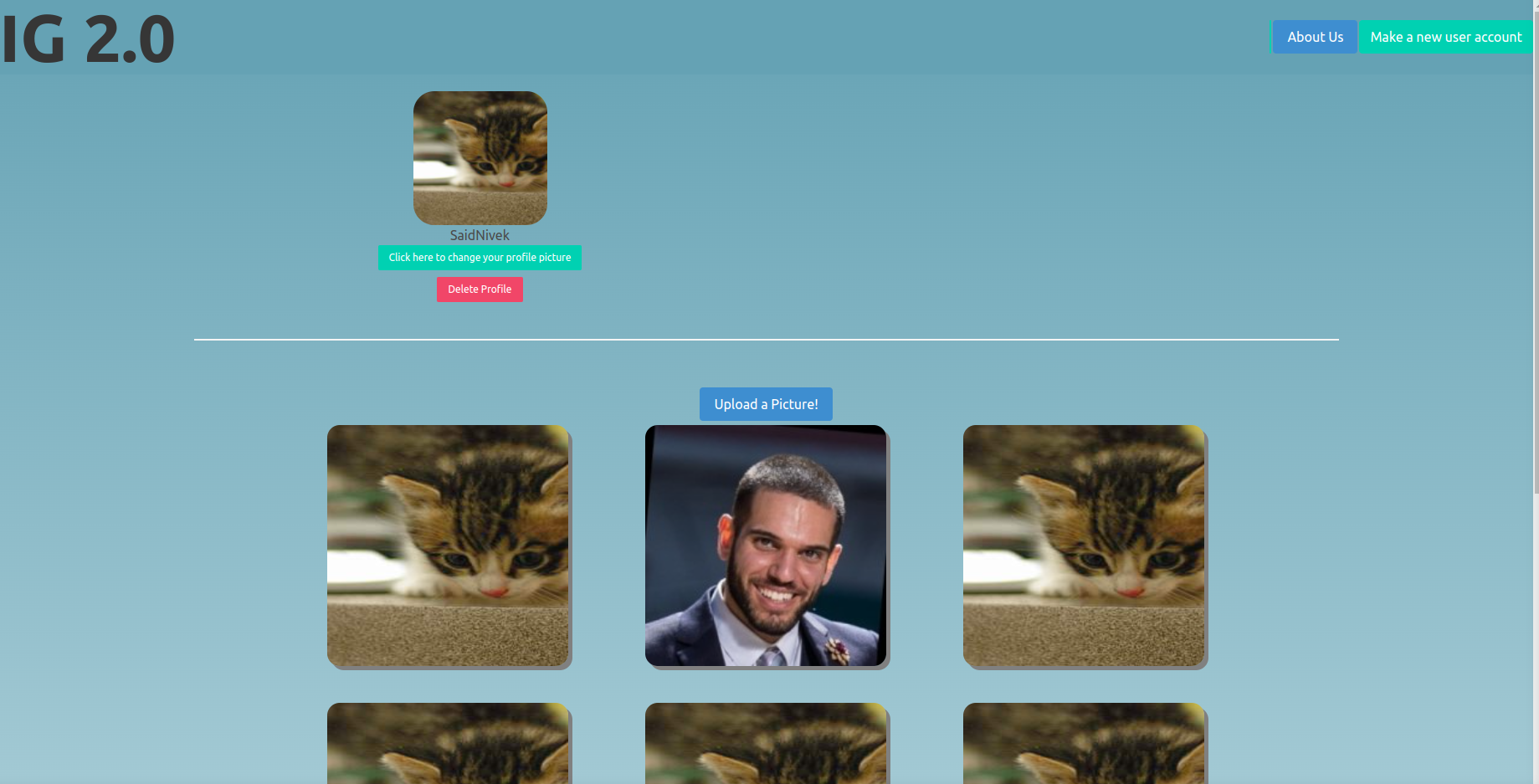
If you click on a user's profile from the main feed, you will be taken to their profile page, which containes all of the pictures that they have posted. You will be able to delete the entire profile or update the profile picture from this page, as well.
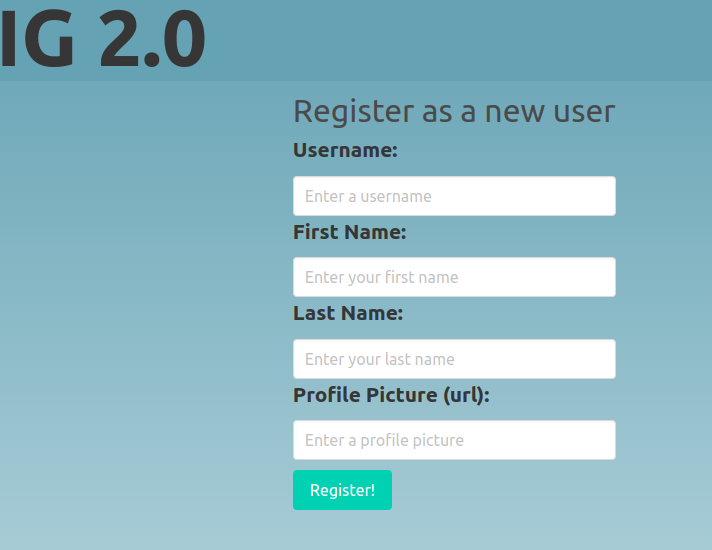
The navigation bar will allow you to create a new user from any page, see our About Us page, which has information abut Juan and Kevin, and the IG 2.0 link will take you back to the main feed from any page within the site.
On the main page only, there is an additional dropdown menu to see all the users and navigate directly to their page.
Ability to be re-sized for different screens (phone/tablet/desktop/etc).
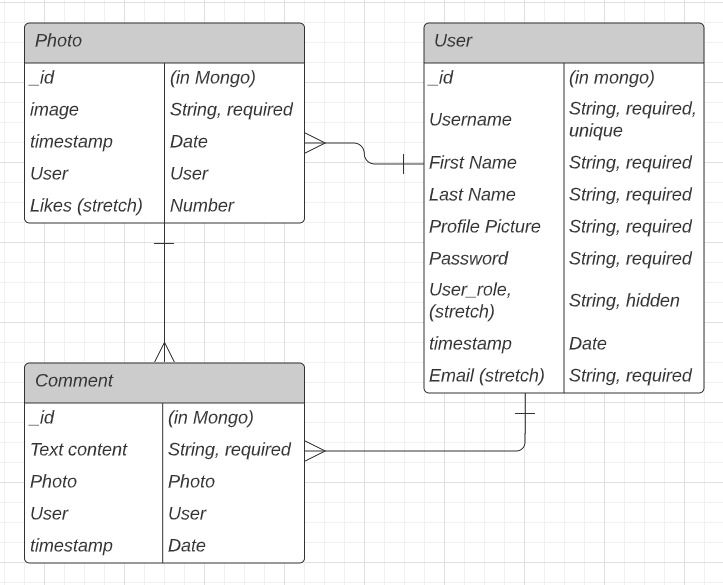
Create wireframes for end-product image. Simple sites with pictures and usernames. Get RESTful/CRUD routes established. Create database. Work on views. Ensure data is displayed on pages properly with dummy data. Create database. Create Schema for users/photos. Connect the database to the code. Test for the connection. Attach routes to the databse. Work on CSS. Make sure nothing breaks.
As a user, I would like to:
- Click a button to post pictures
- Click a button to post comments on pictures
- Have a user profile
- Update my profile picture
- Delete my comments
- Delete pictures that I post
- Delete my entire profile
- Easily see if other user pictures on a main feed
- Sign up and login using user authentication
- Click a button to post pictures
- Click a button to post comments on pictures
- Have a user profile
- Update my profile picture
- Delete comments
- Delete pictures
- Delete entire profile
- Easily see if other user pictures on a main feed
- Edit captions of a photo
- Main feed would have photos by timestamp (check)
- Grid of posted pictures on profile page (check)
- Delete picture or comments if authenticated (no)
- User authentication / email sign-up (no)
To view and interact with the site, go here: https://floating-chamber-90143.herokuapp.com/
To download the source code, go here: https://github.com/SaidNivek/Project_2_Juan_Kevin Fork the code to your own GitHub page. Clone the repo to your local environment. Run npm install for all dependencies. Note: The database will not be connected, so you will need to link a Mongo Database yourself in order for the site to work properly.
- No user authentication, so everyone can delete all pictures/profiles/comments.
- User selector dropdown always viewable when screen size is smaller.
- Main feed displaying pictures in chronological order.
- Passing context into a partial for dynamic display of data.
- Unable to make a profile and then be redirected to that profile's page. You need to select the profile via the drowpdown in order to upload a photo.
- Add auth for users.
- Prevent all users from deleting any picture on the site.
- You can only delete your own uploaded images.
- "Like" button for pictures to tally how many likes have been given.