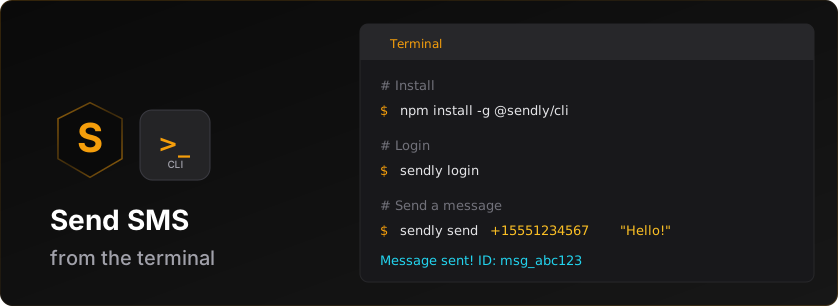


Official command-line interface for the Sendly SMS API.
# npm
npm install -g @sendly/cli

# or Homebrew (macOS / Linux)
brew install SendlyHQ/tap/sendlyThe CLI checks npm once a day and prints a one-line banner after your command if a newer version is out. Run sendly upgrade to update — it auto-detects your install path (Homebrew vs npm) and runs the right command. Use sendly upgrade --check to see what it would do without executing.
Banner is silent in CI (CI=true) and offline-safe.
# Login to your Sendly account
sendly login

# Send an SMS
sendly sms send --to "+15551234567" --text "Hello from Sendly CLI!"

# Check your credit balance
sendly credits balanceThe CLI supports two authentication methods:
sendly loginThis opens your browser to authenticate via Sendly's secure login flow. After authorization, your credentials are stored locally.
sendly login --api-key sk_test_v1_your_keyOr interactively:
sendly login -isendly whoamisendly logoutsendly sms send --to "+15551234567" --text "Hello!"
# Send from a number you own (E.164) — see Numbers Commands below
sendly sms send --to "+15551234567" --text "Hello!" --from "+447111111111"
# Or an alphanumeric sender ID (international)
sendly sms send --to "+447700900000" --text "Hello!" --from "MyBrand"sendly sms list
# Filter by status
sendly sms list --status delivered
# Limit results
sendly sms list --limit 10sendly sms get msg_abc123# From a JSON file
sendly sms batch --file messages.json
# From a CSV file (phone-only with shared text)
sendly sms batch --file phones.csv --text "Your order is ready!"
# Multiple recipients inline
sendly sms batch --to "+15551234567,+15559876543" --text "Hello everyone!"
# Preview before sending (dry run) - validates without sending
sendly sms batch --file messages.json --dry-run
# Dry run output includes:
# - Per-country breakdown with credit costs
# - Blocked messages and reasons
# - Your messaging access (domestic/international)
# - Credit balance checkSend to 2-8 recipients (US & Canada only) in a single group thread — everyone
sees the group and replies fan out to all participants. Group messaging is an
A2P 10DLC capability, so the sending number must be an MMS-enabled,
10DLC-registered number you own (omit --from to use your default sender).
sendly sms group --to "+14155551234,+14155555678" --text "Team sync at noon?"

# Attach media
sendly sms group --to "+14155551234,+14155555678" --media-url https://example.com/flyer.jpg

# Marketing (applies quiet-hours rules; group MMS defaults to transactional)
sendly sms group --to "+14155551234,+14155555678" --text "Sale!" --type marketingsendly sms schedule --to "+15551234567" --text "Reminder!" --at "2025-12-25T10:00:00Z"sendly sms scheduledsendly sms cancel sched_abc123Buy international phone numbers and send from them. (US & Canada use toll-free verification instead — they can't be bought.)
sendly numbers search --country GB --type mobilesendly numbers buy --country GB --type mobileThe buy is asynchronous: the number starts as provisioning and becomes
active once the carrier confirms it. Some countries need documents or
business details first — you'll get a hosted link to complete them. See
How to buy a number.
sendly numbers listPass the phoneNumber of any active number as --from on a send to send
from it (see Send from a number you own):
sendly sms send --to "+15551234567" --text "Hi!" --from "+447111111111"sendly numbers get num_abc123Includes whether it's your workspace default sender and any scheduled release.
Make a number your default sender, or cancel a scheduled release. At least one
of --default / --keep is required:
# Make this number the workspace default sender (must be active)
sendly numbers update num_abc123 --default

# Cancel a scheduled release and keep the number
sendly numbers update num_abc123 --keepsendly numbers release num_abc123Paid purchases are scheduled to release at the end of the billing period (undo
with sendly numbers update <id> --keep); everything else releases immediately.
Add --yes to skip the confirmation prompt.
Register your brand and messaging campaigns for carrier review so you can send from US local (10-digit) numbers. The flow is brand → qualify → campaign → assign number. Requires a live API key.
sendly 10dlc brands create --legal-name "Acme Inc" --ein "12-3456789" --website https://acme.comCarrier review starts as pending and becomes verified (or failed).
Running get refreshes the status:
sendly 10dlc brands list
sendly 10dlc brands get <brandId>Pre-check that a use case is accepted for your brand before creating a campaign:
sendly 10dlc qualify <brandId> MIXEDOnce the brand is verified:
sendly 10dlc campaigns create \
  --brand <brandId> \
  --use-case MIXED \
  --description "Order updates and promotions" \
  --message-flow "Customers opt in at checkout" \
  --sample "Your order has shipped!" \
  --sample "20% off this weekend"
Poll until the campaign is active:
sendly 10dlc campaigns get <campaignId>Attach a US local number you own to the active campaign to make it sendable:
sendly 10dlc campaigns assign <campaignId> --number "+15551234567"
sendly 10dlc assignments list
Then send from it:
sendly sms send --to "+15559876543" --text "Hi!" --from "+15551234567"Connect a number you own to WhatsApp and message customers over it — free-form text inside the 24-hour reply window, approved templates any time. One-time $19 connection fee, no monthly fee. Connecting, managing templates, and editing profiles require a live API key. WhatsApp is rolling out gradually; if these commands report it isn't available yet, contact support@sendly.live for early access.
sendly whatsapp connect --number "+15559876543"Prints a secure link a person must open and sign in with Facebook to finish connecting; the command waits until the sender is active.
Defaults to your most recent connection attempt:
sendly whatsapp status

# Or a specific signup
sendly whatsapp status 3f6a1c9e-0000-0000-0000-000000000000sendly whatsapp senders# Free-form text (only inside the 24-hour reply window)
sendly whatsapp send --to "+15551234567" --from "+15559876543" --text "Your table is ready!"
# Approved template (reaches contacts any time)
sendly whatsapp send --to "+447700900123" --from "+15559876543" \
--template order_shipped --language en_US --var 1=TinyFat --var 2=4821Templates are reviewed by Meta (typically 24-48h) and are the only way to
message outside the 24-hour window. Every {{n}} body variable needs an
--example n=value:
sendly whatsapp templates list

sendly whatsapp templates create --sender "+15559876543" --name order_shipped \
  --language en_US --category utility \
  --body "Hi {{1}}, order {{2}} shipped!" --example 1=TinyFat --example 2=4821

# Edit an approved or rejected template and resubmit it for review
sendly whatsapp templates update 3f6a1c9e-0000-0000-0000-000000000000 \
  --body "Hi {{1}}, your order shipped!" --example 1=TinyFat

# Delete (Meta reserves the name for up to 30 days)
sendly whatsapp templates delete 3f6a1c9e-0000-0000-0000-000000000000The profile customers see when they tap your business name in WhatsApp:
sendly whatsapp profile get "+15559876543"

sendly whatsapp profile update "+15559876543" \
--about "Family-run bakery in Austin" --website https://example.comSend RCS messages from your brand's verified RCS agent — rich text with tappable suggestion chips, or rich cards with images. Recipients whose device doesn't support RCS automatically get the text delivered as plain SMS (rich cards have no SMS form). Requires a live API key — RCS delivery is never simulated on a test key. RCS is rolling out gradually; agents are registered for your brand by the Sendly team — contact support@sendly.live to get set up.
sendly rcs send --to "+15125550190" --text "Your order shipped!"

# With suggestion chips
sendly rcs send --to "+15125550190" --text "Need anything else?" \
  --suggest-reply "Track order=TRACK" \
  --suggest-url "View receipt=RECEIPT=https://example.com/r/4821"

# Rich card (RCS-capable recipients only)
sendly rcs send --to "+15125550190" \
  --card-title "Spring sale" \
  --card-description "20% off everything this weekend" \
  --card-media https://example.com/sale.jpg

# Fail instead of falling back to SMS
sendly rcs send --to "+15125550190" --text "RCS only please" --no-fallback
The output shows what actually happened: native RCS delivery, or the SMS fallback (suggestion chips have no SMS form and are dropped).
sendly rcs agentsPass an agent's id as --agent on sends and capability checks when your
workspace has more than one. Agents in testing reach invited test devices
only; approved agents reach everyone.
Know before sending whether a recipient gets native RCS or the SMS fallback. Capability checks reach the carrier network, so they require a live API key:
sendly rcs capability --to "+15125550190"sendly keys listsendly keys create --name "Production Key" --type livesendly keys revoke key_abc123Generate a replacement key while keeping the old one valid for a grace period (24-168 hours, default 24), so you can roll deployments over before the old key expires:
sendly keys rotate key_abc123

# Keep the old key alive for 48 hours
sendly keys rotate key_abc123 --grace-period 48 --yes
The new sk_… secret is shown once — store it immediately.
sendly credits balanceOutput includes:
- Current balance
- Reserved credits
- Estimated messages remaining
sendly credits history

# Limit results
sendly credits history --limit 20sendly webhooks listStart a local tunnel to receive webhook events during development (similar to Stripe CLI):
sendly webhooks listen

# Forward to a specific URL
sendly webhooks listen --forward http://localhost:3000/webhook

# Listen for specific events
sendly webhooks listen --events message.delivered,message.failed
This creates a secure tunnel and displays:
- Tunnel URL
- Webhook secret for signature verification
- Real-time event stream
sendly webhooks create --url https://myapp.com/webhook --events message.delivered,message.failed

# With description and mode
sendly webhooks create \
  --url https://myapp.com/webhook \
  --events message.delivered,message.failed,message.bounced \
  --description "Production webhook" \
--mode livesendly webhooks get whk_abc123sendly webhooks update whk_abc123 --url https://newdomain.com/webhook
# Update events
sendly webhooks update whk_abc123 --events message.delivered,message.bounced
# Disable webhook
sendly webhooks update whk_abc123 --active falsesendly webhooks delete whk_abc123
# Skip confirmation
sendly webhooks delete whk_abc123 --yessendly webhooks test whk_abc123sendly webhooks deliveries whk_abc123
# Show only failed deliveries
sendly webhooks deliveries whk_abc123 --failed-only --limit 20sendly webhooks rotate-secret whk_abc123Note: Old secret remains valid for 24 hours during migration.
sendly verify send --to "+15551234567"

# With custom app name
sendly verify send --to "+15551234567" --app-name "MyApp"

# With template
sendly verify send --to "+15551234567" --template tpl_preset_2fa

# Custom code length and timeout
sendly verify send --to "+15551234567" --code-length 6 --timeout 300sendly verify check ver_abc123 --code 123456sendly verify status ver_abc123sendly verify list
# Limit results
sendly verify list --limit 10sendly verify resend ver_abc123sendly templates listsendly templates get tpl_abc123
# Get a preset template
sendly templates get tpl_preset_2fasendly templates create --name "My OTP" --text "Your code is {{code}}"Supported variables: {{code}}, {{app_name}}
sendly templates publish tpl_abc123sendly templates delete tpl_abc123
# Skip confirmation
sendly templates delete tpl_abc123 --forcesendly templates presetsMint branded, owned-domain short links for your destination URLs. Branded short
links improve deliverability (carriers filter public shorteners) and give you
per-link click analytics. URL shortening is gated behind the url_shortener
rollout flag — until it's enabled for your account these commands return
not_enabled.
sendly links create https://example.com/spring-saleNewest first, with click counts:
sendly links list

# Paginate
sendly links list --limit 20 --offset 20The per-link kill switch — a disabled link's redirect returns 404:
sendly links disable Ab3xY7

# Re-enable
sendly links disable Ab3xY7 --enableStream real-time API activity:
sendly logs tail

# Filter by status
sendly logs tail --status errorsendly config get baseUrlsendly config set baseUrl https://sendly.livesendly config listRun diagnostics to check your setup:
sendly doctorThis checks:
- Authentication status
- API connectivity
- Configuration validity
- Network issues
sendly statusShows account overview including:
- Verification status and tier
- Credit balance
- Active API keys and webhooks
- Recent messages
For testing with webhooks listen:
sendly trigger message.delivered
sendly trigger message.bouncedOverride CLI configuration with environment variables:
| Variable | Description |
|---|---|
SENDLY_API_KEY |
API key for authentication |
SENDLY_BASE_URL |
API base URL (default: https://sendly.live) |
SENDLY_OUTPUT_FORMAT |
Output format: text or json |
SENDLY_NO_COLOR |
Disable colored output |
SENDLY_TIMEOUT |
Request timeout in milliseconds |
SENDLY_MAX_RETRIES |
Maximum retry attempts |
Human-readable formatted output with colors.
Machine-readable JSON output for scripting:
sendly sms list --json
sendly credits balance --jsonFor non-interactive environments:
# Set API key via environment variable
export SENDLY_API_KEY=sk_live_v1_your_key

# Or pass directly
sendly sms send --api-key sk_live_v1_your_key --to "+15551234567" --text "Hello!"

# Use JSON output for parsing
sendly credits balance --json | jq '.balance'
Configuration is stored in:
- macOS/Linux:
~/.sendly/config.json - Windows:
%USERPROFILE%\.sendly\config.json
When using sendly webhooks listen, verify signatures in your app:
import crypto from 'crypto';

function verifyWebhook(payload, signature, secret) {
  const expectedSig = 'v1=' + crypto
    .createHmac('sha256', secret)
    .update(payload)
    .digest('hex');

  return crypto.timingSafeEqual(
    Buffer.from(signature),
    Buffer.from(expectedSig)
  );
}- Node.js 18.0.0 or higher
- A Sendly account (sign up free)
- GitHub Issues
- Email: support@sendly.live
MIT