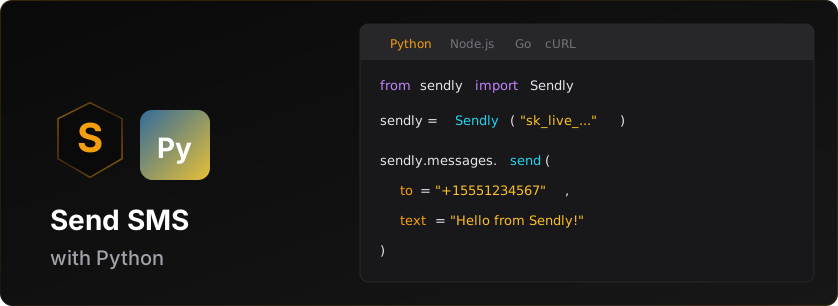


Official Python SDK for the Sendly SMS API.
# pip
pip install sendly

# poetry
poetry add sendly

# pipenv
pipenv install sendly- Python 3.8+
- A Sendly API key (get one here)
from sendly import Sendly

# Initialize with your API key
client = Sendly('sk_live_v1_your_api_key')

# Send an SMS
message = client.messages.send(
    to='+15551234567',
    text='Hello from Sendly!'
)

print(f'Message sent: {message.id}')
print(f'Status: {message.status}')Before sending live SMS messages, you need:
-
Business Verification - Complete verification in the Sendly dashboard
- International: Instant approval (just provide Sender ID)
- US/Canada: Requires carrier approval (3-7 business days)
-
Credits - Add credits to your account
- Test keys (
sk_test_*) work without credits (sandbox mode) - Live keys (
sk_live_*) require credits for each message
- Test keys (
-
Live API Key - Generate after verification + credits
- Dashboard → API Keys → Create Live Key
| Key Type | Prefix | Credits Required | Verification Required | Use Case |
|---|---|---|---|---|
| Test | sk_test_v1_* |
No | No | Development, testing |
| Live | sk_live_v1_* |
Yes | Yes | Production messaging |
Note: You can start development immediately with a test key. Messages to sandbox test numbers are free and don't require verification.
- ✅ Full type hints (PEP 484)
- ✅ Sync and async clients
- ✅ Automatic retries with exponential backoff
- ✅ Rate limit handling
- ✅ Pydantic models for data validation
- ✅ Python 3.8+ support
from sendly import Sendly

client = Sendly('sk_live_v1_xxx')

# Basic usage (marketing message - default)
message = client.messages.send(
    to='+15551234567',
    text='Check out our new features!'
)

# Transactional message (bypasses quiet hours)
message = client.messages.send(
    to='+15551234567',
    text='Your verification code is: 123456',
    message_type='transactional'
)

# With custom sender ID (international)
message = client.messages.send(
    to='+447700900123',
    text='Hello from MyApp!',
    from_='MYAPP'
)

# With custom metadata (max 4KB)
message = client.messages.send(
    to='+15551234567',
    text='Your order #12345 has shipped!',
    metadata={
        'order_id': '12345',
        'customer_id': 'cust_abc'
    }
)# Get recent messages (default limit: 50)
result = client.messages.list()
print(f'Found {result.count} messages')
# Get last 10 messages
result = client.messages.list(limit=10)
# Iterate through messages
for msg in result.data:
print(f'{msg.to}: {msg.status}')message = client.messages.get('msg_xxx')
print(f'Status: {message.status}')
print(f'Delivered: {message.delivered_at}')# Schedule a message for future delivery
scheduled = client.messages.schedule(
to='+15551234567',
text='Your appointment is tomorrow!',
scheduled_at='2025-01-15T10:00:00Z'
)
print(f'Scheduled: {scheduled.id}')
print(f'Will send at: {scheduled.scheduled_at}')
# List scheduled messages
result = client.messages.list_scheduled()
for msg in result.data:
print(f'{msg.id}: {msg.scheduled_at}')
# Get a specific scheduled message
msg = client.messages.get_scheduled('sched_xxx')
# Cancel a scheduled message (refunds credits)
result = client.messages.cancel_scheduled('sched_xxx')
print(f'Refunded: {result.credits_refunded} credits')# Send multiple messages in one API call (up to 1000)
batch = client.messages.send_batch(
messages=[
{'to': '+15551234567', 'text': 'Hello User 1!'},
{'to': '+15559876543', 'text': 'Hello User 2!'},
{'to': '+15551112222', 'text': 'Hello User 3!'}
]
)
print(f'Batch ID: {batch.batch_id}')
print(f'Queued: {batch.queued}')
print(f'Failed: {batch.failed}')
print(f'Credits used: {batch.credits_used}')
# Get batch status
status = client.messages.get_batch('batch_xxx')
# List all batches
result = client.messages.list_batches()
# Preview batch (dry run) - validates without sending
preview = client.messages.preview_batch(
messages=[
{'to': '+15551234567', 'text': 'Hello User 1!'},
{'to': '+447700900123', 'text': 'Hello UK!'}
]
)
print(f"Credits needed: {preview['creditsNeeded']}")
print(f"Will send: {preview['willSend']}, Blocked: {preview['blocked']}")# After any API call, check rate limit status
client.messages.send(to='+1555...', text='Hello!')
rate_limit = client.get_rate_limit_info()
if rate_limit:
print(f'{rate_limit.remaining}/{rate_limit.limit} requests remaining')
print(f'Resets in {rate_limit.reset} seconds')For async/await support, use AsyncSendly:
import asyncio
from sendly import AsyncSendly

async def main():
    async with AsyncSendly('sk_live_v1_xxx') as client:
        # Send a message
        message = await client.messages.send(
            to='+15551234567',
            text='Hello from async!'
        )
        print(message.id)

        # List messages
        result = await client.messages.list(limit=10)
        for msg in result.data:
            print(f'{msg.to}: {msg.status}')

asyncio.run(main())from sendly import Sendly, SendlyConfig
# Using keyword arguments
client = Sendly(
api_key='sk_live_v1_xxx',
base_url='https://sendly.live/api/v1', # Optional
timeout=60.0, # Optional: seconds (default: 30)
max_retries=5 # Optional: (default: 3)
)
# Using config object
config = SendlyConfig(
api_key='sk_live_v1_xxx',
timeout=60.0,
max_retries=5
)
client = Sendly(config=config)Manage webhook endpoints to receive real-time delivery status updates.
# Create a webhook endpoint
webhook = client.webhooks.create(
    url='https://example.com/webhooks/sendly',
    events=['message.delivered', 'message.failed']
)

print(f'Webhook ID: {webhook.id}')
print(f'Secret: {webhook.secret}')  # Store this securely!

# List all webhooks
webhooks = client.webhooks.list()

# Get a specific webhook
wh = client.webhooks.get('whk_xxx')

# Update a webhook
client.webhooks.update('whk_xxx',
    url='https://new-endpoint.example.com/webhook',
    events=['message.delivered', 'message.failed', 'message.sent']
)

# Test a webhook (sends a test event)
result = client.webhooks.test('whk_xxx')
print(f'Test {"passed" if result.success else "failed"}')

# Rotate webhook secret
rotation = client.webhooks.rotate_secret('whk_xxx')
print(f'New secret: {rotation.secret}')

# View delivery history
deliveries = client.webhooks.get_deliveries('whk_xxx')

# Retry a failed delivery
client.webhooks.retry_delivery('whk_xxx', 'del_yyy')

# Delete a webhook
client.webhooks.delete('whk_xxx')from sendly import Webhooks
WEBHOOK_SECRET = 'your_webhook_secret'
# In your webhook handler (Flask example)
@app.route('/webhooks/sendly', methods=['POST'])
def handle_webhook():
signature = request.headers.get('X-Sendly-Signature')
timestamp = request.headers.get('X-Sendly-Timestamp')
payload = request.get_data(as_text=True)
try:
event = Webhooks.parse_event(payload, signature, WEBHOOK_SECRET, timestamp=timestamp)
if event.type == 'message.delivered':
print(f'Message {event.data.id} delivered')
elif event.type == 'message.failed':
print(f'Message {event.data.id} failed: {event.data.error_code}')
return 'OK', 200
except Exception as e:
print(f'Invalid signature: {e}')
return 'Invalid signature', 400# Get account information
account = client.account.get()
print(f'Email: {account.email}')
# Check credit balance
credits = client.account.get_credits()
print(f'Available: {credits.available_balance} credits')
print(f'Reserved (scheduled): {credits.reserved_balance} credits')
print(f'Total: {credits.balance} credits')
# View credit transaction history
transactions = client.account.get_credit_transactions()
for tx in transactions:
print(f'{tx.type}: {tx.amount} credits - {tx.description}')
# List API keys
keys = client.account.list_api_keys()
for key in keys:
print(f'{key.name}: {key.prefix}*** ({key.type})')
# Get API key usage stats
usage = client.account.get_api_key_usage('key_xxx')
print(f"Messages sent: {usage['messagesSent']}")
print(f"Credits used: {usage['creditsUsed']}")
# Create a new API key
result = client.account.create_api_key('Production Key')
print(f"New key: {result['key']}") # Only shown once!
# Rotate an API key (old key keeps working for a 24h grace period by default)
rotation = client.account.rotate_api_key('key_xxx')
print(f"New key: {rotation['newKey']['key']}") # Only shown once!
# Rotate with a wider overlap window (24-168 hours)
rotation = client.account.rotate_api_key('key_xxx', grace_period_hours=72)
# Revoke an API key
client.account.revoke_api_key('key_xxx')Search for and buy phone numbers. Prices on available numbers are already
customer-priced. Requires an API key with the numbers:read / numbers:write
scopes.
# List the countries where numbers are available
countries = client.numbers.list_countries()
for country in countries.countries:
    print(f'{country.code} {country.name}: {country.number_types}')

# Search for available numbers (already customer-priced)
available = client.numbers.list_available(country='GB', type='mobile')
for num in available.numbers:
    print(f'{num.phone_number} — {num.monthly_cost} {num.currency}')

# Optionally filter by a digit pattern
available = client.numbers.list_available(country='GB', type='mobile', contains='777')

# List the numbers you already own
owned = client.numbers.list()
for num in owned.numbers:
    print(f'{num.phone_number} ({num.status})')

# Get one owned number (includes whether it's your default sender)
number = client.numbers.get('num_xxx')
print(f'{number.phone_number} default={number.is_default}')

# Make a number your default sender
client.numbers.update('num_xxx', is_default=True)

# Cancel a scheduled release and keep the number
client.numbers.update('num_xxx', pending_cancellation=False)

# Release a number (a paid number is kept until the end of the billed period)
result = client.numbers.release('num_xxx')
if result.scheduled:
    print(f'Releases at {result.scheduled_release_at}')
else:
    print('Released')

# Buy a number
chosen = available.numbers[0]
result = client.numbers.buy(
    phone_number=chosen.phone_number,
    country_code='GB',
    phone_number_type='mobile',
    monthly_cost=chosen.monthly_cost,
)

if result.status == 'provisioning':
    print(f'Provisioning {result.number.phone_number}')
elif result.status in ('documents_required', 'payment_required'):
    # Hand the user the hosted Sendly page + code, wait for them to finish,
    # then call buy() again with the same arguments plus action_code set to
    # the completed action's code.
    print(f'Open {result.action.url} and enter code {result.action.code}')
    # ...later, after the user completes the page...
    result = client.numbers.buy(
        phone_number=chosen.phone_number,
        country_code='GB',
        phone_number_type='mobile',
        monthly_cost=chosen.monthly_cost,
        action_code=result.action.code,
)Register your business for carrier review so you can text from local
(10-digit) US numbers. Requires an API key with the tendlc:read /
tendlc:write scopes; writes need a live key. The flow has three steps:
brand → campaign → assign a number.
# 1. Register a brand and poll until it's verified
brand = client.ten_dlc.create_brand(
    legal_name='Acme Holdings LLC',
    ein='12-3456789',
    website='https://acme.example',
    email='ops@acme.example',
).data
# ...poll client.ten_dlc.get_brand(brand.id) until brand.status == 'verified'
# (or 'failed', with brand.failure_reasons explaining why)

# 2. Pre-check the use case, then create a campaign
check = client.ten_dlc.qualify(brand.id, 'MIXED').data
if check.qualified:
    campaign = client.ten_dlc.create_campaign(
        brand_id=brand.id,
        use_case='MIXED',
        description='Order updates and support replies for Acme customers',
        message_flow='Customers opt in at checkout on acme.example',
        sample_messages=['Your order #123 has shipped!'],
        opt_out_keywords='STOP',
    ).data
    # ...poll client.ten_dlc.get_campaign(campaign.id) until status == 'active'

    # 3. Assign a number you own; it can send once the assignment is 'Active'
    assignment = client.ten_dlc.assign_number(campaign.id, '+15551234567').data
    print(assignment.status)

# List what you have registered
brands = client.ten_dlc.list_brands()
campaigns = client.ten_dlc.list_campaigns()
assignments = client.ten_dlc.list_assignments()Send one message to 2-8 US/Canada recipients who share a single thread; replies
fan out to everyone. Provide text, media_urls, or both. Requires the
group_mms feature.
group = client.messages.send_group(
    to=['+14155551234', '+14155555678'],
    text='Dinner at 7?'
)
print(f'{group.id}: {group.status}')  # 'sent' (or 'delivered' on a test key)
print(group.group_message_id)         # stable group thread id, when available

# With media
client.messages.send_group(
    to=['+14155551234', '+14155555678'],
    text='Here is the menu',
    media_urls=['https://example.com/menu.jpg'],
)Polish message copy before sending. Pass text and/or a message_type to steer
the tone.
result = client.messages.enhance(text='ur order shipped', message_type='transactional')
print(result.enhanced)     # cleaned-up copy
print(result.explanation) # why it changedMint branded short links for a destination URL, list them with click analytics,
and flip a per-link kill switch. Branded, owned-domain links improve
deliverability and give you click data. Gated behind the url_shortener flag.
# Shorten a URL
link = client.links.create('https://example.com/spring-sale?utm_source=sms')
print(link.short_url)        # https://sendly.live/l/Ab3xY7
print(link.code)             # Ab3xY7

# List your links with click counts and a 14-day daily histogram
listing = client.links.list(limit=20)
print(f'{listing.total} links')
for lk in listing.links:
    print(f'{lk.short_url} -> {lk.destination_url} ({lk.click_count} clicks)')

# Kill a link (its redirect 404s until re-enabled)
client.links.disable(link.code)
client.links.enable(link.code)Connect a number you own to WhatsApp ($19 one-time, no monthly fee), create
Meta-reviewed message templates, and send on the whatsapp channel. Connecting
always ends with a human step: hand the connect_url to your user - they open
it in a browser and log in with Facebook to link their WhatsApp Business
Account. Free-form text and media only deliver inside an open 24-hour window
(the recipient messaged you in the last 24h); an approved template works
anytime. Requires a live API key.
# 1. Connect a number (a person must finish the connect URL in a browser)
signup = client.whatsapp.signup.create('+15559876543')
print(f'Open {signup.connect_url} and log in with Facebook')
# ...poll client.whatsapp.signup.get(signup.id) until signup.status == 'active'
# (or 'failed', with signup.failure_reasons explaining why)

# 2. Create a template (Meta reviews it, usually 24-48h)
template = client.whatsapp.templates.create(
    sender='+15559876543',
    name='order_shipped',
    language='en_US',
    category='UTILITY',
    body='Hi {{1}}, your order {{2}} has shipped!',
    examples={'1': 'Sam', '2': '#4821'},
)
# ...poll client.whatsapp.templates.list() until its status == 'APPROVED'
# (a rejected template should be edited with templates.update() and resubmitted -
# deleting locks its name for ~30 days)

# 3. Send - free-form inside an open 24h window, template anytime
window = client.whatsapp.window(from_='+15559876543', to='+15551234567')
if window.open:
    message = client.messages.send(
        channel='whatsapp',
        to='+15551234567',
        from_='+15559876543',
        text='Your table is ready!',
    )
else:
    message = client.messages.send(
        channel='whatsapp',
        to='+15551234567',
        from_='+15559876543',
        template={'name': 'order_shipped', 'language': 'en_US',
                  'variables': {'1': 'Sam', '2': '#4821'}},
    )
print(message.whatsapp.kind)  # 'text' or 'template'

# Media with a caption (window-bound, one attachment per message)
client.messages.send(
    channel='whatsapp',
    to='+15551234567',
    from_='+15559876543',
    text='Here is the menu',
    media_urls=['https://example.com/menu.jpg'],
)

# List your connected senders
for sender in client.whatsapp.senders.list().senders:
    print(f'{sender.phone_number} ({sender.display_name}) - {sender.status}')

# Read and update a sender's business profile (what recipients see)
profile = client.whatsapp.senders.get_profile('+15559876543')
print(profile.display_name, profile.about)

client.whatsapp.senders.update_profile(
    '+15559876543',
    about='Fresh roasts daily',                                   # max 139 chars
    description='Small-batch coffee, roasted in-house every morning.',  # max 512
    website='https://acme.example.com',
)Send branded, verified-sender messages on Android: rich cards, suggestion chips, and read receipts. Sending as your brand requires an RCS agent (the verified identity recipients see), registered per workspace through carrier review - contact support to register one. Text messages automatically fall back to SMS when the recipient's device or network doesn't support RCS (billed as SMS; suggestion chips are dropped); rich cards have no SMS form and respond 422 instead. Requires a live API key.
# Your registered agents ('testing' or 'approved' agents are sendable)
for agent in client.rcs.agents.list().agents:
    print(agent.name, agent.status, agent.sendable)

# Optionally pre-flight a recipient (live carrier-backed probe)
check = client.rcs.capability(to='+15551234567')
print(check.capable, check.features)

# Text with suggestion chips - falls back to SMS for non-RCS recipients
message = client.messages.send(
    channel='rcs',
    to='+15551234567',
    text='Your table is ready!',
    suggestions=[
        {'reply': {'text': 'On my way', 'postbackData': 'omw'}},
        {'action': {'text': 'View menu', 'postbackData': 'menu',
                    'url': 'https://example.com/menu'}},
    ],
)

# The response tells you which leg delivered
if message.channel == 'rcs':
    print(message.rcs.agent_name)          # delivered over RCS
else:
    print(message.fell_back_to)            # 'sms'
    print(message.rcs.suggestions_dropped)  # True - chips have no SMS form

# Rich card (RCS-capable recipients only - no SMS form)
client.messages.send(
    channel='rcs',
    to='+15551234567',
    card={
        'title': 'Your order has shipped',
        'description': 'Arriving Thursday',
        'mediaUrl': 'https://example.com/package.jpg',  # public JPEG/PNG/GIF
        'orientation': 'vertical',
        'suggestions': [
            {'action': {'text': 'Track it', 'postbackData': 'track',
                        'url': 'https://example.com/track'}},
        ],
    },
)

# Opt out of the SMS fallback to get a 422 for non-RCS recipients instead
client.messages.send(
    channel='rcs',
    to='+15551234567',
    text='Your table is ready!',
    fallback_to_sms=False,
)The SDK provides typed exception classes:
from sendly import (
    Sendly,
    SendlyError,
    AuthenticationError,
    RateLimitError,
    InsufficientCreditsError,
    ValidationError,
    NotFoundError,
)

client = Sendly('sk_live_v1_xxx')

try:
    message = client.messages.send(
        to='+15551234567',
        text='Hello!'
    )
except AuthenticationError as e:
    print(f'Invalid API key: {e.message}')
except RateLimitError as e:
    print(f'Rate limited. Retry after {e.retry_after} seconds')
except InsufficientCreditsError as e:
    print(f'Need {e.credits_needed} credits, have {e.current_balance}')
except ValidationError as e:
    print(f'Invalid request: {e.message}')
except NotFoundError as e:
    print(f'Resource not found: {e.message}')
except SendlyError as e:
print(f'API error [{e.code}]: {e.message}')Use a test API key (sk_test_v1_xxx) for testing:
from sendly import Sendly, SANDBOX_TEST_NUMBERS

client = Sendly('sk_test_v1_xxx')

# Check if in test mode
print(client.is_test_mode())  # True

# Use sandbox test numbers
message = client.messages.send(
    to=SANDBOX_TEST_NUMBERS.SUCCESS,  # +15005550000
    text='Test message'
)

# Test error scenarios
message = client.messages.send(
    to=SANDBOX_TEST_NUMBERS.INVALID,  # +15005550001
    text='This will fail'
)| Number | Behavior |
|---|---|
+15005550000 |
Success (instant) |
+15005550001 |
Fails: invalid_number |
+15005550002 |
Fails: unroutable_destination |
+15005550003 |
Fails: queue_full |
+15005550004 |
Fails: rate_limit_exceeded |
+15005550006 |
Fails: carrier_violation |
from sendly import CREDITS_PER_SMS, SUPPORTED_COUNTRIES, PricingTier

# Credits per SMS by tier
print(CREDITS_PER_SMS[PricingTier.DOMESTIC])  # 2 (US/Canada)
print(CREDITS_PER_SMS[PricingTier.TIER1])     # 8 (UK, Poland, etc.)
print(CREDITS_PER_SMS[PricingTier.TIER2])     # 12 (France, Japan, etc.)
print(CREDITS_PER_SMS[PricingTier.TIER3])     # 16 (Germany, Italy, etc.)

# Supported countries by tier
print(SUPPORTED_COUNTRIES[PricingTier.DOMESTIC])  # ['US', 'CA']
print(SUPPORTED_COUNTRIES[PricingTier.TIER1]) # ['GB', 'PL', ...]The SDK exports validation utilities:
from sendly import (
    validate_phone_number,
    get_country_from_phone,
    is_country_supported,
    calculate_segments,
)

# Validate phone number format
validate_phone_number('+15551234567')  # OK
validate_phone_number('555-1234')  # Raises ValidationError

# Get country from phone number
get_country_from_phone('+447700900123')  # 'GB'
get_country_from_phone('+15551234567')   # 'US'

# Check if country is supported
is_country_supported('GB')  # True
is_country_supported('XX')  # False

# Calculate SMS segments
calculate_segments('Hello!')  # 1
calculate_segments('A' * 200) # 2The SDK is fully typed. Import types for your IDE:
from sendly import (
    SendlyConfig,
    SendMessageRequest,
    Message,
    MessageStatus,
    ListMessagesOptions,
    MessageListResponse,
    RateLimitInfo,
    PricingTier,
)Both sync and async clients support context managers:
# Sync
with Sendly('sk_live_v1_xxx') as client:
    message = client.messages.send(to='+1555...', text='Hello!')

# Async
async with AsyncSendly('sk_live_v1_xxx') as client:
message = await client.messages.send(to='+1555...', text='Hello!')Sendly(
api_key: str,
base_url: str = 'https://sendly.live/api/v1',
timeout: float = 30.0,
max_retries: int = 3,
)messages- Messages resourcebase_url- Configured base URL
is_test_mode()- ReturnsTrueif using a test API keyget_rate_limit_info()- Returns current rate limit infoclose()- Close the HTTP client
Send an SMS message.
List sent messages.
Get a specific message by ID.
List the countries where numbers can be searched and purchased.
Search for available numbers, already customer-priced.
List the numbers the account already owns.
buy(phone_number, country_code, phone_number_type, monthly_cost, action_code=None) -> BuyNumberResponse
Buy a number. Returns status of provisioning, documents_required, or payment_required; when documents/payment are required, action carries a hosted page URL + code to hand to the user before re-calling with action_code.
List the brands registered for carrier review.
Register a brand for carrier review — step 1 of enabling local-number texting. The brand starts pending; poll get_brand() until it becomes verified.
Fetch one brand; also refreshes its carrier-review status, so polling shows progress (pending → verified/failed).
Pre-check whether a use case qualifies for a brand on the carrier network before creating a campaign.
List your messaging campaigns.
create_campaign(brand_id, use_case, description, message_flow, sample_messages, ...) -> TenDlcCampaignResponse
Create a campaign under a verified brand and submit it for carrier review. Starts pending; poll get_campaign() until it becomes active.
Fetch one campaign; also refreshes its carrier-review status, including throughput once carriers approve.
Assign a number you own to an active campaign, making the number sendable. Idempotent — re-assigning the same number to the same campaign returns the existing assignment.
List your number-to-campaign assignments.
The Enterprise API lets you programmatically manage workspaces, verification, credits, and API keys for multi-tenant platforms. Requires an enterprise master key (sk_live_v1_master_*).
Create a fully configured workspace in a single call:
from sendly import Sendly

client = Sendly('sk_live_v1_master_YOUR_KEY')

# Inherit verification from an existing workspace (fastest)
result = client.enterprise.provision({
    "name": "Acme Insurance - Austin",
    "sourceWorkspaceId": "ws_verified",
    "creditAmount": 5000,
    "creditSourceWorkspaceId": "SOURCE_WORKSPACE_ID",
    "keyName": "Production",
    "keyType": "live",
    "generateOptInPage": True
})

print(result["workspace"]["id"])
print(result["key"]["key"])
print(result["optInPage"]["url"])
Three provisioning modes:
| Mode | Params | Description |
|---|---|---|
| Inherit | sourceWorkspaceId |
Shares toll-free number from verified workspace |
| Inherit + New Number | sourceWorkspaceId + inheritWithNewNumber: True |
Copies business info, purchases new number |
| Fresh | verification: { ... } |
Full business details, new number + carrier approval |
ws = client.enterprise.workspaces.create(name="Acme Insurance")

result = client.enterprise.workspaces.list()
for ws in result.workspaces:
    print(f"{ws.name}: {ws.verification_status}")

detail = client.enterprise.workspaces.get("ws_xxx")

client.enterprise.workspaces.delete("ws_xxx")client.enterprise.workspaces.transfer_credits(
"ws_dest",
source_workspace_id="ws_source",
amount=5000,
)
key = client.enterprise.workspaces.create_key(
"ws_xxx",
name="Production",
type="live",
)
print(key.key)
client.enterprise.workspaces.revoke_key("ws_xxx", "key_abc")client.enterprise.webhooks.set(url="https://yourapp.com/webhooks")
overview = client.enterprise.analytics.overview()
messages = client.enterprise.analytics.messages(period="30d")
delivery = client.enterprise.analytics.delivery()Full enterprise docs: sendly.live/docs/enterprise
MIT