Configuration
This is the admin panel, which contains the settings that are necessary for the correct operation of HSM.
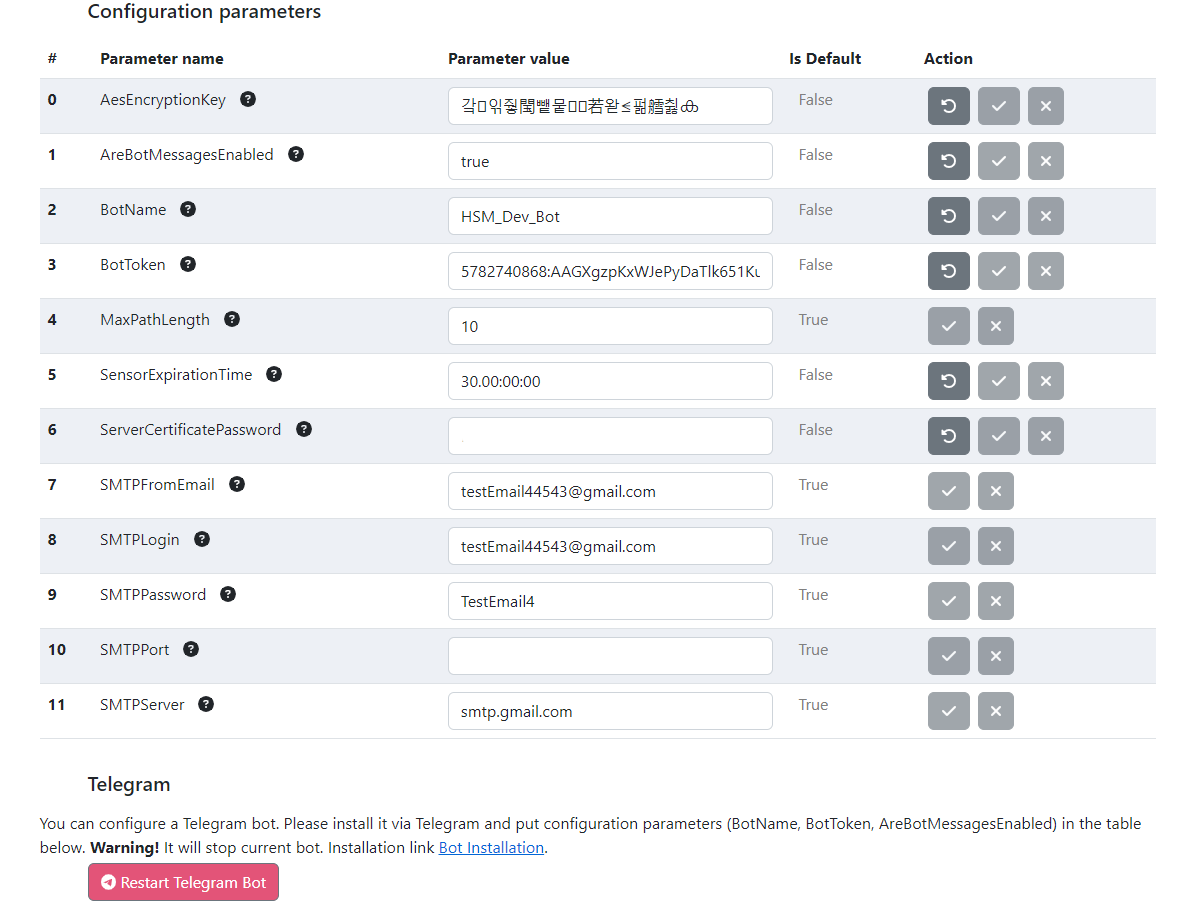
This page is divided into 2 parts :
-
Parameter Table;

-
Telegram server settings.

Parameter Table has the following columns:
- Parameter name;
- Parameter value;
- Default value;
- Actions:
- Reset;
- Accept/reject changes made while editing.
List of all parameters:
- BotName - Installed by BotFather botname. It must be ended with 'bot'. Need to insert here the name generated by BotFather;
- BotToken - Generated by BotFather secret access token. Need to insert here the token generated by BotFather;
The telegram section contains instructions for setting up a telegram bot, as well as the ability to restart a telegram bot, which is necessary when setting it up. This section is relevant only for the first configuration.