

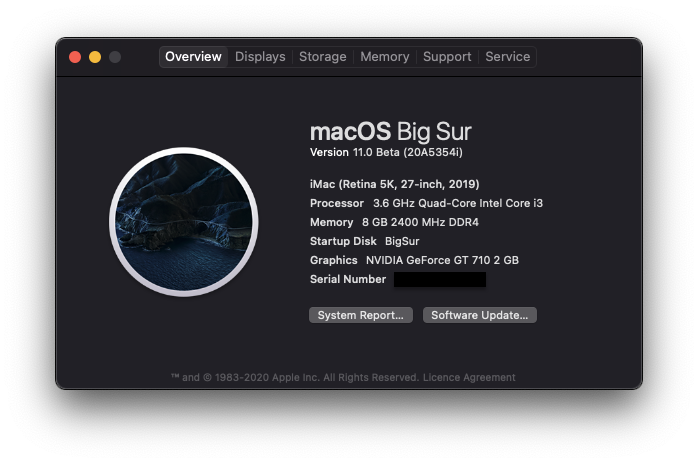
This guide covers the installation of macOS 11.0 Big Sur Beta on an ASUS H310M-E motherboard
- Intel Core i3 9100
- Asus Prime H310M-E
- 2 x 4GB 2400Mhz RAM
- 1 x 240GB Kingston M.2 PCIE NVMe SSD + 1 x 120GB WD GREEN SATA 2.5" SSD + 1 x 1TB Samsung ST1000 HDD
- MSI GT 710 2GD3H LP DDR3
- A Mac, hack, or pre-existing VM add link
- A USB Drive (Minimum 16GB)
- OpenCore Pkg's Latest Release
- EFI Mounter v3.1
- gibMacOS
- ProperTree
- GenSMBOIS
- config.plist
- Open
gibMacOS.commandfrom the downloaded gibMacOS. - Press
Mto change the Max OS, then enter 10.16 to update the catalog to Big Sur. - Press
Cto change the catalog, then enter4to select the developer catalog. - Select the number for the Big Sur beta to start downloading it.
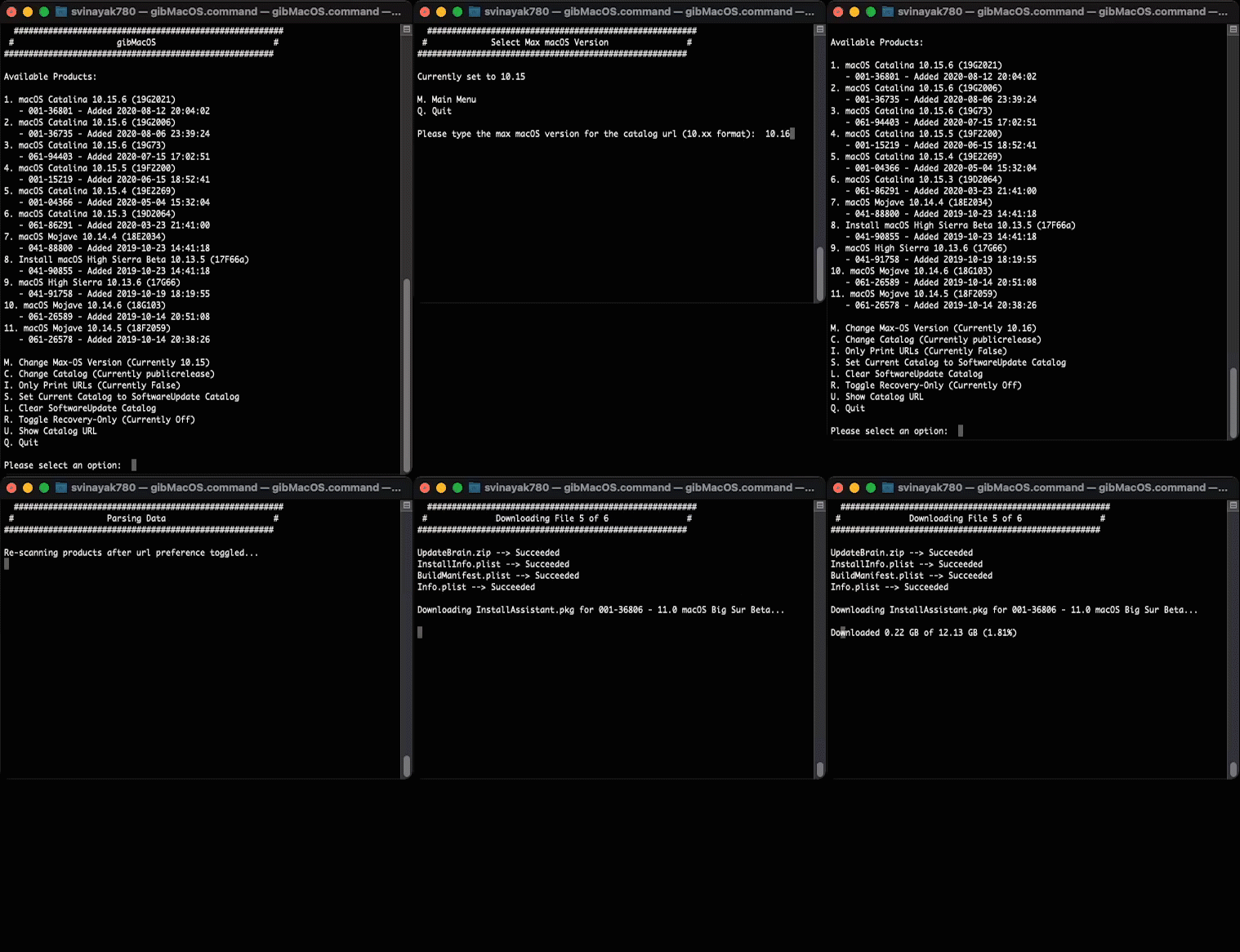
- Once finished, open the
InstallAssistant.pkgthat was downloaded - it will be located in thegibMacOS/macOS Downloads/developer/XXX-XXXXX - Install macOS Betafolder. This package from Apple will createInstall macOS Big Sur Beta.appin your/Applicationsfolder. - Run the InstallAssistant.pkg and point this to whichever drive you're booting off of, this is where the Install.app will be dropped: Screenshot
Open Disk Utility and format your USB as follows:
- Name:
MyVolume - Format:
Mac OS Extended (Journaled) - Scheme:
GUID Partition Map
On completion, run the following command in Terminal:
sudo /Applications/Install\ macOS\ Big\ Sur\ Beta.app/Contents/Resources/createinstallmedia --volume /Volumes/MyVolume
- Mount your USB's EFI Partition if not already mounted using EFI Mounter v3.1. (You can cross-verify the drive number from with Disk Utility)
- Copy the EFI folder from the downloaded OpenCore Pkg's Release to the root of your EFI Partition.
- Go to the
Driversfolder in your EFI and delete all the files exceptHfsPlus.efi,OepnRuntime.efiandOpenCanopy.efi`. - Copy the following kexts to the
Kextsfolder in your EFI:
| Kexts |
|---|
| Lilu |
| VirtualSMC |
| WhateverGreen |
| AppleALC |
| RealtekRTL8111 |
| USBInjectAll |
| XHCI-unsupported |
- Copy the following SSDTs to the
ACPIfolder of your EFI:
| SSDTs |
|---|
| SSDT-PLUG-DRTNIA |
| SSDT-EC-USBX-DESKTOP |
| SSDT-AWAC |
| SSDT-PMC |
- Place the downloaded config.plist in
EFI/OC/. - Run
ProperTree.commandfrom the downloaded ProperTree. - Open the
config.plistfile in ProperTree using Cmd/Ctrl+O or File->Open. - Perform a Clean Snaphot by pressing Cmd/Ctrl + Shift + R or File->OC Clean Snapshot and navigating to
EFI/OC. - Open
GenSMBIOS.commandfrom the downloaded release of GenSMBOIS. - Choose option 3.
Generate SMBIOS. - Enter iMac19,1 if you are using iGPU to drive your display or iMac19,3 if iGPU is used only for computing tasks and doesn't drive a display.
- Copy the following data to the desired fields under
PlatformInfo->Generic:
`Type` to Generic -> SystemProductName.
`Serial` to Generic -> SystemSerialNumber.
`Board Serial` to Generic -> MLB.
`SmUUID` to Generic -> SystemUUID.
- If you are using iGPU to drive the display, then enter the following under
DeviceProperties->Add->PciRoot(0x0)/Pci(0x2,0x0):
| Key | Type | Value |
|---|---|---|
| AAPL,ig-platform-id | Data | 07009B3E |
| framebuffer-patch-enable | Data | 01000000 |
| framebuffer-stolenmem | Data | 00003001 |
- Save the file and exit.
Reset to Defalut BIOS Keys.
- Fast Boot
- Secure Boot
- Serial/COM Port
- Parallel Port
- CSM
- Intel SGX
- Intel Platform Trust
- CFG Lock
- VT-d
- VT-x
- Above 4G decoding
- Hyper-Threading
- Execute Disable Bit
- EHCI/XHCI Hand-off
- OS type: Windows 8.1/10 UEFI Mode
- DVMT Pre-Allocated(iGPU Memory): 64MB