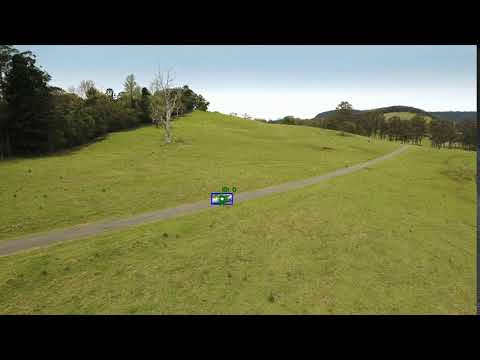
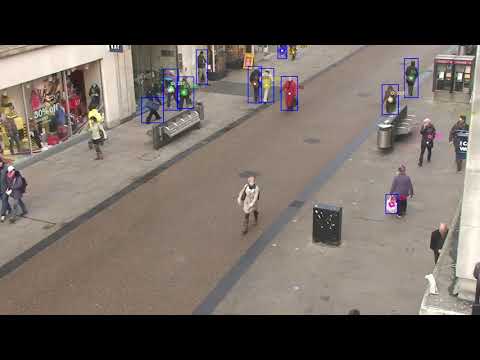
This repository implements a multiple object tracker using particle filters in combination with YOLO. Each object have their own "set" of particles that are updated with the detections of YOLO. These YOLO detections act as the measurements for the particle filter tracking. To determine which detection belongs to which particle set, the hungarian assignment is used to assign the detections from YOLO to the appropiate particle set and update them accordingly. New particle sets are initialized for unassigned detections.
This project was built and tested with Python 3.8.5. Has not been tested with Python 2.7. The required packages and their versions are located in the requirements.txt file.
To run this project, first clone the repository and install the required python packages with the requirements.txt:
$ cd <directory you want to install to>
$ git clone https://github.com/ThanhL/ParticleFilterTracker.git
$ cd ParticleFilterTracker
$ pip install -r requirements.txt
Since this particle filter tracker uses YOLO detection as it measurements when tracking objects, we first need to download the following files and store them in the models folder.
- YOLO weights: File containing the pre-trained network's weights.
- YOLO cfg: File containing the network configuration.
- coco.names: File containing the 80 different class names used in COCO dataset. coco.names can be downloaded here. NOTE: coco.names has already been added in this repository by default (located in models/coco.names) and its default reference in
pf_driver.pyisCOCO_CLASSES_TXT = "./models/yolov3/coco.names"
Note the code was built and tested with YOLO-v3 architecture. The cfg and pretrained YOLO weights can be downloaded from https://pjreddie.com/darknet/yolo/ under Performance on the COCO Dataset.
The crux of the code is ran through pf_driver.py. To use the multi object particle filter tracker, we run the following command:
python pf_driver --yolo_weights <path_to_yolo_weights> --yolo_cfg <path_to_yolo_cfg> --video <path_to_video>
where,
- path_to_yolo_weights: is the directory path to the where the yolo weights is stored (should be of the extension .weights). By default, in
pf_driver.pythe yolo weights default path file is set toYOLOV3_WEIGHTS = "./models/yolov3/yolov3.weights". - path_to_yolo_cfg: is the directory path to where the yolo cfg is stored (should be of the extension .cfg). By default, in
pf_driver.pythe yolo cfg default path file is set toYOLOV3_CFG = "./models/yolov3/yolov3.cfg". - path_to_video: this is the video that will be used to start tracking objects with the particle filter.
We can debug frame by frame of the tracker with the extra tag --debug_cv as shown:
python pf_driver --yolo_weights <path_to_yolo_weights> --yolo_cfg <path_to_yolo_cfg> --video <path_to_video> --debug_cv
This will step through the video frame by frame while running the particle filter tracking algorithm. To step through to the next frame press k.
We can output the tracker results into a file with the following tag --output:
python pf_driver --yolo_weights <path_to_yolo_weights> --yolo_cfg <path_to_yolo_cfg> --video <path_to_video> --output <name_of_video_output>
where the <name_of_video_output> corresponds to the name of the output video of the tracker. Note that <name_of_video_output> requires .avi extension at the end for example particle_filter_tracker_output_video.avi.
[1] YOLO object detection with OpenCV, Adrian Rosebrock. https://www.pyimagesearch.com/2018/11/12/yolo-object-detection-with-opencv/
[2] Kalman and Bayesian Filters in Python - Particle Filters, Roger Labbe. https://github.com/rlabbe/Kalman-and-Bayesian-Filters-in-Python/blob/master/12-Particle-Filters.ipynb
[3] Multi Object Tracking Tutorial, Student Dave. https://www.youtube.com/watch?v=Me0wbxEDO4I&feature=youtu.be
[4] Thrun, Sebastian., Burgard, Wolfram., Fox, Dieter. Probablistic Robotics, 2005.
[5] Hungarian algorithm, Wikipedia. https://en.wikipedia.org/wiki/Hungarian_algorithm