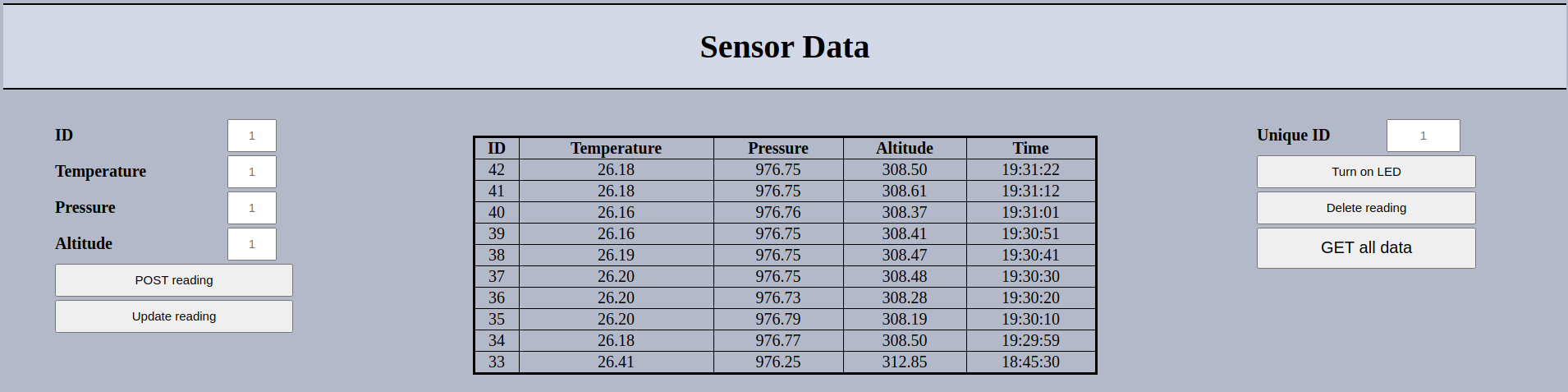
Website contains database <--> backend <--> frontend. Data is sent from rapsberry pi zero that has a BMP280 sensor attached to it. Main server that handles the requests is written in golang, RPI also runs a server on it own and it used to light up a LED on the RPI to demonstrate duplex functionality and its written in python.
git clone https://github.com/aTTiny73/RaspberryPI-weather-station.git
To setup database first you need to install mysql-server. To get the exact same table as me, inside the mysql shell, type these commands :
CREATE DATABASE SENSORDATA;
USE SENSORDATA;
CREATE TABLE READINGS
(
    ID int NOT NULL AUTO_INCREMENT,
    Temperature varchar(255) NOT NULL,
    Pressure varchar(255) NOT NULL,
    Altitude varchar(255) NOT NULL,
    Time varchar(255) NOT NULL,
    PRIMARY KEY (ID)
);
Now its time to setup user you can do that by running this command in mysql shell:
CREATE USER 'testuser'@'localhost' IDENTIFIED BY 'testpassword';
Now we need to grant all privileges to user so he can manipulate data in the table.
GRANT ALL PRIVILEGES ON SENSORDATA.READINGS TO 'testuser'@'localhost';
First you need to run the main.go file by running the command :
go run main.go
Then you need to run i2cSensorTransmit.py file on the RPI to enable data transmition to server, run the command :
python3 i2cSensorTransmit.py
In order to enable led control from the website you need to run ledServer.py file on the RPI as well by running the commands:
export FLASK_APP=ledServer.py
sudo -E flask run --host=0.0.0.0 --port=8090
Last step open the index.html in browser.
