Memory Game is a Light & Sound Memory game to apply for CodePath's SITE Program.
Submitted by: Adriana Morales
Time spent: 20 hours spent in total
Link to project: https://glitch.com/edit/#!/cautious-flash-marigold?path=README.md%3A1%3A0 https://cautious-flash-marigold.glitch.me/
The following required functionality is complete:
- Game interface has a heading (h1 tag), a line of body text (p tag), and four buttons that match the demo app
- "Start" button toggles between "Start" and "Stop" when clicked.
- Game buttons each light up and play a sound when clicked.
- Computer plays back sequence of clues including sound and visual cue for each button
- Play progresses to the next turn (the user gets the next step in the pattern) after a correct guess.
- User wins the game after guessing a complete pattern
- User loses the game after an incorrect guess
The following optional features are implemented:
- Any HTML page elements (including game buttons) has been styled differently than in the tutorial
- Buttons use a pitch (frequency) other than the ones in the tutorial
- More than 4 functional game buttons
- Playback speeds up on each turn
- Computer picks a different pattern each time the game is played
- Player only loses after 3 mistakes (instead of on the first mistake)
- Game button appearance change goes beyond color (e.g. add an image)
- Game button sound is more complex than a single tone (e.g. an audio file, a chord, a sequence of multiple tones)
- User has a limited amount of time to enter their guess on each turn
The following additional features are implemented:
- List anything else that you can get done to improve the app!
- Hover feature for the buttons which allows users to see what button they are going to press
If you recorded multiple GIFs for all the implemented features, you can add them here:
![x]] 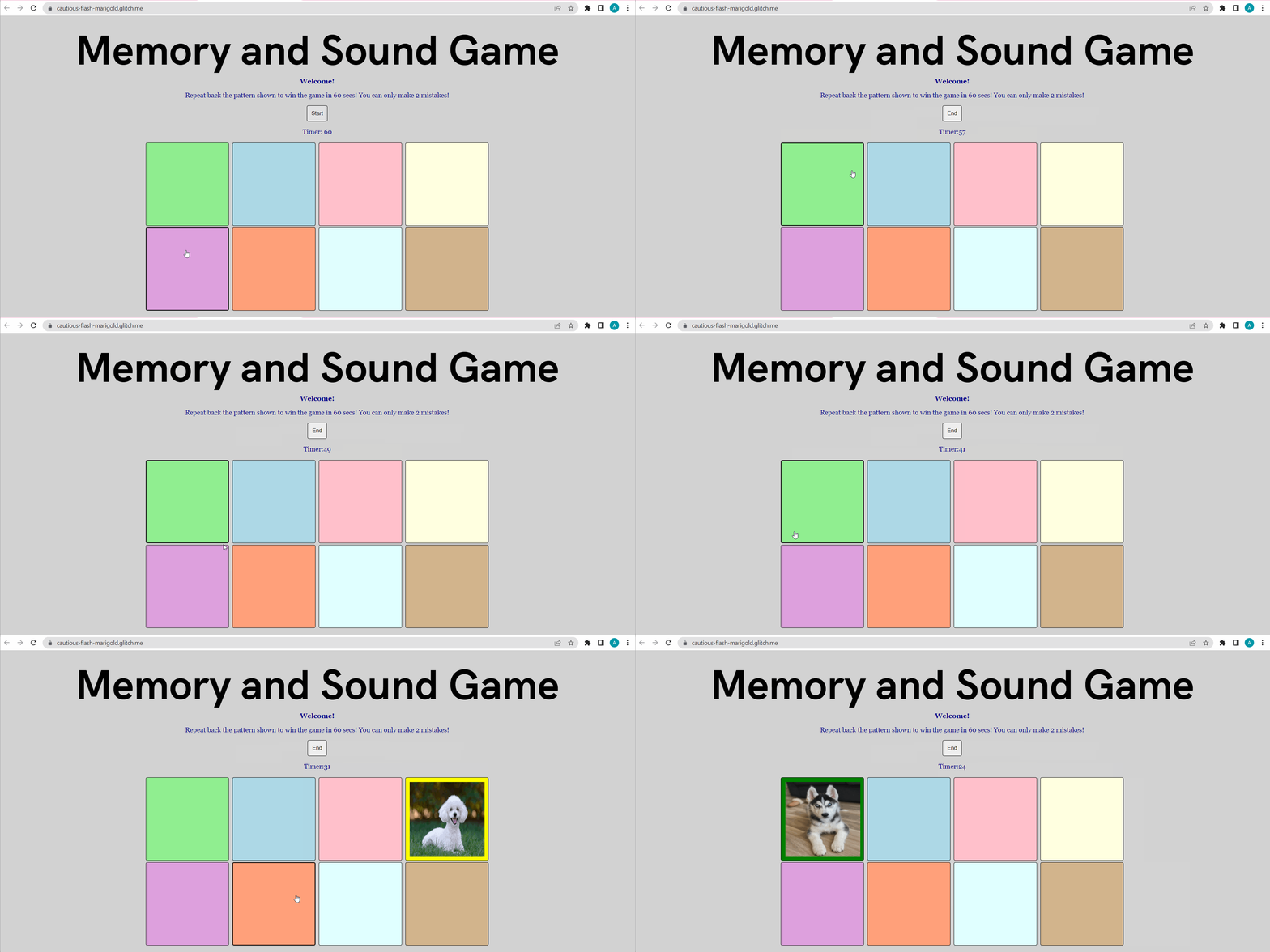
![x]] 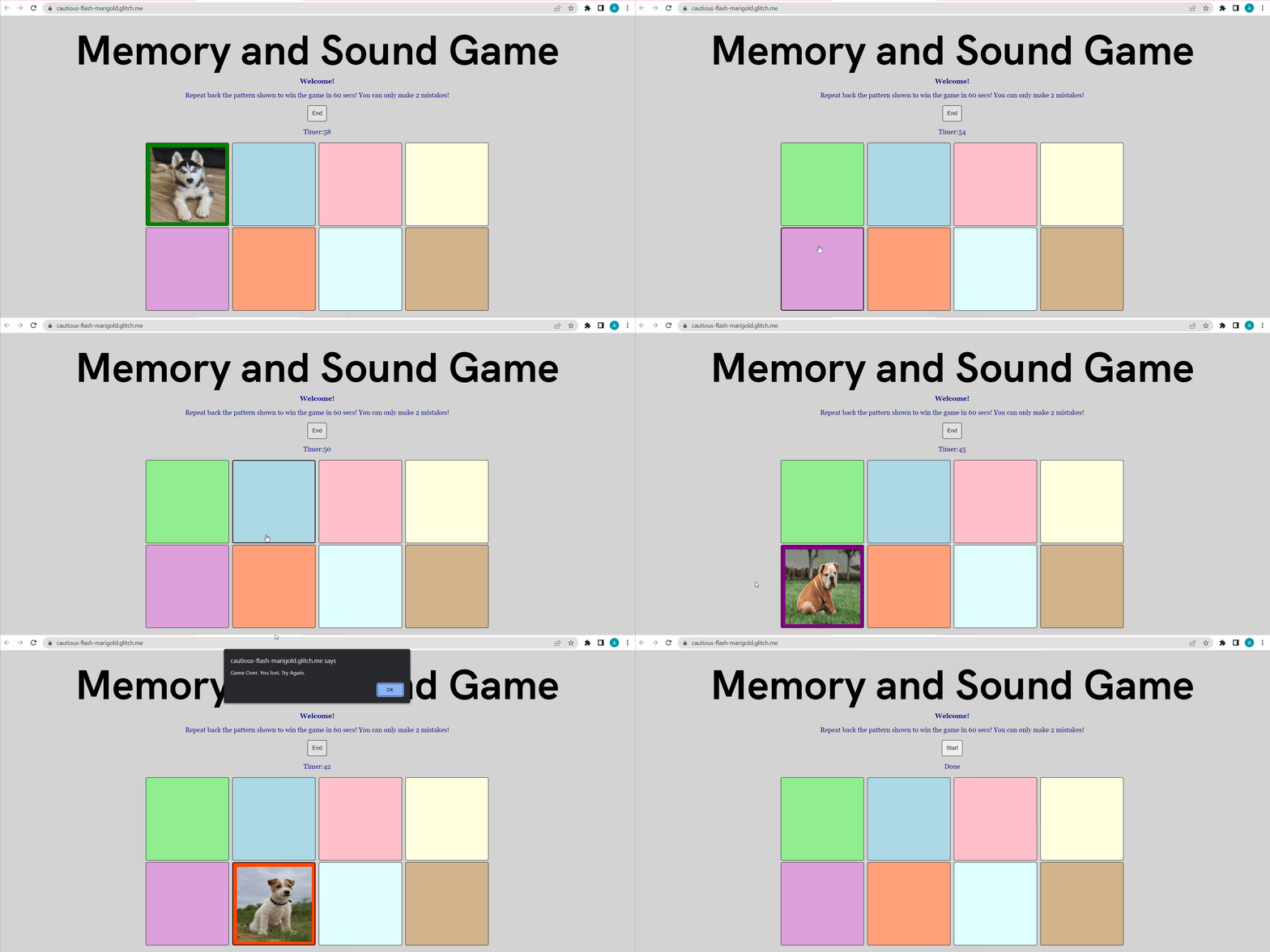
- If you used any outside resources to help complete your submission (websites, books, people, etc) list them here.
The reference resources I used as guidance for my project are as follows. The first reference is w3schools which I used to refresh my knowledge of JavaScript syntax. Another resource I used was a video on YouTube titled "Simple Countdown Timer with JavaScript" by Florin Pop. This video provided a better understanding of how I could incorporate a timer into my memory and sound game. The last resource I used was freeCodeCamp.org which helped me understand how to add images to the buttons. These images are hidden but will be visible when the button is clicked or it lights up with a clue.
- What was a challenge you encountered in creating this submission (be specific)? How did you overcome it? (recommended 200 - 400 words)
The biggest challenge I had in creating this submission was working on the timer portion of my code. I was not sure how to have my timer displayed while counting down. I was able to show "Timer: 60" with the paragraph tag in my HTML file, but counting down from 60 secs was tricky. I looked through sources and videos to understand how setInterval and clearInterval work. Using these resources, I create two variables named timer and timeLeft. TimeLeft equals 60 secs, which is the total time given. I was also able to create a function named updateTime() that will decrease the time. It also uses an if statement to display the correct time as it decreases and if there's no time left, it will stop the game. I called this function in both my startGame() and stopGame() functions. Despite this challenging feature taking me several hours, I was able to learn much about adding timers. I found that researching such topics that I had no prior experience with and testing them, helped me understand tremendously and this was shown in my project. This was beneficial, especially for randomly generating a pattern. When I first created a function and loop to do this, I would get floating numbers. Using resources, like w3schools.com, I was able to understand how to fix this. Doing this has taught me many useful skills. Another major challenge I had while completing the pre-work was adding images that would not show unless clicked on. I was able to add images to the buttons quite easily, but figuring out how to make them disappear and appear was quite difficult. I tried several ways including using visibility and display properties and trying different selectors in my CSS file. Ultimately, I was able to create two JavaScript functions named showImage(btn) and hideImage() and added them to each button on onmouseDown and onmouseUp in the HTML file. This lets the images be hidden and visible when clicked on. The last factor I had to focus on was having the images show when the buttons light up. I simply needed to add the two Javascript functions above to the lightButton() and clearButton() functions. I did look at several online resources including freeCodeCamp.org that helped me come to this conclusion.
- What questions about web development do you have after completing your submission? (recommended 100 - 300 words)
This pre-work assignment provided me with an improved understanding of the uses and functions of web development. I have had limited prior experience working with the web development languages: HTML, JavaScript, and CSS, but I was able to strengthen my knowledge through this project. I did have a few questions about web development. The first is, is it possible to have all three languages in one file? I am not sure if doing so would be beneficial or efficient as it could be confusing, but have there been situations where programmers would do so, or do most separate them into three files? The last question relates to databases. How could we incorporate a database to save the game data and perhaps feature a score table?
- If you had a few more hours to work on this project, what would you spend them doing (for example: refactoring certain functions, adding additional features, etc). Be specific. (recommended 100 - 300 words)
If I had a few more hours to work on this project, I would implement several additional features. My first idea is to create a webpage that allows users to make an account and track their scores, eventually allowing them to compare their scores with their friends. I would also like to create a webpage that features a leaderboard that sorts players based on their top score. To put all this together, I would eventually create a navigation bar that would feature various links. One link would be for creating an account while another would be for the memory and sound game. The third will be a profile page so users can update their profile, and the last link would be for the leaderboard or scoreboard. This could encourage friends to compete against each other rather than play on their own. The last feature I would incorporate are dog sounds to fit the theme of the memory and sound game. I did have a difficult time trying to add this feature prior and would love to eventually add this.
My 5-minute Interview Recording
Copyright [Adriana Morales]

Licensed under the Apache License, Version 2.0 (the "License");
you may not use this file except in compliance with the License.
You may obtain a copy of the License at

    http://www.apache.org/licenses/LICENSE-2.0

Unless required by applicable law or agreed to in writing, software
distributed under the License is distributed on an "AS IS" BASIS,
WITHOUT WARRANTIES OR CONDITIONS OF ANY KIND, either express or implied.
See the License for the specific language governing permissions and
limitations under the License.