CAD modeling for JavaScript.





▶ Try the live playground — write code, watch the solid render, and export STEP, all in your browser.
Getting Started · Cheat Sheet · Docs
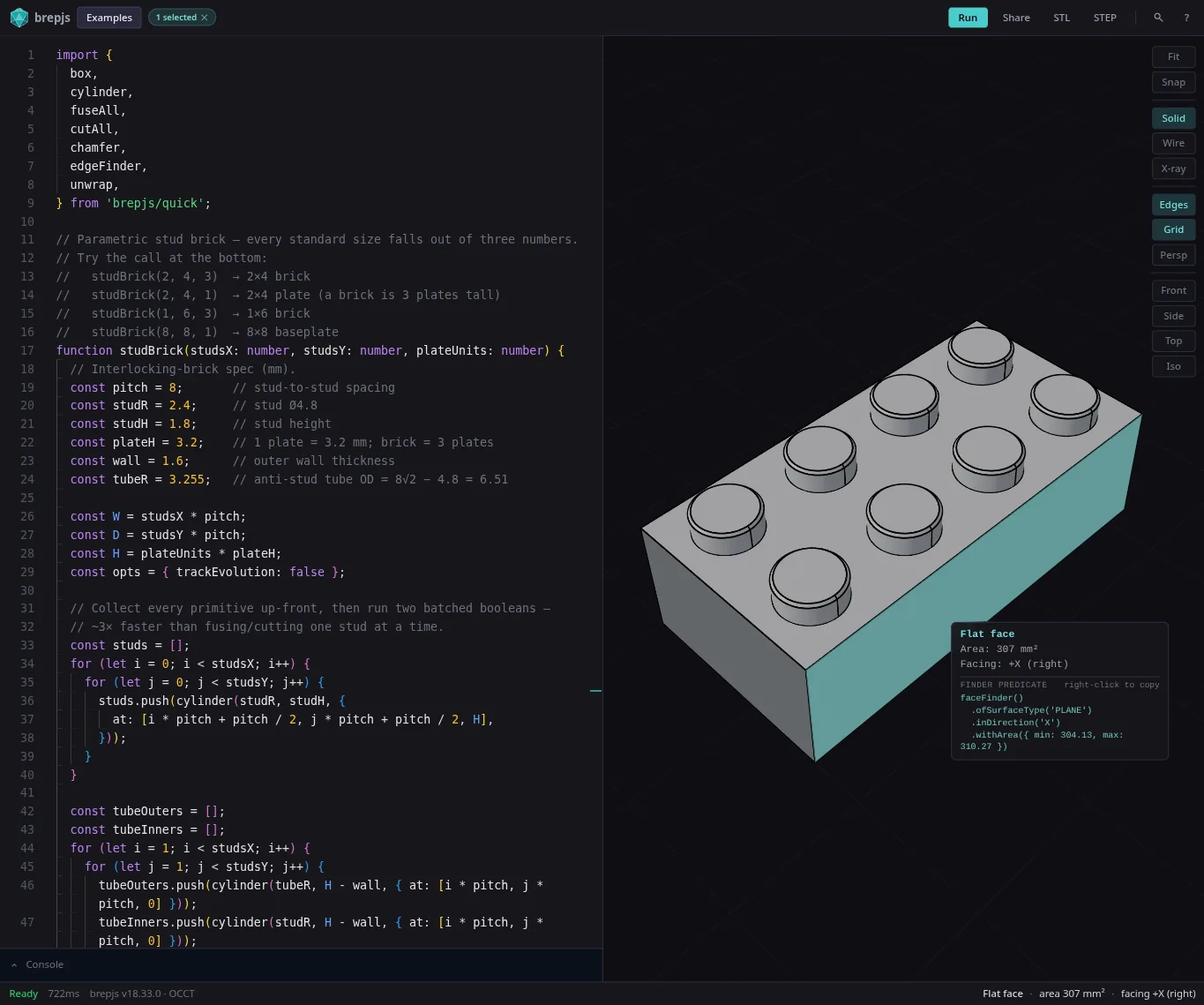
Shapes are exact mathematical boundaries — not triangle meshes — so booleans are precise, measurements are real, and you can export to STEP. TypeScript types prove the geometry is valid at compile time.
// Drill a hole, fillet the vertical edges, export to STEP
import { box, cut, cylinder, fillet, edgeFinder, exportSTEP, unwrap } from 'brepjs/quick';

const b = box(30, 20, 10);
const hole = cylinder(5, 15, { at: [15, 10, -2] });
const drilled = unwrap(cut(b, hole));

const edges = edgeFinder().inDirection('Z').findAll(drilled);
const part = unwrap(fillet(drilled, edges, 1.5));

const step = unwrap(exportSTEP(part));brepjs grew out of the love and care I put into gridfinitylayouttool.com. I needed parametric CAD in the browser and I'm not a 3D modeler, but I know TypeScript. OpenSCAD nailed code-first CAD but lives outside the JS ecosystem. replicad proved OpenCascade works in JS but I kept hitting performance walls and fighting the API.
Neither had the type safety I wanted, so brepjs leans hard on it: branded types, Result<T,E>, phantom types that prove invariants at compile time. If it compiles, the geometry is valid. Best for parts defined by parameters (enclosures, brackets, fixtures, gridfinity bins) rather than organic sculpting.
To set expectations, this project deliberately does not:
- Render or display geometry — brepjs produces shape data; pass mesh output to Three.js, Babylon.js, or raw WebGL for rendering.
- Support organic or sculpting workflows — the API is built for parametric parts (enclosures, brackets, fixtures); freeform sculpting is out of scope.
- Output SVG or 2D files — 2D drawing primitives exist solely as an intermediate step toward extruded 3D solids, not as a standalone 2D output format.
- Run server-side (SSR) — WASM requires a browser or Node.js environment with WASM support; server-side rendering frameworks (Next.js, Nuxt, Remix) need a client-only import.
- Provide a GUI — brepjs is a pure programmatic API; there is no visual editor, viewport, or file picker.
The OpenCascade kernel is the current default. brepkit, a Rust-based kernel, is in active development as a faster replacement but not yet ready for production use. The kernel abstraction layer means switching is a one-line change. See benchmarks for performance comparisons.
npm install brepjs brepjs-opencascadebrepjs/quick handles WASM init automatically via top-level await (ESM only). Other options:
// Auto-detect kernel
import { init } from 'brepjs';
await init();

// Or manual setup
import opencascade from 'brepjs-opencascade';
import { initFromOC } from 'brepjs';
const oc = await opencascade();
initFromOC(oc);The chapter-based guide is the recommended starting point:
- Why brepjs — what makes it different, who it's for
- Install & Initialize — three init styles, bundler notes
- Your First Solid — the canonical drill-fillet-export workflow
- Cheat Sheet — single-page reference
- Core Concepts — B-Rep, topology, types, kernels, tolerance
- Common Tasks — booleans, fillets, sketching, lofts, sweeps, finders, measurement, IO
- Three.js Integration — meshing and rendering
- Migration — coming from Replicad, OpenSCAD, or Three.js
- Extending brepjs — custom kernels, custom operations, architecture
- Reference — glossary, function lookup, error codes, ADRs
- API Reference (TypeDoc) — searchable type-level reference
Legacy single-page docs in ./docs/ remain available; the chapter site is the canonical location going forward.
Layer 3  sketching/, text/, projection/   High-level API
Layer 2  topology/, operations/, 2d/ ...  Domain logic
Layer 1  core/                            Types, memory, errors
Layer 0  kernel/, utils/                  WASM bindings
Imports flow downward only. Boundaries are enforced in CI.
- Gridfinity Layout Tool: Web-based layout generator for Gridfinity storage systems
See CONTRIBUTING.md for development setup and guidelines.